lakr
Members
-
Joined
-
Last visited
-
System: LittleBoy, just upgraded from 7.2.x to 7.3.0 today. Pre-existing setup: LUKS-encrypted parity array (disk1–disk11), plus btrfs pools (cache, blitz, vm, misc, black), a ZFS RAIDZ1 pool (tempspin), and a half-created encrypted ZFS RAIDZ1 pool (oldvault) that I was setting up just before the upgrade. After upgrade, I tried to use a 60GB SATA SSD (sdad in current device naming) as an internal boot device via the new 7.3 wizard. The wizard tried to format the existing tiny sdad4 partition (1.3MB) and failed with "ERROR: no btrfs on /dev/sdad4" and "boot: mount error: wrong or no file system." I wiped the partition table with sgdisk -Z /dev/sdad to give Unraid a blank disk. On the retry, emhttpd segfaulted (segfault at 518, in emhttpd binary). Restarting emhttpd via /usr/local/sbin/emhttp brings it back briefly but it crashes again. Currently all disks show in Unassigned Devices. /boot/config/super.dat dated 11:06 today (pre-upgrade) still exists, no .bak. Data on disks is intact at the LUKS layer. Diagnostics attached. littleboy-diagnostics-20260524-1507.zip
-
F*** - after going through everything it turned out my Netgear switch did not handle the power cycle well. Thank you for checking.
-
r720xd-diagnostics-20230817-0629.zip And here is the file for the main server.
-
tr-diagnostics-20230817-0622.zip Here is the diagnostics file for the backup server.
-
Yes, it appears to have the same issue - but I can't be 100% sure. I have console access via the remote terminals when booting up (idrac and asrock Remote KVM) I am attempting remote GUI. I will try to go through the link you provided.
-
I have 2 unraid machines that have been rock solid the last month. I have been moving files around - creating a main and a backup server. Today I wanted to upgrade the UPS and I powered down both servers gracefully. They both started fine in the boot sequence but I have absolutely no GUI access to the both servers. I have tried http/https I have checked the usb sticks I have checked if SSL was set to "Yes" (they are not) I have removed the password to try and "login" in the boot screen - successfully, but don't know what I can do from there. I have cleard my browser cache in Firefox and also tried Edge. Can I somehow now get a diagnostic file to share with you? Do you have any ideas for me to regain access? Thank you
-
I recently purchased a used DLA1500RMI2U and I would like to try to update the FW. The most recent wizard does not support this model, and I wanted to try with the 4.2 - but that has been discontinued and is not available for download. Do you still have the files?
-
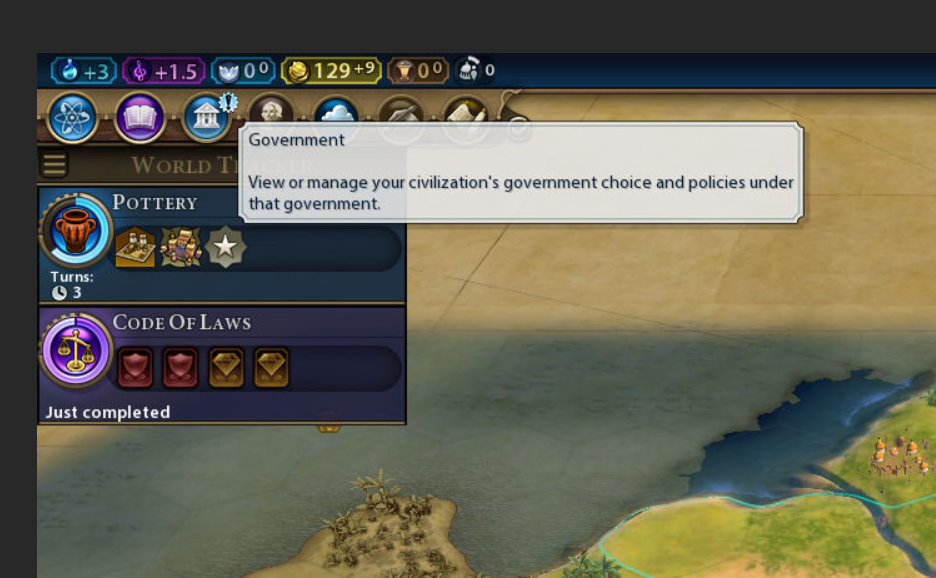
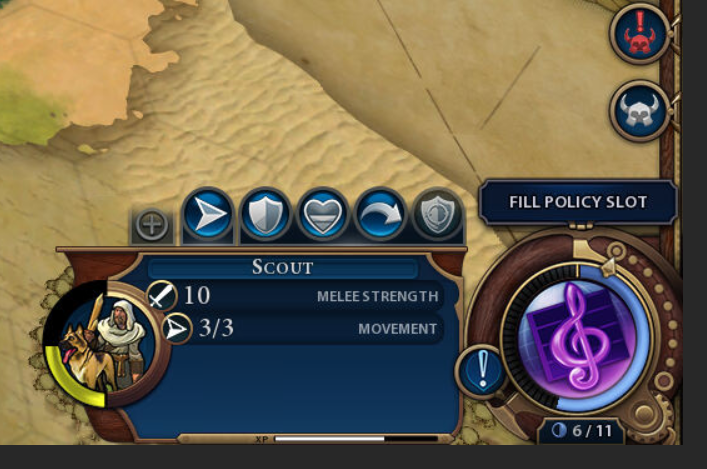
Hi everybody, I have the Steam Headless app up and running. This is exactly what I have been waiting for as I have not been able to get my GPU 2070 to pass through successfully. I want to play CIV VI and I can lauch the game no problem and get it going. However - When I need to fill the policy slot - Nothing happens when I click it. The same goes for the menu under Goverment. This makes the game literally unplayable 😞 Has anyone encountered this as well? What am I doing wrong?
-
Forgive me - but how do you do that?
-
Had high hopes for the updated of UD - but sadly it seems to have gotten worse. My shares disappeard again last night and I updated UD after the reboot this morning. With the new version the shares went to zero bytes within 5 minutes. I have added the diagnostics file. hightower-diagnostics-20210418-0734.zip
-
hightower-diagnostics-20210416-0546.zip Here are my diagnostics - just had another incident.
-
This is becoming unbearable 😞 All my data is on a Synology NAS connected with shares (UD) to my Unraid server (I purchased the Synology before I learned about Unraid). Everyday my shares drops to 0 and only a reboot brings them back online. My troubles started after the upgrade to 6.9.2 - maybe I will try to go back to 6.9.1. It would be very much appreciated if some of you have a solution for this.
-
MUT is set to 1.500 (I think this is default - not something I did)
-
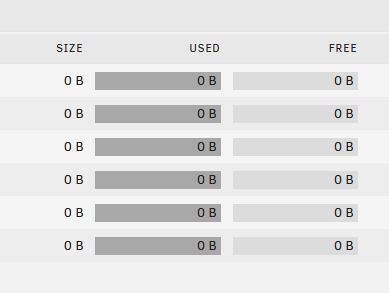
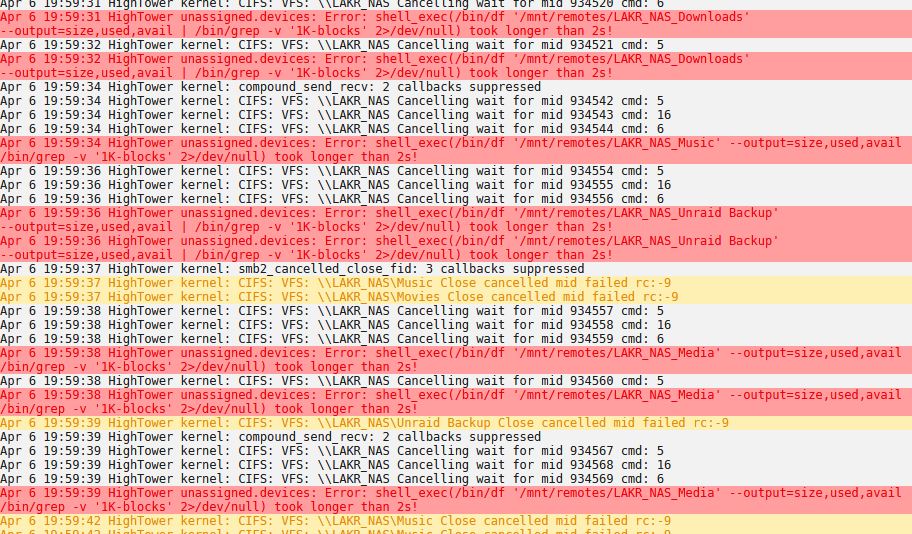
Hi, Since yesterday my mapped NAS drives have been acting strange. They look like they are mounted correctly but "size", "used", and "free" all show 0. The log shows some kind of time out error: Apr 6 20:13:50 HighTower unassigned.devices: Error: shell_exec(/bin/df '/mnt/remotes/LAKR_NAS_Media' --output=size,used,avail | /bin/grep -v '1K-blocks' 2>/dev/null) took longer than 2s! After a reboot the drives mounted correctly - but the error came back after a couple of hours again I tried googling the error but to no avail. Unraid version: 6.9.1 Unassigned Devices version: 2021.04.03 hightower-diagnostics-20210406-2021.zip