SavellM
Members
-
Joined
-
Last visited
-
At least your drive can still give you the power of AI to help you with your poems 😂
-
Makes sense, thanks Jorge for helping me out
-
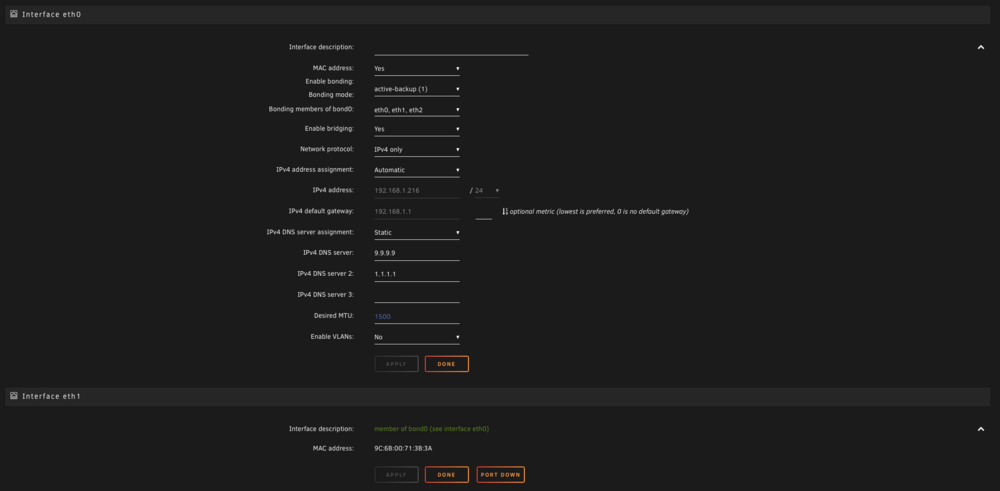
Yeah I've left it as a Bond as per the image above. If I disable that I lose everything. Is it worth uncommenting out that blacklist and just leaving it default until we get some sort of solution?
-
namek-diagnostics-20250103-1212.zip Thanks
-
@JorgeB I did the command: echo "blacklist cdc_ether" > /boot/config/modprobe.d/cdc_ether.conf Restarted and I still see ETH0. I did see during boot up: And I still cannot disable or remove this ETH0, so I have to leave it there otherwise I get no network. If I click the bonding and change type or anything else I just get nothing.

-
Yes I did see that, let me try it again with a fresh install of unRAID. I did find that IP would work but only after about 5mins of being booted... Its like it tries ETH0 and then goes yup its defo down, and then does the br0 failover to ETH1. And sorry for the multiple posts.
-
Current setup:
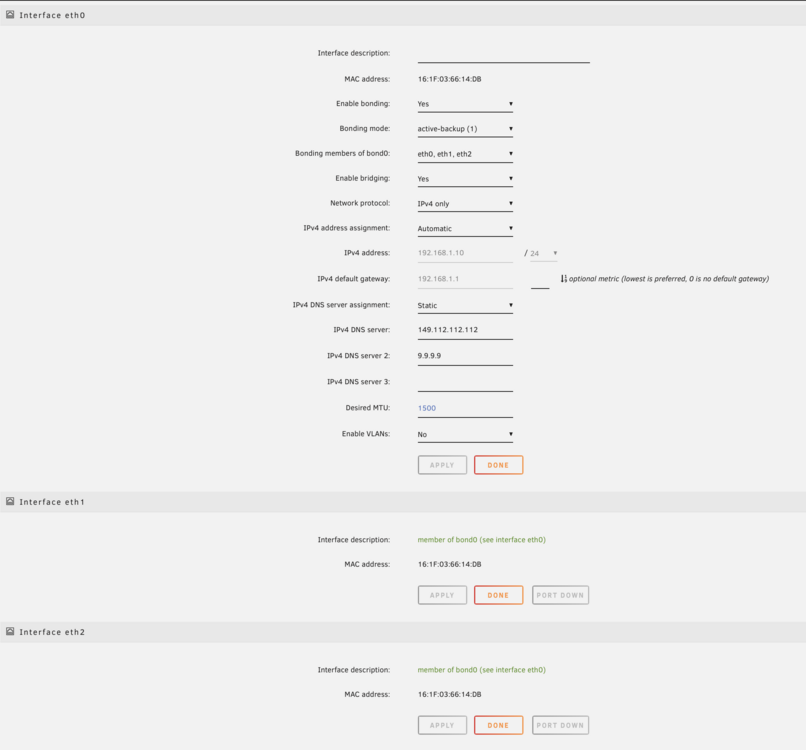
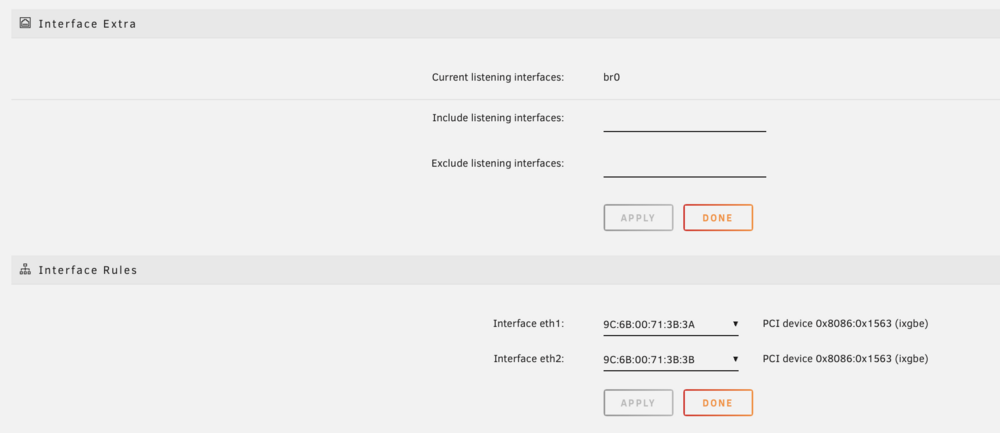
-
So ETH0 is somehow connected to my BMC (ASRock ROMED8-2T) I think I figured out it's some sort of USB NIC that gets pushed through. This causes delays when booting, and changing any network related options, I would like to just disable this random ETH0 and use ETH1/2 as my main networks. But for whatever reason as soon as I mess with it, I lose all connection. I would love some assistance here if anyone knows? lsusb Bus 001 Device 001: ID 1d6b:0002 Linux Foundation 2.0 root hub Bus 002 Device 001: ID 1d6b:0003 Linux Foundation 3.0 root hub Bus 003 Device 001: ID 1d6b:0002 Linux Foundation 2.0 root hub Bus 004 Device 001: ID 1d6b:0003 Linux Foundation 3.0 root hub Bus 005 Device 001: ID 1d6b:0002 Linux Foundation 2.0 root hub Bus 005 Device 002: ID 05e3:0608 Genesys Logic, Inc. Hub Bus 005 Device 012: ID 046b:ff01 American Megatrends, Inc. Virtual Hub Bus 005 Device 013: ID 046b:ffb0 American Megatrends, Inc. Virtual Ethernet Bus 005 Device 014: ID 046b:ff10 American Megatrends, Inc. Virtual Keyboard and Mouse That virtual ethernet I believe is what is causing my pain. namek-diagnostics-20250102-0958.zip
-
Sorry I thought it was a bit of a mess and no other responses. Sorry I didnt see any message from you there. I did manage to get a IP via GUI but when booting headless no IP. No idea why... namek-diagnostics-20241221-1744.zip
-
Hi all. I picked up a ROMED8-2T and am battling to get an IP. For some reason there is an ETH0 which is a different MAC to the ETH1/2 (Intel 10gbe NICs) and my server keeps picking it up as the main internet and gives it a self assigned IP. I have disabled Network Stack in bios which didn’t help. I am at my wits end as I can’t get my server to work correctly even if I bring up ETH1 and it gets an IP like it should the server won’t communicate to the outside world as it’s trying to use ETH0. Please could anyone help me figure out where this random ETH0 is coming from? I have the mother board, 4070ti, Quadro 8000, and a LSI SAS controller plugged in. Nothing else. I also don’t believe it’s the IPMI as it’s a different MAC
-
Well I do actually need some help. For something is taking ETH0 (I think IPMI) so I still cannot get my unRAID server to reach out to the outside world. I can finally access it from the ETH1 IP address as it should be. But ETH0 is always taking up primary duty and it's a self assigned IP. I have unplugged my IPMI so ONLY have 1 Ethernet cable into ETH1 (10gbe NIC) and still cannot get it to be ETH0 within unRAID. I wiped my USB and did a fresh install, and same dice. I'm struggling here, please save a n00b. ETH0 is a MAC address I dont recognise, it is not the IPMI MAC.
-
Ok I figured it out. For whatever reason its showing as 3x ETH devices. Previously I switched off ETH1 So now for some reason this is showing up at ETH 1 and no idea what ETH 0 is. Enabled this and finally got an IP... Anyone know what ETH 0 would be
-
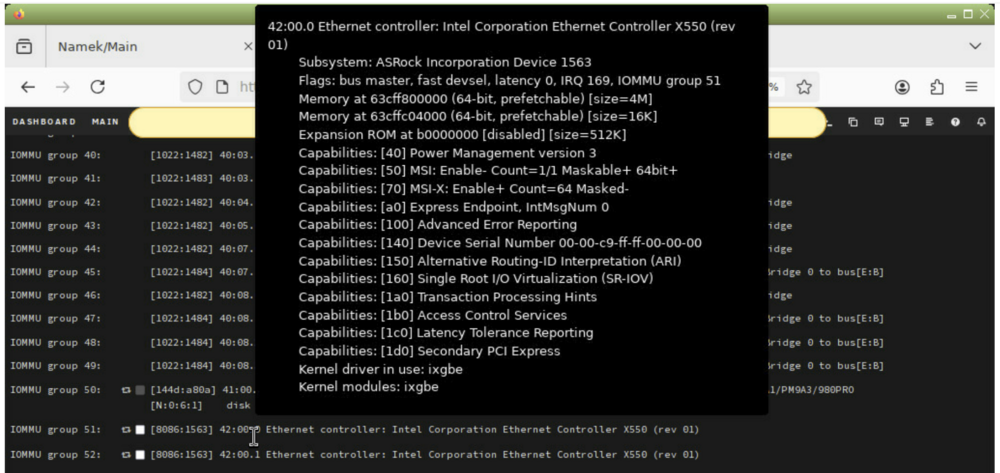
I managed to get into GUI via IPMI. I see Is there something I need to do? It seems like it's there? Do I need to enable SR-IOV?
-
Hi all, I'm in desperate need of help. I broke my old Intel based motherboard, so upgraded to a AsRock ROMED8-2T with AMD I have it booting just fine, BMC is fine and I can see the NIC is showing up in Unifi. But when unRAID boots (from my old USB) on RC 7.0.0 RC1 I get a self assigned IP address and I cannot access my server. I know this NIC does 1gb or 10gb and I have tested both but neither gets an IP. I have changed SPF+ adapters and also network cables but I just cannot get an IP. I saw in the BMC there was Network Bonding so I disabled that and still no dice. Is there something in BIOS I need to set to get the NIC to work and unRAID to see them?
-
Ok thanks JorgeB