





TheBeast
Members
-
Joined
-
Last visited
Everything posted by TheBeast
-
i used this: its worked for me
-
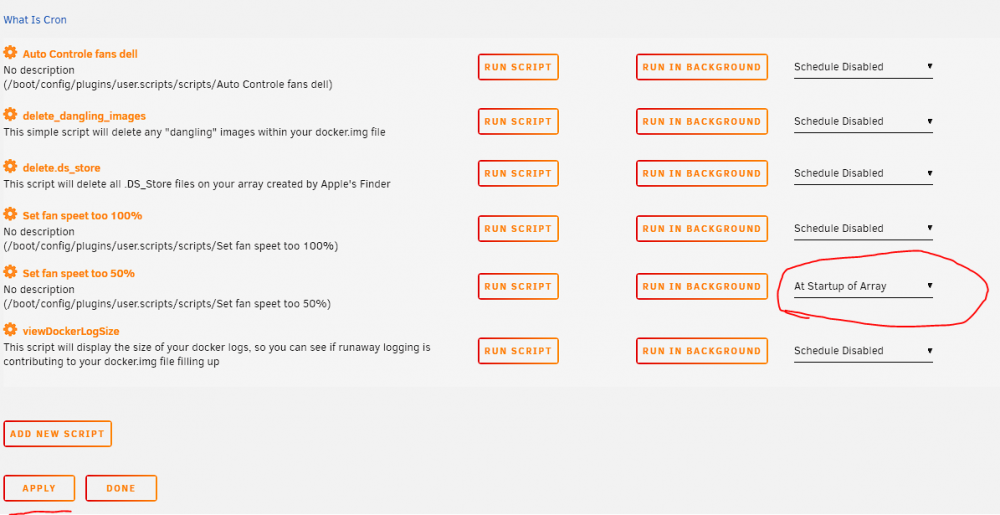
Hey there i got a problem on my unraid server (dell r710) i cant set a schedule if i want i cant press apply but i cant press done but its do not save want can i do ? any other have the same issue
-
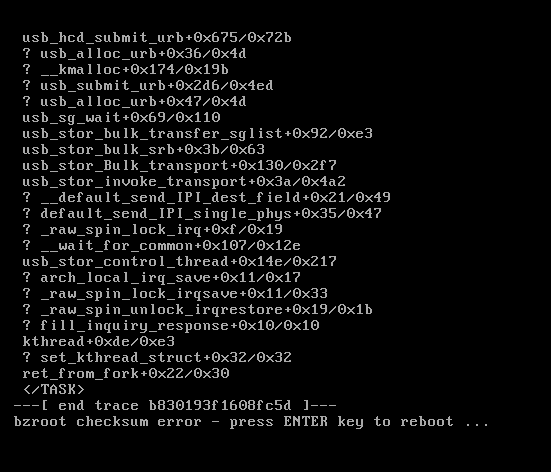
i got this error when its try to reboot after download the new update (dell r710 gen 1)
-
+1 i will ike to see it too ! will make my work so eazy for me in the day work
-
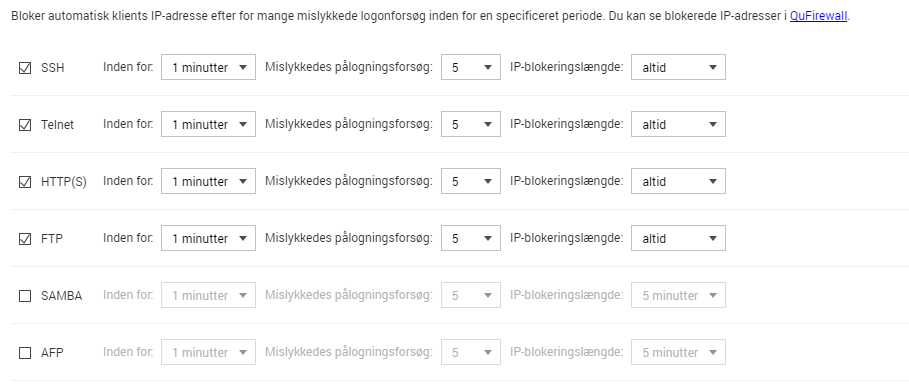
i have a Qnap nas and i want somthing like this in unraid i its dansih within xx min and xx failed attempts then ban for xx number of times or lifetime and opportunity to limeted to ex "Danmark" ip's so no from other country can Access my server TheBeast
-
plugin: installing: https://raw.githubusercontent.com/Squidly271/user.scripts/master/plugins/user.scripts.plg plugin: downloading https://raw.githubusercontent.com/Squidly271/user.scripts/master/plugins/user.scripts.plg plugin: downloading: https://raw.githubusercontent.com/Squidly271/user.scripts/master/plugins/user.scripts.plg ... failed (Network failure) plugin: wget: https://raw.githubusercontent.com/Squidly271/user.scripts/master/plugins/user.scripts.plg download failure (Network failure) Updating Support Links Finished Installing. If the DONE button did not appear, then you will need to click the red X in the top right corner how do i fix that ?
-


