





mattbridges
Members
-
Joined
-
Last visited
-
I'm recently (last few days) running into an error with the Glances container. docker.errors.ImageNotFound: 404 Client Error for http+docker://localhost/v1.41/images/040acfe07efced14a30c3992ff559b883c6920800b2f291f7f28650d3857860d/json: Not Found ("no such image: 040acfe07efced14a30c3992ff559b883c6920800b2f291f7f28650d3857860d: No such image: sha256:040acfe07efced14a30c3992ff559b883c6920800b2f291f7f28650d3857860d") Is anyone able to point me in the right direction please?
-
I'm trying to enable anonymous access by passing these environmental variables through but it doesn't seem to be working, am I doing something wrong? Container Variable: GF_ANONYMOUS_ACCESS Set to true Container Variable: GF_ORG_ROLE Set to Editor
-
Thanks! Should it be remote access to lan or vpn tunneled access?
-
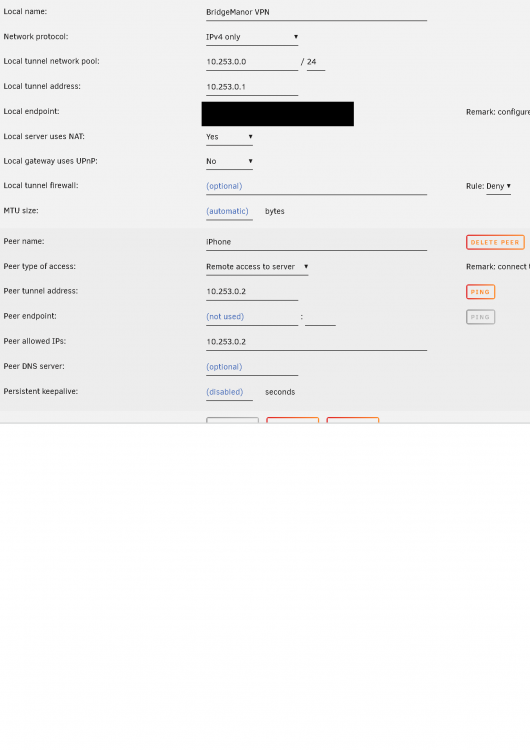
Thanks, see attached screenshot, I can connect to local ip's via vpn, it's just when I try and use an app to ssh to one of my raspberry pi's or plex server, it doesnt connect
-
I've moved my wireguard set up from a raspberry pi to my unraid server. I'm sure that on my raspberry pi I could ssh into my other devices using wireguard and the terminus ios app as if I was on my local network but I can't seem to get that to work now? Am I wrong or not configuring something correctly?
