





davidjmorin
Members
-
Joined
-
Last visited
Everything posted by davidjmorin
-
I am still stuck here. Wireguard not working anymore
-
I do not have any custom networks setup other then wireguard. Nothing is making sense to me. My server is remote and I dont have access to it. This is very disheartening. I also cannot download any plugins via the apps. I am at a loss here.
-
So I finally upgraded to the latest release after not doing it for 4 years. I had wireguard setup and working just fine. Now nothing about it works. If I have it on, my nginxproxymanager stops working and my domains do not point to dockers. Also, while connected remotely I cannot access websites. I can access my local LAN but that is it. If I turn the wireguard tunnel off my domains start working again. Where the hell do I start with this? Thanks guys!
-
Sorry to reawaken this but Im having this issue with my setup using the above settings. I have an Nvidia 1650 installed. 00:03:58] [ERR] [43] MediaBrowser.MediaEncoding.Transcoding.TranscodeManager: FFmpeg exited with code 218 [00:03:58] [ERR] [35] Jellyfin.Api.Middleware.ExceptionMiddleware: Error processing request. URL GET /videos/424c5679-decc-312e-4fe7-46f58b54b248/hls1/main/-1.mp4. MediaBrowser.Common.FfmpegException: FFmpeg exited with code 218 at MediaBrowser.MediaEncoding.Transcoding.TranscodeManager.StartFfMpeg(StreamState state, String outputPath, String commandLineArguments, Guid userId, TranscodingJobType transcodingJobType, CancellationTokenSource cancellationTokenSource, String workingDirectory) at Jellyfin.Api.Controllers.DynamicHlsController.GetDynamicSegment(StreamingRequestDto streamingRequest, Int32 segmentId) at Jellyfin.Api.Controllers.DynamicHlsController.GetHlsVideoSegment(Guid itemId, String playlistId, Int32 segmentId, String container, Int64 runtimeTicks, Int64 actualSegmentLengthTicks, Nullable`1 static, String params, String tag, String deviceProfileId, String playSessionId, String segmentContainer, Nullable`1 segmentLength, Nullable`1 minSegments, String mediaSourceId, String deviceId, String audioCodec, Nullable`1 enableAutoStreamCopy, Nullable`1 allowVideoStreamCopy, Nullable`1 allowAudioStreamCopy, Nullable`1 breakOnNonKeyFrames, Nullable`1 audioSampleRate, Nullable`1 maxAudioBitDepth, Nullable`1 audioBitRate, Nullable`1 audioChannels, Nullable`1 maxAudioChannels, String profile, String level, Nullable`1 framerate, Nullable`1 maxFramerate, Nullable`1 copyTimestamps, Nullable`1 startTimeTicks, Nullable`1 width, Nullable`1 height, Nullable`1 maxWidth, Nullable`1 maxHeight, Nullable`1 videoBitRate, Nullable`1 subtitleStreamIndex, Nullable`1 subtitleMethod, Nullable`1 maxRefFrames, Nullable`1 maxVideoBitDepth, Nullable`1 requireAvc, Nullable`1 deInterlace, Nullable`1 requireNonAnamorphic, Nullable`1 transcodingMaxAudioChannels, Nullable`1 cpuCoreLimit, String liveStreamId, Nullable`1 enableMpegtsM2TsMode, String videoCodec, String subtitleCodec, String transcodeReasons, Nullable`1 audioStreamIndex, Nullable`1 videoStreamIndex, Nullable`1 context, Dictionary`2 streamOptions, Boolean enableAudioVbrEncoding, Boolean alwaysBurnInSubtitleWhenTranscoding) at lambda_method1124(Closure, Object) at Microsoft.AspNetCore.Mvc.Infrastructure.ActionMethodExecutor.TaskOfActionResultExecutor.Execute(ActionContext actionContext, IActionResultTypeMapper mapper, ObjectMethodExecutor executor, Object controller, Object[] arguments) at Microsoft.AspNetCore.Mvc.Infrastructure.ControllerActionInvoker.<InvokeActionMethodAsync>g__Awaited|12_0(ControllerActionInvoker invoker, ValueTask`1 actionResultValueTask) at Microsoft.AspNetCore.Mvc.Infrastructure.ControllerActionInvoker.<InvokeNextActionFilterAsync>g__Awaited|10_0(ControllerActionInvoker invoker, Task lastTask, State next, Scope scope, Object state, Boolean isCompleted) at Microsoft.AspNetCore.Mvc.Infrastructure.ControllerActionInvoker.Rethrow(ActionExecutedContextSealed context) at Microsoft.AspNetCore.Mvc.Infrastructure.ControllerActionInvoker.Next(State& next, Scope& scope, Object& state, Boolean& isCompleted) at Microsoft.AspNetCore.Mvc.Infrastructure.ControllerActionInvoker.<InvokeInnerFilterAsync>g__Awaited|13_0(ControllerActionInvoker invoker, Task lastTask, State next, Scope scope, Object state, Boolean isCompleted) at Microsoft.AspNetCore.Mvc.Infrastructure.ResourceInvoker.<InvokeNextResourceFilter>g__Awaited|25_0(ResourceInvoker invoker, Task lastTask, State next, Scope scope, Object state, Boolean isCompleted) at Microsoft.AspNetCore.Mvc.Infrastructure.ResourceInvoker.Rethrow(ResourceExecutedContextSealed context) at Microsoft.AspNetCore.Mvc.Infrastructure.ResourceInvoker.Next(State& next, Scope& scope, Object& state, Boolean& isCompleted) at Microsoft.AspNetCore.Mvc.Infrastructure.ResourceInvoker.<InvokeFilterPipelineAsync>g__Awaited|20_0(ResourceInvoker invoker, Task lastTask, State next, Scope scope, Object state, Boolean isCompleted) at Microsoft.AspNetCore.Mvc.Infrastructure.ResourceInvoker.<InvokeAsync>g__Awaited|17_0(ResourceInvoker invoker, Task task, IDisposable scope) at Microsoft.AspNetCore.Mvc.Infrastructure.ResourceInvoker.<InvokeAsync>g__Awaited|17_0(ResourceInvoker invoker, Task task, IDisposable scope) at Jellyfin.Api.Middleware.ServerStartupMessageMiddleware.Invoke(HttpContext httpContext, IServerApplicationHost serverApplicationHost, ILocalizationManager localizationManager) at Jellyfin.Api.Middleware.WebSocketHandlerMiddleware.Invoke(HttpContext httpContext, IWebSocketManager webSocketManager) at Jellyfin.Api.Middleware.IPBasedAccessValidationMiddleware.Invoke(HttpContext httpContext, INetworkManager networkManager) at Jellyfin.Api.Middleware.LanFilteringMiddleware.Invoke(HttpContext httpContext, INetworkManager networkManager, IServerConfigurationManager serverConfigurationManager) at Microsoft.AspNetCore.Authorization.AuthorizationMiddleware.Invoke(HttpContext context) at Jellyfin.Api.Middleware.QueryStringDecodingMiddleware.Invoke(HttpContext httpContext) at Swashbuckle.AspNetCore.ReDoc.ReDocMiddleware.Invoke(HttpContext httpContext) at Swashbuckle.AspNetCore.SwaggerUI.SwaggerUIMiddleware.Invoke(HttpContext httpContext) at Swashbuckle.AspNetCore.Swagger.SwaggerMiddleware.Invoke(HttpContext httpContext, ISwaggerProvider swaggerProvider) at Microsoft.AspNetCore.Authentication.AuthenticationMiddleware.Invoke(HttpContext context) at Jellyfin.Api.Middleware.RobotsRedirectionMiddleware.Invoke(HttpContext httpContext) at Jellyfin.Api.Middleware.LegacyEmbyRouteRewriteMiddleware.Invoke(HttpContext httpContext) at Microsoft.AspNetCore.ResponseCompression.ResponseCompressionMiddleware.InvokeCore(HttpContext context) at Jellyfin.Api.Middleware.ResponseTimeMiddleware.Invoke(HttpContext context, IServerConfigurationManager serverConfigurationManager) at Jellyfin.Api.Middleware.ExceptionMiddleware.Invoke(HttpContext context) [00:03:59] [INF] [35] MediaBrowser.MediaEncoding.Transcoding.TranscodeManager: Deleting partial stream file(s) /config/cache/transcodes/c8c9c0777fee4f392ad7db0dd31b257e.m3u8 [00:04:00] [INF] [35] Emby.Server.Implementations.Session.SessionManager: Playback stopped reported by app Jellyfin Web 10.10.6 playing Pilot. Stopped at 0 ms
-
yup.....F jellyfin. Im all set man.
-
I just wiped everyting and starting over. See if this works. if not im gonna say screw it and stick with plex and just pay the fee.
-
yea, local it runs as it should. Even in the android app, if i use external ip and play a video works great. If i use my URL. Bumpkins
-
If i visit directly via my outside IP and port it plays just fine. Local IP is fine also
-
This is with advanced empty and with my settings.
-
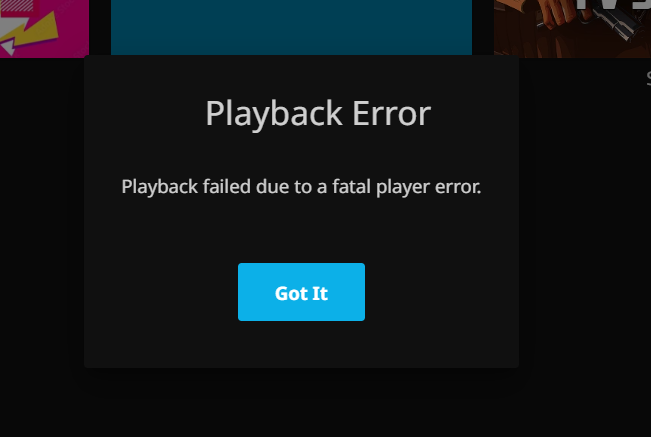
yep. nothing. page loads. Nothing plays. fatal error
-
This is day 2 of working on this for HOURS. Nothing works. I dont know what im missing.
-
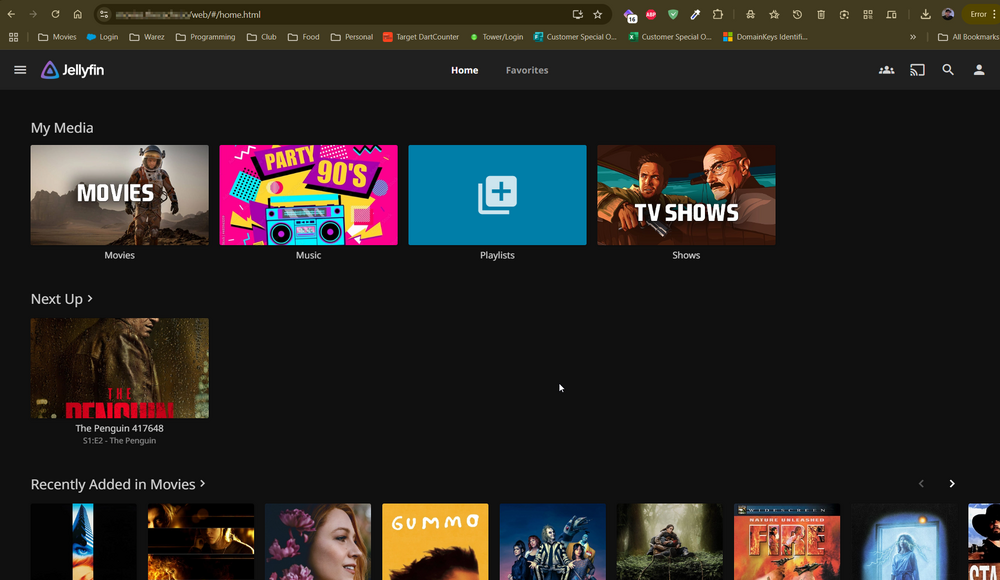
Im telling you i have followed every guide and tried every trick. Nothing works. Page loads fine. Movies do not play. It has to be cloudflare related. I have no clue.
-
Yeah the only thing using those ports is NPM.
-
I do that now all my services are down
-
Yes sir.
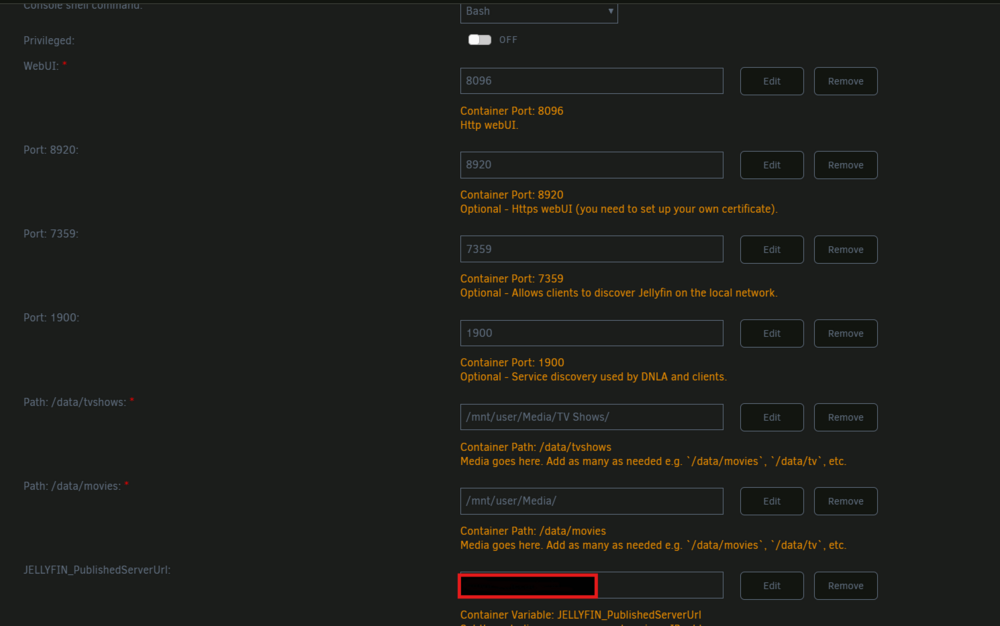 ok so dont forward port 8096, I am using the https://hub.docker.com/r/jlesage/nginx-proxy-manager/ image. yes in cloudflare i have a cname setupI have ports 8096 forward as well as port 80 and 443. On plex everything worked fine. I have all kinds of items that work fine and no need to mess with advanced at all on most. Althelia what a bit different and needed some custom info in advanced in NPMoh and here is a curveball. If i visit MYEXTERNALIP:8096 it loads and works just fine. Its clearly something with the DNS.Ok guys, It takes alot for me to come here and I am beyond irritated. I have jellyfin installed and running. All libraries up and working locally. I have a url setup for outside access. jellyfin.mydomain.com When I access it via browser or the android app it loads fine, when i go to play a movie it errors out with a fatal error related to authentication it appears. Jellyfin.Api.Auth.CustomAuthenticationHandler: AuthenticationScheme: "CustomAuthentication" was challenged. I have NPM handling everything. I added this to advanced tab location / { # Proxy main Jellyfin traffic proxy_pass $forward_scheme://$server:$port; proxy_set_header Host $host; proxy_set_header X-Real-IP $remote_addr; proxy_set_header X-Forwarded-For $proxy_add_x_forwarded_for; proxy_set_header X-Forwarded-Proto $scheme; proxy_set_header X-Forwarded-Protocol $scheme; proxy_set_header X-Forwarded-Host $http_host; # Disable buffering when the nginx proxy gets very resource heavy upon streaming proxy_buffering off; } location = /web/ { # Proxy main Jellyfin traffic proxy_pass $forward_scheme://$server:$port/web/index.html; proxy_set_header Host $host; proxy_set_header X-Real-IP $remote_addr; proxy_set_header X-Forwarded-For $proxy_add_x_forwarded_for; proxy_set_header X-Forwarded-Proto $scheme; proxy_set_header X-Forwarded-Protocol $scheme; proxy_set_header X-Forwarded-Host $http_host; } location /socket { # Proxy Jellyfin Websockets traffic proxy_pass $forward_scheme://$server:$port; proxy_http_version 1.1; proxy_set_header Upgrade $http_upgrade; proxy_set_header Connection "upgrade"; proxy_set_header Host $host; proxy_set_header X-Real-IP $remote_addr; proxy_set_header X-Forwarded-For $proxy_add_x_forwarded_for; proxy_set_header X-Forwarded-Proto $scheme; proxy_set_header X-Forwarded-Protocol $scheme; proxy_set_header X-Forwarded-Host $http_host; } I cannot for the life of me get this to work. Can someone show me a STEP BY STEP on how to get this working? I have been doing IT for about 20 years and am at a loss of what to do. I am also using cloudflare for my DNS. Request URL: https://jellyfin.MYDOMAIN.io/videos/1d2d5c5f-ddce-4b70-9fa8-ce847bada945/hls1/main/-1.mp4?DeviceId=TW96aWxsYS81LjAgKFdpbmRvd3MgTlQgMTAuMDsgV2luNjQ7IHg2NCkgQXBwbGVXZWJLaXQvNTM3LjM2IChLSFRNTCwgbGlrZSBHZWNrbykgQ2hyb21lLzEzNC4wLjAuMCBTYWZhcmkvNTM3LjM2fDE3NDI5NDQyNTkyODg1&MediaSourceId=1d2d5c5fddce4b709fa8ce847bada945&VideoCodec=av1,hevc,h264,vp9&AudioCodec=aac&AudioStreamIndex=1&SubtitleStreamIndex=2&VideoBitrate=139616000&AudioBitrate=384000&MaxFramerate=23.976025&PlaySessionId=3b25315be1084b2eb7fc74a316b216c9&api_key=30bca4e086ee4b6392fd06bdd094a361&SubtitleMethod=Encode&TranscodingMaxAudioChannels=2&RequireAvc=false&EnableAudioVbrEncoding=true&Tag=01f2e0fcbffaa2de930c7314be883972&SegmentContainer=mp4&MinSegments=1&BreakOnNonKeyFrames=True&h264-level=40&h264-videobitdepth=8&h264-profile=main&av1-profile=main&av1-rangetype=SDR,HDR10,HLG&av1-level=19&vp9-rangetype=SDR,HDR10,HLG&hevc-profile=main,main10&hevc-rangetype=SDR,HDR10,HLG&hevc-level=183&hevc-deinterlace=true&h264-rangetype=SDR&h264-deinterlace=true&TranscodeReasons=AudioCodecNotSupported,%20SubtitleCodecNotSupported&runtimeTicks=0&actualSegmentLengthTicks=0 Request Method: GET Status Code: 401 Unauthorized Remote Address: 104.21.23.74:443 Referrer Policy: no-referrerNevermind. Found it https://connect.myunraid.net/server/I recall that in here at one point we could see our servers. In that it had a backup of the appdata. My flashdrive is corrupt and now can find that link for the servers list. Any ideas?2022-08-01 09:39:01,911 INFO : org.graylog2.bootstrap.CmdLineTool - Loaded plugin: AWS plugins 3.1.4 [org.graylog.aws.AWSPlugin] 2022-08-01 09:39:01,912 INFO : org.graylog2.bootstrap.CmdLineTool - Loaded plugin: Collector 3.1.4 [org.graylog.plugins.collector.CollectorPlugin] 2022-08-01 09:39:01,912 INFO : org.graylog2.bootstrap.CmdLineTool - Loaded plugin: Threat Intelligence Plugin 3.1.4 [org.graylog.plugins.threatintel.ThreatIntelPlugin] 2022-08-01 09:39:02,131 INFO : org.graylog2.bootstrap.CmdLineTool - Running with JVM arguments: -XX:+UnlockExperimentalVMOptions -XX:+UseCGroupMemoryLimitForHeap -XX:NewRatio=1 -XX:MaxMetaspaceSize=256m -XX:+ResizeTLAB -XX:+UseConcMarkSweepGC -XX:+CMSConcurrentMTEnabled -XX:+CMSClassUnloadingEnabled -XX:+UseParNewGC -XX:-OmitStackTraceInFastThrow -Dlog4j.configurationFile=/usr/share/graylog/data/config/log4j2.xml -Djava.library.path=/usr/share/graylog/lib/sigar/ -Dgraylog2.installation_source=docker 2022-08-01 09:39:02,283 INFO : org.hibernate.validator.internal.util.Version - HV000001: Hibernate Validator 5.1.3.Final 2022-08-01 09:39:03,404 INFO : org.graylog2.shared.buffers.InputBufferImpl - Message journal is enabled. 2022-08-01 09:39:03,414 INFO : org.graylog2.plugin.system.NodeId - No node ID file found. Generated: 7422203b-8cec-41af-aa11-9d23d0495217 2022-08-01 09:39:03,495 ERROR: org.graylog2.shared.journal.KafkaJournal - Cannot access offset file: Permission denied 2022-08-01 09:39:03,499 INFO : org.graylog2.shared.buffers.InputBufferImpl - Message journal is enabled. 2022-08-01 09:39:03,500 ERROR: org.graylog2.shared.journal.KafkaJournal - Cannot access offset file: Permission denied 2022-08-01 09:39:03,550 INFO : org.mongodb.driver.cluster - Cluster created with settings {hosts=[192.168.1.17:27017], mode=SINGLE, requiredClusterType=UNKNOWN, serverSelectionTimeout='30000 ms', maxWaitQueueSize=500} 2022-08-01 09:39:03,574 INFO : org.mongodb.driver.cluster - Cluster description not yet available. Waiting for 30000 ms before timing out 2022-08-01 09:39:03,587 INFO : org.mongodb.driver.connection - Opened connection [connectionId{localValue:1, serverValue:7}] to 192.168.1.17:27017 2022-08-01 09:39:03,590 INFO : org.mongodb.driver.cluster - Monitor thread successfully connected to server with description ServerDescription{address=192.168.1.17:27017, type=STANDALONE, state=CONNECTED, ok=true, version=ServerVersion{versionList=[5, 0, 9]}, minWireVersion=0, maxWireVersion=13, maxDocumentSize=16777216, logicalSessionTimeoutMinutes=30, roundTripTimeNanos=1631230} 2022-08-01 09:39:03,598 INFO : org.mongodb.driver.connection - Opened connection [connectionId{localValue:2, serverValue:8}] to 192.168.1.17:27017 2022-08-01 09:39:03,731 INFO : org.graylog2.shared.buffers.InputBufferImpl - Message journal is enabled. 2022-08-01 09:39:03,731 ERROR: org.graylog2.shared.journal.KafkaJournal - Cannot access offset file: Permission denied 2022-08-01 09:39:03,784 INFO : io.searchbox.client.AbstractJestClient - Setting server pool to a list of 1 servers: [http://192.168.1.17:9200] 2022-08-01 09:39:03,784 INFO : io.searchbox.client.JestClientFactory - Using multi thread/connection supporting pooling connection manager 2022-08-01 09:39:03,817 INFO : io.searchbox.client.JestClientFactory - Using custom ObjectMapper instance 2022-08-01 09:39:03,818 INFO : io.searchbox.client.JestClientFactory - Node Discovery disabled... 2022-08-01 09:39:03,818 INFO : io.searchbox.client.JestClientFactory - Idle connection reaping disabled... 2022-08-01 09:39:03,821 ERROR: org.graylog2.shared.journal.KafkaJournal - Cannot access offset file: Permission denied 2022-08-01 09:39:03,845 ERROR: org.graylog2.shared.journal.KafkaJournal - Cannot access offset file: Permission denied 2022-08-01 09:39:03,845 ERROR: org.graylog2.shared.journal.KafkaJournal - Cannot access offset file: Permission denied 2022-08-01 09:39:03,846 ERROR: org.graylog2.shared.journal.KafkaJournal - Cannot access offset file: Permission denied 2022-08-01 09:39:03,892 ERROR: org.graylog2.shared.journal.KafkaJournal - Cannot access offset file: Permission denied 2022-08-01 09:39:03,894 ERROR: org.graylog2.shared.journal.KafkaJournal - Cannot access offset file: Permission denied 2022-08-01 09:39:03,896 INFO : org.graylog2.shared.buffers.ProcessBuffer - Initialized ProcessBuffer with ring size <65536> and wait strategy <BlockingWaitStrategy>. 2022-08-01 09:39:03,897 ERROR: org.graylog2.shared.journal.KafkaJournal - Cannot access offset file: Permission denied 2022-08-01 09:39:03,897 ERROR: org.graylog2.shared.journal.KafkaJournal - Cannot access offset file: Permission denied 2022-08-01 09:39:03,937 ERROR: org.graylog2.shared.journal.KafkaJournal - Cannot access offset file: Permission denied 2022-08-01 09:39:03,940 ERROR: org.graylog2.shared.journal.KafkaJournal - Cannot access offset file: Permission denied 2022-08-01 09:39:03,954 INFO : org.graylog2.shared.buffers.ProcessBuffer - Initialized ProcessBuffer with ring size <65536> and wait strategy <BlockingWaitStrategy>. 2022-08-01 09:39:03,954 ERROR: org.graylog2.shared.journal.KafkaJournal - Cannot access offset file: Permission denied 2022-08-01 09:39:03,955 INFO : org.graylog2.shared.buffers.ProcessBuffer - Initialized ProcessBuffer with ring size <65536> and wait strategy <BlockingWaitStrategy>. 2022-08-01 09:39:03,956 ERROR: org.graylog2.shared.journal.KafkaJournal - Cannot access offset file: Permission denied 2022-08-01 09:39:03,960 ERROR: org.graylog2.shared.journal.KafkaJournal - Cannot access offset file: Permission denied 2022-08-01 09:39:03,962 INFO : org.graylog2.shared.buffers.InputBufferImpl - Message journal is enabled. 2022-08-01 09:39:03,962 ERROR: org.graylog2.shared.journal.KafkaJournal - Cannot access offset file: Permission denied 2022-08-01 09:39:04,054 ERROR: org.graylog2.shared.journal.KafkaJournal - Cannot access offset file: Permission denied 2022-08-01 09:39:04,071 ERROR: org.graylog2.shared.journal.KafkaJournal - Cannot access offset file: Permission denied 2022-08-01 09:39:04,080 ERROR: org.graylog2.shared.journal.KafkaJournal - Cannot access offset file: Permission denied 2022-08-01 09:39:04,081 INFO : org.graylog2.buffers.OutputBuffer - Initialized OutputBuffer with ring size <65536> and wait strategy <BlockingWaitStrategy>. 2022-08-01 09:39:04,081 ERROR: org.graylog2.shared.journal.KafkaJournal - Cannot access offset file: Permission denied 2022-08-01 09:39:04,083 ERROR: org.graylog2.shared.journal.KafkaJournal - Cannot access offset file: Permission denied 2022-08-01 09:39:04,084 ERROR: org.graylog2.shared.journal.KafkaJournal - Cannot access offset file: Permission denied 2022-08-01 09:39:04,084 ERROR: org.graylog2.shared.journal.KafkaJournal - Cannot access offset file: Permission denied 2022-08-01 09:39:04,085 ERROR: org.graylog2.shared.journal.KafkaJournal - Cannot access offset file: Permission denied 2022-08-01 09:39:04,086 ERROR: org.graylog2.shared.journal.KafkaJournal - Cannot access offset file: Permission denied 2022-08-01 09:39:04,093 ERROR: org.graylog2.shared.journal.KafkaJournal - Cannot access offset file: Permission denied 2022-08-01 09:39:04,094 ERROR: org.graylog2.shared.journal.KafkaJournal - Cannot access offset file: Permission denied 2022-08-01 09:39:04,095 INFO : org.graylog2.shared.buffers.InputBufferImpl - Message journal is enabled. 2022-08-01 09:39:04,095 ERROR: org.graylog2.shared.journal.KafkaJournal - Cannot access offset file: Permission denied 2022-08-01 09:39:04,096 INFO : org.graylog2.shared.buffers.ProcessBuffer - Initialized ProcessBuffer with ring size <65536> and wait strategy <BlockingWaitStrategy>. 2022-08-01 09:39:04,096 ERROR: org.graylog2.shared.journal.KafkaJournal - Cannot access offset file: Permission denied 2022-08-01 09:39:04,097 ERROR: org.graylog2.shared.journal.KafkaJournal - Cannot access offset file: Permission denied 2022-08-01 09:39:04,098 INFO : org.graylog2.shared.buffers.InputBufferImpl - Message journal is enabled. 2022-08-01 09:39:04,099 ERROR: org.graylog2.shared.journal.KafkaJournal - Cannot access offset file: Permission denied 2022-08-01 09:39:04,100 ERROR: org.graylog2.shared.journal.KafkaJournal - Cannot access offset file: Permission denied 2022-08-01 09:39:04,101 ERROR: org.graylog2.shared.journal.KafkaJournal - Cannot access offset file: Permission denied 2022-08-01 09:39:04,103 ERROR: org.graylog2.bootstrap.CmdLineTool - ################################################################################ ERROR: Unable to access file /usr/share/graylog/data/journal/graylog2-committed-read-offset: Permission denied Need help? * Official documentation: http://docs.graylog.org/ * Community support: https://www.graylog.org/community-support/ * Commercial support: https://www.graylog.com/support/ Terminating. :( ################################################################################ ** Press ANY KEY to close this window **


Account
Navigation
Search
Configure browser push notifications
Chrome (Android)
- Tap the lock icon next to the address bar.
- Tap Permissions → Notifications.
- Adjust your preference.
Chrome (Desktop)
- Click the padlock icon in the address bar.
- Select Site settings.
- Find Notifications and adjust your preference.
Safari (iOS 16.4+)
- Ensure the site is installed via Add to Home Screen.
- Open Settings App → Notifications.
- Find your app name and adjust your preference.
Safari (macOS)
- Go to Safari → Preferences.
- Click the Websites tab.
- Select Notifications in the sidebar.
- Find this website and adjust your preference.
Edge (Android)
- Tap the lock icon next to the address bar.
- Tap Permissions.
- Find Notifications and adjust your preference.
Edge (Desktop)
- Click the padlock icon in the address bar.
- Click Permissions for this site.
- Find Notifications and adjust your preference.
Firefox (Android)
- Go to Settings → Site permissions.
- Tap Notifications.
- Find this site in the list and adjust your preference.
Firefox (Desktop)
- Open Firefox Settings.
- Search for Notifications.
- Find this site in the list and adjust your preference.