





RedSpider
Members
-
Joined
-
Last visited
Everything posted by RedSpider
-
Apologies if this is in the wrong section, seen a bunch of threads asking this exact same question but they all seem to have no replies/answer. I'm setting up lancache on my NAS as our entire household are gamers. The problem with this is that the Blizzard/Battlenet client get extremely slow throughput, and looking at the docs the suggested action is to add more IPs to the container. Because the container listens on 80 and 443, I cannot use host networking as this would conflict with the Unraid control panel. Currently I have the following container running What i am looking to do is add more host IPs to this, eg `192.168.0.251`, `192.168.0.250` etc. Is this possible? Thanks

-
Great, thank you
-
Hello, logged in to my unraid box today and noticed a lot of log spam May 12 18:15:38 ***** kernel: resource sanity check: requesting [mem 0x000c0000-0x000fffff], which spans more than PCI Bus 0000:00 [mem 0x000c0000-0x000dffff window] May 12 18:15:38 ***** kernel: caller _nv000712rm+0x1af/0x200 [nvidia] mapping multiple BARs May 12 18:15:39 ***** kernel: resource sanity check: requesting [mem 0x000c0000-0x000fffff], which spans more than PCI Bus 0000:00 [mem 0x000c0000-0x000dffff window] May 12 18:15:39 ***** kernel: caller _nv000712rm+0x1af/0x200 [nvidia] mapping multiple BARs May 12 18:15:40 ***** kernel: resource sanity check: requesting [mem 0x000c0000-0x000fffff], which spans more than PCI Bus 0000:00 [mem 0x000c0000-0x000dffff window] May 12 18:15:40 ***** kernel: caller _nv000712rm+0x1af/0x200 [nvidia] mapping multiple BARs May 12 18:15:40 ***** kernel: resource sanity check: requesting [mem 0x000c0000-0x000fffff], which spans more than PCI Bus 0000:00 [mem 0x000c0000-0x000dffff window] May 12 18:15:40 ***** kernel: caller _nv000712rm+0x1af/0x200 [nvidia] mapping multiple BARs May 12 18:15:41 ***** kernel: resource sanity check: requesting [mem 0x000c0000-0x000fffff], which spans more than PCI Bus 0000:00 [mem 0x000c0000-0x000dffff window] May 12 18:15:41 ***** kernel: caller _nv000712rm+0x1af/0x200 [nvidia] mapping multiple BARs May 12 18:15:42 ***** kernel: resource sanity check: requesting [mem 0x000c0000-0x000fffff], which spans more than PCI Bus 0000:00 [mem 0x000c0000-0x000dffff window] Removing GPU Stats Plugin stopped it. Is there a fix for this? Thanks
-
Noticing that my Conan Exiles server keeps crashing after a long duration of uptime, spotted this in the log 002b:fixme:advapi:ReportEventW (0xcafe4242,0x0002,0x0000,0x80000002,(nil),0x0001,0x00000000,0x5fc228,(nil)): stub 002b:fixme:advapi:ReportEventW (0xcafe4242,0x0002,0x0000,0x80000002,(nil),0x0001,0x00000000,0x5fc228,(nil)): stub Network:Warning: Data: BasePlayerChar_C_8 (server) sent 40.5 parts per second > 40 (sample window size: 2.00 seconds) Network:Warning: Data: BasePlayerChar_C_9 (server) sent 41.5 parts per second > 40 (sample window size: 2.00 seconds) 002b:fixme:advapi:ReportEventW (0xcafe4242,0x0002,0x0000,0x80000002,(nil),0x0001,0x00000000,0x5fc228,(nil)): stub 002b:fixme:wininet:InternetSetOptionW Option INTERNET_OPTION_IGNORE_OFFLINE: STUB 002b:fixme:advapi:ReportEventW (0xcafe4242,0x0002,0x0000,0x80000002,(nil),0x0001,0x00000000,0x5fc228,(nil)): stub Network:Warning: Data: BasePlayerChar_C_8 (server) sent 52.0 parts per second > 40 (sample window size: 2.00 seconds) 002b:fixme:advapi:ReportEventW (0xcafe4242,0x0002,0x0000,0x80000002,(nil),0x0001,0x00000000,0x5f82f8,(nil)): stub LogNetPackageMap:Warning: FNetGUIDCache::SupportsObject: DismemberedBodySkeletalMesh_C /Game/Maps/ConanSandbox/ConanSandbox.ConanSandbox:PersistentLevel.Corpse_C_331.DismemberedBodySkeletalMesh_C_208 NOT Supported. 002b:fixme:advapi:ReportEventW (0xcafe4242,0x0002,0x0000,0x80000002,(nil),0x0001,0x00000000,0x5f82f8,(nil)): stub LogNetPackageMap:Warning: FNetGUIDCache::SupportsObject: DismemberedBodySkeletalMesh_C /Game/Maps/ConanSandbox/ConanSandbox.ConanSandbox:PersistentLevel.Corpse_C_331.DismemberedBodySkeletalMesh_C_208 NOT Supported. Network:Warning: Data: BasePlayerChar_C_8 (server) sent 60.0 parts per second > 40 (sample window size: 2.00 seconds) 002b:fixme:advapi:ReportEventW (0xcafe4242,0x0002,0x0000,0x80000002,(nil),0x0001,0x00000000,0x5fc228,(nil)): stub 002b:fixme:advapi:ReportEventW (0xcafe4242,0x0002,0x0000,0x80000002,(nil),0x0001,0x00000000,0x5fc228,(nil)): stub Network:Warning: Data: BasePlayerChar_C_9 (server) sent 43.0 parts per second > 40 (sample window size: 2.00 seconds) Network:Warning: Data: BasePlayerChar_C_8 (server) sent 48.5 parts per second > 40 (sample window size: 2.00 seconds) 002b:fixme:advapi:ReportEventW (0xcafe4242,0x0002,0x0000,0x80000002,(nil),0x0001,0x00000000,0x5fc228,(nil)): stub 002b:fixme:advapi:ReportEventW (0xcafe4242,0x0002,0x0000,0x80000002,(nil),0x0001,0x00000000,0x5fc228,(nil)): stub Network:Warning: Data: FunCombat_PlayerController_C_7 (server) sent 42.0 parts per second > 40 (sample window size: 2.00 seconds) 002b:fixme:advapi:ReportEventW (0xcafe4242,0x0002,0x0000,0x80000002,(nil),0x0001,0x00000000,0x5fc228,(nil)): stub Network:Warning: Data: BasePlayerChar_C_8 (server) sent 44.0 parts per second > 40 (sample window size: 2.00 seconds) 0009:fixme:kernelbase:AppPolicyGetProcessTerminationMethod FFFFFFFFFFFFFFFA, 00000000005FFA90 XIO: fatal IO error 11 (Resource temporarily unavailable) on X server ":99" after 186 requests (185 known processed) with 0 events remaining. XIO: fatal IO error 11 (Resource temporarily unavailable) on X server ":99" after 41812 requests (41812 known processed) with 0 events remaining. XIO: fatal IO error 11 (Resource temporarily unavailable) on X server ":99" after 128 requests (128 known processed) with 1 events remaining. Anything i can do to stop this?
-
Ok thank you
-
Hello, sorry to bother you. I am seeing a lot of this in the ConanExiles logs - is this something i should be concerned about? 002c:fixme:advapi:ReportEventW (0xcafe4242,0x0002,0x0000,0x80000002,(nil),0x0001,0x00000000,0x5fcb08,(nil)): stub 002c:fixme:advapi:ReportEventW (0xcafe4242,0x0001,0x0000,0xc0000001,(nil),0x0001,0x00000000,0x5fc598,(nil)): stub 002c:err:eventlog:ReportEventW L"Data: USpawnTableComponent::GetThrallTier - could not find SpawnTable with ID: 65" SpawnTable:Error: Data: USpawnTableComponent::GetThrallTier - could not find SpawnTable with ID: 65 LogDataTable:Warning: UDataTable::FindRow : 'GETTHRALLTIER' requested row '64' not in DataTable '/Game/Systems/Thrall/ThrallTierDataTable.ThrallTierDataTable'. SpawnTable:Error: Data: USpawnTableComponent::GetThrallTier - could not find SpawnTable with ID: 64 002c:fixme:advapi:ReportEventW (0xcafe4242,0x0002,0x0000,0x80000002,(nil),0x0001,0x00000000,0x5fcb08,(nil)): stub 002c:fixme:advapi:ReportEventW (0xcafe4242,0x0001,0x0000,0xc0000001,(nil),0x0001,0x00000000,0x5fc598,(nil)): stub 002c:err:eventlog:ReportEventW L"Data: USpawnTableComponent::GetThrallTier - could not find SpawnTable with ID: 64" 002c:fixme:wininet:InternetSetOptionW Option INTERNET_OPTION_IGNORE_OFFLINE: STUB 002c:fixme:wininet:InternetSetOptionW Option INTERNET_OPTION_IGNORE_OFFLINE: STUB 002c:fixme:wininet:InternetSetOptionW Option INTERNET_OPTION_IGNORE_OFFLINE: STUB 002c:fixme:wininet:InternetSetOptionW Option INTERNET_OPTION_IGNORE_OFFLINE: STUB 002c:fixme:wininet:InternetSetOptionW Option INTERNET_OPTION_IGNORE_OFFLINE: STUB 002c:fixme:wininet:InternetSetOptionW Option INTERNET_OPTION_IGNORE_OFFLINE: STUB 002c:fixme:wininet:InternetSetOptionW Option INTERNET_OPTION_IGNORE_OFFLINE: STUB 002c:fixme:wininet:InternetSetOptionW Option INTERNET_OPTION_IGNORE_OFFLINE: STUB 002c:fixme:wininet:InternetSetOptionW Option INTERNET_OPTION_IGNORE_OFFLINE: STUB 002c:fixme:wininet:InternetSetOptionW Option INTERNET_OPTION_IGNORE_OFFLINE: STUB 002c:fixme:wininet:InternetSetOptionW Option INTERNET_OPTION_IGNORE_OFFLINE: STUB 002c:fixme:wininet:InternetSetOptionW Option INTERNET_OPTION_IGNORE_OFFLINE: STUB 002c:fixme:wininet:InternetSetOptionW Option INTERNET_OPTION_IGNORE_OFFLINE: STUB 002c:fixme:wininet:InternetSetOptionW Option INTERNET_OPTION_IGNORE_OFFLINE: STUB 002c:fixme:wininet:InternetSetOptionW Option INTERNET_OPTION_IGNORE_OFFLINE: STUB 002c:fixme:wininet:InternetSetOptionW Option INTERNET_OPTION_IGNORE_OFFLINE: STUB 002c:fixme:wininet:InternetSetOptionW Option INTERNET_OPTION_IGNORE_OFFLINE: STUB 002c:fixme:wininet:InternetSetOptionW Option INTERNET_OPTION_IGNORE_OFFLINE: STUB
-
I see the following error in my log Duplicate relation "access_list" in a relation expression. You should use "a.[b, c]" instead of "[a.b, a.c]". This will cause an error in objection 2.0 [1/24/2021] [10:02:29 PM] [Nginx ] › ℹ info Reloading Nginx
-
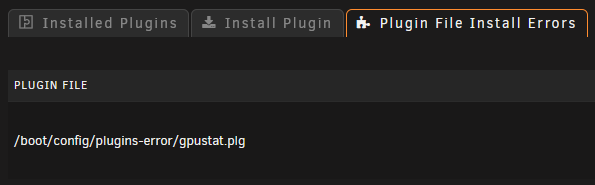
I am experiencing this myself on `6.9.0-rc2`
-
Thank you for the quick turnaround! ---Checking if UID: 99 matches user--- ---Checking if GID: 100 matches user--- ---Setting umask to 000--- ---Checking for optional scripts--- ---No optional script found, continuing--- ---Starting...--- ---Update SteamCMD--- ---Update SteamCMD--- Redirecting stderr to '/serverdata/Steam/logs/stderr.txt' [ 0%] Checking for available updates... [----] Verifying installation... Steam Console Client (c) Valve Corporation -- type 'quit' to exit -- Loading Steam API...OK. Connecting anonymously to Steam Public...Logged in OK Connecting anonymously to Steam Public...Logged in OK Waiting for user info...OK ---Update Server--- Redirecting stderr to '/serverdata/Steam/logs/stderr.txt' [ 0%] Checking for available updates... [----] Verifying installation... Steam Console Client (c) Valve Corporation -- type 'quit' to exit -- Loading Steam API...OK. Connecting anonymously to Steam Public...Logged in OK Connecting anonymously to Steam Public...Logged in OK Waiting for user info...OK Success! App '1006030' already up to date. ---Starting Redis Server--- Waiting for user info...OK Success! App '1006030' already up to date. ---Starting Redis Server--- ---Prepare Server--- ---Searching for grid files...--- ---'ServerGrid.jpg' found!--- ---'ServerGrid.json' found!--- ---'ServerGrid.ServerOnly.json' found!--- ---Configuring Redis--- OK OK Background saving started ---Server ready--- ---Start Server--- [S_API FAIL] SteamAPI_Init() failed; SteamAPI_IsSteamRunning() failed. Setting breakpad minidump AppID = 834910 I still see the above in my log after re-pulling the image/forcing update but the server appears to be running, although clients cannot connect.
-
Thank you I have a separate cache pool that is exclusively for Docker containers, the appdata is: /mnt/docker/appdata /mnt/docker/appdata/atlas /mnt/docker/appdata/atlas/steamcmd
-
Trying to run Atlas server, all i'm getting in the log is: Setting breakpad minidump AppID = 834910 Signal 11 caught. /opt/scripts/start-server.sh: line 119: 77 Segmentation fault ./ShooterGameServer ${MAP_NAME}${GAME_PARAMS} ${GAME_PARAMS_EXTRA} ---Checking if UID: 99 matches user--- usermod: no changes ---Checking if GID: 100 matches user--- usermod: no changes ---Setting umask to 000--- ---Checking for optional scripts--- ---No optional script found, continuing--- ---Starting...--- ---Update SteamCMD--- Redirecting stderr to '/serverdata/Steam/logs/stderr.txt' [ 0%] Checking for available updates... [----] Verifying installation... Steam Console Client (c) Valve Corporation -- type 'quit' to exit -- Loading Steam API...OK. Connecting anonymously to Steam Public...Logged in OK Waiting for user info...OK ---Update Server--- Redirecting stderr to '/serverdata/Steam/logs/stderr.txt' [ 0%] Checking for available updates... [----] Verifying installation... Steam Console Client (c) Valve Corporation -- type 'quit' to exit -- Loading Steam API...OK. Connecting anonymously to Steam Public...Logged in OK Waiting for user info...OK Success! App '1006030' already up to date. ---Starting Redis Server--- ---Prepare Server--- ---Searching for grid files...--- ---'ServerGrid.jpg' found!--- ---'ServerGrid.json' found!--- ---'ServerGrid.ServerOnly.json' found!--- ---Configuring Redis--- OK OK Background saving started ---Server ready--- ---Start Server--- [S_API FAIL] SteamAPI_Init() failed; SteamAPI_IsSteamRunning() failed.

