





jace055
Members
-
Joined
-
Last visited
Everything posted by jace055
-
It does seem low to me as well. My main win/takeaway is the processor doesn't jump to 70-80% utilization when I start a single 4k transcode. So the GPU is doing something. I assumed the built in codec doesn't use much processing power from the processor itself and is offloading the workload to the dedicated chips.
-
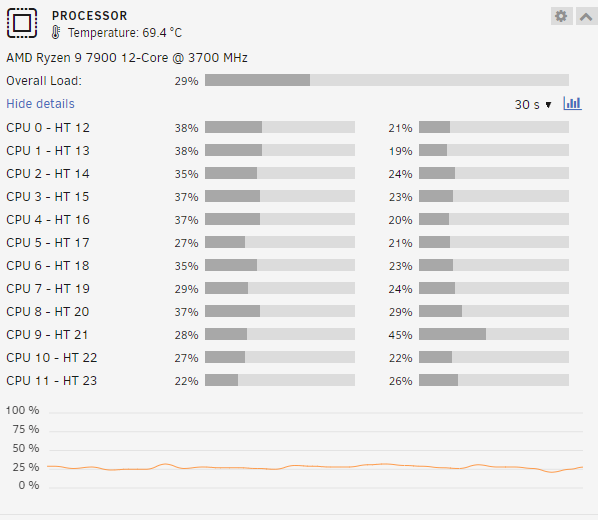
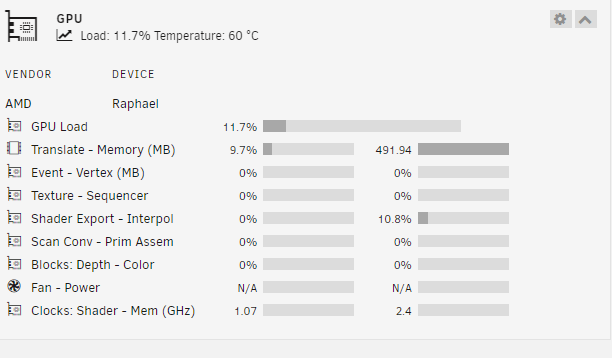
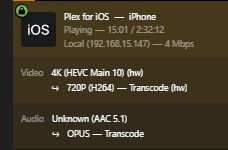
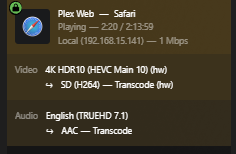
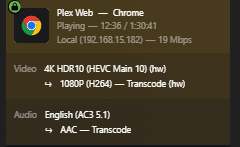
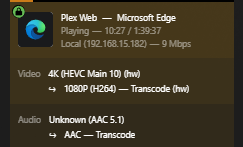
@Hiko0 Below are some screenshots from a little testing today. I have a 7900 (non X) on an MSIX670 mobo. I run a bare metal VM passed through with an iNvidia graphics card. When idle the processor hovers around 5%. I am running Plex official docker v1.32.6.7557 This is 4 4K streams transcoded down to various bitrates. 2 Streams were being played in browser on the VM. The others were on different devices.
-
I’ll post some up in a day or so. Currently in the middle of a parity check and I’d like to let it finish before I play around with anything. On the plex forums there is a thread of all the plex server change logs. I think the relevant bit is “(Transcoder) Certain newer AMD GPU models couldn’t be used for hardware transcoding on Linux (#14416)” in post 596. https://forums.plex.tv/t/plex-media-server/30447/600 Looking at the last handful of updates it looks like they have been working on AMD transcoding for a while. Although tin 7571 it looks like they are attempting to fix it again. I’m going to stay on 7557 since I have it working as expected.
-
@Nofences thank you for the information! I played with this all weekend. Unloading dockers and reloading along with changing configurations. No luck. Today I noticed there was an update to plex server. I’m now on 7557 and everything is working! I can transcode 4K down to almost nothing with no hit on the CPU. The APU is doing the work and the plug-in reports it correctly. tldr: Update plex for the fix. I have a ryzen 9 7900 processor.
-
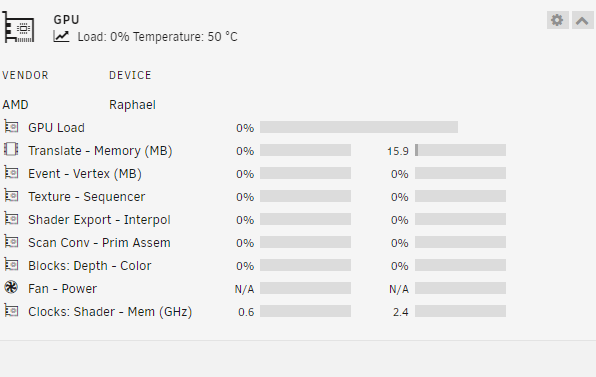
Thank you. I still can't seem to get this to work. I am on the latest original Plex docker. I assume the GPU plugin is working but I can't get it to move. With Intel, it really moved. How is your 4k transcode performance? Converting 1080 to anything else barley shows a bump on the processor but one 4k transcode will immediately eat 75% on all cores for a few minutes before settling to 30%.
-
Care to share how you got this working? I just upgraded from an old intel to the 7900 and transcoding pegs out all cores with no hit on the iGPU. I had things working with the intel.
-
Did you figure this out? I am having the exact same issue
-
Same issue here. Just installed a few days ago and was working fine. I can add torrents but none are downloading and all show paused.


