





DeepSee
Members
-
Joined
-
Last visited
-
@JorgeB I know its been awhile but can you confirm that the issue above has been addressed either in 6.13 or 7.0.0?
-
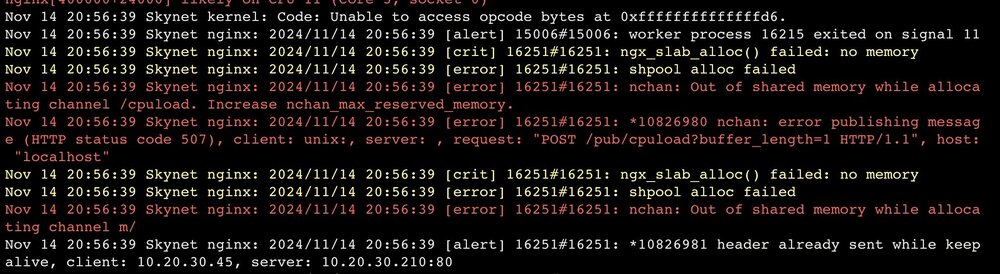
Just want to add I get a similar log. I’ve had this issue before but it’s been a while. 6.12.13 Maybe will be addressed in 7.0.0?
-
This came out of an issue I posted earlier on replacing a cache drivee, I had a 1024gb NVME versus your standard 1TB (931GB) SSD so couldn't replace with a 980 evo or a WD black. Got the answer on that and hoping I can make sure I am crystal clear on the second part of my question since I do want to have an app only zpool (mirrored) and a standard cache drive with no RAID. I have 4 NVME slots on my motherboard, I want to split my appdata and cache drives up. Just curious what that process would look like now that I am using ZFS on my cache pool only? Stop Docker and VMs Move appdata and VMs to array Create new Zpool with two new nvmes (appstorage pool) Move appdata to new Zpool Select new ZPool as location for all newly downloaded apps and VMs and primary storage What happens to my current snapshots if anything? I dont need them and can delete them if needed. Is there any issue with the main array being in XFS? I also have the backup plug in so I could restore from that as well. Just not 100% on that since it will be in a different location. What steps do I need to do to move the data? All my dockers have mapping to /mnt/user/appdata so in theory I should only have to change primary storage on the appdata/VM shares to the new ZPool(appstorage) not worry about mapping docker containers again. What is the correct or best practice way to move appdata to a new zpool? Can someone confirm this is the process moving forward with changing appdata location while using ZFS or am I over thinking this?
-
@JorgeB Just to make sure I understand, that old toshiba I threw in there for a replacement is slightly bigger, but on what is hopefully the next update (6.13) I should be able to replace it. I appreciate you looking into this, guess Ill wait to change out my NVME for a bit. Dont suppose you could give an update on when 6.13 will be arriving....... Thanks again.
-
skynet-diagnostics-20240502-1207.zip And it Says "wrong pool state cache replacement device too small" But it is another 1TB NVME I have tried reformatting it with no luck.
-
So I have a mirrored ZFS pool for my cache drive of two 1TB drives. I just upgraded processor and motherboard and wanted to go ahead and change my cache drives out for gen.4 nvme drives. My thought process was to just replace one at a time. But after removing one cache drive and trying to add a WD_BLACK SN770 1TB to the cache pool I get an error saying that the new drive is not the same size. It is a 1TB just like the two I have in now. What is the problem? Is it because the new drive is gen4 or am I missing something? I have 4 NVME slots on my motherboard, Maybe now is a good time to split my appdata and cache drives up. Just curious what that process would look like now that I am using ZFS on my cache pool only? Stop Docker and VMs Move appdata and VMs to array Create new Zpool with two new nvmes (appstorage pool) Move appdata to new Zpool What happens to my current snapshots if anything? I dont need them and can delete them if needed. Is there any issue with the array being in XFS? I also have the backup plug in so I could restore from that as well. Just not 100% on that since it will be in a different location. What steps do I need to do to move the data? All my dockers are mapped to /mnt/user/appdata so in theory I should only have to change primary storage on the appdata/VM shares to the new ZPool(appstorage) not worry about mapping docker containers again. So I guess I am asking two questions here. Why cant I replace a 1TB nvme with another 1TB NVME and what is the correct or best practice way to move appdata to a new zpool.

-
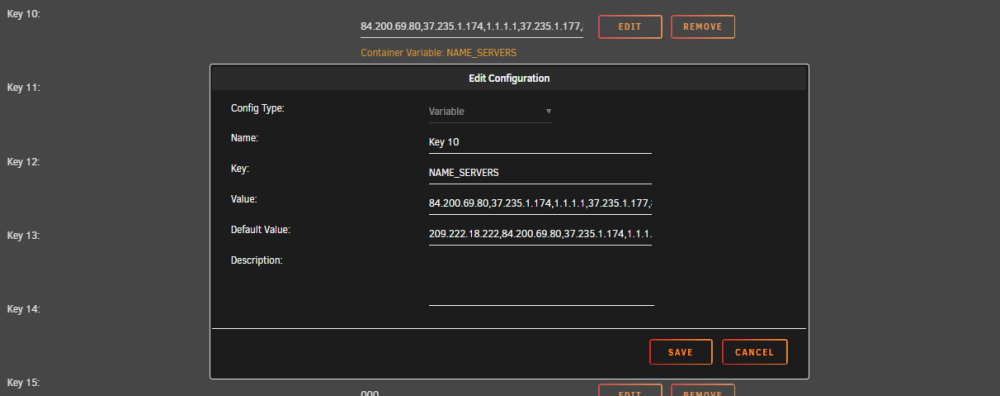
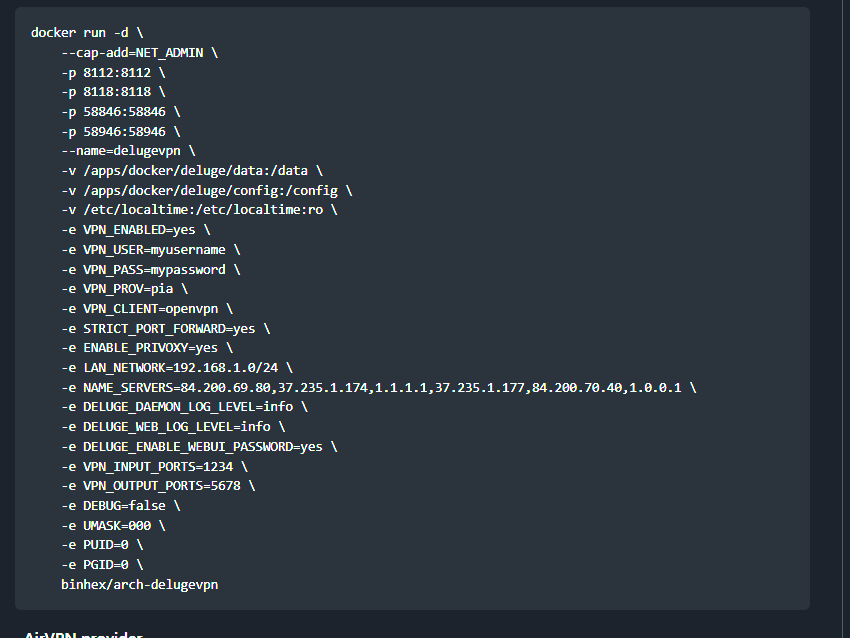
Under my default values you can see one of the two 209.x.x.x ip address (I deleted them in the value field) However on Binhex's Github those two ip address have been removed. Not sure why mine still has it with it being up to date. I have had his delugevpn since Jan 2021 so maybe just wasn't removed for my updated but others have downloaded a version that never had them listed?? But i noticed that this morning before i decided to try and remove them. Not sure but if you don't have them I have no idea what to try. Binhex thanks for everything you do. Your time and energy keeps the community going.
-
I think we have the same problem check out my post above and see if it works for you.
-
After a couple of years of having delugevpn, jackett, radarr, and sonarr all work together (except the tightening of the IP table thing a while back) earlier this month I could not get Sonarr and Radarr to search for any movies while using the proxy option back to my delugevpn. So after some troubleshooting I turned off proxy in sonarr and radarr and works as advertised, however I have proxy set up in jacket and I don't have any problems connecting. I found someone with this issue on the github support and they had to delete the two 209.x.x.x ip address on the "named server variable". I just did the same thing and now I can proxy my sonarr and radarr back to the deluge vpn docker. Since everything is back to working like it has for the last couple of years who would like to explain to me why those two IP address were not allowing two out of the three programs to proxy through delugevpn? And do I need those ip address for any reason? Also, I've read places since jackett is proxy through delugevpn there is no real reason to have sonarr and radarr also proxy, if that is true can someone verify that? I looked up the first ip and it was located in New Jersey but didn't look up the second one that I had to delete. by the way i use express vpn if that matters.
-
I started having this issue about two weeks ago when I updated deluge. What do you mean by removing the 209.x IPs? I am having this issue and the only way to keep radar working is to not use proxy.
-
I updated to the latest to version today and I kept getting the same log error over and over: 2023-02-07 13:13:43,642 DEBG 'start-script' stdout output: Options error: Unrecognized option or missing or extra parameter(s) in /config/openvpn/my_expressvpn_usa_-_washington_dc_udp.ovpn:20: keysize (2.6.0) Use --help for more information. I was not able to access the Web UI. I first tried a couple different end points by changing the ovpn file. That did not work. I then rolled back the docker 2.1.1-3-01 and it worked fine. I didn't want too to settle for that after some reading on here I just put a # in front of "keysize 256" to comment it out. And it works fine not sure if that will be something we will have to adjust in future updates. If someone is smarter on me and can explain why it is doing this on this version I am always looking to understand how things work. I just wanted to have a simple post in case someone else has this issue as well with the latest update. Credit to krazykraz01, jchase222, carnivorebrah, Kaonashi for posting and pointing me in the right direction. My log file seems to have a different error then theirs but the fix is the same.

-
Woke up this morning to find my parity disk disabled. I ran a short SMART test with no errors. I ran an extended SMART test and got a read fail. I attached the SMART results what am I looking at. Got a replacement drive coming tomorrow but is this drive usable? Smart test.pdfI appreciate the work around and you giving me some options. I’ll admit I’ve only been Unraid since the beginning of the year. There does seem to be a lot of work around for features people want/need, guess that is part of the fun when it comes Linux. I’ll have to get smart and start looking at an editing that config file. Thanks for the help, however, if there is a chance for feature like this to be added into the UI I would use it for sure.Yes the problem with this method is that your are using your array, either preferably your cache drive or your main drives. If I am having problems with my system that could render my log files useless (let’s say my cache drive is failing). I don’t want to have to use Unraid to retrieve those log files. Same reason I do not use the main array to back up a copy of my app data or my flash drive.


