






fritz_hh
Members
-
Joined
-
Last visited
-
Hallo zusammen, habe mir mal das Windmill Docker-Image von "sgraaf" gezogen hier ist die Variable Variable "WORKER_GROUP" angelegt, welche mit "default" vorausgefüllt ist. Soweit ich die Doku von Windmill verstanden habe werden verschiedene Aufgaben in Workern auf dem System zwecks Lastenausgleich ausgeführt: https://www.windmill.dev/docs/core_concepts/worker_groups Um wirklich sinnvoll mit Windmill erste Versuche machen zu können braucht es den "default" und den "native" Worker, wie dies auch in der docker-compose.yml vorgesehen ist: https://github.com/windmill-labs/windmill/blob/main/docker-compose.yml Gibt es eine Möglichkeit die beiden Worker zu konfigurieren ohne Docker Compose oder Portainer? Bin zwar bei meiner Sucher hierrüber aufmerksam geworden, aber auch hier wird docker compose genutzt: https://github.com/ziggyds/windmill-unraid
-
I have now been able to solve it, but it is a bit bizarre. If you simply change the key1 to /tmp/, the database is recreated on a restart. If you then establish the connection in Metabase to the posgres database, everything works perfectly. I'm a bit surprised that you can't configure Metabase directly with postgresql in the Docker setup. MB_DB_TYPE: postgres MB_DB_DBNAME: metabaseappdb MB_DB_PORT: 5432 MB_DB_USER: metabase MB_DB_PASS: mysecretpassword MB_DB_HOST: postgres https://www.metabase.com/docs/latest/installation-and-operation/running-metabase-on-docker
-
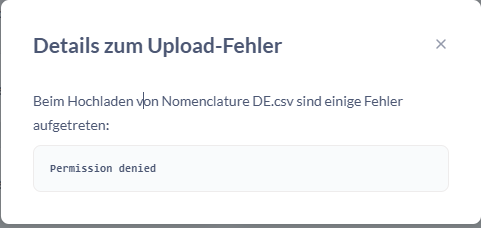
Question about Metabase Docker There is now a function that allows users to upload CSV and TSV files. Everything is set up in the frontend, but you get a permission denied when uploading and the file is not uploaded. Is this related to permissions or does it need an extra directory for the upload in the Docker settings? Further background information Metabase is connected to a postgresql 14 database. The user has administration rights and therefore also write rights. The connection otherwise works perfectly. https://www.metabase.com/docs/latest/databases/uploads https://www.metabase.com/docs/latest/databases/connections/postgresql
-
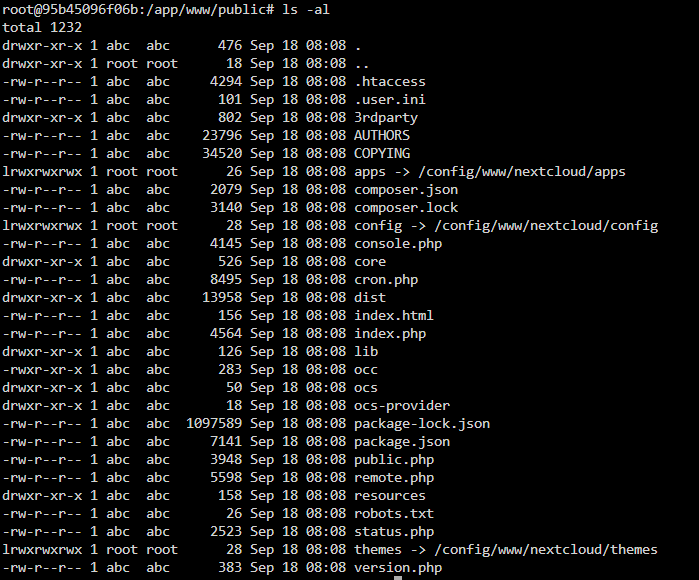
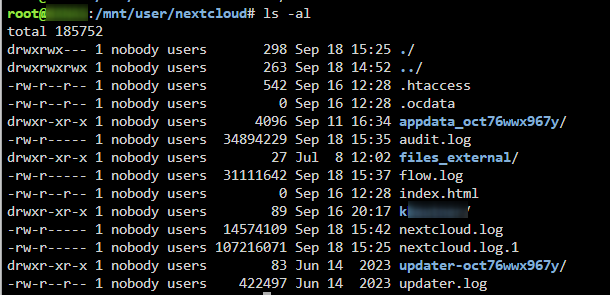
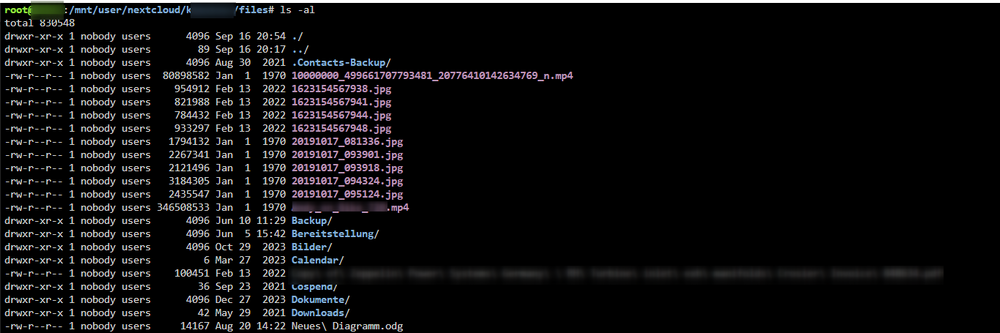
Unfortunately, this did not solve my problem, but I then realized that cron.php was not running correctly due to the backup app. I have now deactivated it so that cron runs correctly. And I have no more error entries in the log. However, the problem with the files has still not been solved. And I suspect that it may have something to do with write permissions and owners. But why the problem is only occurring now is a mystery to me...
-
I have now deactivated all apps again, but this has not brought any change.
-
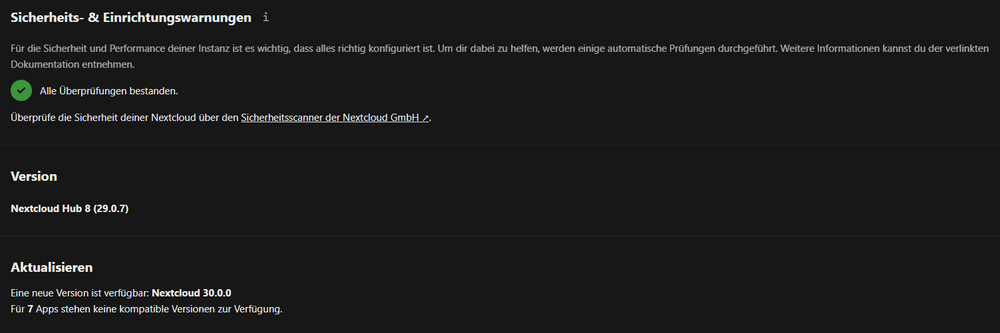
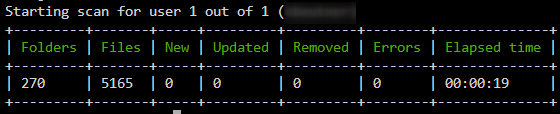
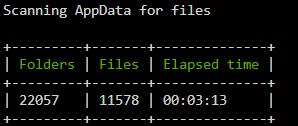
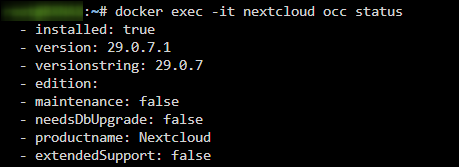
If I had a meaningful error message somewhere, then of course I would have dealt with it, but so far I haven't had one. Hence the general question. As already written, I have already carried out all the occ operations associated with this several times: occ files:scan --all occ files:celanup occ files:repair-tree occ files:scan-app-data occ db:add-missing-indices In each case without error message. I have of course also deleted the cookies and tested them on devices that have never accessed the nextcloud. I will spare the output of “docker exec -it nextcloud occ setupchecks” here, as there are no anomalies there either. I have Elasticsearch running in a separate Docker, but have already deactivated it for troubleshooting purposes. Something that appears again and again in the protocol, but was already there before:



-
29.0.7 Dear all, For some time now, no files have been displayed in the browser under “apps/files/files” (All files), only the current circle appears. Since today's update, however, this is also the case under “/personal” (personal files). Under “/recent”, “/shareoverview”, “/tags” everything is still displayed correctly. I have already carried out every conceivable file operation and maintenance operation. But this does not bring any changes. Everything works perfectly in the app on the smartphone. Do you have the same problem?

-
Hello everyone, I don't know if some of you might be testing some things with Unraid and Dockerstation to optimize your working environment? In my work, digitalization is going very badly, most processes are manual and the old ERP system is about to burst. I'm trying to digitize and automate my processes as much as possible using the approved tools. At the moment I only have Microsoft Power Automate and Microsoft Lists at my disposal *laughs* I definitely don't want to go back to Microsoft Access to get things done. If you talk about digitization at our company, you always hear that we're not at Microsoft, Amazon or Google. At a time when my home is completely digitized by HomeAssistant and I can control it from anywhere in the world, such answers are of course not satisfactory and it also annoys me massively to have to enter many things several times. My vision would therefore be to open up the communication channel in the minds of the people in my company by providing concrete examples. I stumbled across the docker image "Appsmith" which unfortunately doesn't work due to inadequacies with the integrated MongoDB, but I still think it's an interesting platform. There are now many comparable platforms to quickly digitize and automate a process, e.g. Buddibase, Nocode-DB etc. What is your experience with such platforms?
-
Hello all, has anyone already gained experience with the workflow "Automated PDF conversion"? https://apps.nextcloud.com/apps/workflow_pdf_converter According to the documentation, LibreOffice must be available on the server for this: Https://github.com/nextcloud/workflow_pdf_converter
-
Hello all, somehow this container of Nextcloud seems to be extremely neutered, have made the update to Nextcloud 24 however I can not find any way to export or import my data under privacy the functions do not appear. But also installed APPS can not be called anywhere within the Nextcloud let alone is there a menu to display them e.g. the integration text! Is there a solution for this? I think you should switch to the official container supported by Unraid.
-
Vielen Dank euch beiden, werde mir beide Lösungen mal ansehen! Muss sagen bei Docspell gefällt mir die Obefläche schon ein wenig besser 🙂 Ich habe mich jetzt erstmal entschieden eine Ordnerstruktur in meiner Nextcloud anzulegen, mit Elastic lässt sich auch ganz gut suchen. Somit habe ich erstmal einen Anfang und einen Workflow den ich schnell umsetzen kann und der auf all meinen Endgeräten sofort läuft. Die Inhalte kann ich später dann ja sehr gut in eine neue Lösung übernehmen. Dann kann mein Canon ImageFormula DR-2010M nun so richtig loslege, bis der neue Aktenvernichter da ist 🙂 Was habt ihr noch so an Aktenordnern in den Schränken? 🤪 Habe aktuell noch 11 von 18 und möchte auf max. 2 besser 1 und am liebsten 0 🙂
-
Hallo zusammen, ich bin aktuell dabei meine persönliche Ablage mal wieder auf Vordermann zu bringen, bin also entsprechend abgenervt Heute ist bereits ein Aktenvernichter verstorben, da er den Anforderungen nicht mehr stand halten konnte. Am liebsten würde ich zukünftig sämtliche Eingangspost einfach Scannen und dann direkt dem Aktenvernichter zuführen, da es nur wenige "Originale" gibt die man zwingend aufheben müsste. Nun stellt sich mir die Frage was die cleverste und günstigste Lösung ist... Eine Ordnerstruktur auf dem NAS ist natürlich eine Möglichkeit, aber das suchen ist nicht gerade komfortabel und zeitgemäß ist das natürlich auch nicht mehr. Ich habe mir daher mal ecoDMS angesehen da ich 89 EUR noch für einigermaßen moderat empfinde, im Gegensatz zu monatlichen Gebühren. Allerdings hatte ich mir ein wenig mehr von ecoDMS erhofft, da man so nur PDF's verwalten kann und somit seine Ausgangsschreiben dennoch extra ablegen muss. Um Doks per E-Mail importieren zu können müsste man dann nochmal zusätzlich 99 EUR berappen. Den rudimentären Standard den man hier also für 89 EUR bekommt, könnte man ähnlich und kostenfrei in der Nextcloud abbilden. Alternativ könnte man sich auch einfach ein gesondertes Mailfach einrichten in welchem man sich eine entsprechende Ordnerstruktur anlegt, die Durchsuchbarkeit könnte man sich hier mit dem E-Mail Text etwas vereinfachen. Habt ihr eure private Ablage bereits digitalisiert? Wie macht ihr das, bzw. was nutzt ihr dafür?
-
Is it safe to install the update to 20.0.8 in the meantime, what are the current experiences?



