ButchR
Members
-
Joined
-
Last visited
Everything posted by ButchR
-
Okay. I did not start the smart test. Hopefully I will learn more to what happen with the smart test.
-
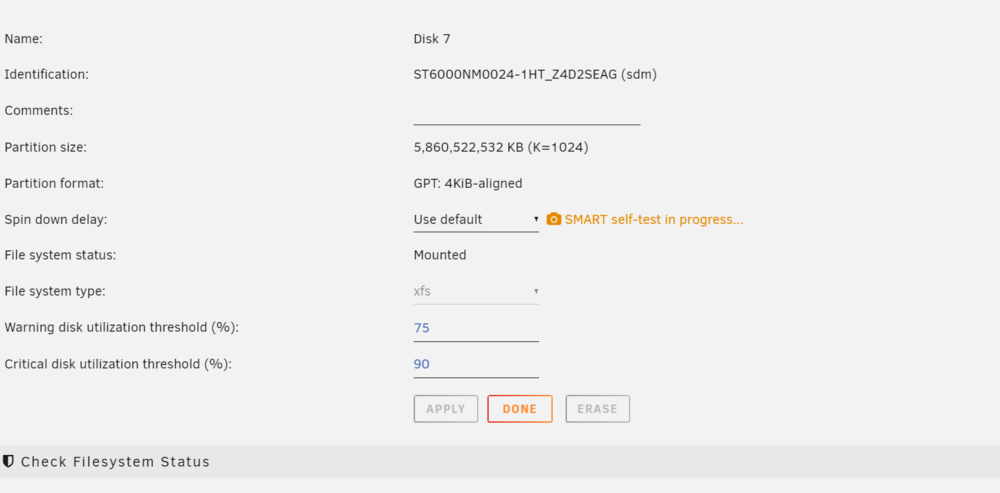
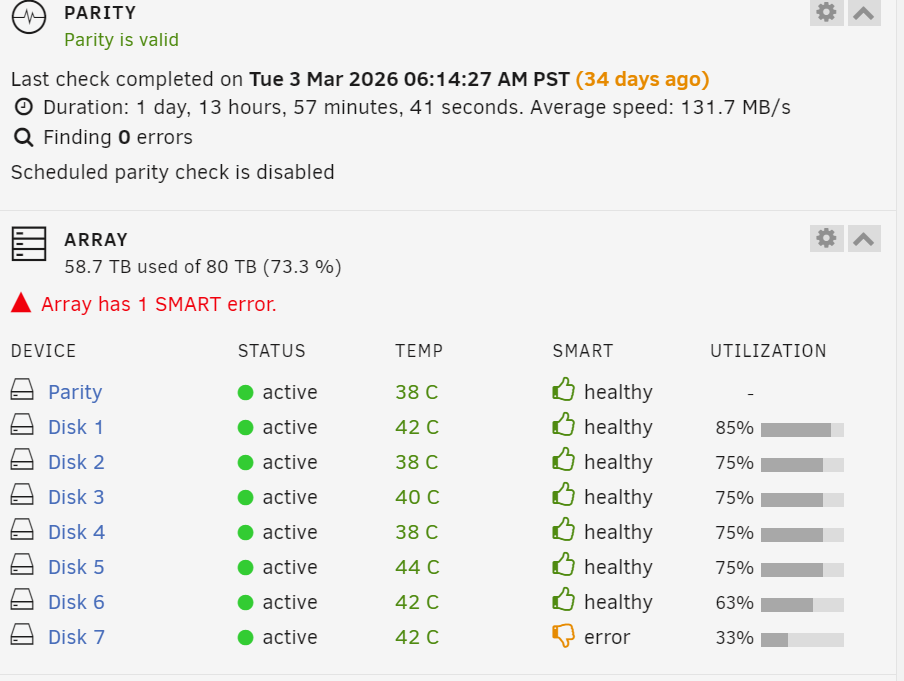
I noticed the test was started automatically. Something about the drive is causing red flags in the system. I am a little worry that I probably will have to do a warranty replacement for the third time on this drive. ( about 2 years warranty left on drive).Notice that SMART self-test had started. Could this indicate that there is something wrong with this hard drive? thecave-diagnostics-20260407-1229.zip
 Oh okay thank you for the insight. I will continue to monitor the system.Do you think it maybe is related to a disk controller (HBA)?Any help would be deeply appreciated. thecave-diagnostics-20260406-1748.zip
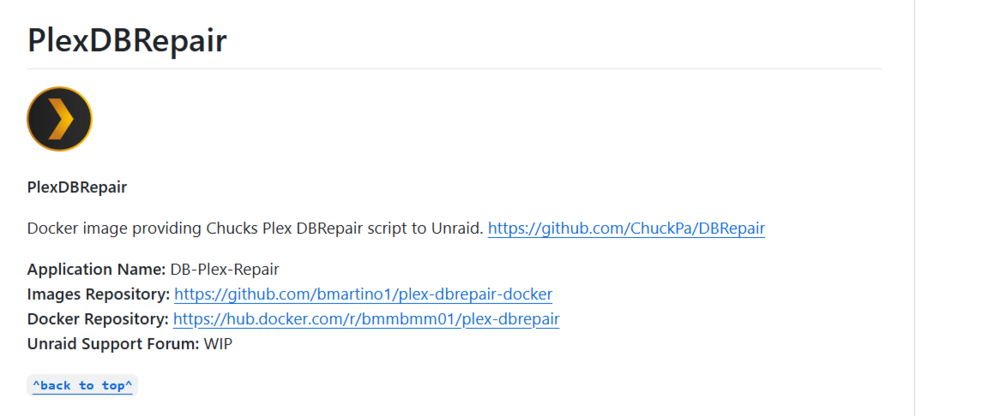
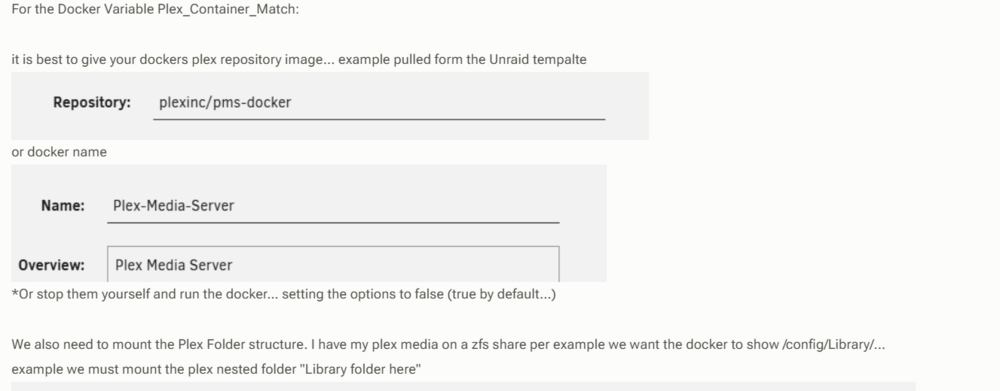
 Oh thank you very much for your help.I am discovering some information. Just enough to get me a few steps to succeed I hope. Okay docker repositories are in two different forms; Images or Docker (format) I am reading the link information about both right now. Also, looking into templates for docker containers. Trying comprehend the complex in a short period of time to fix my Plex database corruption. I wish I knew all that there is know to resolve this issue.
 Okay. I just like figure out what steps I need to take now to repair the database. Lot of information for me, I need to reassert where I am in the process and define what is my step by step scenario is now. Need to install dbrepair app for my Unraid server. (Set configuration) Run dbrepair app.So "step 2 set teh continer name or image" has two options? What determines the correct option in step 2 for my setup? Dbrepair has not been installed in unraid docker, yet. Sorry I hope I did not give the wrong information where my unraid plex is setup now. I don't understand completely. What exactly is the issue. When I installed Plex initially I used plexinc.
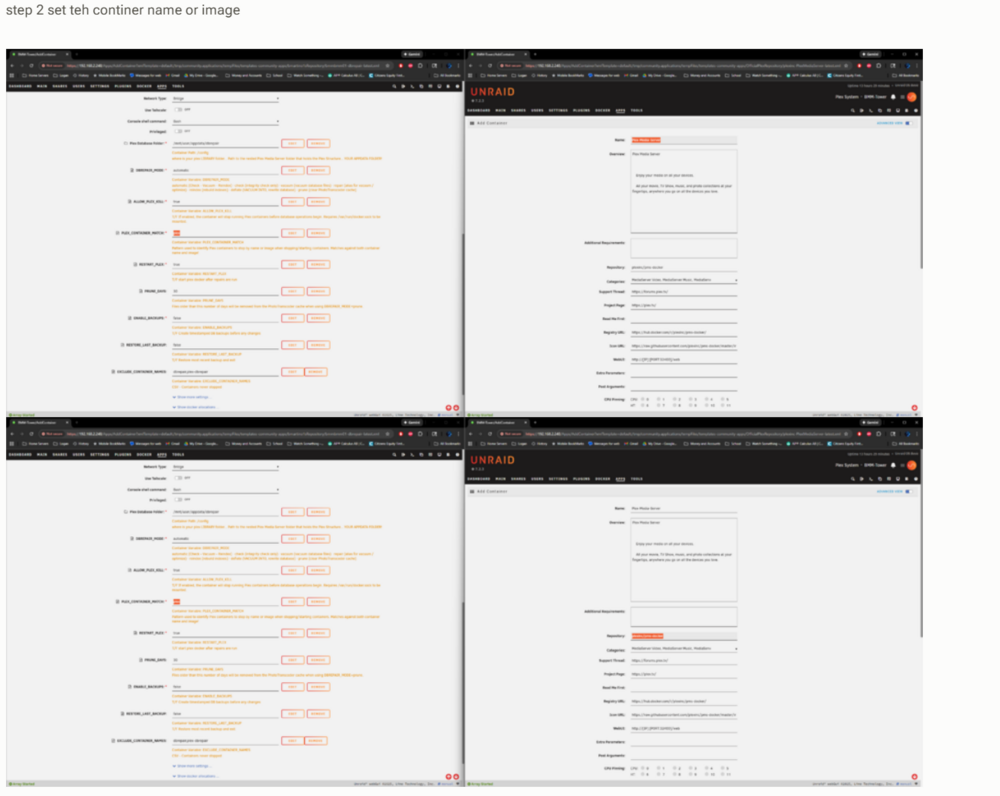 Oh I am following your steps fine. Maybe I am missing something. Just wondering about step 2. Plex_Container_Match, Left top and bottom screen are the same. But the right top and bottom are different highlighted values . What should the Plex_Container_Match be the name or the repository value?Okay I see your new information now.. I will look at it now.Sorry, I am confused. So I selected to install dbrepair app on unraid, then I get the following page in the install process: I should not update this page ?
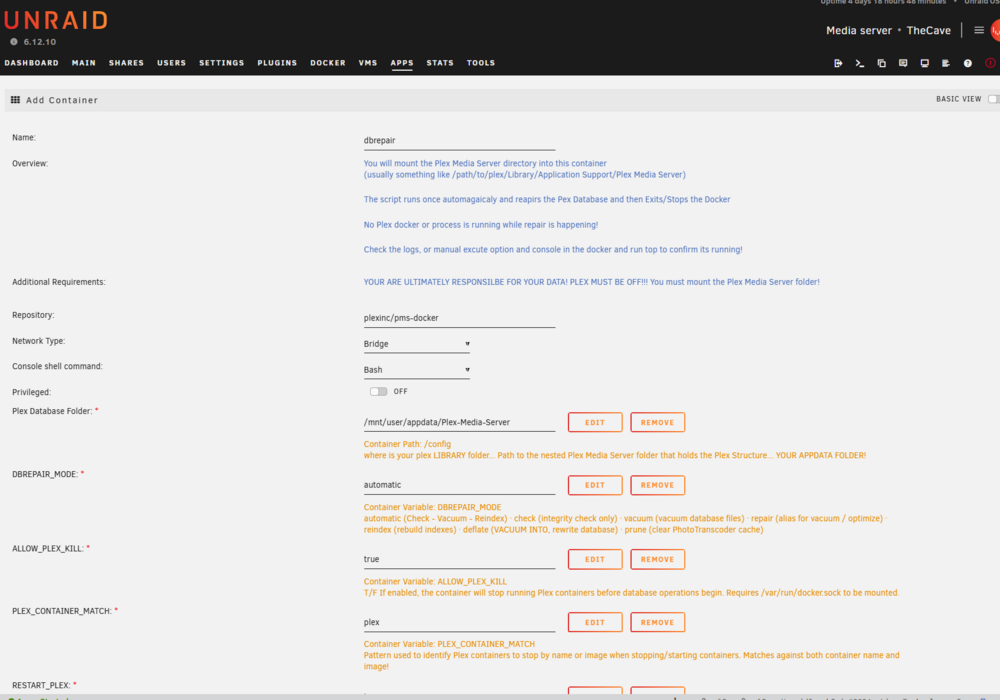 Think I am ready to continue, right?
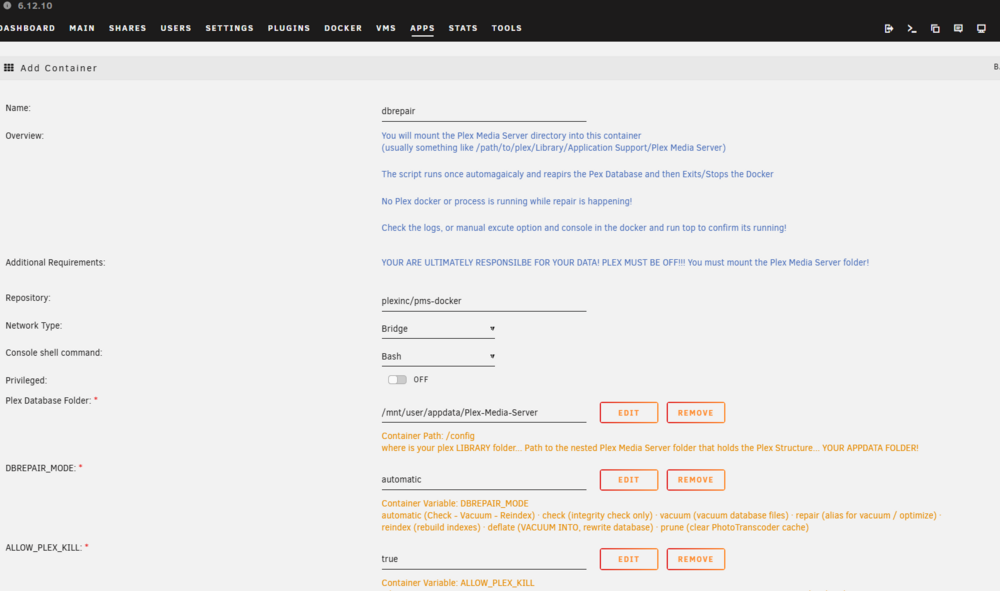 I hope everything made sense. I am just installing the dbrepair app on my Uraid server. On the second page of the install page setting parameters I need to confirm the correct settings. This is the correct path to use, right? /mnt/user/appdata/PlexMediaServer
 Okay. I just changed Repository. This is an example in document: This is my dbrepair docker install setting before install process. This is my shares view. Please note you will see DBRepair there already. This is because I started to do some steps manually ( 2 weeks ago). Did some prep, but did not run dbrepair. Just could not figure out the proper execution for plexinc-docker. Just wanted to confirm the correct path to install dbrepair docker correctly. Please see below.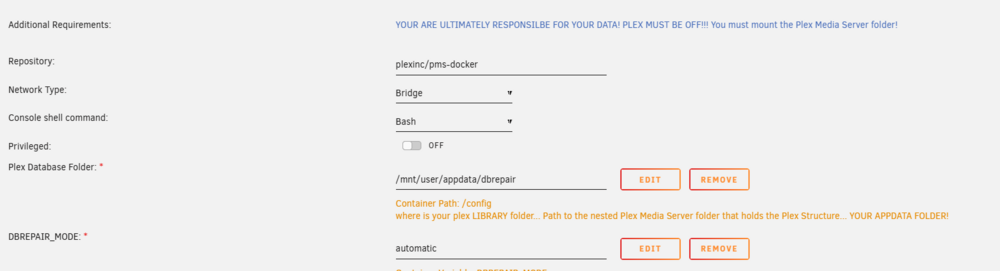
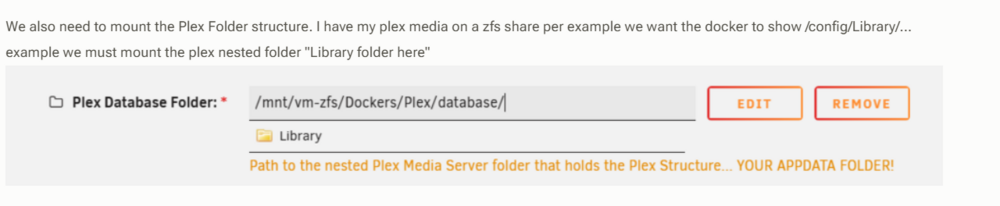
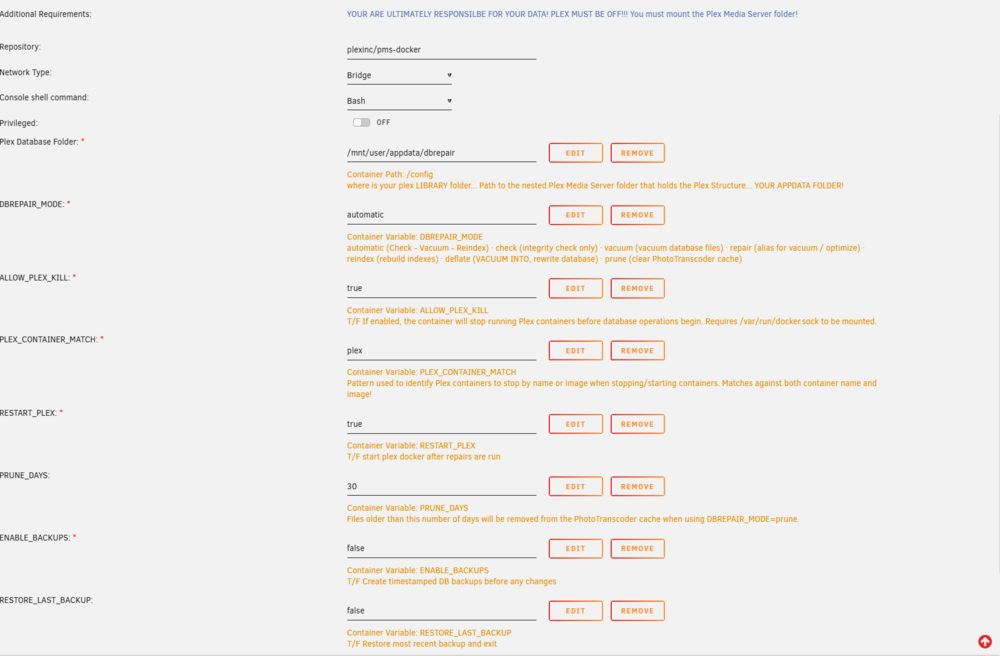
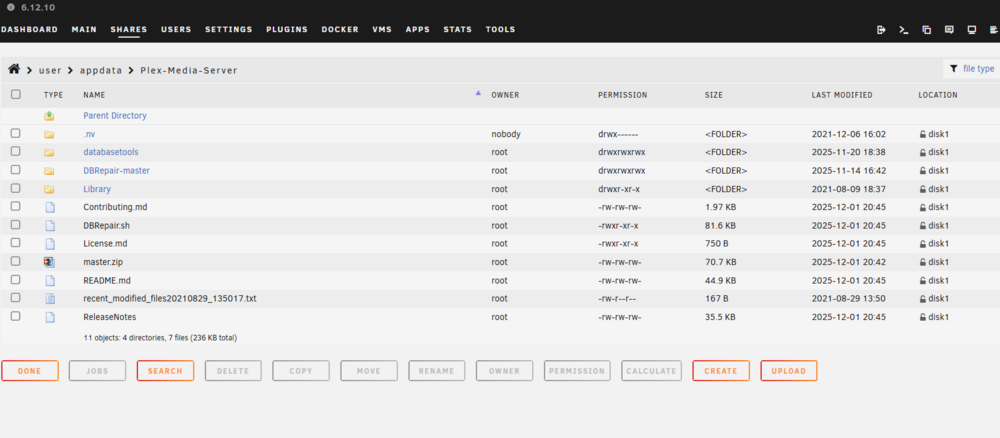 Update, been reading some information on using app dbrepair. Just wanted to make sure I have the many setting values correct. Here is an reference example from documentation: I am going to change Repository to plexinc/pms-docker as in this document, right? Is the any other settings that need to be changed other Plex Database Folder, to into this unraid docker app?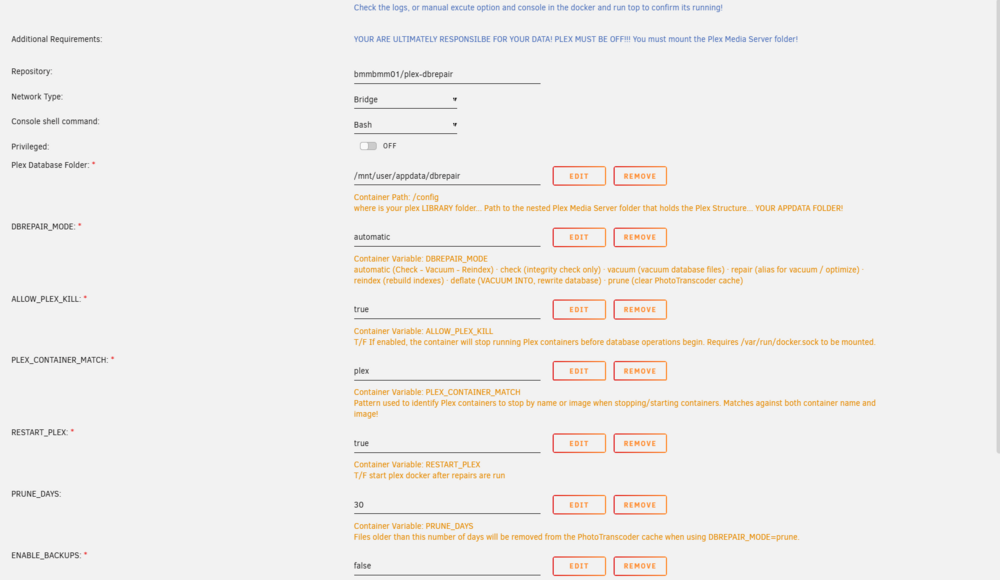
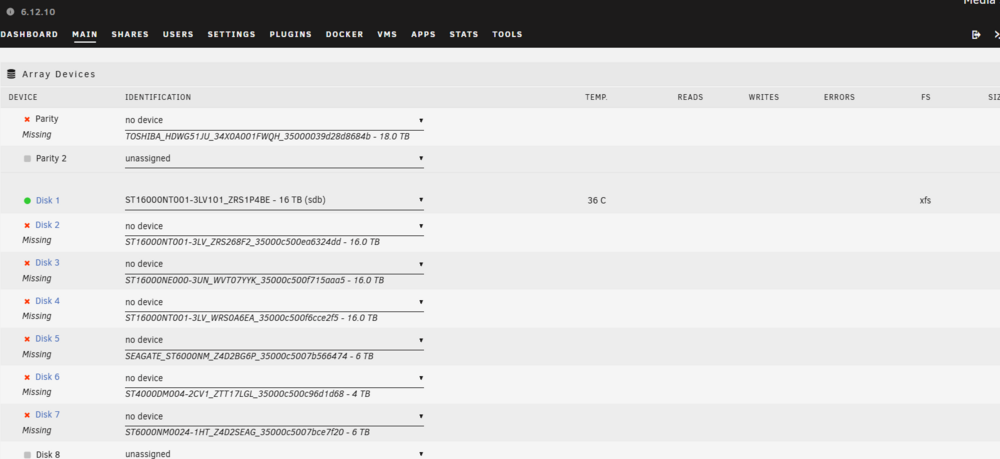
 Okay no parity check for now. Just wanted to confirm a step by step outline to swap disk SAS/SATA controller. I know to mention. Want to make should I do the proper steps.I still have to look at the controller information link you sent. Just looking at the replacement controller it is a HP H220 ver of LSI SAS9205-8i. Just when I thought I was over with this issue and "it pull me back in". So disk 2 has been rebuild, I do not have to following the method outlined on the first page of the thread, right? Should run a good parity check before I tackle this issue? thecave-diagnostics-20260203-1649.zip
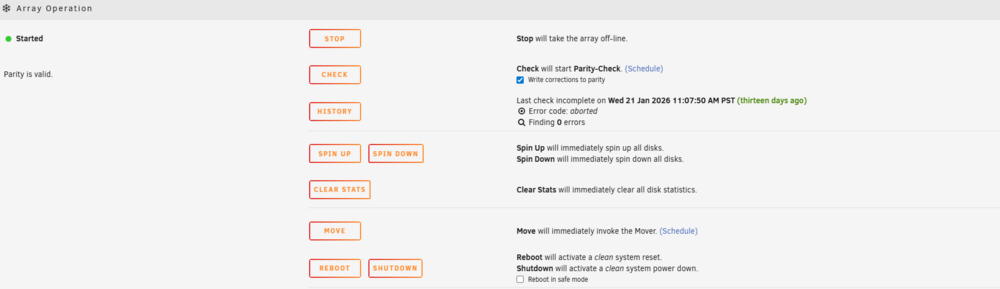 I am still afraid that my server is not stable.I will plan my steps ( make should prep items: current flash backup available etc. ) out to swap out the controller card or motherboard sata controller.Disk 2 was rebuild with a unassigned 16TB drive that I had in unraid already. It when through the process successfully. ( I think so and running good for a few days.) I just cancel a parity-check that stared from one of my troubleshooting reboots. This was about a week ago and few days. The old controller card is a Dell PERC H310 controller. Well the Supermicro X11SCA-F motherboard (can control 8 disks). Maybe I should switch over to the motherboard to control disk. I reseeded the old controller card and restarted now the array is up. thecave-diagnostics-20260203-1627.zip
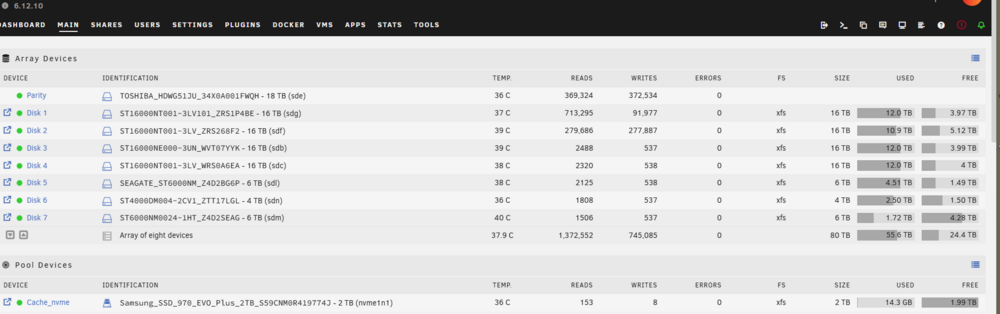 So maybe the old raid controller has some intermittent issues. Wow!! I just wondering the best way to swap out the old controller card with the new one. Last time I attempted to do that it did not go well.Update on ongoing issues. I shutdown my Unraid server and connect my new replacement drive for failed (Disk 2) Then restarted server and array did not spin up. I am wondering what is going on with my server? The replacement ( new drive just received today) is showing up as unassigned drive as normal. thecave-diagnostics-20260203-1543.zip