intel64gamer
Members
-
Joined
-
Last visited
-
@jj1987 Unfortunately not.
-
As far as I am aware this isn't even a question if UnRaid supports it or not. The network cards don't support it. Splitting 40G into 4x 10G is reserved for Switches and some of the newer models. I am currently getting around 1.8 -1.5 GB/s to my NVMe RAID 1. So fairly close to @Siren. On Windows Server I can get to around 3 GB/s with RDMA and RSS working correctly which as near as makes no difference maxes out the drives. I suspect 2 GB/s is going to be a fairly hard limit without either RDMA or RSS.
-
How did you install the driver? I didn't find any packages for Slackware or anything based on it. Did you compile and install from source?
-
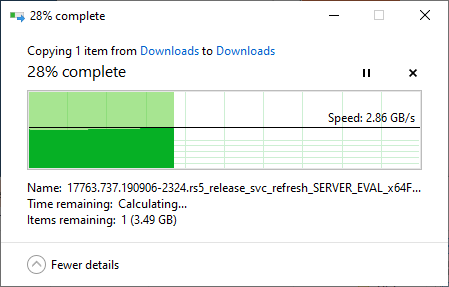
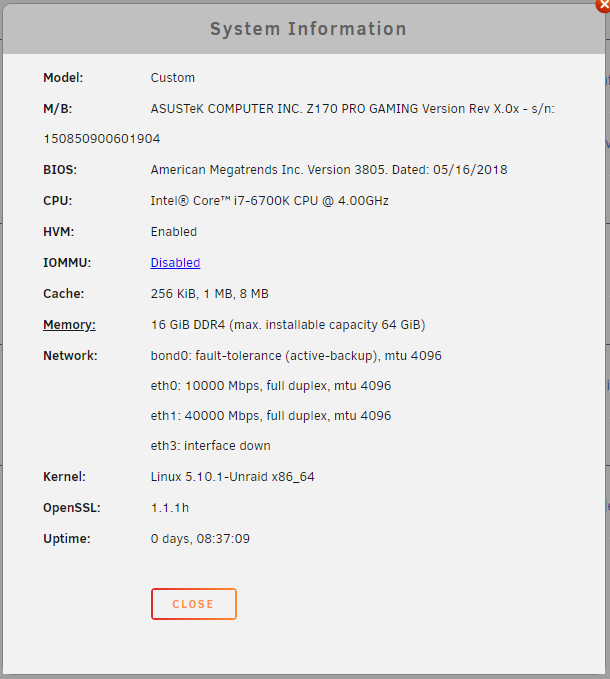
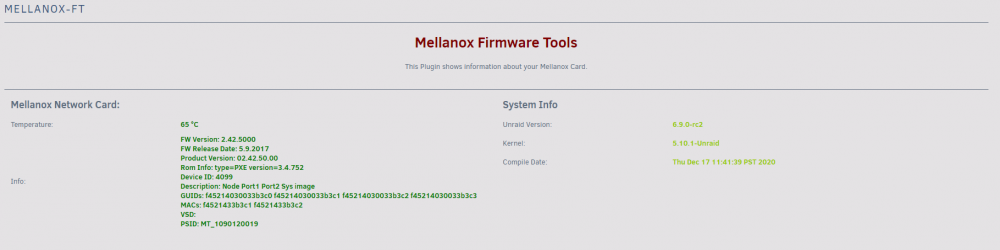
Hi, I am currently using Mellanox ConnectX-3 VPI cards in 40 Gigabit Ethernet mode on Unraid 6.8.3 / 6.9.0-rc2. I have tested the cards by temporarily putting Windows Server 2019 on both ends. I am able to nearly max out the SSDs with RDMA working in that constellation. Here are the speeds I am seeing on Windows to the drives I am using as Cache in Unraid. With Unraid I am maxed out around 1.8 GB/s and typically dropping to 1.0 - 1.5 GB/s on the same hardware. This seems to be down to RSS and RDMA not working out of the box. I have followed this thread to try to at least get RSS working: I am not having great success so far. My smb conf looks like this: server multi channel support = yes interfaces = "10.10.10.10;capability=RSS,capability=RDMA,speed=40000000000" aio read size = 1 aio write size = 1 strict locking = No use sendfile = Yes However, there seem to be additional problems with RSS. I ran the following command as per the thread to check if RSS is supported. egrep 'CPU|eth*' /proc/interrupts CPU0 CPU1 CPU2 CPU3 CPU4 CPU5 CPU6 CPU7 RTR: 6 0 0 0 0 0 0 0 APIC ICR read retries System Information: Mellanox Firmware Info: On Windows: PS C:\Windows\system32> Get-SmbClientNetworkInterface Interface Index RSS Capable RDMA Capable Speed IpAddresses Friendly Name --------------- ----------- ------------ ----- ----------- ------------- 26 False False 0 bps {fe80::edcd:2f13:ae5a:8a31} Ethernet 4 4 True True 40 Gbps {fe80::bd00:9b94:dde:bd6d, 10.10.10.9} Ethernet 14 17 True True 10 Gbps {fe80::3045:74bf:a53d:a6d5, 10.0.101.202} Ethernet 15 55 True False 10 Gbps {fe80::a9f3:43dc:fb3b:e2c8, 172.29.208.1} vEthernet (Default Switch) 22 False False 1 Gbps {fe80::d468:1d0:d904:b7a8} Local Area Connection Thanks for your help.