





another_hoarder
Members
-
Joined
-
Last visited
Everything posted by another_hoarder
-
OK, end of suspense. After parity rebuild ended, it was still unmountable. Formatted and the array is back minus whatever data was on that disk. I'll be upgrading to 7.0 over the Christmas break and in the meantime I'm enjoying a fixed UPS connection, a working backup solution, updated notifications to work Slack and a remote syslog. Thank you both @JonathanM and @itimpi for your help, I learned a bunch of new things. LMK if I should close this thread somehow.
-
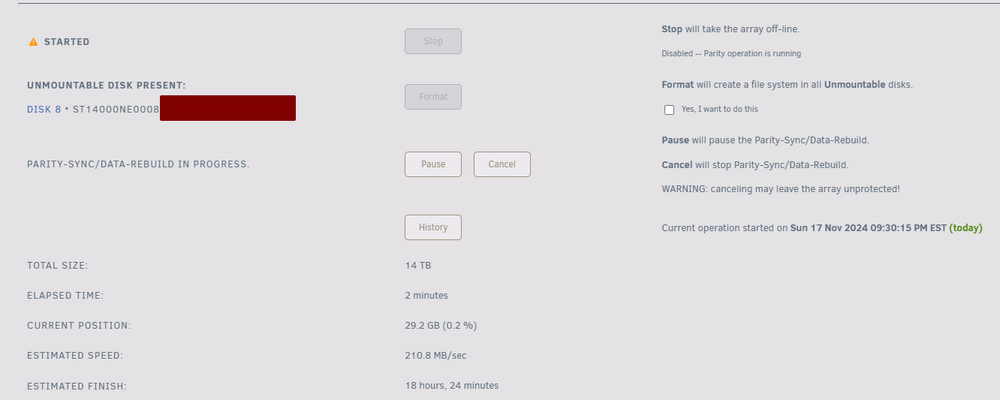
Another interesting update. Even though while it was being emulated only, parity seemed totally fine, upon popping the disk back in, even though (as expected) it still shows up as Unmountable: No file system, and wants to be formatted, a parity rebuild has also kicked off and that hasn't happened before. I'm confused but curious as to what will happen after it's rebuilt. And I've a temporary syslog server up to log it all this time.
-
Well, 3 days later, with the whole remaining array backed up 🙃 and another attempt at a running xfs repair, the darn browser crashed as the xfs repair tab ran out of memory, going up to to 8GB+. I guess the endless [...] doesn't get cleared but just keeps filling the buffer. *sigh* The official Unraid instructions for using it in CLI, given much larger disks, should be updated, imho, to have that command ran via nohup / screen so that the tab can be closed. Now I'm debating starting that one last time from scratch or just popping the cleared disk in the array and letting it rebuild. It's been lonely without my dockers for almost a week. (This also reminds me that while simplifying a while ago to Unraid has made my homelab very hands off, running a small separate HA proxmox cluster for important dockers meant that nothing was ever offline. Some life decisions to revisit after upgrading from 6.9.2 to 7.0, I guess).
-
That's also going on my list of post-repair, post-upgrade tasks. Thanks!
-
That is truly bizarre @itimpi as that drive was added back in August when I swapped it for a drive that was showing signs of old age and it's been working perfectly since, including a few controlled reboots. It's too bad Unraid doesn't maintain some sort of a long term persistent log so that I could learn what actually happened and learn from it somehow. Now my confidence in Unraid is somewhat shaken, mostly by not being able to fully diagnose, debug and understand what could've happened.
-
It was the latter, it didn't show a missing drive, just an empty slot.
-
@itimpi that's why I mentioned in my initial post that I found it odd (and that's where I should've stopped). But there wasn't anything unmentioned. Power went out, came back up, array was started and showed no failure, but missing Disk 8, which was in Unassigned Devices. And assigning it back to it Disk 8 slot presented the blue box and Clear as the requisite step to add it back to the array. *sigh*
-
Ah, yes it did show with a blue square. I thought I described it clearly enough but didn't mention that. OK, so def looks like a grave mistake in rushing to clear that drive. This must be some fundamental flaw in how I understood Unraid to work this entire time. I thought that with one drive dropping out from the array (due to whatever kind of failure - physical, filesystem, or otherwise), I could always reliably pop in another disk (or same one if it's just a filesystem corruption), and allow Unraid to Clear + Rebuild from Parity. But it somehow seems like something else has transpired initially that made the whole system look just fine without Disk 8 present so when I moved it from Unassigned Devices to Disk 8 slot, it thought I'm simply adding a new drive to the array, eg just adding space. Which I just don't follow. So what I see is this. Does this imply that my Clear of the physical disk (plus the evidence from Parity History) before I yanked it out did in fact write it to Parity so I'm totally out of luck on both trying to get data from the physical drive AND the parity drive? Additionally, is there a way to find out what I lost? Eg a file diff between my 11/02 and 11/12 parity checks? Yeah, guess I'll restart it now and let it run till it finishes.


-
So should I go back and retry the xfs_repair -v /dev/md8 and let it run till it finishes then? You also asked about the parity check / history - does that give us an idea if I could try popping in another disk and rebuilding from parity? Or has parity been indeed rebuilt yesterday and I'm out of luck on that front? Doesn't feel that way to an end user where NAS software just feels a lot more "LTS" by design - eg if it works, one tends to not touch it for a while. All my apps and dockers have worked flawlessly. But I hear you and an upgrade has been on my radar for a while. I just know that everything will break and it'll take a month of time I don't have to get everything feeling perfect again
-
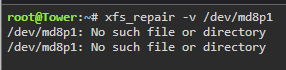
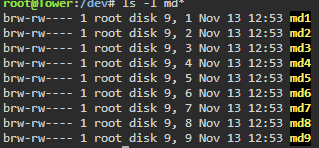
Actually, that device doesn't exist. Confirmed, not there.
-
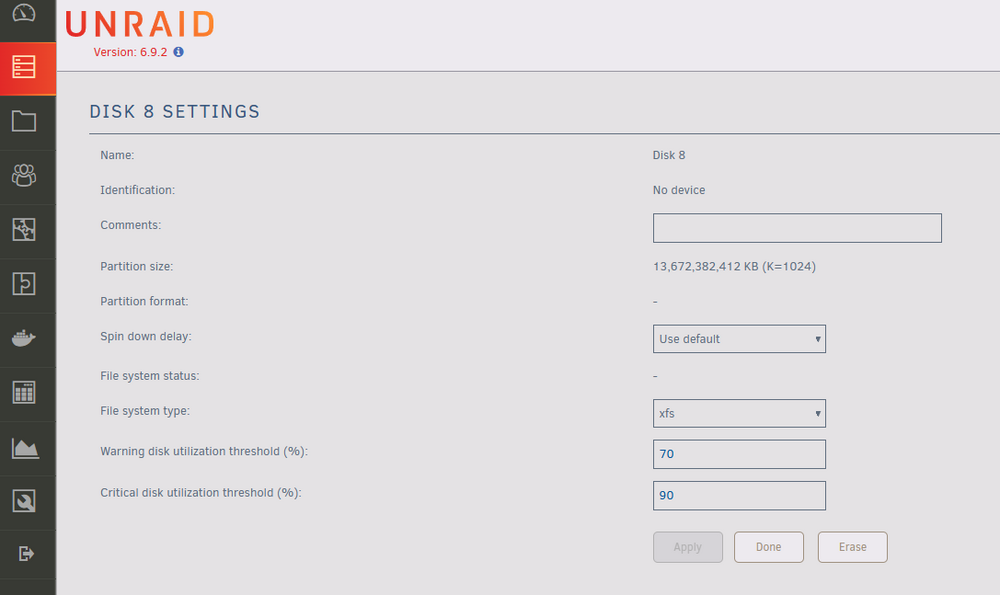
Stopped the array, went into emulated Disk 8. Changed from Auto to XFS. Apply still greyed out. Clicked Done. Started array in Maintenance mode, went into Disk 8, still shows as Auto. Should I try from the CLI against /md8p1 ?
-
@itimpi I'm running 6.9.2 and not using an encrypted drive. Should I try to run that command on the emulated /md8p1 ? @JonathanM The file system is set to Auto on the emulated drive same as it was on the physical drive. However via GUI, changing it from Auto to XFS doesn't seem to do anything. Apply is greyed out and just clicking Done keeps it at Auto.
-
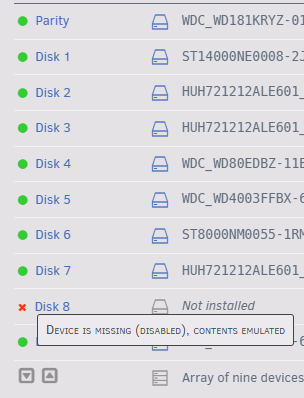
I ran it from the CLI as I couldn't find the option from the GUI. Trying xfs_repair -v /dev/md8 as it's Disk8 that's awol. And it's just red x --> disabled/emulated since I yanked it out as you recommended. Looks like yesterday, aligning with the Clear operation on Disk 8 ending right before I started this post.

-
Well, just verified my backups and looks like my main rsync to my backup unit has been failing since June but not notifying me via email or Discord. So 'something went terribly wrong' in every sense of that phrase. Also, disk check has been running on the emulated disk8 since last night (and doing the endless dots which I suspect is a full scan), didn't see the first Superblock as expected but I'm not sure if there's any hope since it's been cleared first while still sitting in a normally started array, which I suspect was my biggest mistake of two nights ago. Crucial question - how would I know if parity is still valid from before the disk dropped as opposed to anything done since having updated parity?

-
I see. Thanks, will attempt that next. Although it was weird in first place upon booting up that the drive in question showed up in Unassigned Devices and Array didn't show as degraded. 🤨
-
@JonathanM thanks for this, glad I didn't format then. So at this point, because I didn't format, could I just try to rebuild this drive from parity since it hasn't yet been updated? Wouldn't that be one way of getting this data back? Alternatively, if I run a check now on this filesystem and attempt a fix, wouldn't it be too late for that form of repair since the disk has been cleared? I guess, what's the more certain path to getting this disk restored regardless if it takes longer?
-
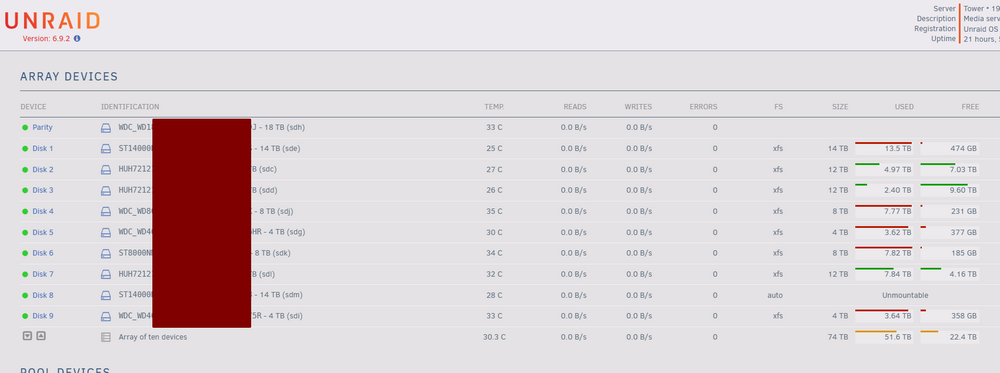
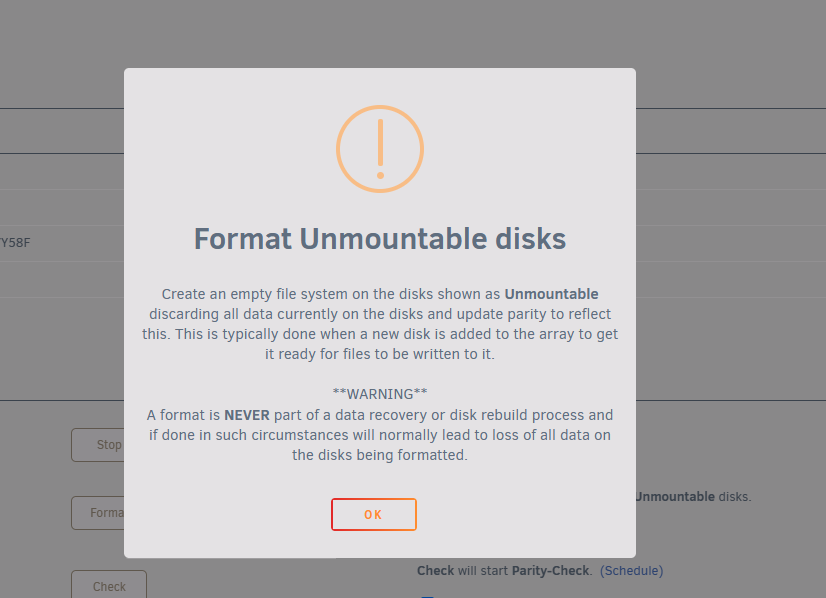
So had a first prolonged power outage in a long while. On a UPS but the comms cable must've slipped out at some point and the machine just died. After power came back and Unraid came up, I saw that one disk moved from the array to Unassigned Devices (while appearing under Historical Devices too). Parity seemed fine. Anyway, I though I had a choice between rebuilding from parity or trying new config and hope parity was fine. So I reassigned the drive back into its slot, started the array and let it about clearing the disk (which felt slightly different to the process I remembered but ok...) Well, 18h later it's done clearing but FS is auto, shows as unmountable, and I get the scary Format warning. Is this normal? Will this just format the drive and start rebuilding its data from parity? Cuz now it feels extra unusual as if my rebuild attempt has gone sideways and this is somehow truly adding a new drive to the array as opposed to replacing a drive that I thought should've shown us as emulated and simply go through a parity check... What's my best bet right now if I just want to restore Disk 8 from parity and ensure no data loss?
-
That was simpler than I expected and totally makes sense. Will follow this to the letter. Many thanks, @apandey 🙌
-
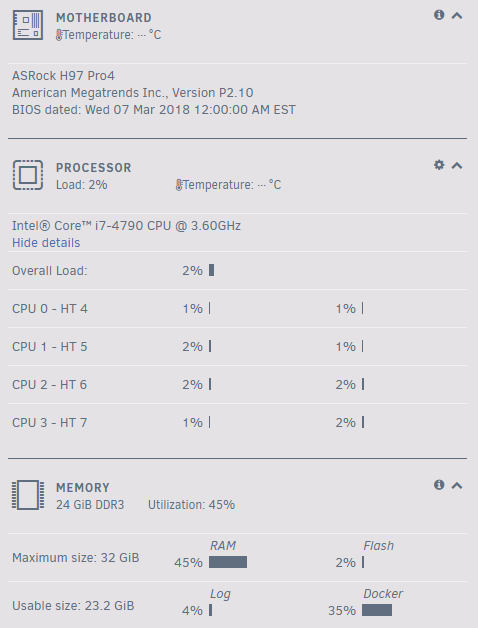
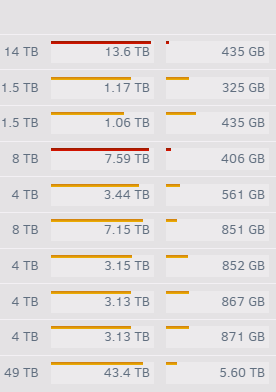
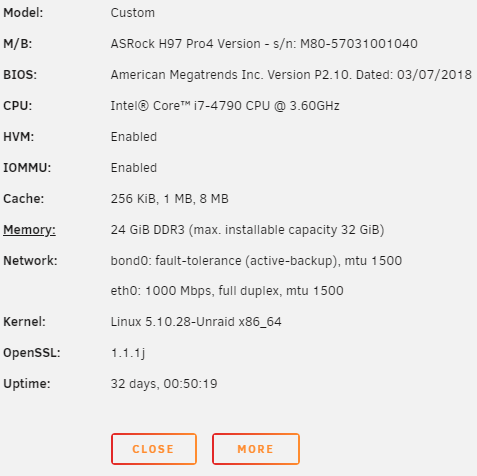
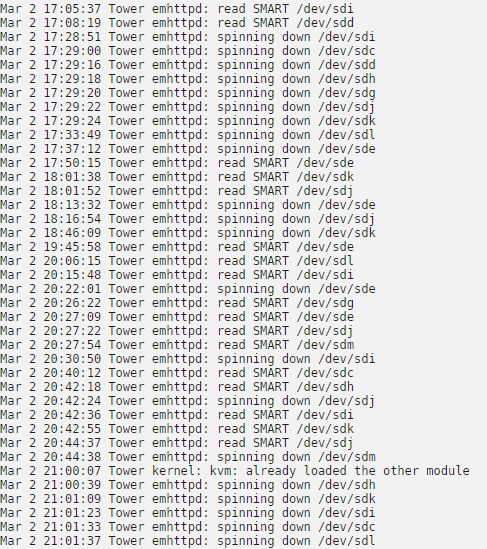
Hi guys, My Unraid box is a hodge-podge of previously loved consumer hardware which is totally fine for my needs, runs about 25 dockers and gives me 49GB of usable NAS space on top of Unraid 6.9.2 with one SSD cache drive (docker + VMs) and one SSD unassigned device (dumping ground for downloads) (screenshots below). Everything has been working more or less perfectly for a long time (aside from the silly SMART wakeups that I've never been able to find a solution to other than "it's fixed in 6.10+). Everything is in xfs. But like with everything else, I feel it's maintenance time after ~2 years of not touching this at all. Here's what I'm thinking 1. I got a brand new 18TB WD Gold, which I'd like to make my parity drive. 2. My two semi-ancient 1.5TB drives get retired from the array entirely. (-3TB storage) 3. Old parity 14TB becomes a data drive. So net gain of 11TB. 4. Upgrade from 6.9.2 to latest? Can someone help me with the best order of operations / or point me to some guides? I'd love to minimize the work but ultimately I'd rather play it safe, too - about 15TB of my 40TB used is backed up, but restoring the other 25TB, while not impossible, could take a very long time. I was thinking of transferring out the 3TB of data since I have space for it, removing the drives (I remember there's a way of doing that), then maybe adding the 18TB drive (do I still have to preclear?) as a 2nd parity drive, waiting for that to rebuild, then removing the 14tb and removing 2nd parity drive, allowing that to rebuild, then adding the 14tb drive as a data drive, and ... allowing that to rebuild. Or is there a better process. Also, upgrade before or after? Any comments would be much appreciated. Thanks!
-
For those with the issue triggered by the most recent update, THIS IS THE WAY until new certs are provided. Many thanks @nraygun for saving us the time. I still don't get how sha256 or aes256 isn't safe enough any more but hopefully we'll all get new sha512 certs soon and can replace our ovpn configs for another decade of peace
-
Hello Squid, While your plugin has been quietly doing its thing for a while and only I only required 1 or 2 restores over the last three years (which have been flawless, thanks!) - I've now come back from a vacation to a system that may have gone through a few power surges while I was gone. All appeared fine except a dead Plex installation and when I tried restoring from a backup, nothing happens in the UI, and the log shows: Aug 18 14:11:53 Tower atd[2834]: PAM unable to dlopen(/lib64/security/pam_unix.so): /lib64/libc.so.6: version `GLIBC_2.34' not found (required by /lib64/libresolv.so.2) Aug 18 14:11:53 Tower atd[2834]: PAM adding faulty module: /lib64/security/pam_unix.so Aug 18 14:11:53 Tower atd[2834]: Module is unknown I'm on 6.9.2 Any thoughts?
-
Hi @Dustiebin Unfortunately, I did not. Doron's utility points out that the parent process is emhttpd but I can't see anything upwards of that. I tried stopping all dodckers as well to no avail, and have tried turning off plugins, also with no luck. I think I've combed through most solutions proposed to this process (dynamix plugins, nerdpack tweaks, killing dockers, booting fresh), and nada. I'm very hopeful that 6.10.x will fix it since there's some changes to how smartctl works in that version, but so far I'm resisting the urge to upgrade given how many people seem to have had issues. Just don't have the time to play with it ftm.
-
Sweet, thanks @doron - looking forward to some debugging fun
-
Ah, interesting. I was guided here through this post which specifically referenced your script as potentially having the side super power of being able to point out the parent process that calls smartctl as part of your wrapper's functionality. Unfortunately, I lack the skill to write a wrapper myself so was hoping to piggyback off someone else's abilities, even if it's a byproduct of their primary function. But if that other 'neat little wrapper' could be of some help in tracking my unending investigation into random spin up / read SMART / spin down sequences, I'd certainly be indebted. And if not, no worries, I very much appreciate your reply in first place. May 24 15:55:38 Tower emhttpd: read SMART /dev/sde May 24 15:58:04 Tower emhttpd: read SMART /dev/sdj May 24 15:58:16 Tower emhttpd: read SMART /dev/sdm May 24 16:27:36 Tower emhttpd: spinning down /dev/sde May 24 16:28:09 Tower emhttpd: read SMART /dev/sdh May 24 16:33:05 Tower emhttpd: read SMART /dev/sdl May 24 16:34:02 Tower emhttpd: read SMART /dev/sdk May 24 16:35:41 Tower emhttpd: spinning down /dev/sdm May 24 16:35:41 Tower emhttpd: spinning down /dev/sdj May 24 16:49:39 Tower emhttpd: read SMART /dev/sde May 24 16:57:46 Tower emhttpd: spinning down /dev/sdh
-
@doron Hi - what's the correct way of editing this plugin to enable debug output in syslog? I'd like to see what parent process is still driving spin ups / smart reads on my stubborn box (9.2). Cheers.



