yb1898
Members
-
Joined
-
Last visited
Everything posted by yb1898
-
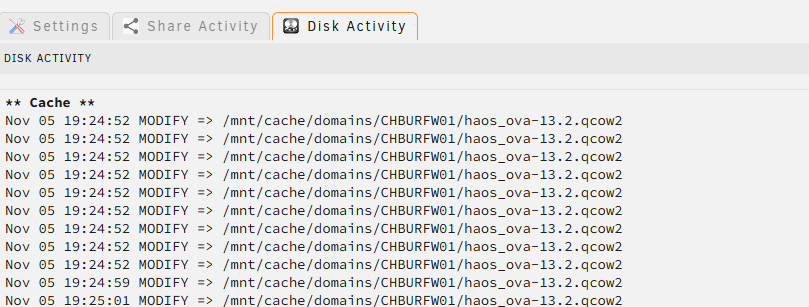
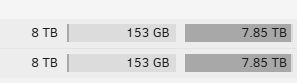
Dear all After a fresh installation, the drives spin down like excepted. But now after installing 2 VM's and some plugin's they wan't. Here are the disgnostics: chburur01-diagnostics-20241105-1921.zip I checked with the open file plugin and there are a lot of entries, must of them are /usr/local/emhttp (working directory) and then this one from one VM: /etc/libvirt/qemu/nvram/548d4076-d82e-a19b-6dc5-1a53b8a8eebd_VARS-pure-efi.fd My shares are all of one or the other cache drives: In File activity the is only activity to the cache drive: But somehow is there 153GB on my array used but there is nothing on it: Can somebody give me a hint? Thank you! YB1898


-
You are my hero! This was the mistake! I choose 2 because I want to add a secound one, but it is not arrived. Thank you very much! Maybe it is something that could be somehow fixed or so! Have a great day!
-
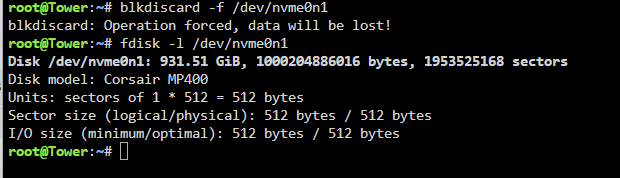
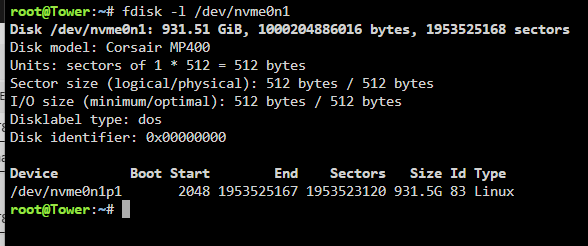
Here the output:
-
Here the output:
-
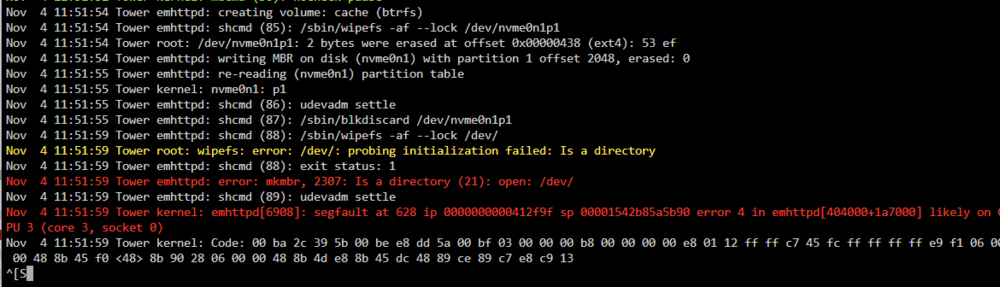
Hi JorgeB Here are the diagnostics, right after the format attempt. Log entrys are the same again. Thank you for your help! tower-diagnostics-20241104-1349.zip
-
Dear all I have an issue with formating my cache drive. I tried it with 2 differant NVME drives, but the error is with both the same: I use the 7.0.0 Beta4. After I started the formating process, unraid crahses somehow. The core load on the overview page freeze. Only a reboot helps to have the core load back. Any ideas what could help? Thanks a lot for the support! YB1898
-
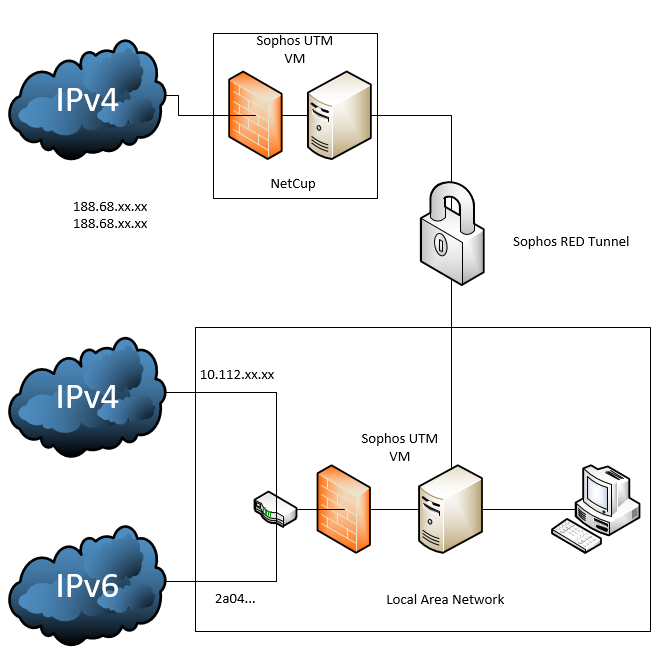
Hi Doublemyst Hier ist die Schritt für Schritt Anleitung: https://temporaryswiss.ch/schritt-fuer-schritt-anleitung-zum-einrichten-des-eigenen-mapping-servers/ Anstelle des Raspi kannst du sicher ohne Probleme ein Linux im Docker aufsetzen. Ich habe bei mir das ganze etwas anders aufgebaut, ich verwende die Gratis Home Version von Sophos UTM (bis 50 IP's). Dort habe ich eine bei mir (VM) und eine bei NetCup (VM) welche ich dann über einen RED Tunnel (wie eine VPN) verbinde. So kann ich für sehr wenig Geld 2.69 Euro für den Server und 1 Euro pro weitere fixe IPv4. Sprich du bist bei irgend wo bei 40 CHF pro Jahr für 2 fixe IP's. Gorb sieht es bei mir so aus: So kannst du die IP direkt bei deiner Firewall verwenden, die Sophos bei NetCup läuft pratkisch ohne jegliche eingriffe. Das coole ist bei Sophos das du auf die Subdomain und nicht auf den Port Webserver veröffentlichen kannst, sprich du kannst unraid.deinedoamin.ch auf deinen internen Server weiterleiten wie auch homeautomation.deinedomein.ch welche dann bei einem DNS beide auf die gleiche IP zeigen. Ich kann dir sicher gerne bei der Einrichtung helfen, bei der Sophos UTM ist es halt so das dies eine Firewall für den professionellen Einsatz ist. Hier müsstest du dich sicher ein wenig intensiver mit der Materie auseinander setzen. Aber dafür sind die Möglichkeiten sehr vielfältig. Es gibt sicher auch andere Möglichkeiten, z.B. Schau dich ein wenig um, mit den richtigen Keyworts (DS-Lite, IPv4, Tunnel, vServer) findest du sicher diverse hilfreiche Beiträge. Grüsse YB1898
-
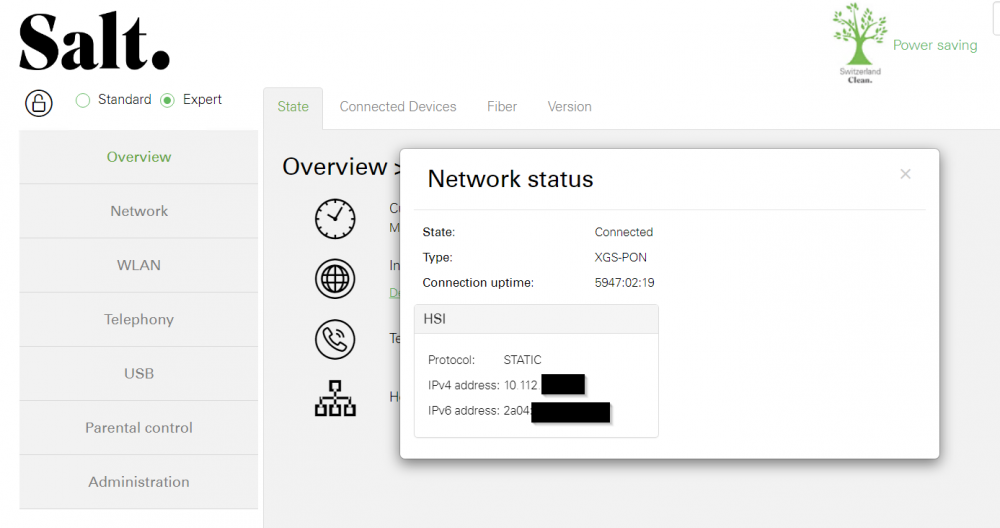
Hallo Also wenn du dich auf der SALT Box einloggst und dann bei Internet auf Details gehst solltest du so was sehen: Hier siehst du das ich keine offentliche IPv4 mehr habe 10.112.xx.xx Dies net man DS Lite, du teilst dir deine IPv4 mit vielen anderen Salt Kunden, ein NAT ist hier nicht möglich. Hier eine gute Seite zu diesem Problem: https://temporaryswiss.ch/salt-fiber-heimnetz-ipv6-dslite/ Ich habe das ungefähr wie in Option 3 beschrieben gelöst, mit einem Server bei Netcup und einem Tunnel zu meiner Firewall. So kann ich jederzeit weitere IPv4 adzukaufen. PS: Was erreichst du für Geschwindigkeiten? Grüsse YB1898