ComputerUser
Members
-
Joined
-
Last visited
Everything posted by ComputerUser
-
i had the same issue - postgres was using that same port even though i couldnt find out how so i just changed the port on deluge and it worked. you can run in terminal on unraid - netstat -tulpn | grep 58846 lsof -i :58846 it should tell you what is using that port. mine was - postgresql (ESTABLISHED)
-
thanks i tried that and it didnt work so i went through cli, i did it a couple times then ran after with -n. i ran a extended smart test took around 16hours+ just finished this morning, after running that test I run xfs repair and currently it seems to be working, i also removed everything from the lost and found, thinking maybe there was a weird file or something not even sure if that makes sense, however as of right now its been working for maybe 2 hours - currently mover is moving stuff on that drive, after mover is done, i will run another parity check. I will keep you updated if anything changes, thanks for your reply, appreciate it. btw chatgpt is a boss at explain all the output logs when it comes to the XFS and Smart, as i do not understand most of it.
-
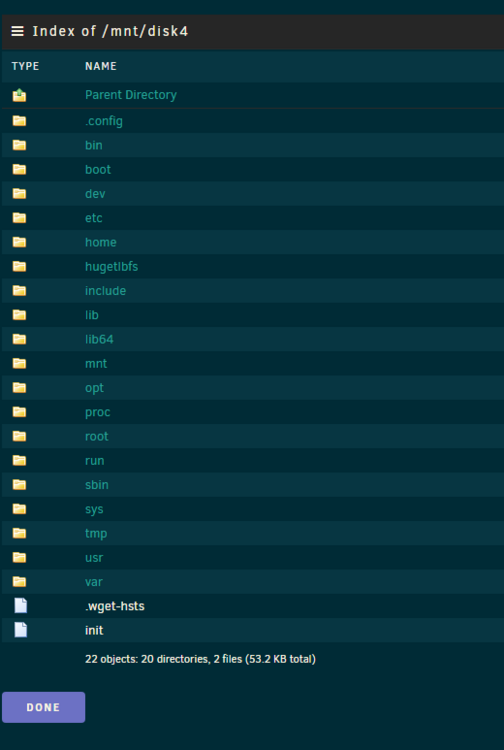
Hello, I noticed some files going missing on my shares and also on plex, i looked into the system and say that disk4 is mounted however i am unable to access any of the files and it seems mover has not moved anything to the disk in a while as it has a lot more space then the other drives. Mover also isnt working now and things are only being added to the cache but not off it, i run a parity check with 400errors that were corrected but i have a feeling that isnt what is going on, i have tried to restart the system with no change. i run a xfs_repair -n /dev/sdk1 and got a bunch of error read out was able to fix the errors with xfs_repair /dev/sdk1 I started up the array, the files re appeared but shortly after they disappeared again. any help would be much appreciated
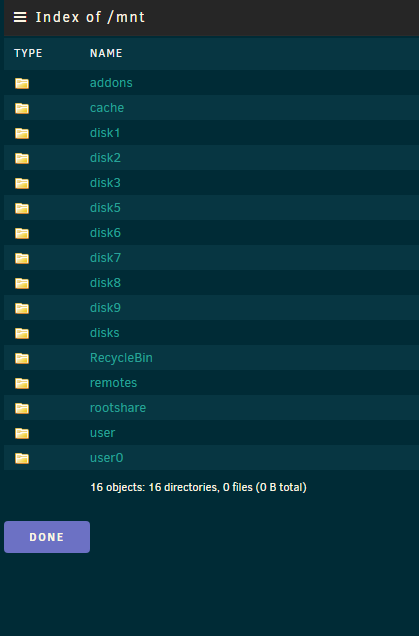
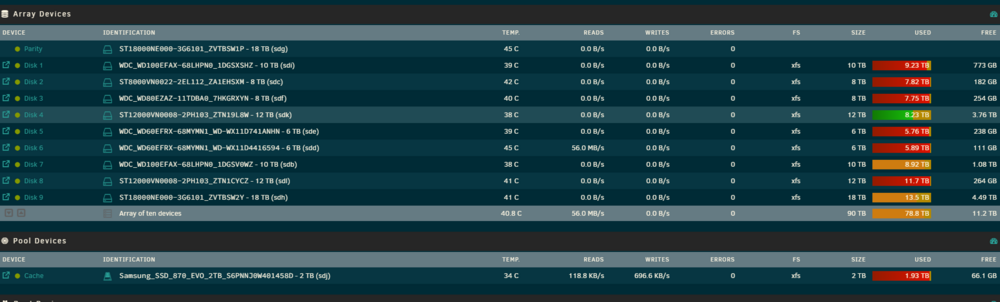
 unraidi5-diagnostics-20240713-1034.zip here it is.Hello, one of my drives failed (6tb) my parity is 12tb however i just order 2 new drives at 18tb, so i need to make one of those 18tb my new parity and want to replace the 12tb parity into the slot of the failed 6tb drive (dont matter if its that 12tb parity or 1 of the new 18tb i just bought) am i to follow the guide https://docs.unraid.net/legacy/FAQ/parity-swap-procedure/ ? i am just unsure how to make a new parity with a drive that has failed and is unmountable. And i cannot use the parity to make a new 18tb drive from my understand. Please let me know I tried reading that page quite a few times with no luck.