





PaulW08
Members
-
Joined
-
Last visited
-
Ahhh, I had no idea. Okay this makes a lot more sense now.
-
Seems to work fine with the A380 Removed and just running only the iGPU. I would prefer to have both in my system at the same time though for AV1 encoding with some of my docker containers. Here's diagnostics with the A380 and anonymous. I took one with the personal info as well if I need to send this directly to someone. sesame-diagnostics-20241206-0713-A380-INSTALLED.zip
-
Hmm, I wonder if it's because I am also using an ARC 380 along with the iGPU. I can remove the card and test and do the diagnostics later tonight.
-
So I get the following error. Unraid eventually just locks up and I have to power cycle the machine. As soon as I uninstall the plugin, everything is fine. It worked fine on 7.0.0 beta 2. It's just now it locks up. It also takes forever to start the array before it locks up.
-
This plugin does not seem to work on 7.0.0-rc.1. In the release notes of 7.0.0-rc.1 it does mention: Add/edit VM template Add SR-IOV support for Intel iGPU So maybe it's supported natively and not needing the plugin? I can't seem to figure it out. If I keep the plugin installed Unraid pretty much locks up when the array is started. If I remove the plugin it boots fine and everything works fine, but obviously I cant use SR-IOV with my iGPU. Was working fine on beta 2 of 7.0.0.
-
VM is running 24/7. For what it's worth I think I solved the issue. I was running dual graphics. The iGPU through the plugin and VNC. I removed the VNC and only RDP into the VM and the Unraid Server has been stable now. The VM has been running 24/7 and the Unraid Server has been online with no crash for almost 5 days now where as when I was running the iGPU plugin and VNC it was crashing about once every 24 hours or so.
-
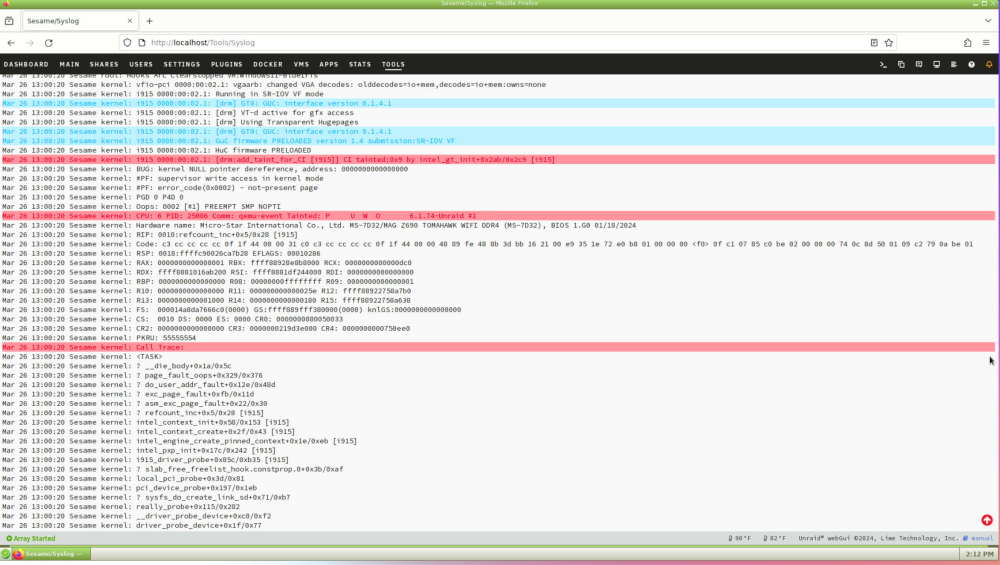
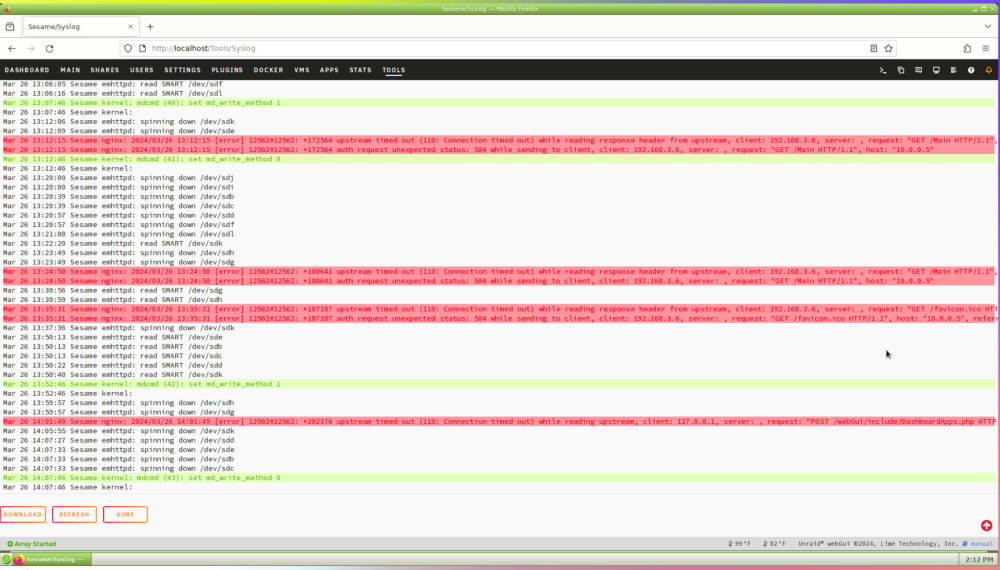
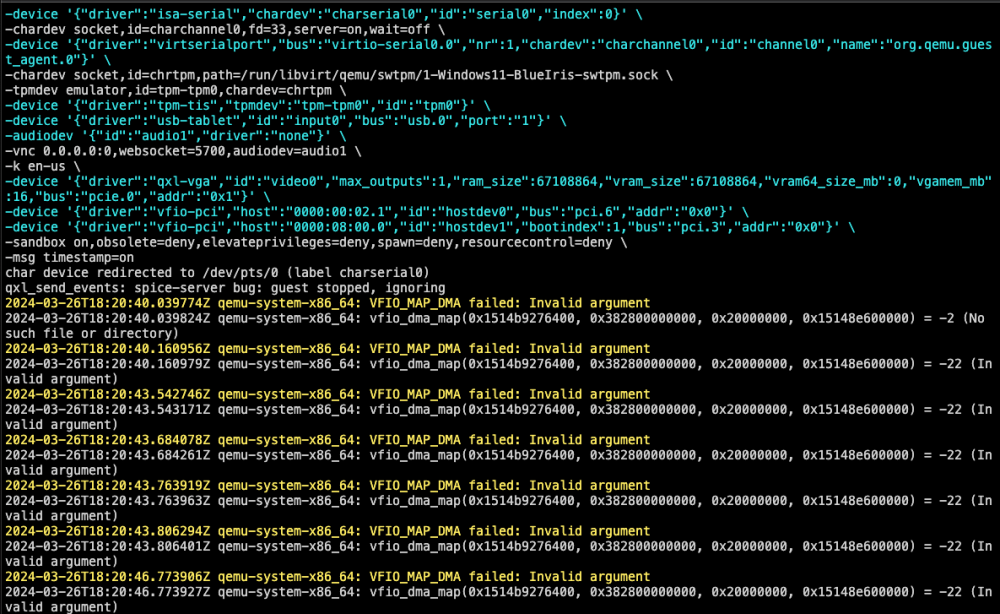
Anyone having issues with their Unraid Server crashing when using this plugin? I think it has to do with the VM locking up at somepoint and then causing the Unraid Server to lock up. It's kinda been imposible to grab logs since I have no idea when it is going to happen, but this past time the VM crashed and I caught it. My WebUI became unusable, but luckily I have a BLIKVM hooked up to my system and I had booted into the GUI mode and was able to pull some info. Unfortunately I had to take screenshots and couldn't copy and paste logs. A VM log is also screenshotted. I get those errors on the VM but performance seems fine besides the crash at some point.
-
Exact same issue for me. I was passing through an Arc A380 and it was super stable for months. I removed it and am using the intel-igpu-sr-iov plugin and now my machine crashes once a day. Not just the VM but my entire Unraid machine locks up and I have to physically reboot it. May go back to the A380 but was trying to save some watts.
-
Let me preface this post by showing my current build: CPU: AMD 3900x Motherboard: Asrock X570 Taichi Memory: 128GB DDR4 Non-ECC PSU: Seasonic SS-660XP2 660W GPUs: 1x Nvidia 1660TI (6GB) for transcoding and 1x Nvidia 1070 (8GB) for my BlueIris VM HDD for Main Array: 3x 14TB WD Red, 2x 10TB WD Red, 1x 10TB Seagate IronWolf, 1x 8TB WD Red 52 TB of usable space, with 2x 14TB being lost to parity. Using only 17.5TB currently. Cache: 1x 1TB MSI M470 nvme and 1x 1TB Sabrent nvme, running in a Raid 1. HDD for test pool: 2x 2TB 2.5" Seagate BarraCuda drives running in a Raid 0. I run one Windows 10 VM currently with a BlueIris install on it. I run about 20 dockers with the most resource intensive one being Emby. I also have a separate gaming machine with these quick specs: CPU: AMD 3700g Motherboard: X570 Phantom Gaming 4 GPU: EVGA RTX 3070 FTW3 PSU: 650W EVGA SuperNova Memory: 32GB DDR4 Non-ECC I am considering combining my gaming machine and Unraid server and moving it to a VM. I rarely use my gaming machine and when I do it's more for productivity vs actual gaming. I’m not too worried about anti-cheat issues with a VM since I have a SteamDeck I do most of my gaming on nowadays with a Windows partition on it. The current machine has every PCIe expansion slot filled, and the case is packed. It’s a 4U Rosewill Rack Mounted case. Based on all this I’ve come up with this for my next build: CPU: 12700K – Will probably upgrade to the 14th Gen Raptor Lake refresh down the road, but this is cost effective for my needs now. Motherboard: Asus Pro WS W680-ACE IPMI – I like the idea of IPMI. The board is pricey, but with the existing SATA ports and the SlimSAS port I don’t think I will need a SAS expansion card, saving a PCIe slot. Memory: 64GB DDR5 ECC – Really all I need. Mainly used for Emby Transcoding. Will probably move to 128GB for more flexibility down the road. GPUs: 1x EVGA 3070FTW for Gaming VM, 1x Intel ARC A380 for the BlueIris VM (Hoping to swap this with the iGPU once we get on a kernel with Intel Arc support and let the Arc A380 handle Emby transcodes,) PSU: 1000W – High quality 1000W PSU that will hopefully be enough for all my hardware. HDDs and SSDs: Staying the same So questions I have for the more experienced Unraid users. Is 1000W fine for my setup? Is doing a gaming VM a bad idea? Any noticeable flaws in this plan? Any suggestions? Thanks everyone!
-
What happens when you restart the VM? Does it still work after that?
-
That was my thinking. I’ve always enjoyed the tinkering with being an early adopter. I was also able to pick up an open box A380 for $111.96 at my local MicroCenter so figured the risk wasn’t that huge for the possible return once this becomes my transcoding card in my server.
-
Anyone have any luck?
-
I was able to successfully passthrough an ARC A380 into a Windows 10 VM and everything seems to be working as properly as can be with the current drivers. Then I went to reboot the VM and my entire server locked up. I had to hard reboot the server and when it came back up, the server can't even see the GPU anymore. Multiple reboots nothing. So I've pulled it from my server and put my 1070 back in. Running an X570 Mobo with a Ryzen 9 3900X.
-
Okay, if anyone else has this issue, uninstalling and reinstalling the plugin has fixed the issue for me.
-
Did you ever solve this issue? I'm running into the same thing. Had a new 3.5" WD Red drive doing the same thing via SATA.



