





quiksilver2
Members
-
Joined
-
Last visited
-
hast du eine Lösung gefunden?
-
That is weird because i dont have any plugins installed its basically chrome as delivered. Maybe its a privacy setting. But agin i think if it was o ly that i wouldve noticed too.
-
@FluppiJust click on the generate Backup Button. do it with pure chrome and not brave! on chrome i saw that it blocked something then i clicked allow and had to redo the procedure again after a minute. finally i could download the backup and it worked! I feel like this is very unclear and annoying @ChatNoir and i tried it this afternoon and got an error on creating the backup file... so i thought there was a real error...would it be possible to change the method that is used to downlaod or add a note to disable any browser plugins that are there to protect the user?
-
This is so depressing since is it so important... i dont know if i should wait now since it would be so annoying to start over since i had cache pools and lots of things installed EDIT: Now the downlaod worked ill tell you more once i know if it worked for me
-
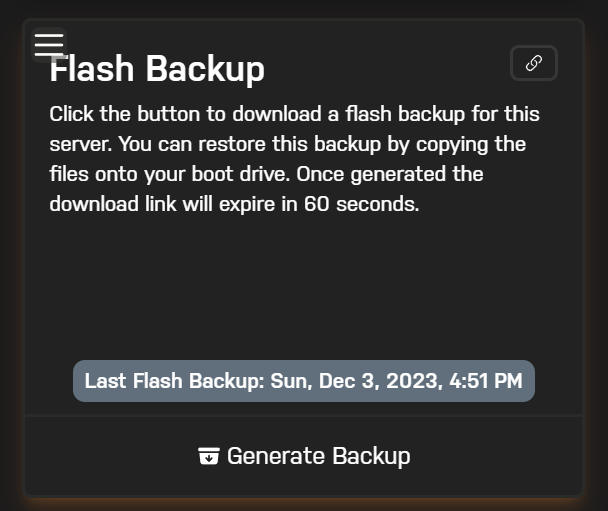
on Unraid coonect there is no option to download Flash Backup. locally i cant find a backup so i am before starting over completely But i can see the time when it got created but i cant download it?? can someone plese help me? thanks
-
I I have the same issue... I a glad i saw it before i ru into an issue and then having no recent backup.. do you already know how to fix it?
-
Did this one work for you? Or which one are you running now?
-
Regularly my webgui crashes so I cant login anymore. I see the login screen but the screen will stuck on load. Its weird because i have this issue more often when i use a torrent-vpn Docker. that docker crashes too often. can it be that a docker container crashes a part of unraid if it crashes? if so what could be the problem with it? i tried several dockers like binhex-delugevpn etc but had always problem with crashes etc. Thanks in advance ps: The diagnostic file i collected after the reboot. syslog-192.168.0.118.log tower-diagnostics-20230416-0021.zip
