





rogman
Members
-
Joined
-
The health status pulls directly from the API and what it reads.
-
On Windows, you can mount to an empty folder, but you don't get a drive letter. I don't think you can do that in Wine. If only I had the problem of having too many drives; my 3 14s are it, and one used to be parity 😅 Backblaze is my parity now -- when I switched to per drive backup I pushed my parity drive into the array. Since if one goes down I can download it from the cloud. I figured since parity is not RAID it's not really doing much if I have full drive backups. I am fortunate enough to have two large usb drives that get backed up to every night so I'm doing the 3:2:1 rule. It would be much harder to figure out what to restore from the usb backup since those are whole shares sent to specific drives.
-
Thank you! I should have specified, but I know all these features will eventually be pushed into the latest build.
-
@foz I have a feature request if possible. I get these semi-frequently: "watchdog: recovered: stopped orphaned bztransmit.exe [394996], running 24m after the pass that started it exited" Is it possible to have a setting to input a time in minutes for bztransmit to stop it (say 3, 5, 10 min - user input)? 03:31watchdog: recovered: stopped orphaned bztransmit.exe [642494], running 24m after the pass that started it exited 02:31watchdog: recovered: stopped orphaned bztransmit.exe [604880], running 24m after the pass that started it exited 01:31watchdog: recovered: stopped orphaned bztransmit.exe [563048], running 24m after the pass that started it exited 00:31watchdog: recovered: stopped orphaned bztransmit.exe [517843], running 24m after the pass that started it exited 23:30watchdog: recovered: stopped orphaned bztransmit.exe [465831], running 24m after the pass that started it exited 22:20watchdog: recovered: stopped orphaned bztransmit.exe [421677], running 24m after the pass that started it exited 2nd issue I've also been getting a lot of "Backblaze reports a failed file check" and when I dismiss it or reset it, they just come right back. What I found is in the "bzdc_filecheck.xml" file it reports --- <?xml version="1.0" encoding="UTF-8" ?> <filecheckresponse> <local_computer_inserted gmt_date_time_written="20261008160637" /> <metainfo bypass="false" hguid="" file_check_is_clean="false" safety_frozen="not_frozen" /> <verify_failed filename="bz_done_20261007_1.bzff" reason="wrong_size_bz_comb_3641242" /> </filecheckresponse> --- The backup finishes and has no errors, no files marked as couldn't upload and the only way to clear out the status is to edit that xml file and remove the filename line and change the check_is_clean to "true" This is probably not the correct way to fix it but I hate seeing those red error letters when it is working ultimately
-
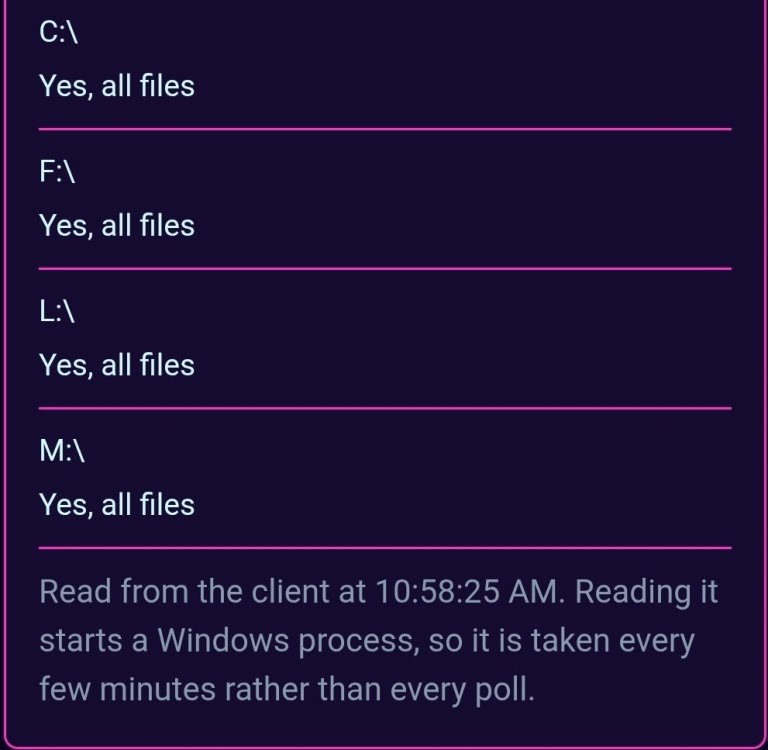
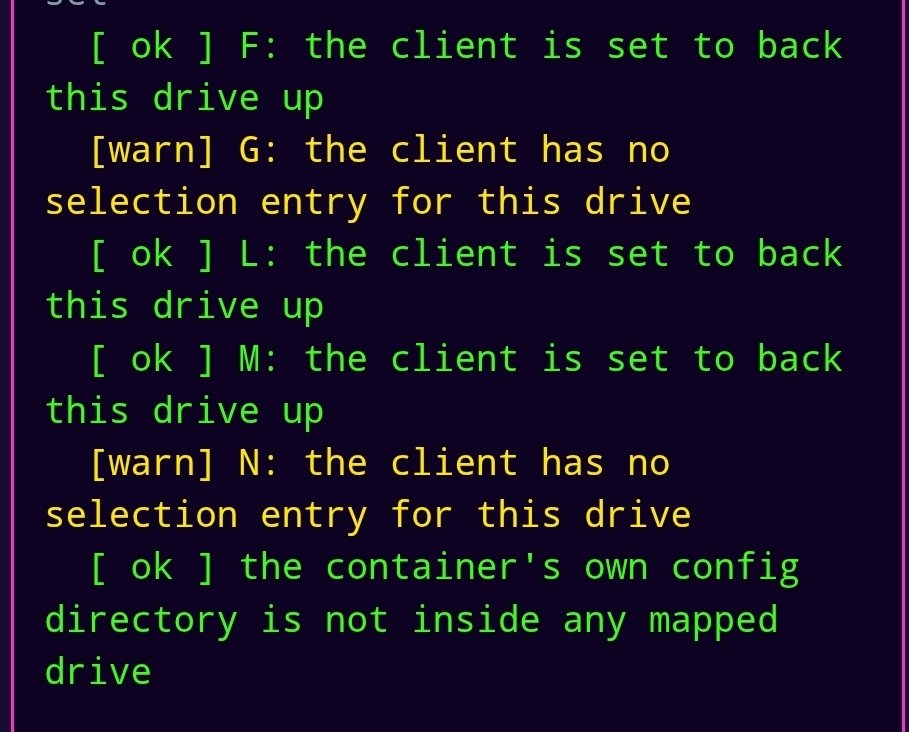
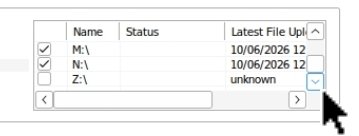
@foz I'm not seeing any errors but when I switched to per disc backup, one of my drives N: doesn't show up in the status tab and says nothing is marked for backup but it's already backed it up. Doctor scan reports nothing selected for backup. Update: Installed beta 269, and the issue appears resolved now.
-
The individual disc backup is now complete! I added the cache drive so it backs up daily before mover relocates them to the array discs. Can't stress often enough how thankful I am for what you've created for us Foz! I do feel like it will be slightly easier to manage a bad disk replacement with this approach instead of figuring out what was on the disc.
-
Update on switching to direct drives instead of array pool. It got to 85% and when I woke up today it was back down to 20%. No idea what happened but we are back a few days of deduplication checks now 😮💨
-
Folder depth is set to 4 and now getting measurements on all drives. Nice update with the memory reporting

-
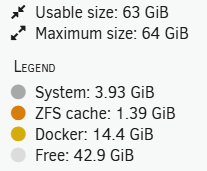
What's puzzling is I've never seen such high RAM usage until I changed to the single drives and it's checking each file for deduplication. The container says it's using 35GB, but my Unraid dashboard says I'm only using (17.5GB total on system). Unraid dash vs container stats
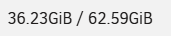
-
@foz, not an issue but curious how many levels the scanner looks through for the read speed check? I'm trying to find in in github code just haven't tracked it down yet. [ ok ] M: /drive_m readable, 2 top-level entries sampled M: read speed not measured: no file over 64 MB within three levels of /drive_mLast question: I always get a warning for having no swap. I have a swap drive set in the client, but I guess it never has to roll over to use it, so it generates a warning? I don't think it's an issue, but it always makes me think something is wrong when the scan outputs a warning, Host resources [ ok ] 62 GB host RAM [warn] no swap - a memory peak becomes an out-of-memory kill, which is what leaves the stale lock behind [ ok ] process table healthy (0 zombies)
-
The only downside I see is that it will not back up a file until Mover moves it from the cache to the array disk. Mine is weekly so not that big of an issue. It's chomping through these files and marking each one as "already backed up" but oddly it's using 35GB RAM for the process; I've never seen it over 7GB.
-
So it appears that backblaze is smart enough to know that the files have already been uploaded previously even under a different drive letter and it's only scanning them. This should go pretty quick
-
Since it's unlimited storage I left the share backup alone and added per drives. We'll see how long it takes, then I can always uncheck the share drive letter
-
In theory you should only ever have one disc die at a time. So the individual disc backup makes recovering a lot easier than figuring out what was stored on which drive. If you add a new disk in the future add a new drive letter, the downside is your limited to 24 discs. Which is never going to be an issue for me.
-
I was getting 500-600 Mbs but do I want to start 16TB over. It's probably worth it to do per disk recovery

