





rocketcoder
Members
-
Joined
-
Last visited
-
Hi, any update on this? I was trying to spin up this container today and got the error message. "python: can't open file '/ebook2audiobookXTTS/app.py': [Errno 2] No such file or directory"
-
I found my issue. I thought this meant the location on the Unraid server itself, not the location from inside the container. Thanks for your help!

-
@ImSkully Thanks for updating. I'm still getting the error even with the corrected permissions. Is there anyway to tell what it is trying to run as?


-
docker run -d --name='Vikunja' --net='bridge' --pids-limit 2048 -e TZ="America/New_York" -e HOST_OS="Unraid" -e HOST_HOSTNAME="Blackbox" -e HOST_CONTAINERNAME="Vikunja" -e 'VIKUNJA_SERVICE_ENABLEREGISTRATION'='true' -e 'VIKUNJA_DATABASE_TYPE'='sqlite' -e 'VIKUNJA_DATABASE_PATH'='/mnt/user/appdata/vikunja/vikunja.db' -e 'VIKUNJA_DATABASE_HOST'='' -e 'VIKUNJA_DATABASE_USER'='' -e 'VIKUNJA_DATABASE_PASSWORD'='' -e 'VIKUNJA_DATABASE_DATABASE'='vikunja' -e 'VIKUNJA_MAILER_ENABLED'='false' -e 'VIKUNJA_MAILER_HOST'='' -e 'VIKUNJA_MAILER_PORT'='465' -e 'VIKUNJA_MAILER_AUTHTYPE'='plain' -e 'VIKUNJA_MAILER_USERNAME'='' -e 'VIKUNJA_MAILER_PASSWORD'='' -e 'VIKUNJA_MAILER_SKIPTLSVERIFY'='false' -e 'VIKUNJA_MAILER_FROMEMAIL'='' -e 'VIKUNJA_MAILER_FORCESSL'='false' -e 'VIKUNJA_SERVICE_PUBLICURL'='' -e 'VIKUNJA_SERVICE_ENABLEEMAILREMINDERS'='true' -e 'VIKUNJA_SERVICE_ENABLEUSERDELETION'='true' -e 'VIKUNJA_SERVICE_CUSTOMLOGOURL'='' -e 'VIKUNJA_CORS_ENABLE'='false' -e 'VIKUNJA_CORS_ORIGINS'='' -e 'VIKUNJA_CORS_MAXAGE'='0' -e 'PUID'='99' -e 'PGID'='100' -l net.unraid.docker.managed=dockerman -l net.unraid.docker.webui='http://[IP]:[PORT:3456]' -l net.unraid.docker.icon='https://raw.githubusercontent.com/ImSkully/unraid-templates/master/Vikunja/Vikunja.png' -p '3456:3456/tcp' -v '/mnt/user/appdata/vikunja':'/app/vikunja/files':'rw' -v '/mnt/user/appdata/vikunja/config':'/etc/vikunja':'rw' 'vikunja/vikunja:latest' I am on Unraid 7


-
I'm having the "Could not connect to db" issue as well, but none of the above is working for me. This is a fresh install, no prior db.
-
I'm honestly not sure. I have two SSDs as cache drives. Everything else is HDD.

-
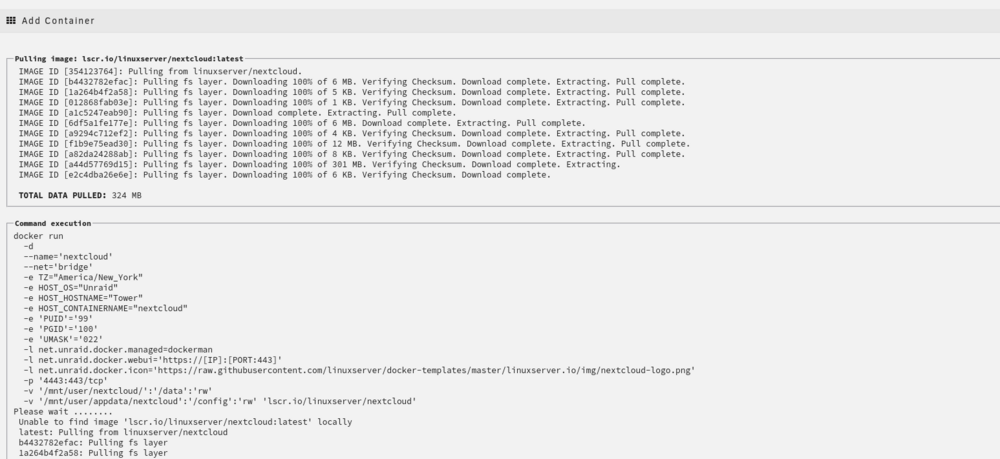
Hi JorgeB, I went from an 11 year old Xeon, 1x8GBs of DDR3 ECC RAM, and Tyan S5512 MB to an Intel i3 10100, Gigabyte Z490 Gaming X MB, 2x16GB DDR4, and a LSI HBA. I am trying recreating the docker image, but the issue also happened when installing a new app. It started doing the extraction and stopped, skipped to starting the app, but realized it didn't have the full image. Then started downloading the images again and eventually completed successfully. Edit: The recreation is doing the same as the new app install did.
-
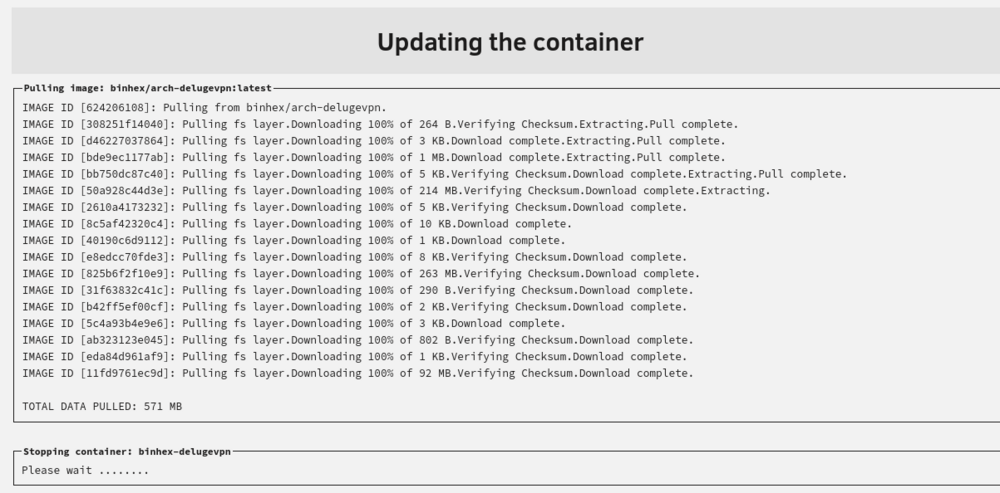
I recently upgraded my hardware and noticed this happening. When I go to update a docker app it goes through pulling all the fs layers. Some larger layers, 200+ MBs, start extracting then stop. The system skips to restarting the docker app without having extracted the rest of the layers. As a result, I have apps that always have updates available. I only noticed this when I migrated to the newer hardware. tower-diagnostics-20240706-1635.zip
-
I did not get an error, but it still didn't run. I think it is because it keeps adding back in environment variables for the Raspberry Pi. When I remove them it runs no problem. Why is it adding in removed variables?
-
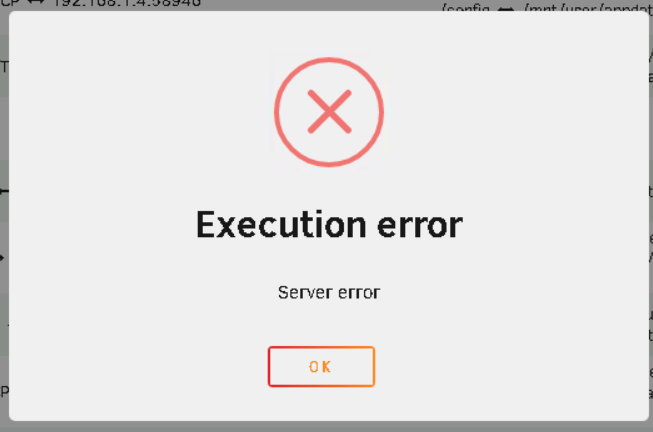
Hello all, I'm encountering an error with Jellyfin. I updated the container this morning and now the container won't start. This happened before and I rebuilt the container. So it seems to be happening every time Jellyfin gets updated. There is no log for the container and the error is very vague. How do I figure out what is going on or how to fix it? Thanks!
-
It's the LinuxServer container for Deluge. Thanks for your help. I ended up switching to Transmission and it is working just fine.
-
Yes I am
-
I am having an issue with this container. I am getting a permission denied on the status of a download. I have done the part where you need to change from /root/Downloads to /downloads. However, I am still getting the error. drwxrwxrwx 1 abc users 6 Apr 14 16:54 downloads This is the permission of the downloads folder inside the container. Did I set something up wrong? I mostly accepted the defaults.



