YoloSwagLord
Members
-
Joined
-
Last visited
Everything posted by YoloSwagLord
-
Hi thanks all this was the problem! I changed the power cables and the speeds are now as they should be, 200mb/s a second I want to thank @JorgeB and @itimpi for your help and patience with me. you guys are doing gods work!
-
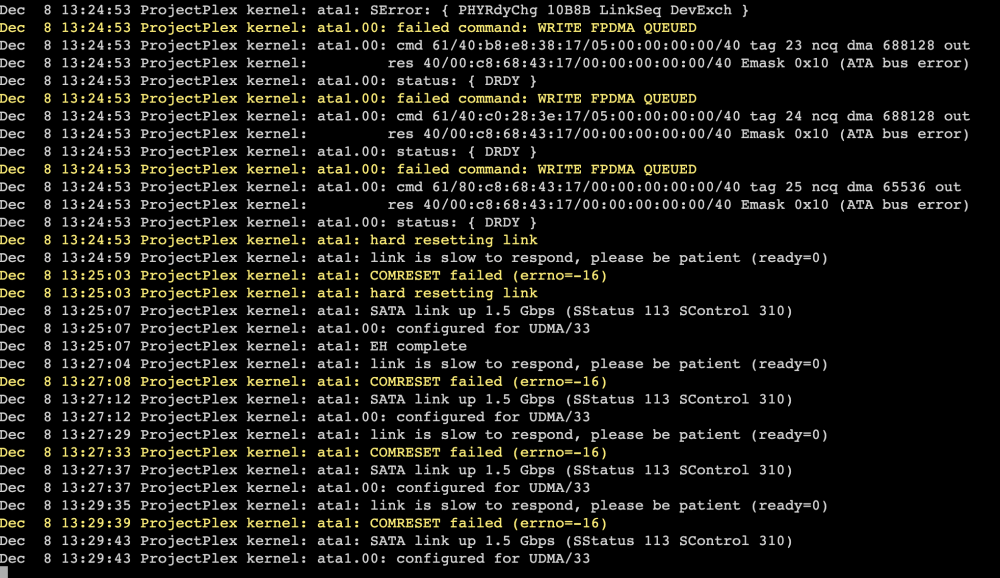
Hi thanks for your reply, I changed the SATA cables to the ASM1166 ports on the controller, this seems to reduce the ATA errors to just 1 drive (ATA1) this is the emulated disk that im rebuilding. a example is shown below: for more detailed info I uploaded the diagnostics as well. is it a option to format the rebuilding (Disk 1) remove it from the array and rebuild it using the parity but then on a formatted disk? btw. Disk 1 (the one that is causing issues) doesn't use the raid-controller but is directly connected to the motherboard as shown on the screenshot below. projectplex-diagnostics-20231208-1323.zip

-
Hi I received my new controller (https://www.amazon.nl/dp/B08L7W8QFT?psc=1&smid=A21CTMDLFXECIV&ref_=chk_typ_imgToDp) installed it rebooted in to safe mode. started the array, started the sync and the speeds are still unbearable slow, like 150kb/s. I posted my diagnostics in the attachments. projectplex-diagnostics-20231207-2018.zip
-
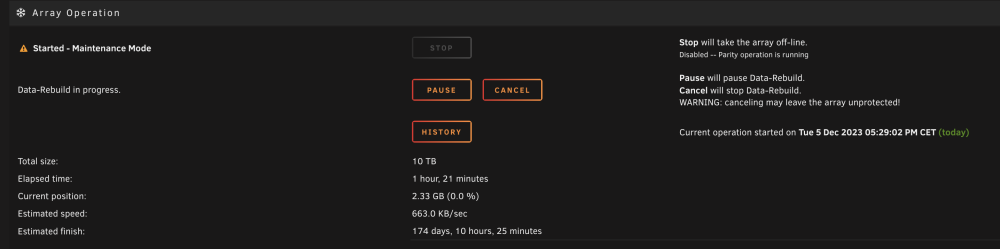
Thanks for your reply, I chose to do the rebuild since the SATA is now connected to the motherboard instead of the controller. all the checks looks to be correct as in the attachments of previous reply's, but another issue occured. the speed of the data rebuild is very slow (500kb), with that speed its gonna take 200 days to complete the rebuild. I did the rebuild in maintenance mode and clicked the button sync as described in the topic.
-
is there a landingpage/tutorial on how to find the plugin that is causing issues? or a easy way to find out? I used the xfs_repair status: of the check file system tab. I posted the logg in the attachment. Is there a guide on how to rebuild the disk? filesys_check-v.txt
-
I just rebuild disk1 with the check file system with the arg -v. But the disk stays offline/disabled even when I stopped the array en started it again.
-
I just ordered this controller: https://www.amazon.nl/dp/B08L7W8QFT?psc=1&smid=A21CTMDLFXECIV&ref_=chk_typ_imgToDp and I put the SATA cable directly in to the motherboard for the rebuild. lets hope this will work.
-
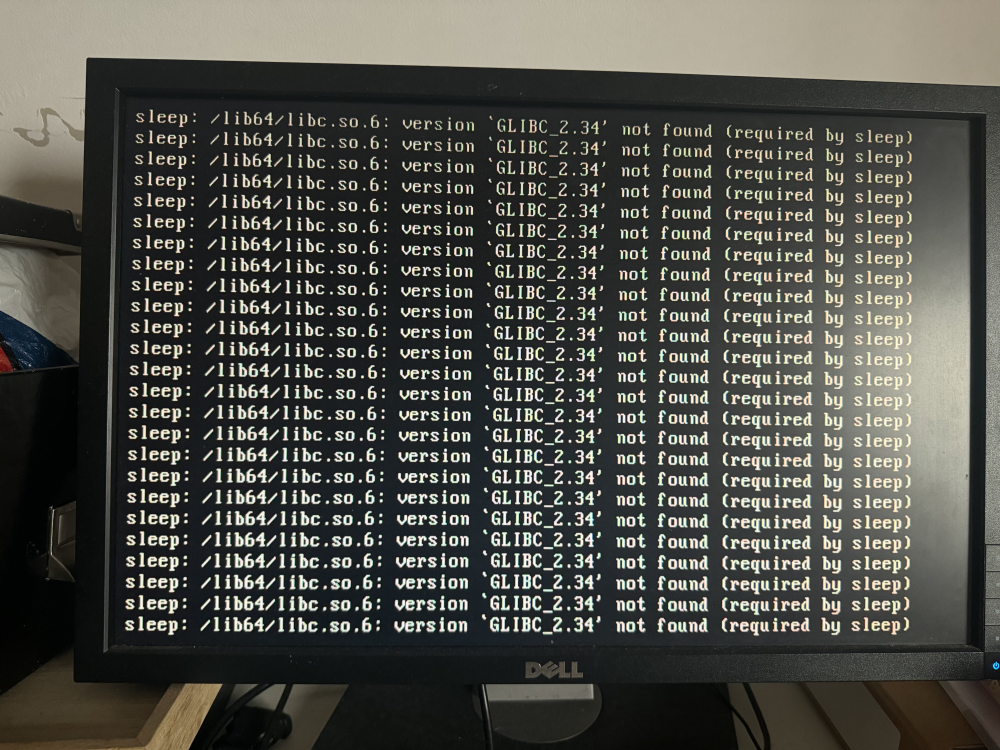
Thanks for your reply, I rebooted in to "normal" mode and the issues as described in the topic still occur (GLIBC_2.34 not found & new password). when the disc is emulated this shouldn't be the case right? I should be able to boot in to "normal" unraid and my dockers should be running right? btw. im gonna order a new raid controller for sure, but need to be able to get the server back up online while the new controller is in transit.
-
Thanks for your quick reply, I will buy a new one for sure! and I uploaded the new diagnostics in the attachments. The disk still seems to be disabled when the array is started. projectplex-diagnostics-20231205-1212.zip
-
Oke it seems like it did correctly in the check filesystem. I added the 4 documents in the attachments: filesys_check-n.txt filesys_check.txt file sys_check-L.txt projectplex-diagnostics-20231205-1152 filesys_check-L.txt filesys_check.txt filesys_check-n.txt projectplex-diagnostics-20231205-1152.zip
-
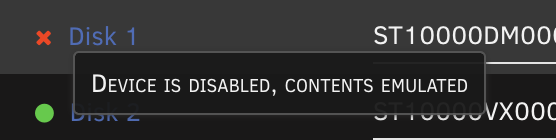
I checked the cables, but now disk 1 shows up disabled, and I have no idea how to enable the drive.
-
my bad this in the attachments the diagnostics with the array started. projectplex-diagnostics-20231204-1659.zip
-
I added the new diagnostics to the attachments, thanks for your help! projectplex-diagnostics-20231204-1637.zip
-
Hi in safe mode I can boot and login, I cant seem to add shares. or start dockers. any suggestions how to move onward from here? ***EDIT*** if I boot back in to "normal" mode the same error occurs.
-
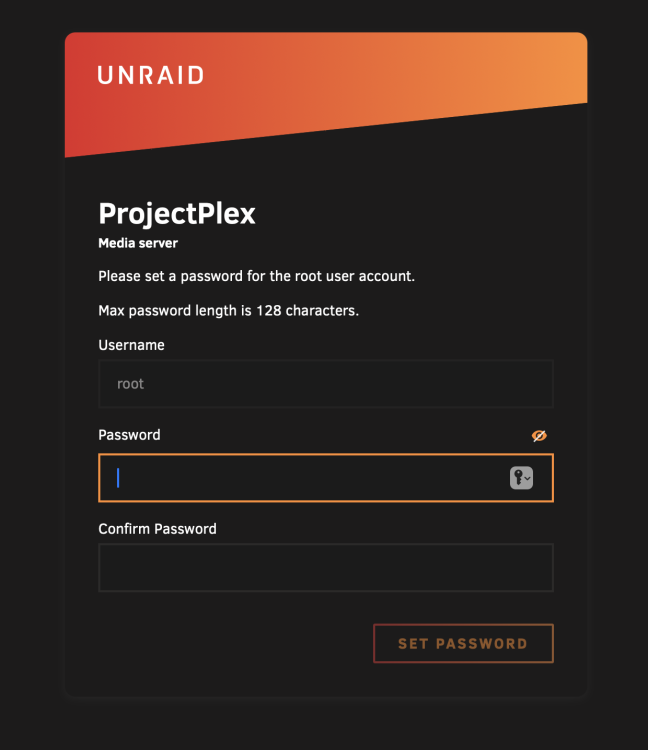
Dear community, all of a sudden some dockers on my unRaid wont start, I did some research and there was a error message saying that disk 1 was read only or full. So I checked and disk 1 still had some space on it. So I started googling and found this topic, suggesting that the share is broken. So I checked that and all my shares seem to be gone. I tried to add the shares but they didn't show up nor gave it an error message. So I thought it was a smart idea to update the OS, I did this using the tool tab in Unraid. after the update I rebooted it and got the screen below: I tried to make a password a few times but it just shows a blank page after I clicked set password. a simple refresh got me back to the page as shown in the screenshot above. I decided to hard reboot the system and watch the monitor hooked up to the unraid server. Then I got very very worried when I saw this screen: I added the last diagnostics file to the attachments. any help would be so helpful I have no idea how to solve this. projectplex-diagnostics-20231204-1146.zip
-
btw i edited the post with more info.
-
the exact message is: No DEFAULT or UI configuration directive found! boot: It used to be on port 8008 for me to connect to the interface/WebUI.
-
HI guys, if have been a UNRAID user for over a year now and build a pretty sweet setup with it but yesterday it crashed and it wont boot anymore. My GF flipped the power switch and it went offline the hard way. I have tried to boot it back up but it shows the message: boot error i can continue that screen by pressing enter, but then the following message shows up: "No configuration file found" (or something like it) Here is what i tried to solve it: Checked the BIOS if it still tries to boot from the flashdrive Made a backup copy of the (broken) usb im still able to see all the files in it. (including the config directory) Tried fixing the USB boot drive with windows usb repair (didnt work) Made a fresh install with the unraid USB creator (does boot in to UNRAID) Copied and replaced the config folder with the fresh USB (does seem to start uit but local ip:8008 is not reachable) Made a different fresh installed USB and replaced all the files from the "old" backup usb (didnt boot) anyone any idea to fix it? i would hate to lose it all. UDPDATE: the thing closest to working atm is a usb with a clean install of UNRAID on it and the config folder replaced with the config folder of the original USB that isn't working atm. The weird thing is that when I boot up the device is seems pretty oke, like in the screenshot below. but I can't acces the WebUI but I can ping the ip. Also not al info shows up IMG_0735.HEIC
-
This seem to work!
-
thanks for your quick response. I see that I have a extra SATA connectors on to a PCIE controller. and that that specific drive is the only one connected to it. ill start to mess around with it to see if I can fix it.
-
Thanks that worked and I uploaded the diagnostics to this topic.
-
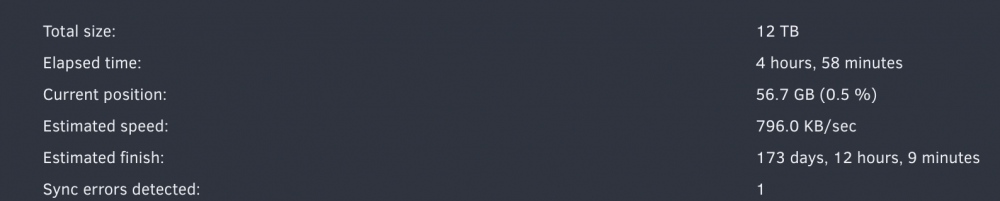
When I start my parity check the progress the array operation shows is super slow. I read a lot of topics about this subject but couldn't find my anwser how to fix it. I tried turning off all dockers etc. any help? ***EDIT*** as the wonder @Squid suggested I reconnected the drive. but then when I started the server back up the drive was unmountable. I started the array in maintenance mode and repaired the xfs disk. rebooted again the drive is mountable again and I can run the parity check with normal speed (200mb) projectplex-diagnostics-20220221-1338.zip
-
Thanks for your reply! I just tried all of them and none of them give any different results
-
If you need any further info please let me know.
-
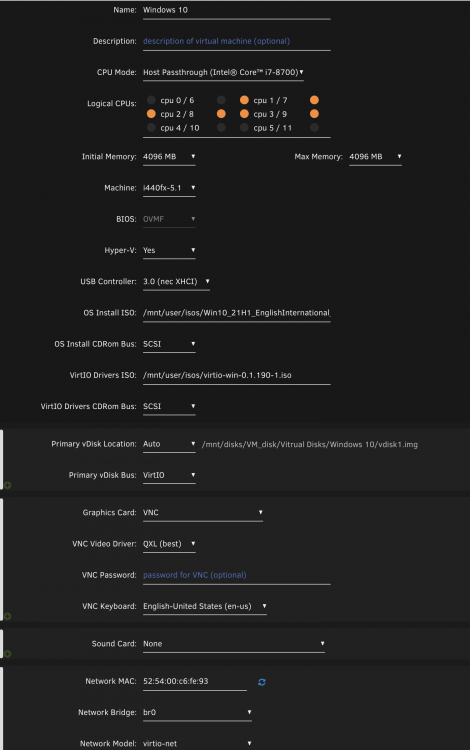
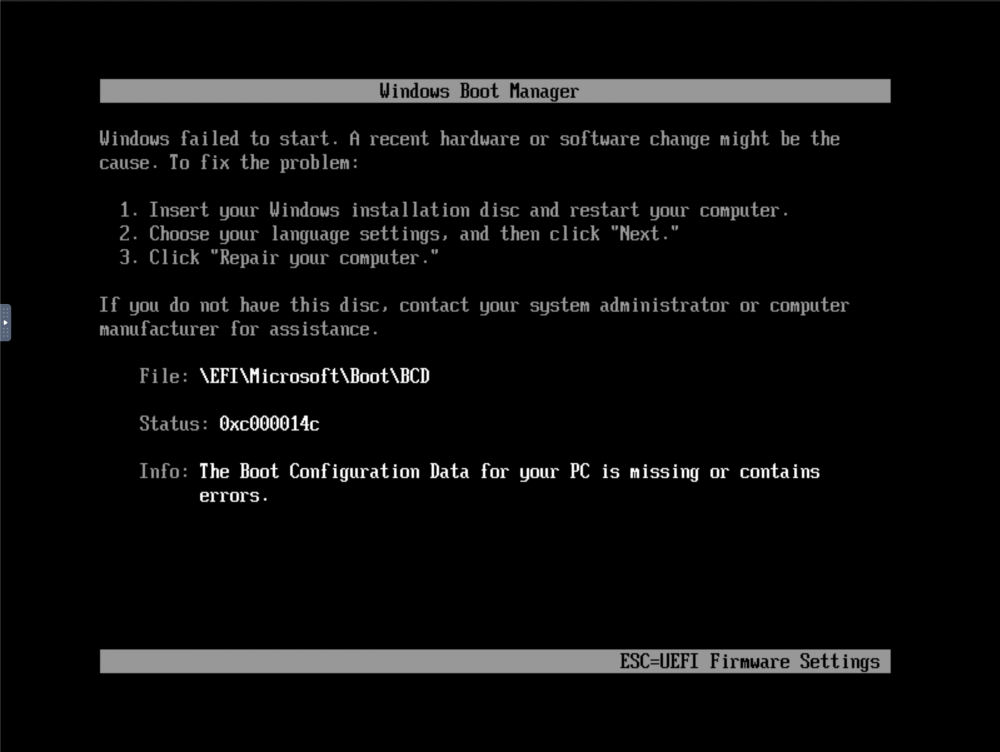
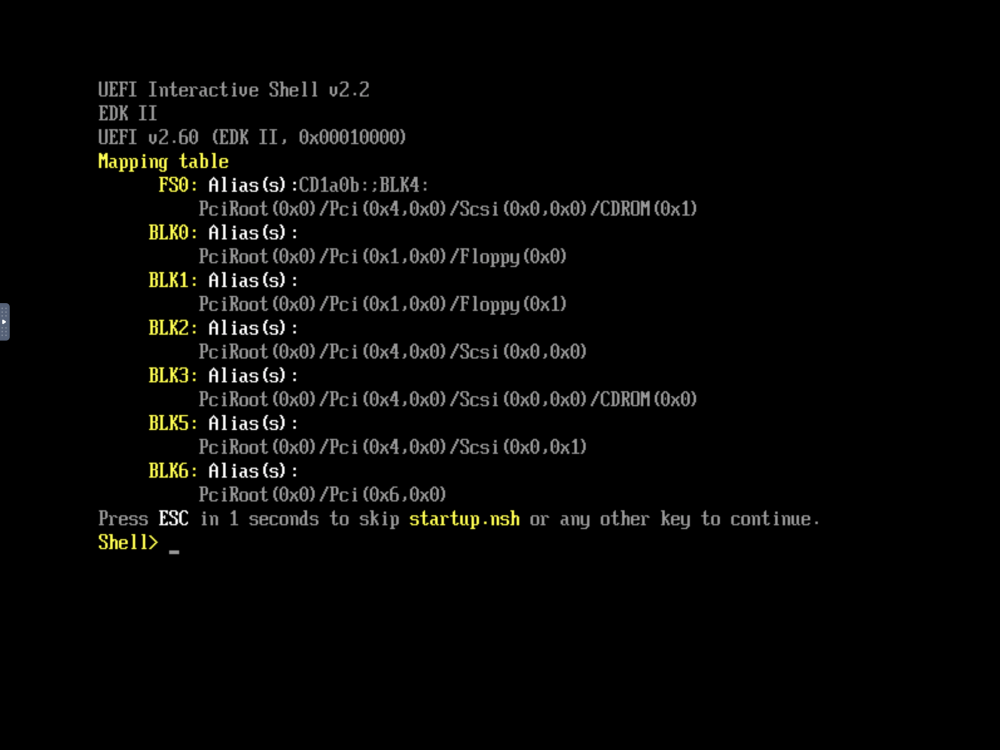
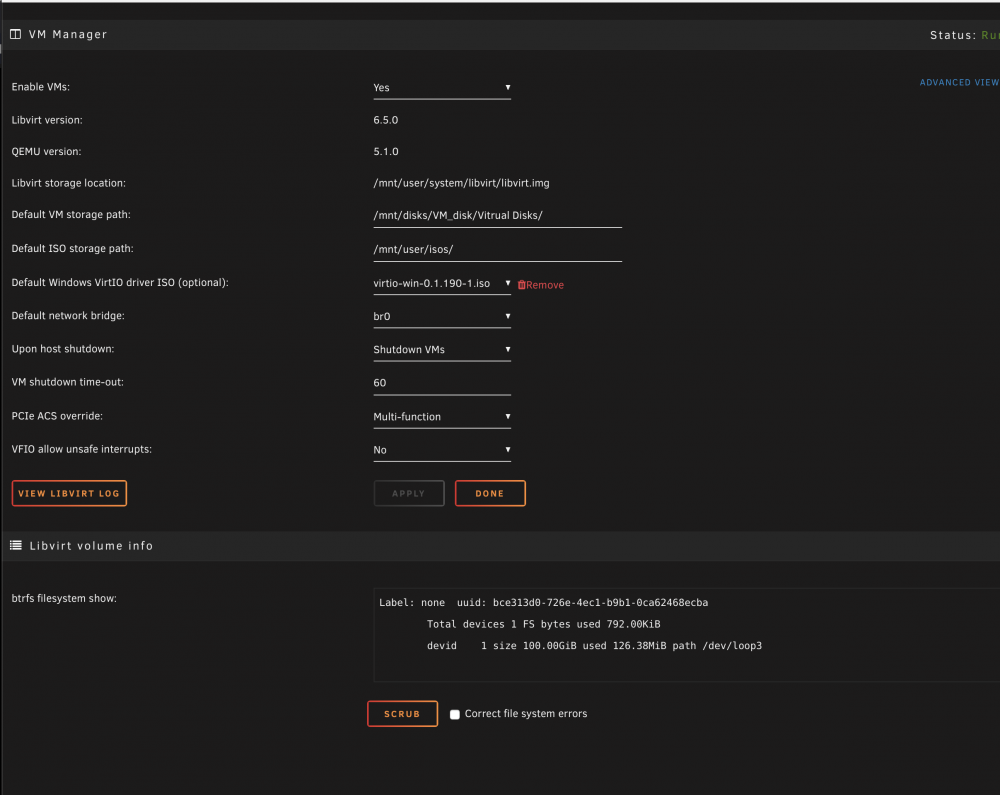
Hello all, recently I decided that its time to switch from Windows to Unraid because all of the amazing Perks Unraid has. Now I want to setup a Windows 10 VM, here is what I did: I downloaded the ISO from the official windows site Set the Windows VirtIO driver ISO / Downloaded it Put both the ISOs in the directory /mnt/user/isos/ Mounted a dedicated SSD with Unassigned Devices Created a VM with the following settings: 6. started the VM and im able to get one of two screens: * other setting screens: can anyone please tell me what im doing wrong? I watched all the YouTube tutorials but nobody seem to have the same issues. Also I dont need to game on it or anything difficult just run a python script with some .exe dependance. Please help otherwise UNRAID is not of any use for me. and I really really want to use it.