





xoC
Members
-
Joined
-
Last visited
Everything posted by xoC
-
So it seems to work with everything plugged back as it was since 2+ years. Could it be possible that the corrupted file system was just preventing rebuilds, as it just tried again and again to mount the disk during rebuild ? Anyway, I'll monitor closely the next few days and thanks a lot for your answers.
-
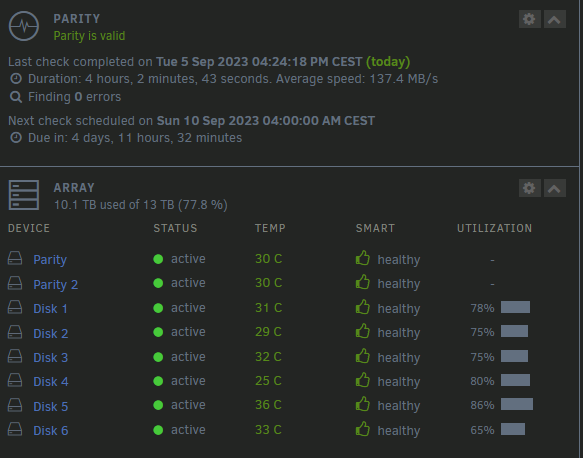
So, rebuild is done, I restarted the array in normal mode : No Lost+Found folder on any disk. I'll shut off the server, replug my cache disk, and see if it works back powerwise.
-
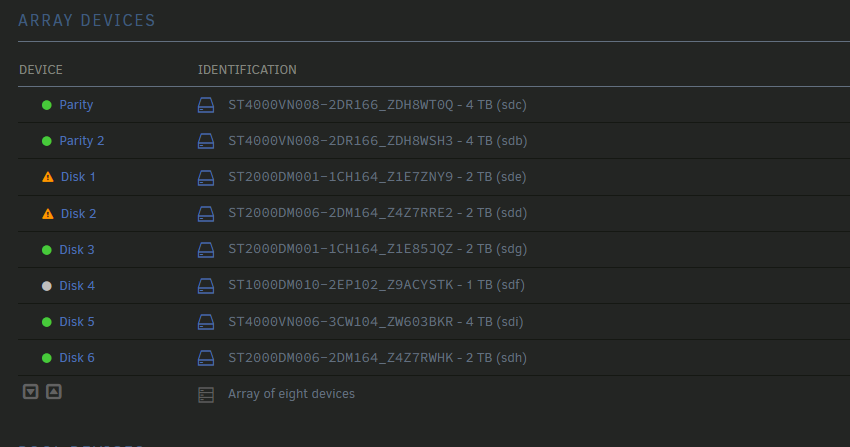
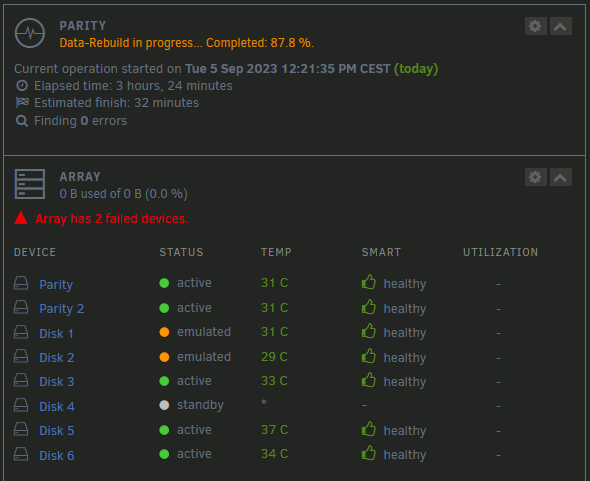
I'm in maintenance mode, how can I mount an array disk ? When not in rebuild, I was mounting via unassigned devices to verify it's mounting, but I don't know how to do that to an array disk. If that helps : Since the beginning of the rebuild, the system log is free of error.
-
One was mounting, I didn't do anything to that one, the other didn't mount and it said in the system log "can't mount disk, run xfs repair because bad primary superblock" or something like that. I did -n, then with no -n, it said to do it with -L which I did. After completing, I ran -n again and there was no error. But the disk was still unmountable. When done from command line with -L, it did mount after that.
-
BTW both disk1 & 2 were disabled. If I'm not mistaken, the only way to make then enabled again in the array is to unselect the drive, run the array (maintenance mode here), stop the array, reselect the drives, re-run the array (maintenance mode again here), they now appear in blue and then start a rebuild ?
-
I'm currently rebuilding so it should update everything, no ? If no, do I need to stop the rebuild, and how to run a correcting check ? Thanks
-
So I unplugged my two cache disks and put their power connector on disk1 & disk2. Parity 1, 2 and disk 1, 2 were on the same power line, in series. I tried to mount disk 1 : unmountable, no valid superblock > please use xfs_repair disk 2 : mountable. For some unknown reasons, I ran again xfs_repair from the GUI and both didn't found issues. I ran xfs_repair -n /dev/sde1 and there were error, I tried without -n it said to use -L. I used with -L and now the disk is mountable. It seems the GUI repair didn't fix anything even if it said so, and the command line repair actually worked. I'm right now in maintenance mode and rebuilding the array, I will see what the outcome is in a few hours.
-
Thanks for the info.
-
Is it risky to rebuild with read error problems ? Can it write "wrong" data to my disk 1 & 2 by trying to rebuild but having lot of read errors ?
-
On the power supply connector, from memory, there are 4 or 6 disks in series. I'm gonna check later when I go back to my server. Maybe I can try to swap in their bays disk 1/2 with 3/4 and then rebuild and check if the reset errors goes to disk 3/4 ?
-
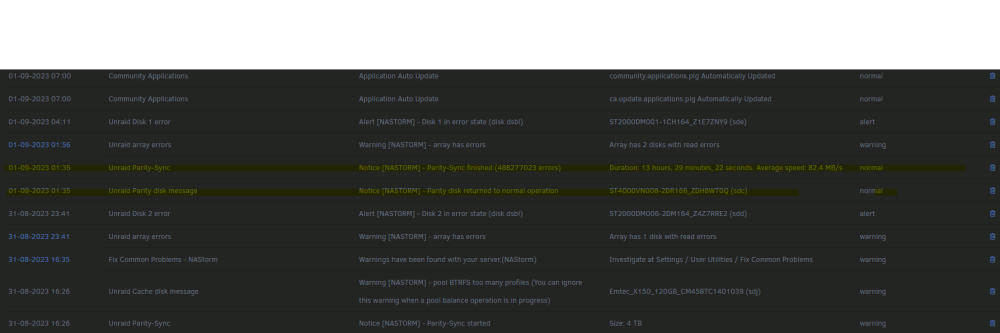
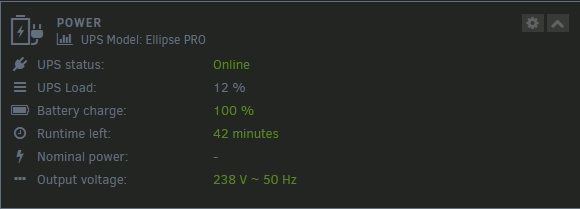
Thanks for your answer. In the notification archives I found that where it said parity finished but with lots of errors. For the power, that's a good question. The Server is running with the same HW (except a few disk swaps since then) for at least two years, but the power supply is not young. IIRC it's a 600W one. My server is connected to a 650W UPS and it doesn't show that much load. Do you think 650W is too low though for 8 disks + 2 SSD, no GPU or pcie extension cards ? I'm remote for the server today, and it said extended smart disks need no spin down delay. Everytime I apply "never" and come back, it's back on 15min so it seems I can't run the extended tests remote. Do I need to shut down and restart the array for that option to change ? And the short tests do absolutely nothing.
-
Hello back, it's been a nightmare since then, everytime the parity sync runs, it finishes correctly, and then, one or two disk get disabled immediately. I shut the server off one week ago because I had no time to investigate. Yesterday, Parity 1 and Disk 1 were disabled. I changed sata cables for parity 1 parity 2 and disk 1 and ran a rebuild. It completed this night and seen the logs, it disabled the disk 1 and disk 2, 20 min later. Is it ok to continue on this topic or should I better open a non resolved topic ? Attached are the diagnostic, server was not powered down since then. nastorm-diagnostics-20230901-0912.zip
-
Nothing
-
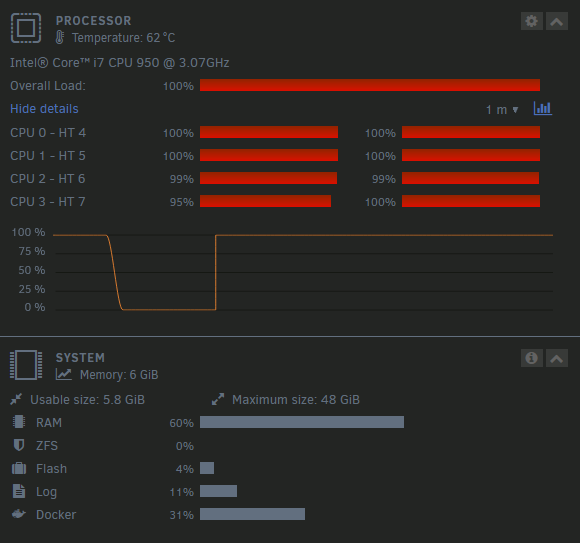
Sometimes, it releases the cpu for a few sec and then goes back to full blast. I can't even load a page from the web GUI when it happens.
-
Usually after 12+ hours of runtime, my CPU goes to 100% and seems to never go down. Every docker becomes unresponsive and I have to reboot. Sometimes, it doesn't even trigger the reboot as it is "too busy"... This time I finally got the diagnostics when the CPU was at max and attached them to this post. It does that since a recent unraid update, I think I was since 6.12.1 or something like that. Thanks ! nastorm-diagnostics-20230818-0932.zip
-
Ok, noted ! Thanks a lot for your quick help
-
Thanks. I started the array It did mount indeed ! It directly started a re-build. Do you think one or both disk are failing and should be replaced ? Since I'm 2 down, the array is currently unprotected, I maybe should not try to rebuild if a disk is in an unproper shape. edit : no lost+found folder on either disk.
-
Here it is. disk2 -L.txt
-
Phase 1 - find and verify superblock... Phase 2 - using internal log - zero log... ERROR: The filesystem has valuable metadata changes in a log which needs to be replayed. Mount the filesystem to replay the log, and unmount it before re-running xfs_repair. If you are unable to mount the filesystem, then use the -L option to destroy the log and attempt a repair. Note that destroying the log may cause corruption -- please attempt a mount of the filesystem before doing this. Should I try with -L ?
-
So here it is for disk1, It had many errors (CRC) and yesterday I did a run with -n and then with no -n. Today it says : Phase 1 - find and verify superblock... Phase 2 - using internal log - zero log... ALERT: The filesystem has valuable metadata changes in a log which is being ignored because the -n option was used. Expect spurious inconsistencies which may be resolved by first mounting the filesystem to replay the log. - scan filesystem freespace and inode maps... sb_fdblocks 121721460, counted 125133027 - found root inode chunk Phase 3 - for each AG... - scan (but don't clear) agi unlinked lists... - process known inodes and perform inode discovery... - agno = 0 - agno = 1 - agno = 2 - agno = 3 - process newly discovered inodes... Phase 4 - check for duplicate blocks... - setting up duplicate extent list... - check for inodes claiming duplicate blocks... - agno = 0 - agno = 3 - agno = 1 - agno = 2 No modify flag set, skipping phase 5 Phase 6 - check inode connectivity... - traversing filesystem ... - traversal finished ... - moving disconnected inodes to lost+found ... Phase 7 - verify link counts... No modify flag set, skipping filesystem flush and exiting. Now for disk2 : did the same yesterday, loooot of errors with -n, tried with no -n and it didn't complete but I don't remember the error. Disk2 today's filesystem check is attached in txt format because way too long. disk 2.txt
-
Thanks for your quick answer. I thought the zip I posted in the first post was the diagnostics ? nastorm-diagnostics-20230815-1658.zip
-
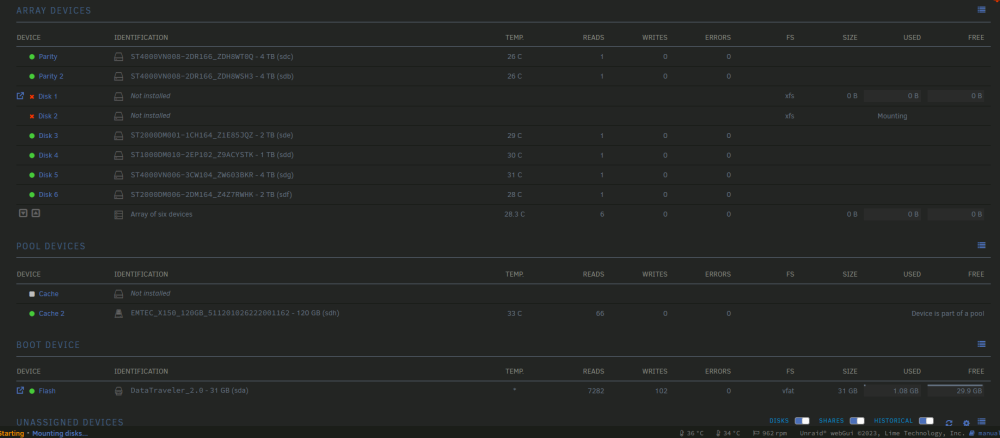
To add another picture, here is what happens when both disk are disconnected in hardware, I can't even start the array to access the contents (emulated) as it is stuck on "Mouting disks..."
-
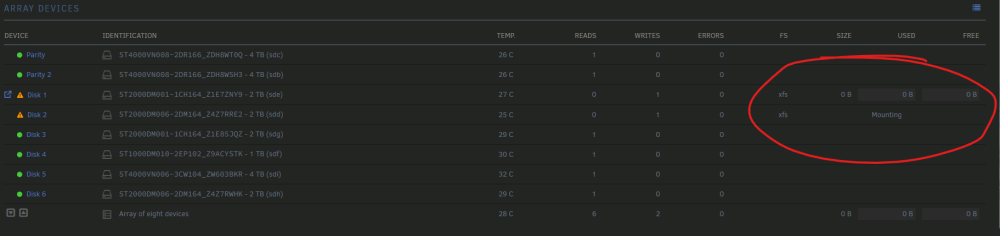
Hello, I have 2 disk which have failed. I'm kind of lost about what to do as all the usual links to the FAQ are broken. I attached my diagnostics. Even when I unselect both disk (empty) and starts the array, it is stuck and also show "mounting" on disk 2. It does the same thing after trying to rebuild the array. Thanks in advance. nastorm-diagnostics-20230815-1658.zip
-
Awesome, thanks a lot for your answer ! And on the actual files that got duplicated - instead of hardlinks - after my naive copy, is there a "search function" or something like that that could take care of that ?
-
Hello, I've setup the script quite a long time ago, with 2 dedicated disks, and they became full. I allowed the share to be on other disks at that time. I've extended the size of my backup disk (new bigger disk) and just began naively copying (inside unraid GUI with the dynamix plugin) from theses other disks and I just stopped it since it seems to copy each file and make a new version with all the data and it was filling my new drive quite a bit. I had 80 GB to transfer and it already filled 550 GB on my new disk, and copy isn't finished. Keep in mind I'm totally a newb with file transfer, rsync and all that, so how could I : 1) migrate the share on the wanted new disk 2) "delete" all copies which are just taking space multiples times for the same file. Thanks a lot in advance !



