Braulio Dias Ribeiro
Members
-
Joined
-
@medzin It is giving a reading error: Why Firecrawl doesn't work: - Hermes code loads .env from /opt/hermes/.env - Your .env is in /opt/data/.env - Therefore, FIRECRAWL_API_URL never enters the environment What I found now: - /opt/data/.env exists (24KB, with your configuration) - /opt/hermes/.env does not exist - FIRECRAWL_API_URL is not in the active environment
-
Ah, yes... I changed to this new configuration and it worked... thank you very much for your help... gratitude
-
@medzin hi guy...tks for this container... 1. When I ran and configured Telegram with this command /opt/hermes/.venv/bin/hermes setup, it gives a permission error and no longer accepts messages in Telegram Sorry, I encountered an error (PermissionError). [Errno 13] Permission denied: '/opt/data/pairing/telegram-approved.json' Try again or use /reset to start a fresh session. 2. The WebUI doesn't open....anyone else having this problem? http://myip:9119/
-
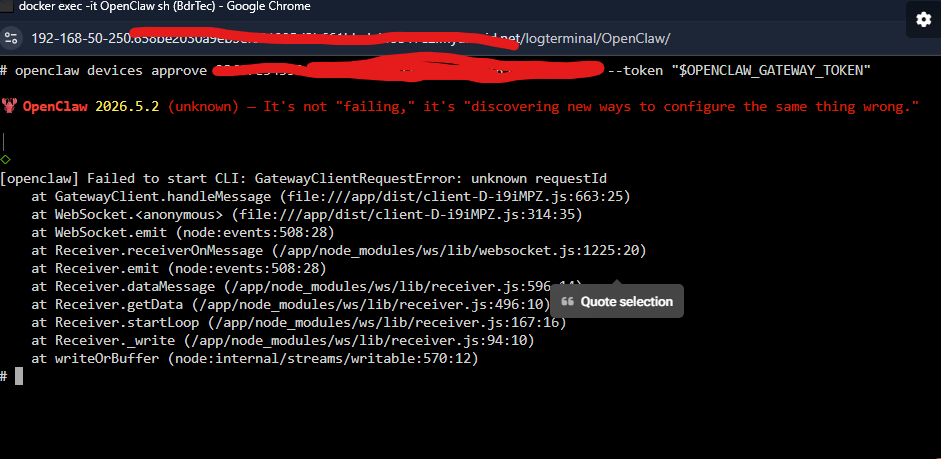
I managed to make it work.....I'll leave what I did to help others. In docker console: openclaw devices approve ENTER-YOUR-ID-DEVICE-HERE --token "$OPENCLAW_GATEWAY_TOKEN"
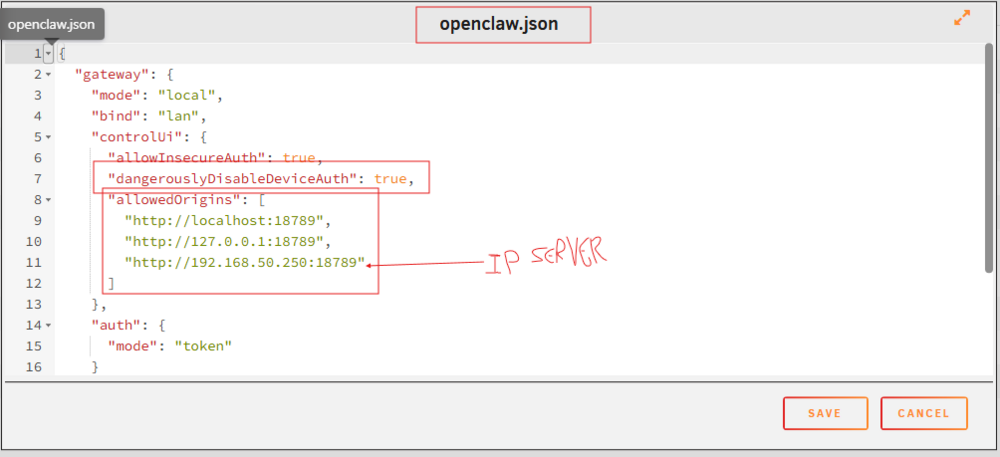
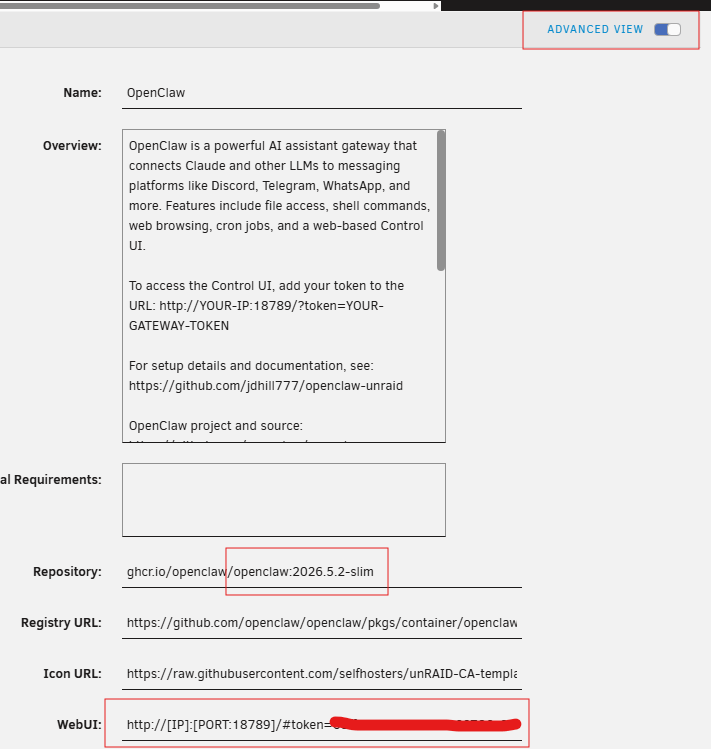
-
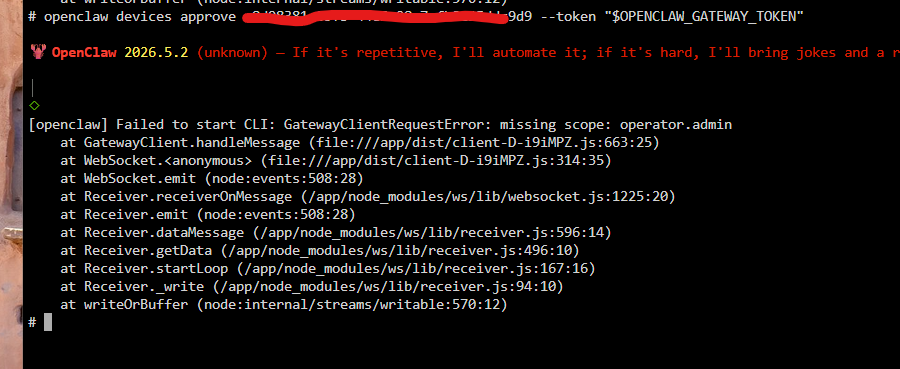
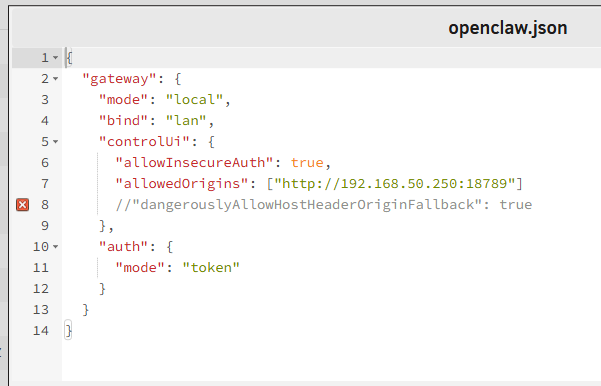
I deleted docker and deleted the folder in appdata. I reinstalled everything from scratch. I added "http://192.168.50.250:18789" in the json file. I ran the command in the docker console but I still couldn't. Did I do it right? openclaw devices approve xxxxxxxxxxxxxxxc9d9 --token "$OPENCLAW_GATEWAY_TOKEN" ta
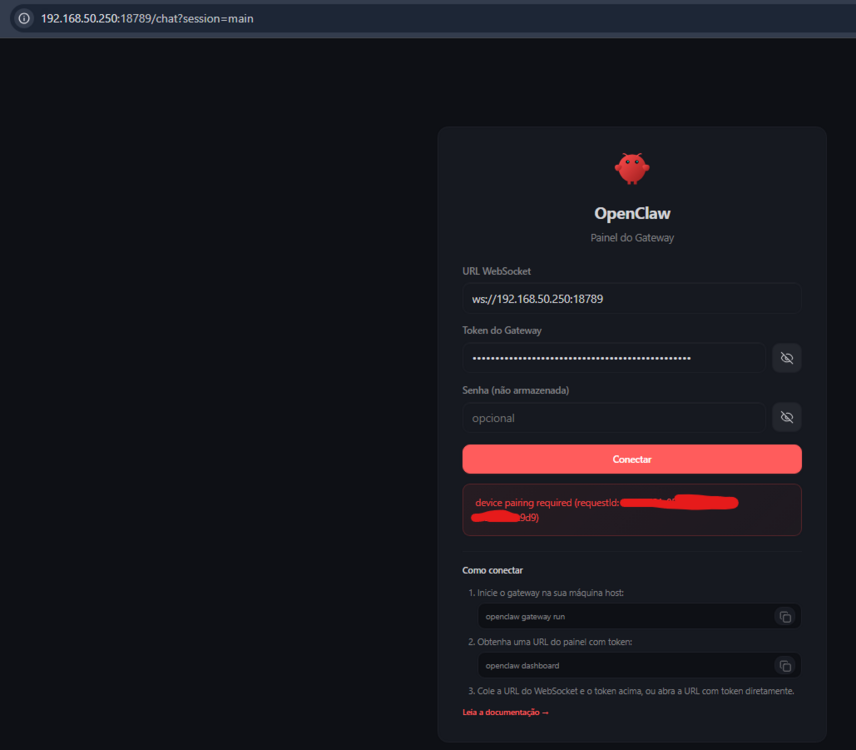

-
I did it but it didn't work....if you have one, I'll leave the prints. I did this too: openclaw devices approve xxxxxxxx-xxxxxx-xxxxxx-4443434cac61 --token "$OPENCLAW_GATEWAY_TOKEN"
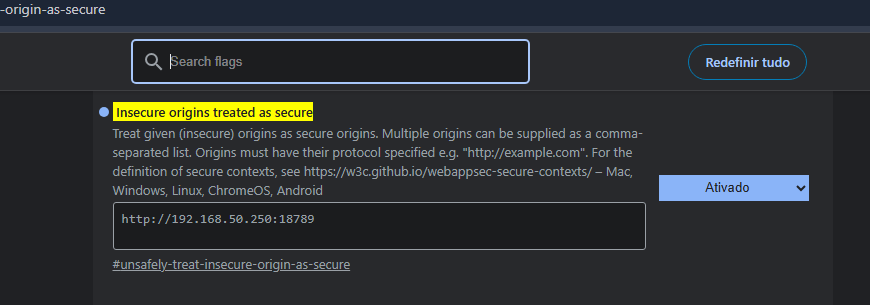
-
Has anyone else had or has this problem and managed to resolve it? I didn't want to create a VPS just for this...I wanted to centralize everything on unraid
-
I don't understand what you mean, is this version you sent working? openclaw:2026.5.2-slim
-
Oiii, pessoal não consigo entrar no openclaw....alguma dica pro favor? Tenho Adguard, Npm, OpenClaw. When I enter like this, I get this error http://192.168.50.250:18789/?token=mytokenhere https://openclaw.mydomain.com.br/?token=mytokenhere If I edit the openclaw.json file to { "gateway": { "mode": "local", "bind": "lan", "controlUi": { "allowInsecureAuth": true, //"allowedOrigins": ["*"] //"dangerouslyAllowHostHeaderOriginFallback": true }, "auth": { "mode": "token" } } } The error now is
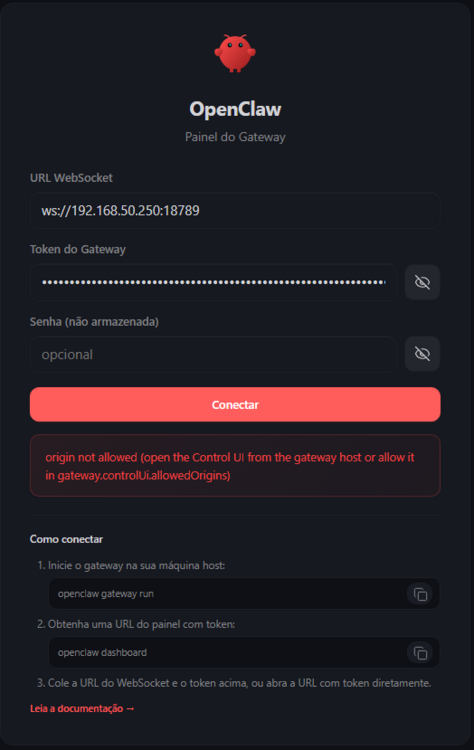
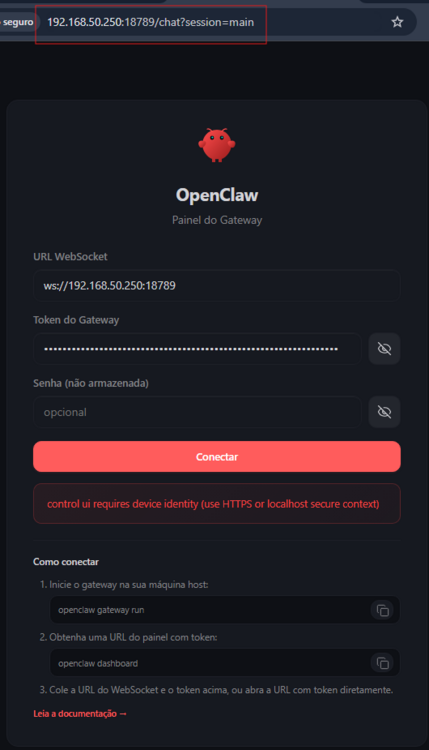
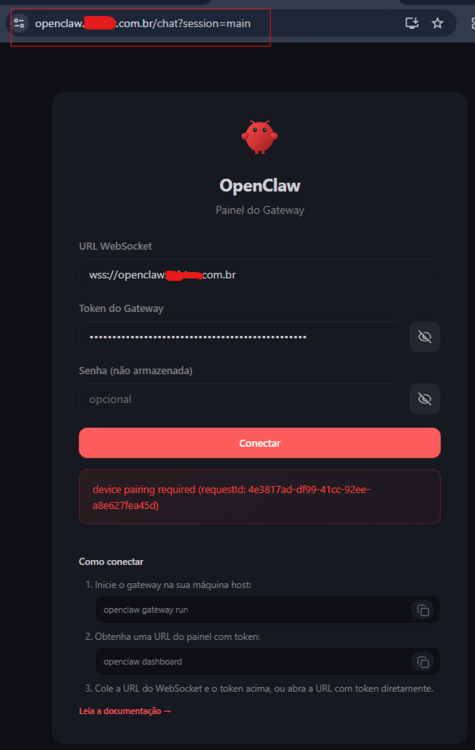
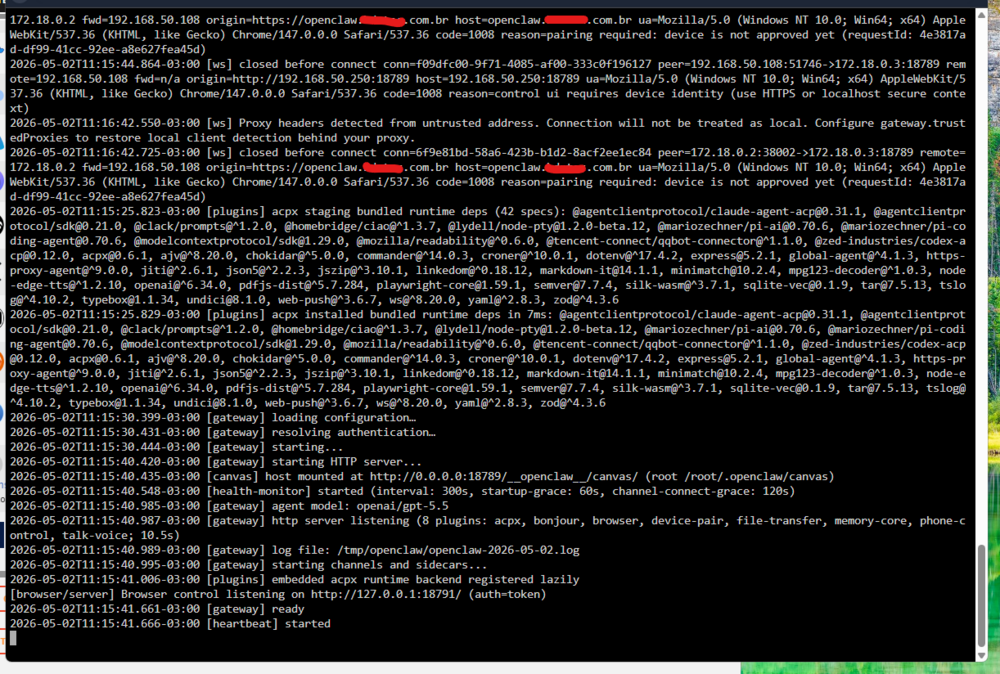
-
I misinterpreted it, sorry. I solved it by moving it manually as he mentioned. Thank you very much for the information
-
I followed the instructions. When I went to install the plugin it said it was discontinued and asked me to install another one and mentioned the name
-
Mover Tuning is depreacated. I installed Mover Tuning Masterwishx and it didn't work bdrtec-diagnostics-20250318-0051.zip
-
I did it with Docker turned off, but I turned it on before downloading the diagnostic. Now the diagnostic is with Docker turned off bdrtec-diagnostics-20250317-2346.zip
-
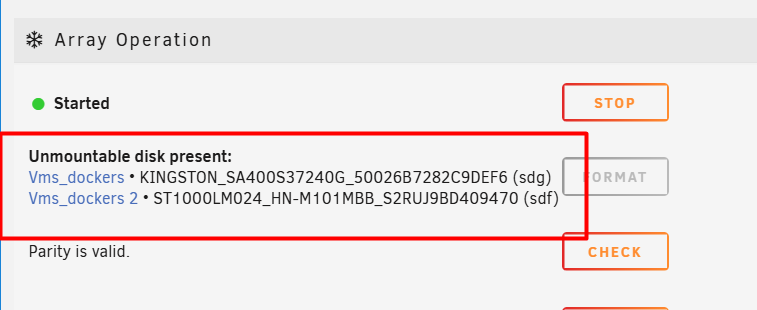
I managed to get the pool working. I removed the second disk and it came back. First let's focus on the move. I'll send the diagnostic. bdrtec-diagnostics-20250317-2335.zip
-
It didn't work, it didn't move. To make matters worse, I put another disk in the pool devices and now neither of them (first and second) work.