





Shandidy
Members
-
Joined
-
Last visited
Everything posted by Shandidy
-
I have Decided to switch to Synology DS1825+ for my Vm and Docker containers and UNifi Unas pro for affordable storage solution only, since it looks I will have to rebuilt everything I would rather do it on a new platform, Thank you so much for your help, unraid was solid for me for years until the USB port or flash dies unfortanlty that was accetpable 10 years ago but not in 2026, oh well it was a good run unraid, Thank you!
-
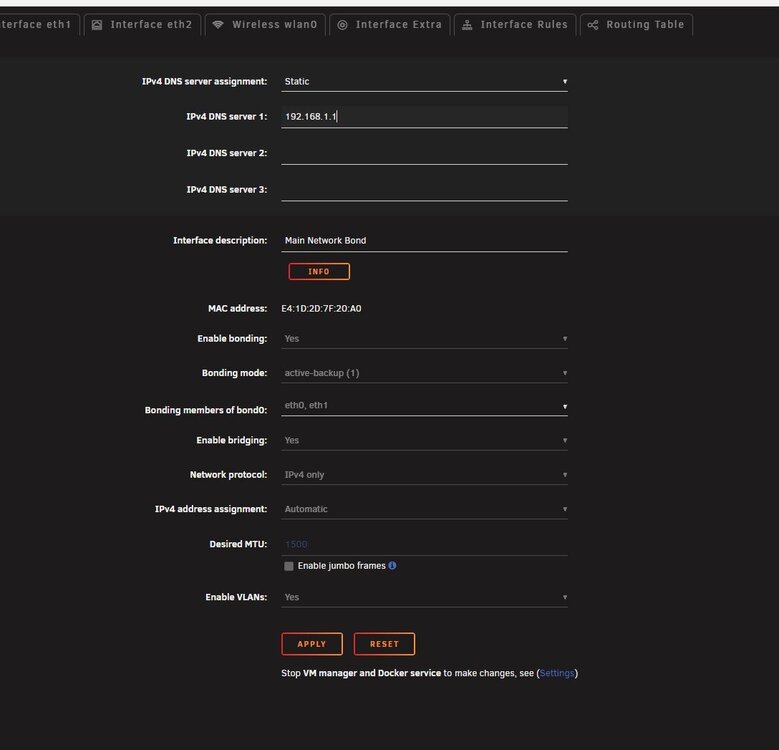
no option for IPv4 address
-
I recall when the array was spun down I saw DNS when I select static but no IP v4 address
-
I’ve tried that on a few containers, but unfortunately it’s still not working. That said, I forgot to mention an important detail: when I used the new Unraid USB Creator tool, the static IP option didn’t work. The server’s original IP was 192.168.1.200, but since I couldn’t set it as static during creation, I selected DHCP so the server could obtain an IP automatically. Now there’s no option in the web UI to assign it back to its original IP, so it’s currently running on DHCP. I’m not sure if this could be related to the “connection refused” error or not.
-
let me give it a try, will keep you posted, Thank you!
-
will creating the docker image file cause me to reinstall and reconfiger all the containers?
-
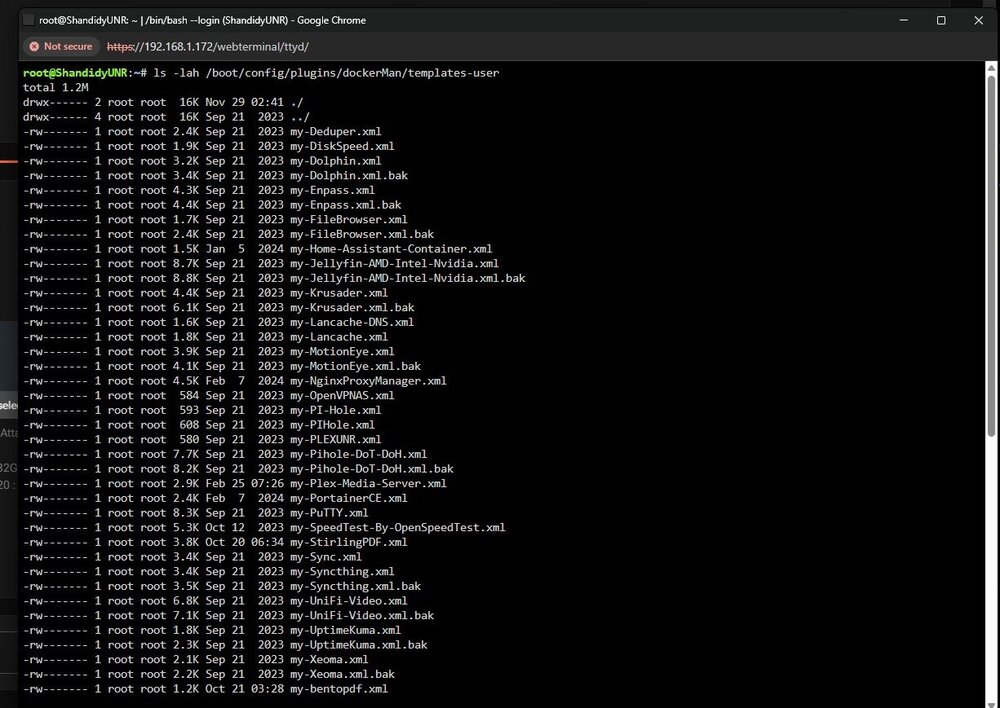
This is what I got
-
Hello Trurl, Here’s an update on what I did this morning. The NVIDIA plugin error showing “no GPU detected” has been resolved after a reboot, the GPU is now being detected properly. I completely removed Plex along with its appdata folder and settings, then reinstalled it. Unfortunately, it’s still the same error. All the containers start, but I’m getting the exact same error as before. I had to leave for work, so I haven’t had much time to troubleshoot further. My Unraid system had been rock solid for years to the point I get email notifications for uipdates and that is it, until the USB port failed, so getting my containers running again is a big priority for me. So far, no luck. I’ll continue working on it this till the weekend. Please let me know what steps you recommend next. Otherwise, I may end up going to Memory Express here in Canada (similar to Micro Center in the US) and pulling the trigger on a Synology Nas by the weekend, since rebuilding Unraid containers and VM again does not make sure to me Thank you very much for all your help — I truly appreciate the time and effort you’ve put into assisting me. Attached is the latest Diagnostics as of this morning, also one of the mistakes that I did not do that would of saved the day is snapshots It is not an native option in unraid as I am on BTRFS which would have saved the day by rolling back. Thank you. shandidyunr-diagnostics-20260225-0746.zip
-
I have removed one of my containers and deleted its setting it still wont connect
-
Removed it and rebooted the server no avail unfortnatly
-
NO I just saw that it says no GPU, I will have to do that when I back from work, if that fixed it that would be awsome as it will save me time and Money, I will keep you posted, Thank you!
-
the wired thing uptime kuma docker container is workng but not the rest
-
I just removed the nvidia variable from plex same issue unfortnalty
-
I removed Plex and reinstalled it, but the issue is still the same. Unraid has been solid for me since 2020 ,six years without problems ,but I’ve forgotten a lot of the configuration changes I made back then. I’ve opened a support ticket because I have many home automation scripts configured, and I’m hoping they can help resolve this. If they can fix it, I’ll stay. If not, I may switch to Synology If i have to rebuilt everything, not because Unraid is unstable, but because I caused the issue by restoring the flash drive. Honestly, who is still booting from a flash drive in 2026? I just want something I can set and forget. Unfortunately, since it’s still not working, I’m worried I may have to rebuild all the containers and their configurations. If that ends up being necessary, I’ll likely move to Synology, rebuild everything there, and migrate my data from Unraid. My data is still intact, but none of the VMs or Docker containers are accessible. They all start, but I can’t connect to any of them. Reinstalling while keeping the configurations didn’t resolve the issue either.
-
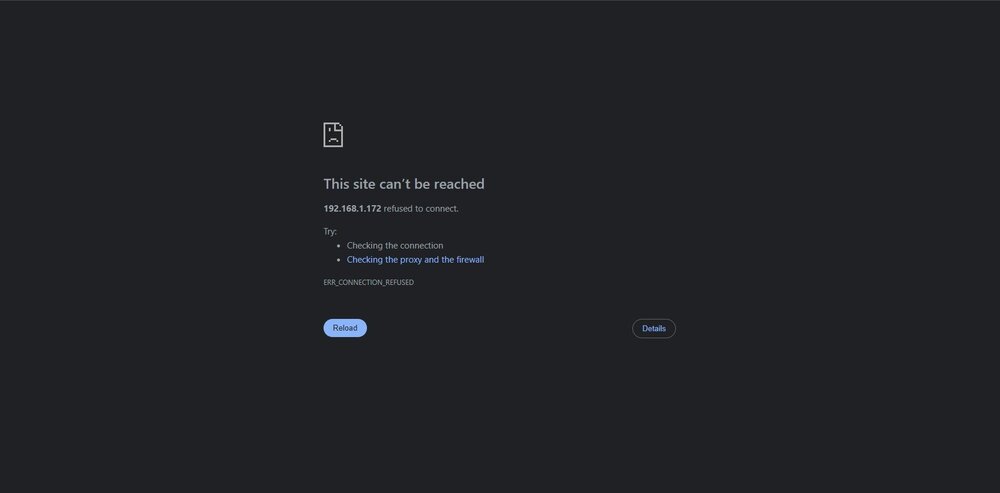
Last night I though my USB flash drive was dying due to webui freezing, so I plugged in my flash it it working fine on my laptop, so due to my infinit wisdome I decided to retore from backup, plugged in the flash to the unraid server and it turned our the usb port on the server was bad, so now I created an complitly avoidable issue, none of my docker contaiers are connecting, they start fine but unabler to connect to any of them, please advise shandidyunr-diagnostics-20260224-0740.zip
-
I have setup Iscsi on a synology NAS yesterday and I love the idea, but the problem is that synology Nas is meant to backup my Unraid server I do not want to use iscsi on it since it shrinks my backup pool, I tried to get it to work yesterday on unraid but I couldn't, I created a File IO img file of 4tb and saved it an a share called iscsi but other than that no progress on how to get it work, also the devices tab is confusing since I don't have any available disks in my pool dose that mean I have to assign disks only to get it to work?, so I would like to use it in a share, can you please advise on a brief guide on how to set it up?. Please advise. Thank you,
-
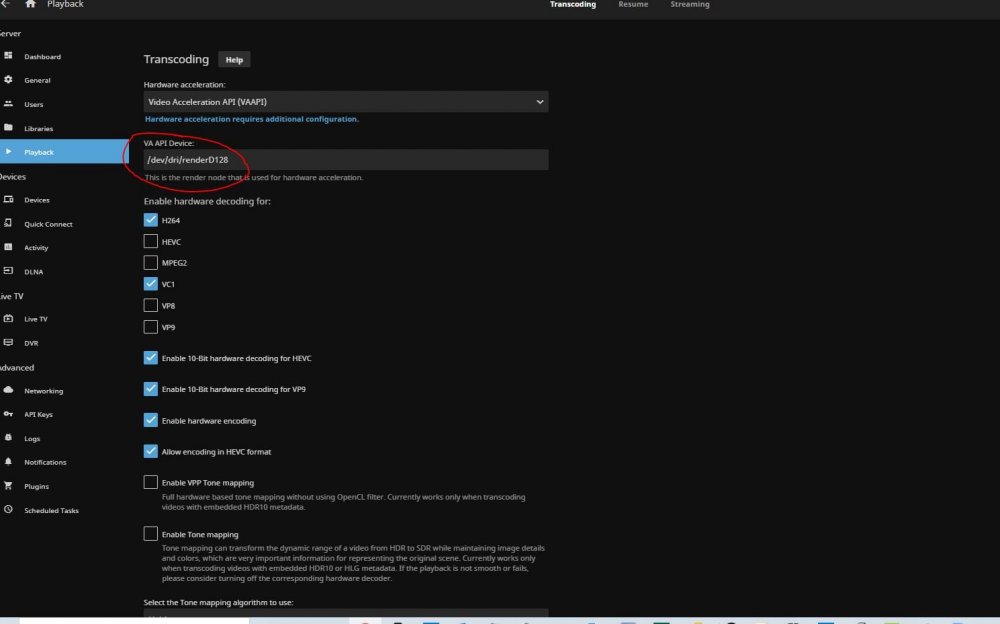
yup that was it Thank you!!! I have changed the VA-API Device to '/dev/dri/renderD128' resolved my issue, Thanks again for all your help before it was set to '/dev/dri/' as default or I changed it by accident I cant recall to be 100% but the device render path was the root cause of my issues.
-
I have made Progress Finally I have changed the VA-APO device from /dev/dri to /dev/dri/renderd128 and it WORKED!!!
-
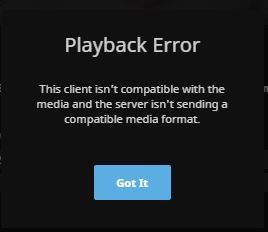
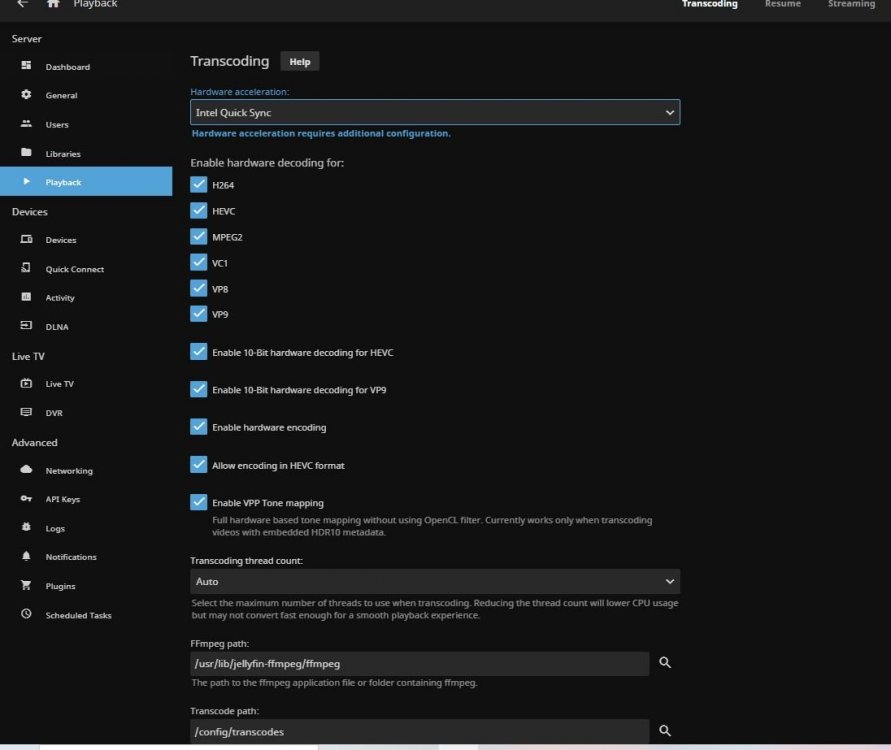
I get this error when QS is selected or VAAPI, quck sync works fine in plex though, but I want to move away from plex, Regardless of any setting combination I have tried them all under QS or VAAPI nothing worked the same exact error, when playing a video on plex I would see the IGU under load, but Jellyfin it crashes with the below error, I have used the default settings in the docker container that I have downloaded from the CA plugin repo , to add I have also Intel GPU TOP plugin installed from before to get plex HW transcode working, so all the steps should be met but I am not sure why Jellyfin HW Trascode wont work.
-
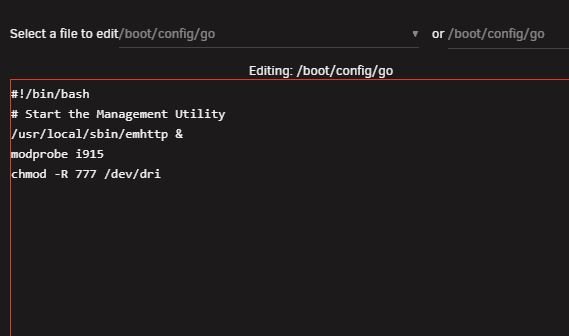
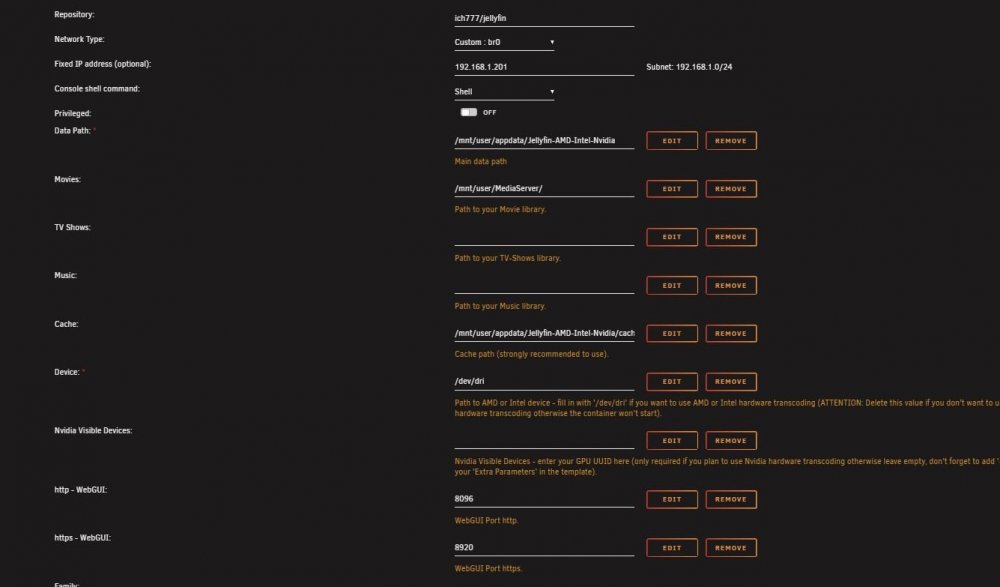
Yes i did here is my screenshots
-
I have installed JellyFin for AMD-Intel-Nvidia and followed the same exact steps in the docker documentation and Intel quick sync will not work it will crash the video and I have to set hardware transcoding to none for it to work, I have an old i7 4770 that I owned over the years and this is now my unraid server, hardware transcoding is working on plex only but I do not want to pay for a monthly subscription, please advise on how to get quick sync working on Jellyfin for unraid Thank you.
-
I ran it since yesterday and there is no Dedup savings appeared on the storage, size remained the same, I am using BTRFS encrypted please advise
-
Is it Safe to use, is it going to cause any data loss?, I used to dedup my data on windows server box, when I specify a drive it dose dedup on that drive, if you copy data out the drive it will undo the dedup it uses chunk store to do the dedup, sorry if my question sounded stupid since I am a windows guy and a total newbie to linux and unraid and I just built and migrated my data to the unraid box and I saw this docker today and decided to use it but wanted to make sure this will not cause any data loss, I am currently targeting multiple folders by manually pointing the docker container to it to scan, wanted to make sure it is configured correctly. /Familyscan to /mnt/user/Family/ /appdata/mnt to /user/appdata/deduper /software-2scan to /mnt/user/Software-2/ /MediaServerScan to /mnt/user/MediaServer/ please advise. Thank you!






