





Tune
Members
-
Joined
-
Last visited
-
Hi, Thank you for taking the time to look at my issue and providing a possible solution. My apologies for the late reaction, been busy lately. I figured out the issue; i had disabled them before, but they were probably enabled again after a bios update; C-states. I disabled C states in the bios and have had no more MCE's since then. This issue can be marked as solved. Thanks!
-
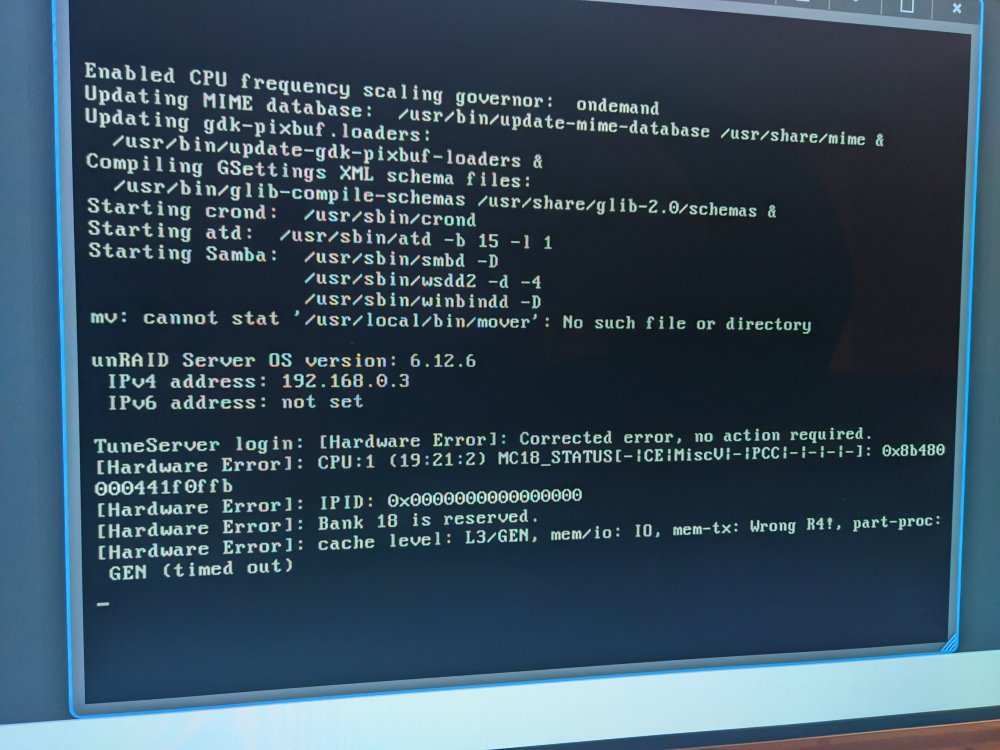
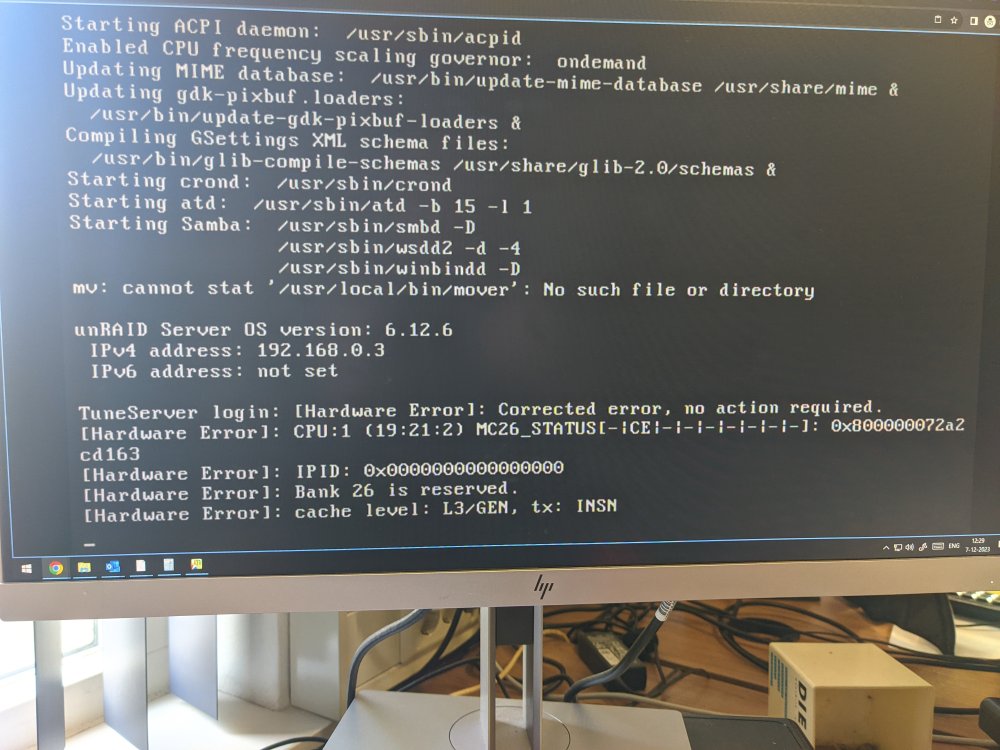
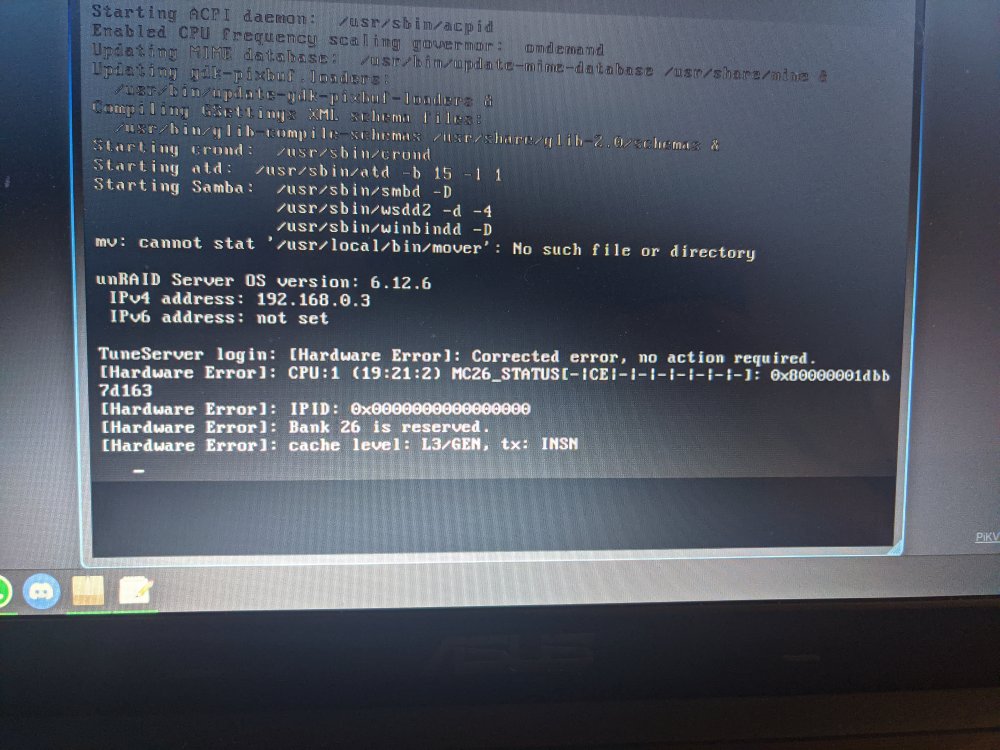
Hi, I have been getting MCE errors on my server. I've read the error message in the terminal but honestly I can´t make any sense of it, though the message does state it can be safely ignored. Nevertheless i've had this happen about three times now in the last two weeks, whilst before i have never had any of these error messages. I dont know if it is possible that this is related but, the errors never popped up before installing Unraid 6.12.5, and they do still pop up on Unraid 6.12.6. I've attached my anonimized diagnostics, if anyone with a bit more knowledge on this subject would be willing to take a look i´d appreciate it. Thanks! tuneserver-diagnostics-20231213-2038.zip
-
Thank you for taking the time to look and my question, and answering so quickly! I've taken your advice and set it up to skip all containers. I get that it is probably a very niche usecase, but perhaps a global toggle could be considered as a feature request? Thanks again! Greetings, Tune
-
Hi, First of all, thank you for all the work and effort you put into this. I have a question that may seem weird. Is there a way to disable appdata backup? I want to use this plugin solely to backup my USB. If not, is there another way to backup my USB to a specified location on a schedule? Greetings, Tune
-
Hey, Thanks again for taking the time to respond to me. I've taken the drive out of the array and plugged it into a dock into a different pc, and whilst doing that found the drive making noises it definitely should not be making were it a normally functioning drive. (So even though SMART did not report anything particularly out of the ordinary for this drive, it is indeed failing) I've ordered a new drive as i needed a capacity boost anyways and i dont want to have my array unprotected for the time it would take to go through the RMA process. I've shutdown my server until the new drive arrives. I'll be RMAing the failing drive as it's still within it's warranty period. This issue can be marked as solved.
-
First of all, thank you for taking the time to look at my issue and responding. Have you looked at the logs I attached by any chance? In your opinion, does it look like the drive itself is failing? Are there any other things I could try before RMAing the disk?
-
Hi everyone, I have been issues with this disk for a while, it keeps throwing read errors(the unraid ones, not the smart log ones). The disk has been in use for about a year. its about disk 2 (sde) in the array. It is a Seagate EXOS 7E8 512e 8TB. A couple of things i've tried prior to starting this topic: - switched out the cables, both power and sata cables, and i tried switching one or the other or both at the same time - i had the drive connected via an HBA card before, i switched back to connecting it directly to the sata connectors on the motherboard The disk still throws read errors despite this and it is only this single disk, is the disk failing? when i'm reading the smart logs i don't see anything out of the ordinary (though I am a novice when it comes to reading those). The disk doesn't have any pending sectors or reallocated sectors (i've read before those are important ones to look at when it comes to disks failing), and the drive shows any read errors (the smart log errors, not the unraid ones) as being hardware ecc recovered. I've attached the anonimized diagnostics to this post from the last time it happened, i do have others from previous times of the disk throwing read errors, if i need to upload these aswell please let me know. Any help or insights would be appreciated. EDIT: I see now that the diagnostics don't include the smart logs for disk2 as unraid has disabled the disk, and it looks like it is unable to run smart command on this disk now, i've attached a manually downloaded smart log from this specific disk to this post aswell, and i added an older diagnostics file of when the disk was also throwing read errors. Greetings, Teun tuneserver-diagnostics-20220221-2053.zip tuneserver-smart-20220221-2121.zip tuneserver-diagnostics-20220113-2140.zip
-
Hey, thank you for taking the time to try and help me with this, i did have the settings on that you mentioned here, and i used the test mode to come to the results I have at the moment. I'll try recreating the file via command line as i have indeed created it in windows, I will report back later how this goes, thank you! Edit: I just recreated the file using nano in the command line, and jus retyping the lines instead of copying them. Using the test mode of mover tuning it all seems to work now. So it seems that using Windows to create the file and edit it was indeed the issue, thank you for helping me out!
-
I have a problem setting up a text file with excluded paths. Whenever i set it up to exclude a single path, it work fine, but i just tried to make a file that has multiple lines in it, and it only excludes the last line in the file whenever it starts moving. These are the three lines that i have in the file currently: /mnt/cache/Media/Downloads /mnt/cache/Syncthing/Telefoonbackup /mnt/cache/Syncthing/Overdracht But when running the mover, it only excludes /mnt/cache/Syncthing/Overdracht I am positive that there are no spelling errors in the paths used, should i be using a different way to seperate them in the text file, instead of putting each path on a seperate line? Any help would be appreciated.



