





Ablatem
Members
-
Joined
Everything posted by Ablatem
-
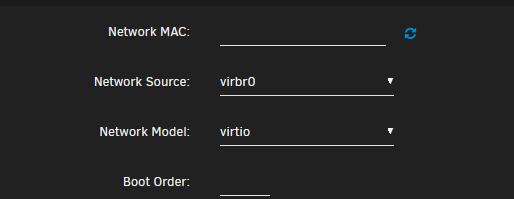
Thanks for the reply. I just tried virtio. The weird thing is that when I click update, it goes back to virtio-net. I am going on to the different models now.
-
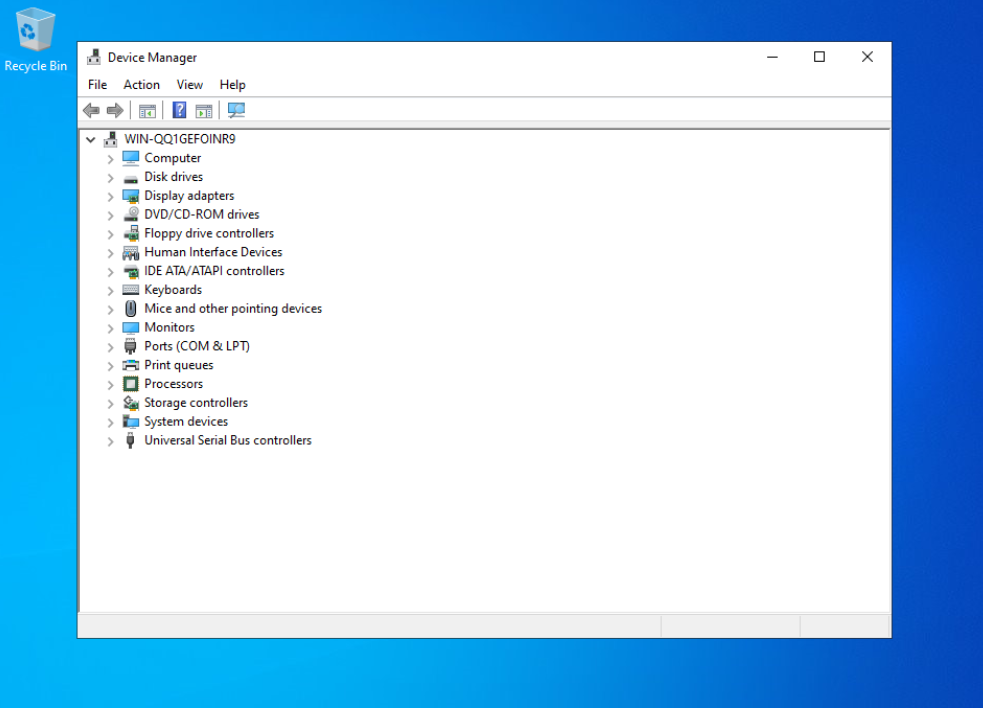
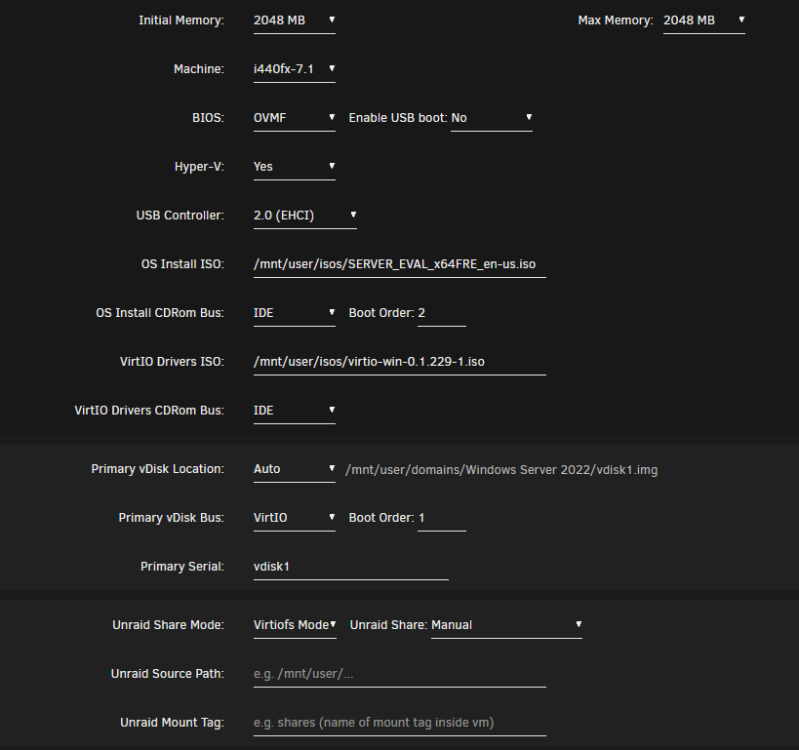
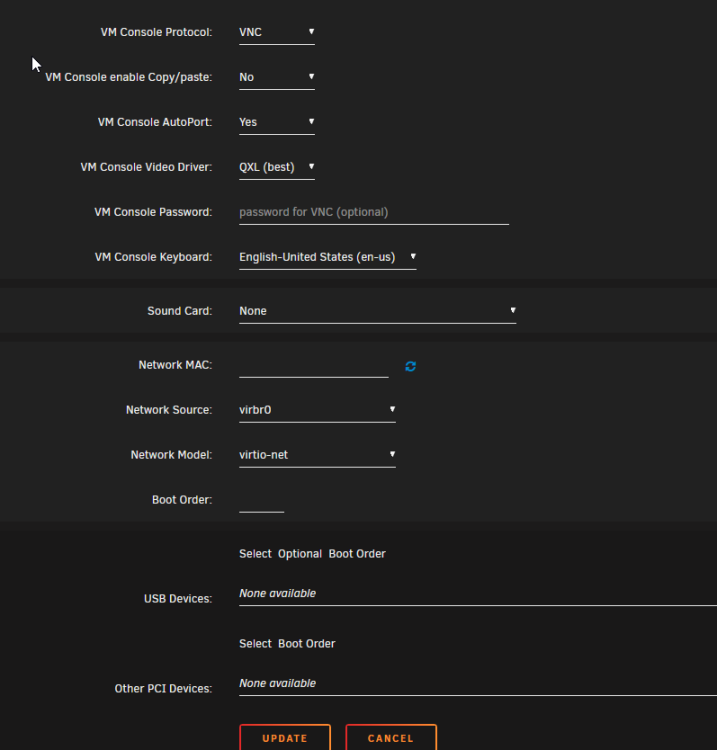
Hello, I have been trying to get a network connection on a new Windows Server 2022 vm. I am using virtio-win-0.1.229 and so far I am unable to get the server to even see a network connection in Device Manager. I have tried running virtio-win-gt-x64 and virtio-win-guest-tools with no luck. Here is how I have the vm set: Let me know if I have an incorrect setting or anything else I may need to change. Thanks in advance for any help provided. Rick
-
JonathanM, Thanks for your help. I have been able to add the new 4 TB nvme to a new pool so I am good to go. My issue is resolved.
-
Thanks again for this quick response. I need to check on the process for adding this new nvme to Pool Devices.
-
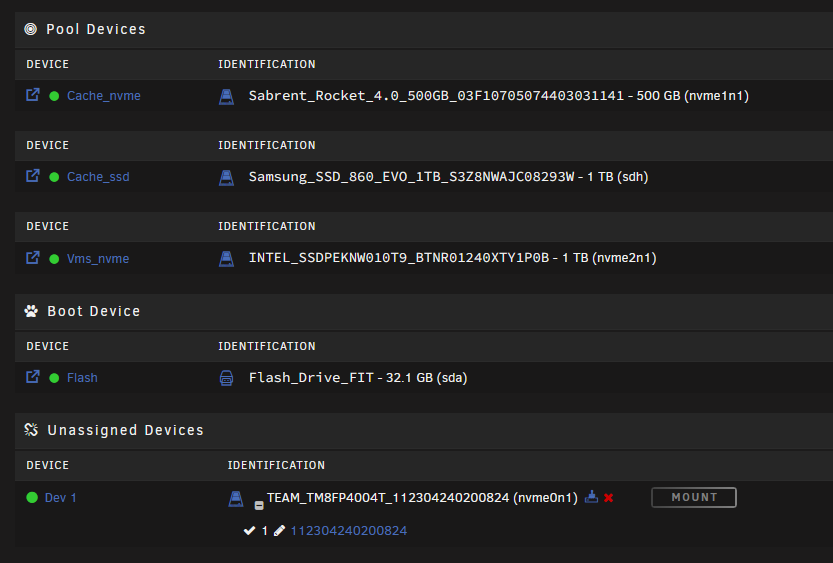
Thanks for your response. I should have provided a screen capture so you could see my current setup and what I was trying to say. I understand about the single member pools (I think) and maybe this is what I have in my current setup. And if I understand you correctly, I can add the 4 TB nvme to it's own pool and call it vms2_nvme. That sounds like what I should do. One more question and this is probably a dumb question - I see the preclear icon on my new nvme drive - do you preclear nvme drives? Thanks again for your assistance.
-
I want to add additional storage to my Pool Devices with a nvme 4 TB drive. I don't know the best way to do this. My current vm setup is a 1 TB nvme called vms_nvme in Pool Devices. It has several vm's and I need to add more space. Should I format the new 4TB nvme as xfs and add it to the Pool and call it something like vms2_nvme and then just start specifying it when I setup any new vm? Or should I somehow swap out the 1 TB nvme with the 4TB and restore the vms I need from the 1 TB drive? I have both of these nvme's installed and I can see both in Pool Devices. I also have a 500 GB nvme (cache_nvme) and a 1 TB cache_ssd drive. Any help is appreciated. Thanks.
-
Deleting and recreating the docker image file resolved my issue. I then re-installed my apps and I was good to go. The libvirt log entries remain but so far I have not seen any other issues. @JorgeB - thanks for your help!
-
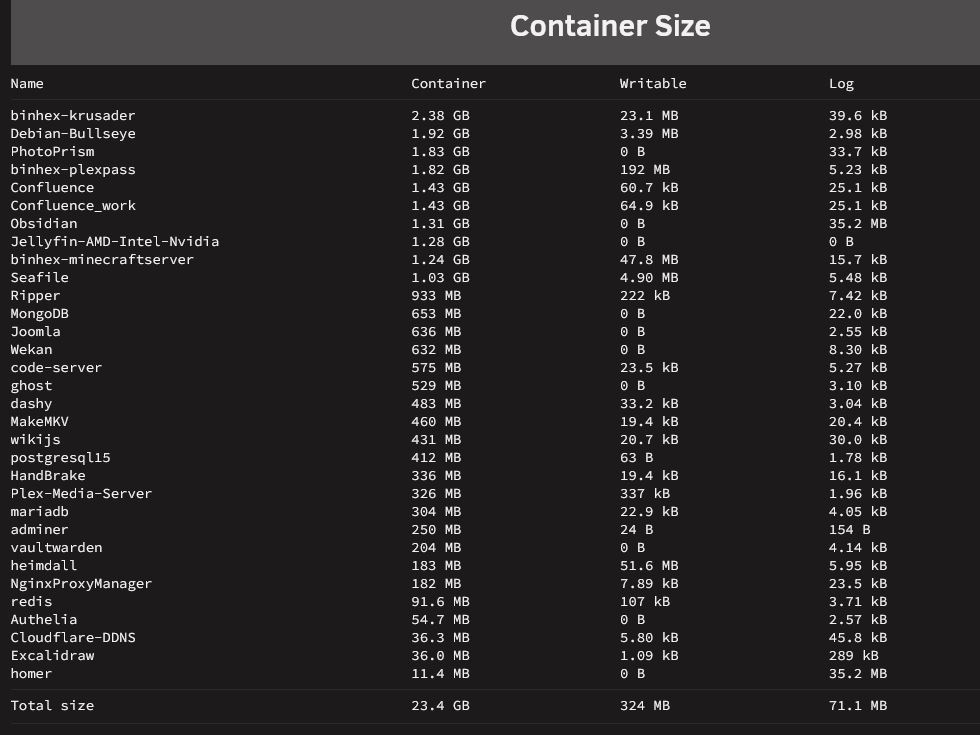
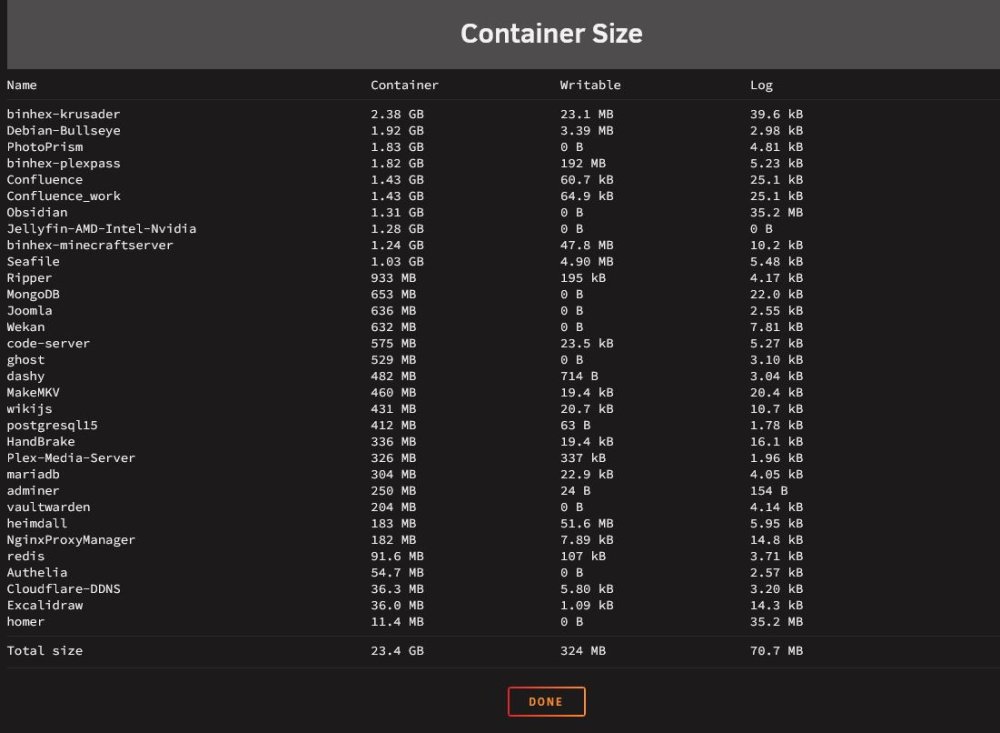
Last question - I checked container size and I have some that are over 1 GB and krusader is 2.38 GB. Are these large size containers anything to be concerned about?
-
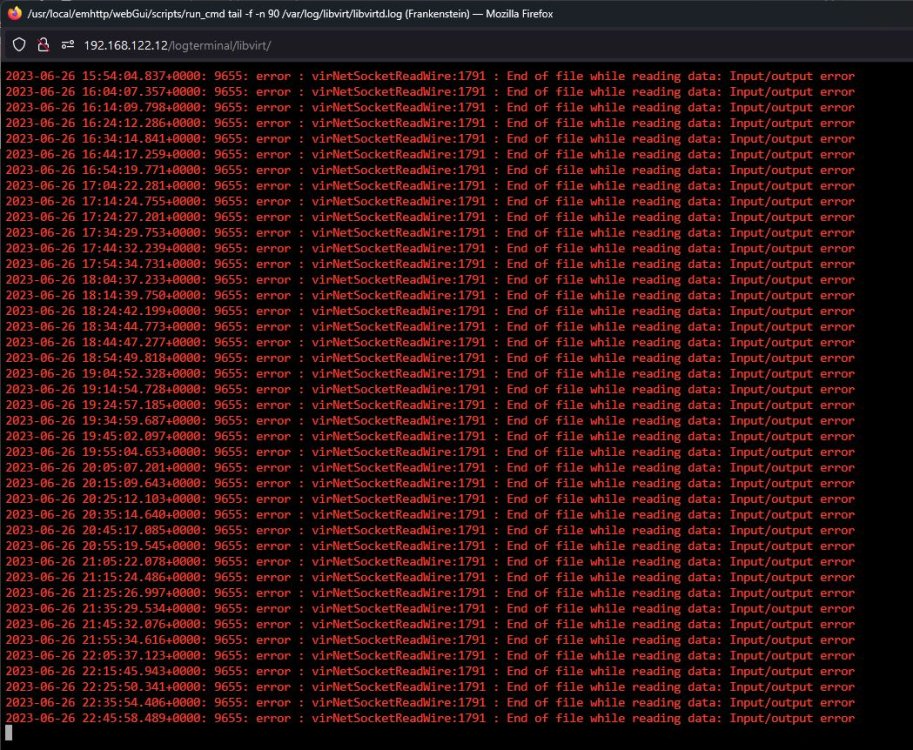
I reinstalled most of my apps and so far so good. The only strange thing I see and maybe it's not strange - is some of the container sizes. Is over a GB normal? I attached a screen capture. Regarding the VM's - I do have 22 with 9 of those running. I still see the error messages in libvirt log - screen shot attached. At this point my problem of not being able to write to the docker image is resolved. Are the errors in the libvirt log anything I should be concerned about?
-
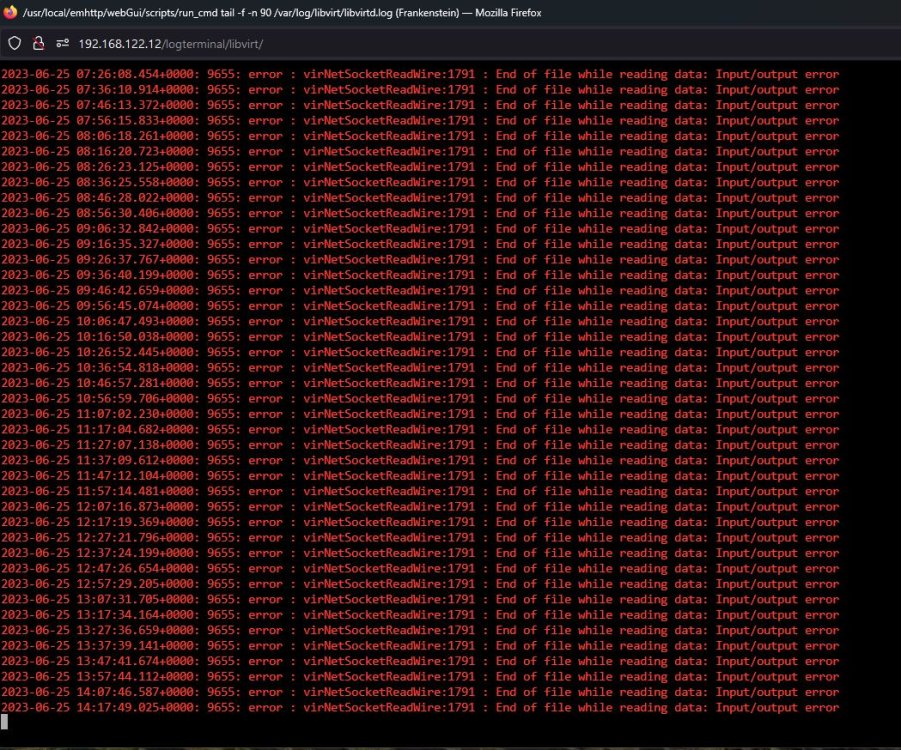
Yes a new docker image was created but I haven't installed any apps yet. Everything else looks ok except what I see in the libvirt log - every 10 mins this is generated: 2023-06-25 14:17:49.025+0000: 9655: error : virNetSocketReadWire:1791 : End of file while reading data: Input/output error I will attach a screen capture. Should I reinstall my apps?
-
I saw this entry in the libvirt log: 2023-06-24 14:51:47.064+0000: 9671: error : networkCheckRouteCollision:268 : internal error: Network is already in use by interface br0 So in VM Manager, I made the change to virbr0 to see if that makes a difference.
-
I first tried reboot from the menu and that didn't work - I gave it 40 minutes. Then I did a hard reboot by pressing the server power button until it powered down and then restarted. After a restart , the array is up and it appears the new image file is in place because it is indicating docker is up. There are no applications yet because I wasn't sure if I should reinstall or wait for additional diagnostics. Parity-check in progress. These are the only two items I now see in Fix Common Problems: Legacy certificate detected Your unraid.net certificate needs to be upgraded to a myunraid.net certificate ASAP Share appdata set to use pool cache_nvme, but files / folders exist on the cache_ssd pool - Either adjust which pool this share should be using or manually move the files with Dynamix File Manager New diags attached. frankenstein-diagnostics-20230624-1055.zip
-
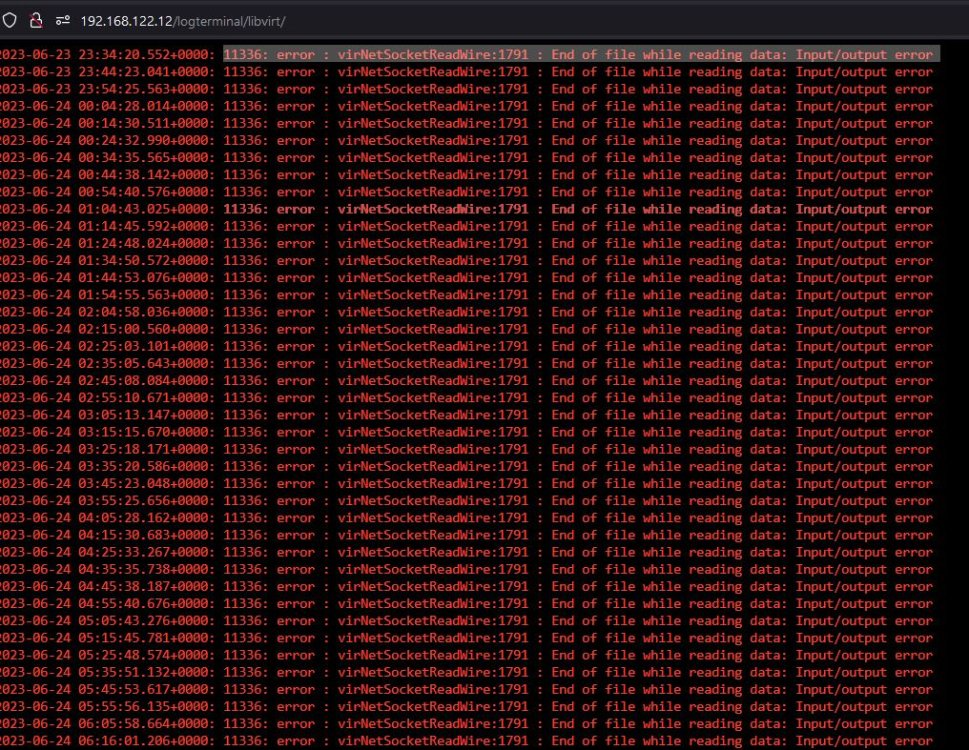
I am also seeing this error - every 10 minutes from the libvirt log: 11336: error : virNetSocketReadWire:1791 : End of file while reading data: Input/output error Screen capture attached. Regarding this error above: Jun 24 02:37:33 Frankenstein nginx: 2023/06/24 02:37:33 [error] 8108#8108: *2100935 connect() to unix:/var/run/emhttpd.socket failed (11: Resource temporarily unavailable) while connecting to upstream, client: 192.168.122.218, server: , request: "POST /update.htm HTTP/1.1", upstream: "http://unix:/var/run/emhttpd.socket:/update.htm", host: "192.168.122.12", referrer: "http://192.168.122.12/Settings/ManagementAccess" I can reproduce this by going to Management Access and click on 'RENEW'. I was investigating this because I was directed here by 'Fix Common Problems' - Legacy certificate detected Your unraid.net certificate needs to be upgraded to a myunraid.net certificate ASAP.
-
I refreshed the page and it is stopped and indicates docker is enabled - but the status says stopped. I can see the Docker menu heading and when I click on it, there is a message that says Docker Service failed to start. The message under it is Couldn't create socket: [2] No such file or directory.
-
I see this in the system log when I try to re-enable docker: Jun 23 15:03:58 Frankenstein nginx: 2023/06/23 15:03:58 [error] 8108#8108: *1695174 upstream timed out (110: Connection timed out) while reading upstream, client: 192.168.122.218, server: , request: "POST /update.php HTTP/1.1", upstream: "fastcgi://unix:/var/run/php5-fpm.sock:", host: "192.168.122.12", referrer: "http://192.168.122.12/Settings/DockerSettings" The Unraid graphic is moving but I don't think it is doing anything after that timeout message. Guess I should just stop it?
-
ok and I did see where the image size was 30 GB and the img file is 32.2. I will repeat the image build and set the size to 50 GB this time. Also my Docker custom network type was maclan and I saw in Fix Common Problems where that should be set to ipvlan. Can you confirm that? I attached a screen capture of what I saw.

-
That was a new image. I followed your link and then reinstalled the applications. It sounds like you may have wanted me to stop after the new image was created - is that right? As the apps were installing, I saw warnings for space and then I realized that you may not have wanted me to go ahead and reinstall.
-
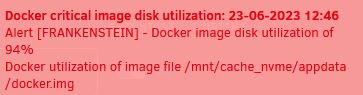
Thanks for your response. Had some installation errors - see attached file. Also saw a critical alert for docker image disk utilization of 94% - screen capture attached Install Applications.txt
-
Today I was unable to restart a container (Dashy) which is unusual. I tried a few more and saw the same behavior. I looked at the system log and saw the following errors regarding BTRFS: Jun 23 04:01:16 kernel: BTRFS error (device loop2): block=22634053632 write time tree block corruption detected Jun 23 04:01:16 kernel: BTRFS: error (device loop2) in btrfs_commit_transaction:2460: errno=-5 IO failure (Error while writing out transaction) Fix common problems reports: Unable to write to Docker Image. Previously I noticed issues showing up on Disk 5 of the array so I ordered an 18 TB drive as a replacement. I have it on hand as a replacement. I also noticed space was getting tight on the (1TB) vms_nvme - so I had purchased a (4TB) nvme - maybe it needs to go to another location instead? I attached the diagnostics for your review. Thanks in advance for any help provided. frankenstein-diagnostics-20230623-0957.zip





