1HP
Members
-
Joined
-
Last visited
-
help someone please ?
-
Hi everyone, can someone help me please to understand what is the problem ? 2025-03-10 12:15:56,857 :: INFO :: root :: sync.py :: 75 :: Syncing drive... 2025-03-10 12:15:57,212 :: INFO :: root :: sync.py :: 77 :: Drive synced 2025-03-10 12:15:57,212 :: INFO :: root :: config_parser.py :: 83 :: Syncing drive every 300 seconds. 2025-03-10 12:15:57,212 :: INFO :: root :: sync.py :: 80 :: Syncing photos... 2025-03-10 12:15:57,469 :: ERROR :: icloudpy.base :: base.py :: 168 :: Zone does not exist. Please log into https://icloud.com/ to manually finish setting up your iCloud service (ZONE_NOT_FOUND) Even if im in zone global and the yaml is ok. Im in Italy and my account is configured. thank you very much
-
THIS !!!! worked for me. Thank you very much !!!
-
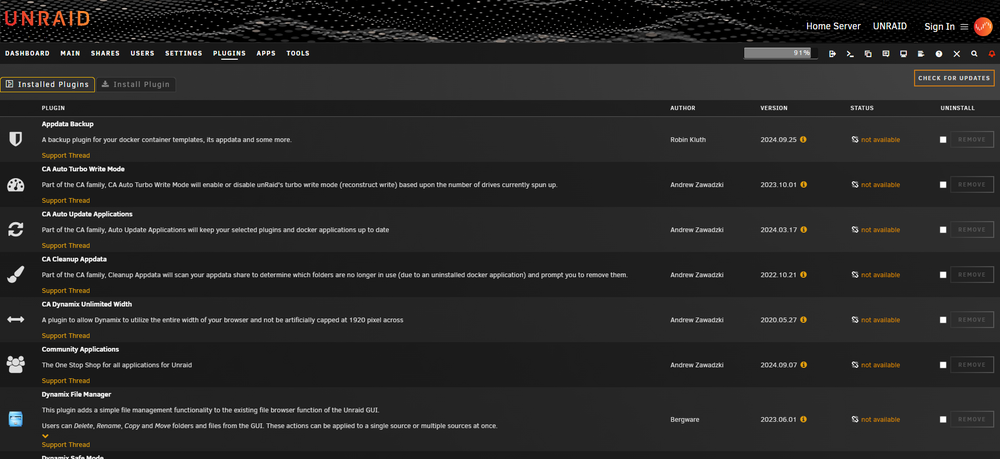
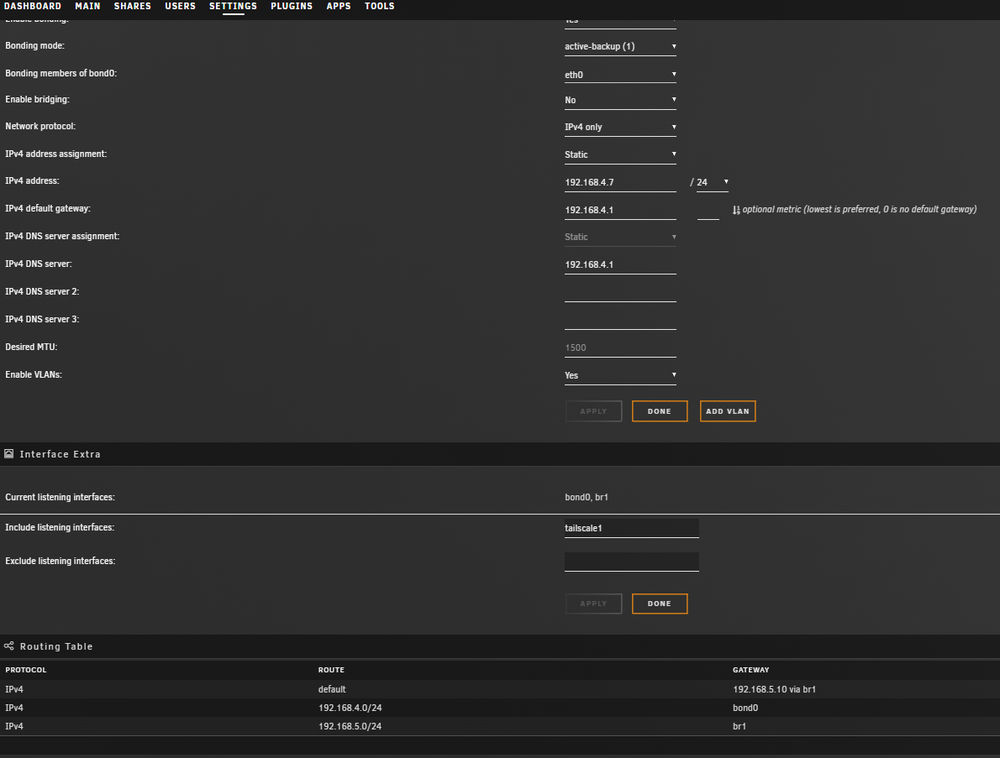
All of my plugins are unavailable, and I cannot access the App Store. There are a few things worth mentioning that might help troubleshoot the problem: I recently changed the port on the pfSense DNS resolver from 53 to 5353 to avoid conflict with AdGuard, which uses port 53. My current subnet is set to 192.168.4.1, but when checking the network settings, I noticed the old subnet 192.168.5.1, which was associated with an unplugged USB dongle (identified as eth1). Upon booting, I see logs showing that the OS is still trying to find 'eth1'. One specific log message states: "Device 'eth1' does not exist." It seems that unplugging the USB dongle may have caused this issue, but I’m unsure how to proceed.
-
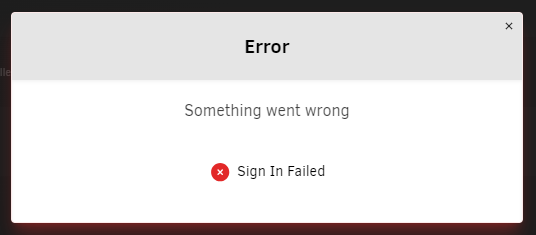
When i reboot in safe mode, there is no sign in function > I've tried to boot in normal mode and got same problem
-
Hi, please help, i was kicked off my unraid home login and can't login back. When i try to sign in i got this error > Something went wrong Sign In Failed unraid-diagnostics-20240926-2336.zip
-
Hi, I don't know if this was the issue, but to eliminate any doubts, I took the following steps: - Switched the PSU from a 500W Antec to an 850W Corsair. - Performed a complete format and preclear of the parity HDD, including both pre-read and post-read steps (all 4 steps were successful). - Even though it shouldn't have been a problem, I bought an LSI 9300 16i card to replace the old 8i card that was working with an expander card. Now the parity is working well. Thank you for your advices. Have a good day
-
My configuration : Intel i7 12700k 16GB DDR4 ram Quadro P2000 PSU 500w LSI Card Expander Card 12 HDDs 1 SSD The idea now is to try switching to an 850W PSU to see if the problem persists. Another thing I didn't mention: when the parity is active and I attempt to rebuild, it starts with a speed of 5-30 MB/s. After some time, the parity building stops and a read check begins and the parity drive shows alot of errors. After all these errors, isn't better to wipe the parity disk and maybe do a preclear and build again the parity ?
-
I've tried changing cables and wiping the contacts of the LSI controller and the HP expander with isopropyl alcohol. I also changed the HDD position, but now it doesn't even show up on reboot, only in a disabled state. One thing to note: my HBA card has the 5th and 6th pins isolated with electrical tape because the system won't start otherwise. Could that be causing the problem? The HDD is relatively new, so it's strange that it doesn't work. I've noticed another issue: after making these changes, I temporarily lost another 4TB HDD, which was quite alarming. However, it came back online after a few reboots. Without parity, if I lose another HDD, I risk losing data. MAYBE i should do a TOTAL format/preclear of the HDD and try to add it as a parity again (re-build) ? i will attach new diag file maybe you can find something. Thank you very much unraid-diagnostics-20240722-2252.zip
-
Hi Jorge, now it comes online in unnasigned drives, here is the diag file thank you, have a good sunday !! unraid-diagnostics-20240721-1904.zip
-
ok, i did a reboot and here is the new diag zip unraid-diagnostics-20240719-1046.zip
-
Hi, i did a reboot and the parity hdd showed again, then i again set it up on parity slot and start rebuilding. Suddenly got again the error on parity disk (same amount of errors - 1024) and the pool now is read-check state paused. I will attach new diagnosis zip here. thank you !! unraid-diagnostics-20240719-0747.zip
-
hi, please help me to understand what happened with my parity. Now it's disabled and doing read-check but not parity rebuild . Thank you unraid-diagnostics-20240718-1658.zip
-
Hi everyone ! I got this problem : My system : Asus Z690 P D4 i7 12700k Quadro P620 16GB Ram 9208i Got blikvm connected via hdmi to my mobo. When my Quadro p620 is connected to my first pcie slot, i got no video output on my pikvm from igpu. When i disconnect my quadro gpu, everything returns ad works fine. Where is the problem ? thank you very much
-
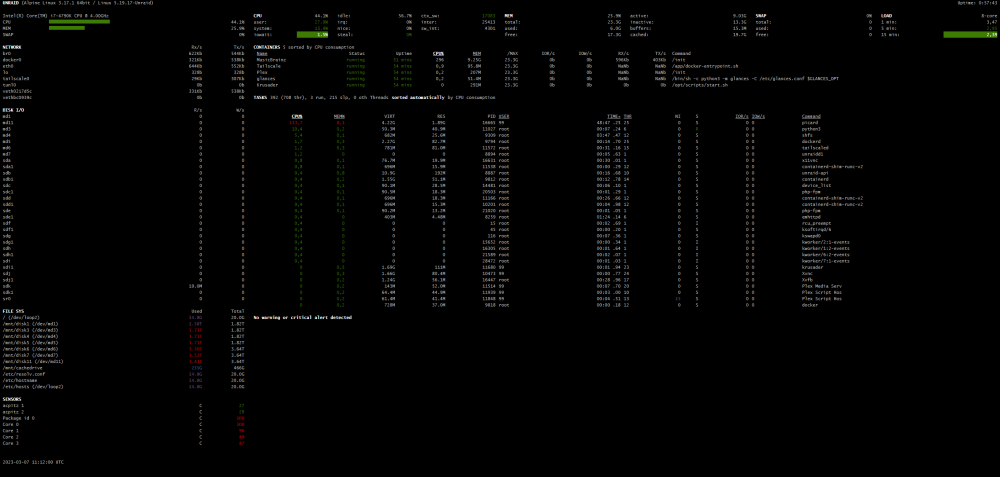
Here a screenshot from the Glances App. Right now i'm doing again the scanning with the MusicBrainz app and the CPU is under load