jemmles
Members
-
Joined
-
Last visited
Everything posted by jemmles
-
Bringing the thread back to life. Had taken a hiatus as this really upset me the lack of resolution i could get with the problems i was having trying to get a vm with GPU pass through to work. I have updated to the latest release 12 and miracullously it finally works. I think i may have just had a crap moboard on that server
-
Found this link online: https://mediaserver8.blogspot.com/2020/07/problems-passing-through-gpu-to-unraid.html This time when i changed to SeaBios, winner winner chicken dinner. I can get to the windows sign in. I know i had changed to seabios in prob attempt 2,22,122. But hey i just cant give in. i cant sign into windows as the VM isnt connected to the internet. baby steps
-
tower-diagnostics-20220103-1617.zip fixed it but not fixed... lolz..wound back to an earlier version of the flash that i saved please please can someone help ... if you looked in the dictionary for insane , there would be picture of me trying to get this to work.
-
So turns out Ive been locked out again. I am unable to post my diagnostics cause the unraid server is not discoverable. I had backed up my USB with unraid on it . So reset that usb to the back up version. This is a .............. nightmare. Ive just spent the last few hours to fix that. And its not fixed so so so so much wasted time.
-
So its a new year and still little joy on this project. I sorted out / fixed my unraid usb key. I have installed Win on a separate NVME drive and thats up and running. I still cannot get this to run as a vm from within unraid. I have now updated my motherboard bios as a log suggested it was broken. After updating that the virtualisation was set to disabled so i switched that back to enabled. I have tried for soooooo long to get windows VM running. With no luck. What have i done wrong or what broken equipment is it. HEEEEEEEELLLLPP. Ill now post my diagnostics - may be some one might help. OR not.
-
Im in a similar situation. I think an updated tutorial from spaceinvader is required for 2022. Im extremely frustrated that I have been unable to get windows VM to work, after literally making myself insane going through all the steps on supported tutorials over a dozen times... As this was the deciding reason i went with unraid. I am starting to think of just giving unraid the flick. I might post one more time to see if anyone could be kind enough to provide any insight, failing that i think ill tap out.
-
Hi excage, Thanks for your reply. Ive had to take some time away from this project as it was taking the enjoyment out of it. I wonder whether its an issue that the SSD which has the windows install separate from the array, and the SSD which is the unraid cache both have the same 8 digit ID. I think i have munted my usb key with the unraid install on it. I think i did something wrong when i copied the back up on to it. I had done that process previously successfully. But now my machine is not discoverable. Once I can resolve that issue, I think i will seek paid assistance to get past this VM issue.
-
So now as i try everything to get this working. Ive followed the instructions here now i cant even get log into the tower. Is there anyway i can get help. Feeling so bummed.
-
I've installed windows 10 on a second nvme drive and figured ill get that running in the first instance. So that all now works fine , so I have some comfort the hardware works. Now I am attempting to go the dual boot road as per SP1's video and connect remotely. I have set the VM up again in unraid , swapping out the UUID. Set up all the passthroughs. But I can still not access the VM. Ive tried almost everything and basically at the stage were I dont know how to proceed and am really struggling. tower-diagnostics-20211023-1316.zip fwiw i have included another diagnostics file. May be someone could help. tower-diagnostics-20211023-1316.zip
-
Hi mate, Thanks I can ignore the tainted lines then. Good to rule that out. I have already tried removing the isolate CPU's as i went back to try the only one CPU and realised that would contradict the isolate settings. But no joy there either. I am going to attempt to get a linux vm up and running Ive downloaded a cinamon iso , might try that. Im thinking as much as I dont want to. I might do a comlete reinstall to the server. Ive only put <100G of stuff on there so not the worst thing. Any other ideas? Anyone? lolz EDIT - The CPU is Ryzen 5600x doesnt have on board graphics so I actually now think that may be this is the issue. I have a 2GB Gforce card. If im running (viewing the press the any key) through VNC and haven't assigned a GPU could this be the issue?
-
Im a bit concerned that what appears to be the majority of people who raise issues with operating VM's dont seem to reach a working conclusion.
-
Hi sheldz8, The same thing jumped out at me and i searched for one of those 'tainted' lines to see if that might find something. I didnt realise that unraid was so volatile with the VM's , considering VM's was the reason i went with unraid im wondering whether ive made an error.
-
Thats as far as i can get too.
-
I have just wasted another day trying to fix this issue with no result. I am so disappointed .... If anyone would be kind enough to help that would be awesome . Im at a total loss. Ive posted my diagnostic file again not sure if this is from attempt 120 or 210 . So depressed. tower-diagnostics-20211018-1718.zip
-
I am so jealous, this is driving me insane. I have downloaded and failed on another windows ISO.
-
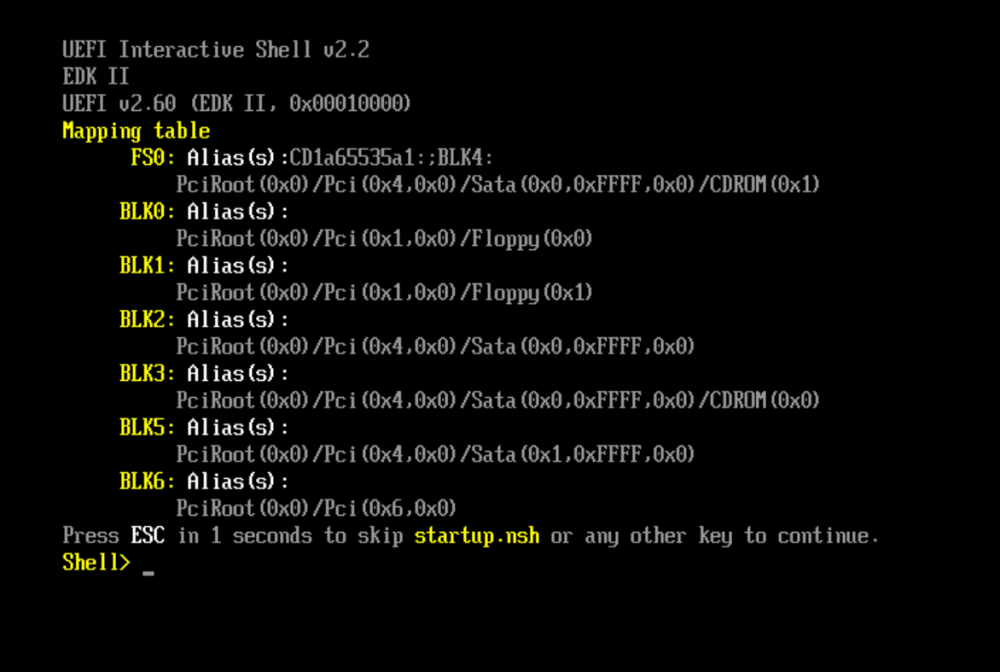
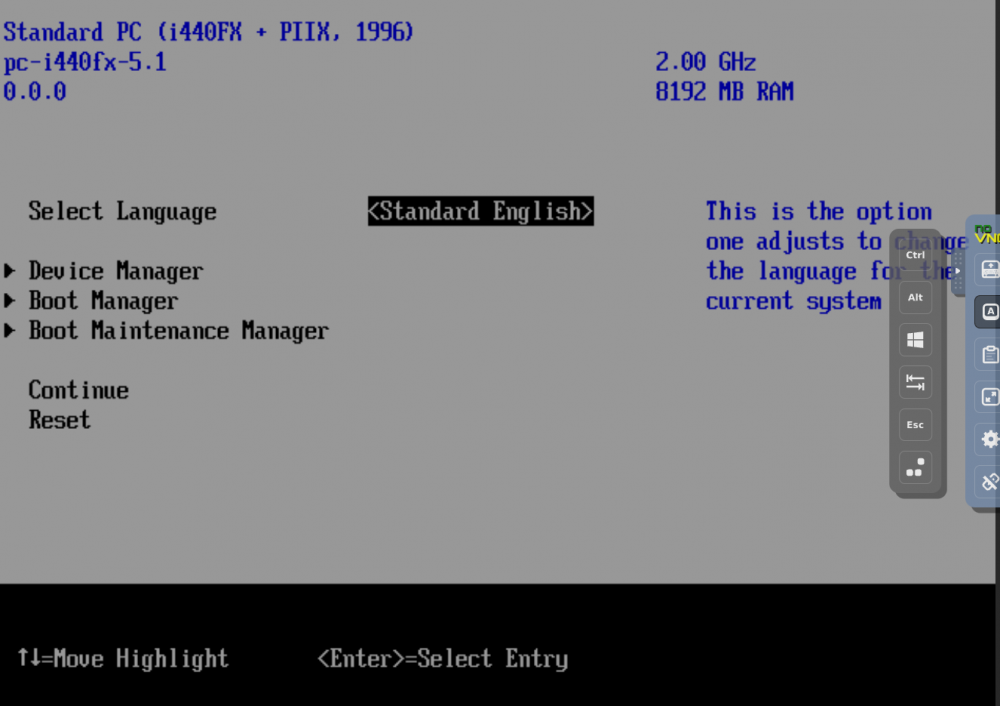
Yes that is definitely correct. That dreaded uefi shell screen. I must have accidently only assigned 2 G ram. Intend to 16G and 8 cores as itll be a workstation VM. Have tried different configurations based on web vids and space invaders recommends,. I note that some of these heavily reference vids are from a few years ago. So hopefully not too much out of date infos on them. When i hit a key it just loops this screen then to the command line prompt any key .... .. When i type exit it takes me to. Thanks Jems

-
Hi, Thanks so much for your replies. I will download another windows iso , (3 rd attempt) , and try these also, RAM test, have another look at the motherboard bios to ensure those settings are correct. This was a purpose built machine so never has been configured before for another use. So cant 100% say if the componentry is all ok. This was about the 7th custom pc i have built over the years, Im kinda a noob as the tech has moved on from the single core days, lolz. When i purchased the motherboard the legend in the shop flashed the bios so it could run the Ryzen 5600X CPU. So could that be a factor that the motherboard isnt up to it. I have also come across articles suggesting issues with the AMD ryzen CPU's not sure if thats still relevant?
-
Hi , I must start by stating the fact Im new to unraid and will certainly mix up some of my terms in my plea for help. Basically I have set up the build and file server side of things ok, i think. But I am having no luck setting up virtual machines, and to be fair that is my reason for going with unraid. I have had the server up an running for a few months and i wanted to work it out myself but have had no joy, in fact Im questioning my decision now as i have made no quantifiable progress in my understanding of this all works. All going well , i am trying to set up a windows based workstation which can be accessed remotely and be used This end use for will be for my own content creation and having access on the road. I plan to get pay for the proprietary vmware type software that allows that. But im stuck at first hurdle. I can not get past the screen which is ths one, when i hit any key it just endless loops. IT is a nightmare. Its windows 10 I am tyring to get working. But i havent even managed to get any vm up an running. I have literally tried all the things suggested by others and things that have helped them out. I am starting to wonder if its motherboard, hardware or something else as i am totally stummped. I will be post my infos in the hope someone might be kind enough to assist. Many thanks Jems tower-diagnostics-20211017-1941.zip