




Skip to content
View in the app

A better way to browse. Learn more.

Unraid

A full-screen app on your home screen with push notifications, badges and more.

To install this app on iOS and iPadOS
  1. Tap the Share icon in Safari
  2. Scroll the menu and tap Add to Home Screen.
  3. Tap Add in the top-right corner.
To install this app on Android
  1. Tap the 3-dot menu (⋮) in the top-right corner of the browser.
  2. Tap Add to Home screen or Install app.
  3. Confirm by tapping Install.

Optimum Frost

Members
  • Joined

  • Last visited

Everything posted by Optimum Frost

  1. Thanks for replying this is what I did. I downloaded the ark survival docker added server name, server admin password changed map to TheIsland added ?RCONEnabled=True to Game Parameters then added -NoBattlEye -noantispeedhack -crossplay to Extra Game Parameters: I do have a cache the is says "yes:Cache" on all my files I left the steam credentials blank and not sure if it makes a difference but i am using ark on epic games
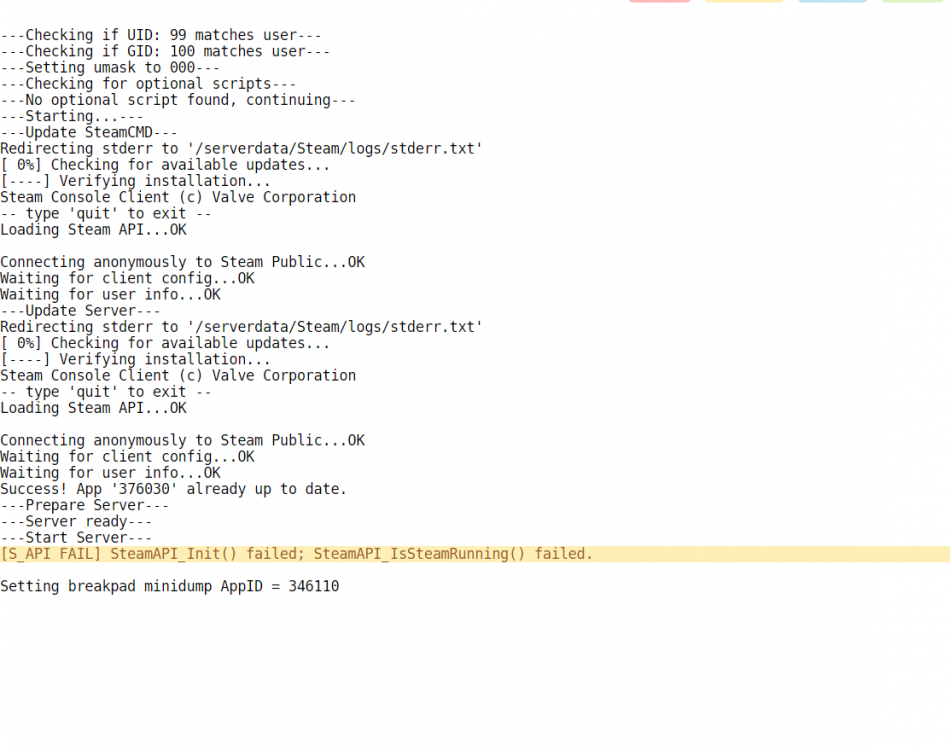
  2. Hello everyone, I'm a little new to unraid and wanted to try out the ark survival docker and It's not working I went to the ini files because I just came form linux to unraid and its driving me nuts!! anyone know of a video I can follow or even a proper setup guide?

Account

Navigation

Search

Search

Configure browser push notifications

Chrome (Android)
  1. Tap the lock icon next to the address bar.
  2. Tap Permissions → Notifications.
  3. Adjust your preference.
Chrome (Desktop)
  1. Click the padlock icon in the address bar.
  2. Select Site settings.
  3. Find Notifications and adjust your preference.