





RBK-Serwer
Members
-
Joined
-
Last visited
Everything posted by RBK-Serwer
-
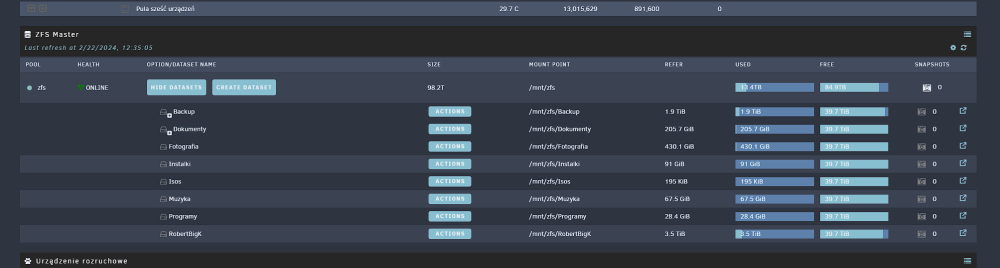
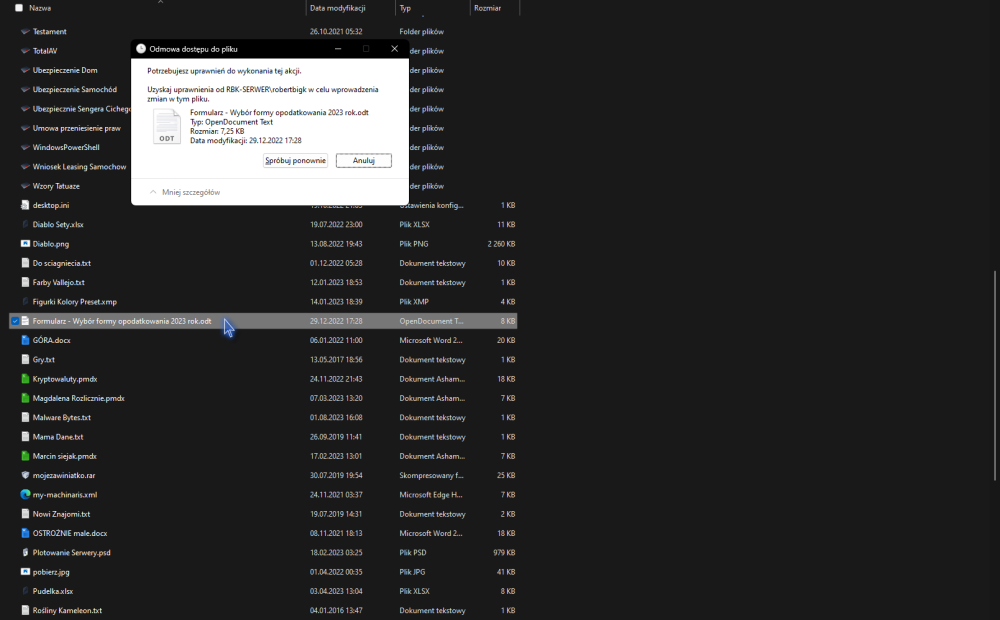
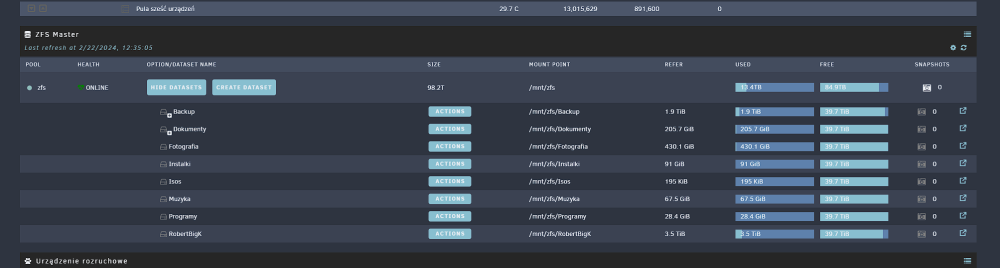
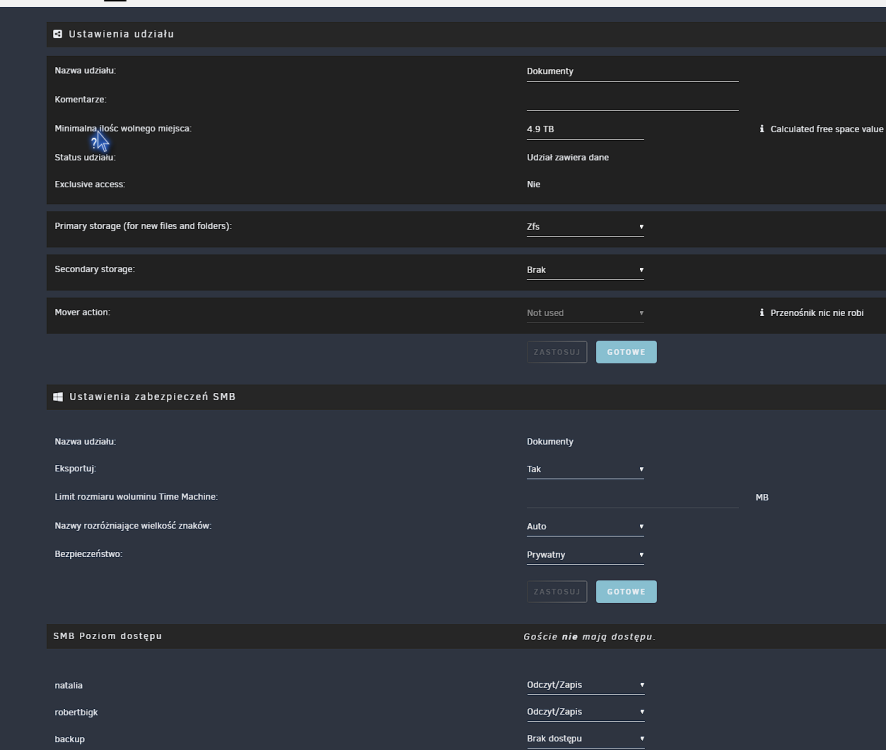
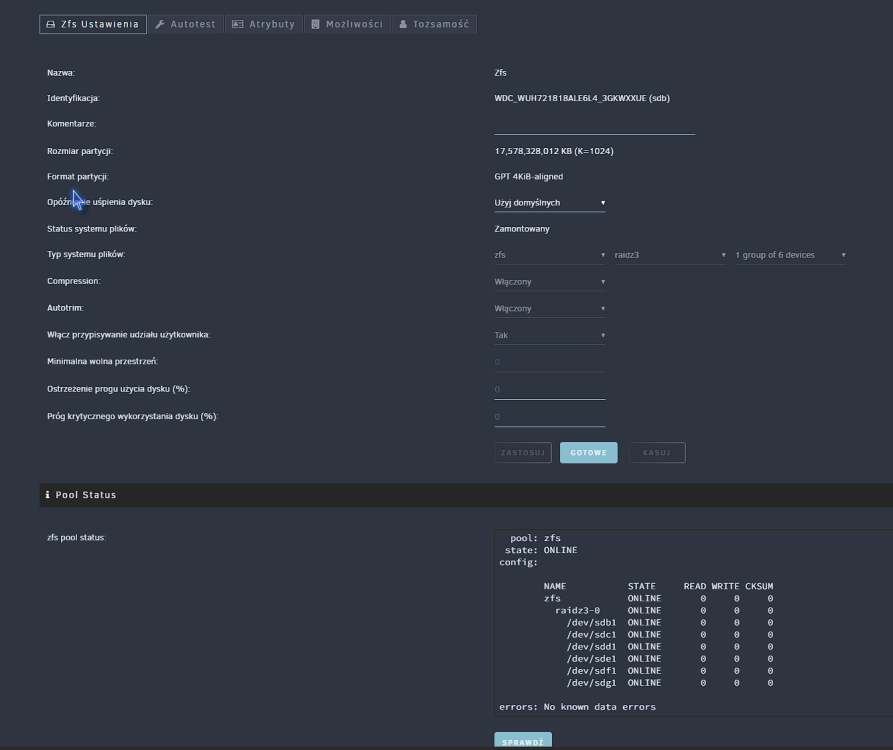
Hi I create pool ZFS and got is smb shared. Cannot delete folders write i got have rights. How to fix that?
-
Hi all, I recently configure my unraid connect and its work fine. I configure also WireGuard in unraid and got problem to connect docker. 1. I make config export to file import to WireGuard windows and all work fine. My router is 192.168.1.1 and my docker containers is 192.168.1.10 etc. If my outside network is 192.168.2.1 or other just not that same like my home config is all connection work fine. But if I connect to similar network where first address 192.168.1.1 I can't connect to any docker container. Can somebody can me enplane how I need to change my wireguard config to bypass that and can connect from any IP addresses?
-
Looks like resolved couple hours and no error any more. Thanks for help
-
OK i change for new one now and observe is that resolve issue
-
rbk-serwer-diagnostics-20230419-1434.zip
-
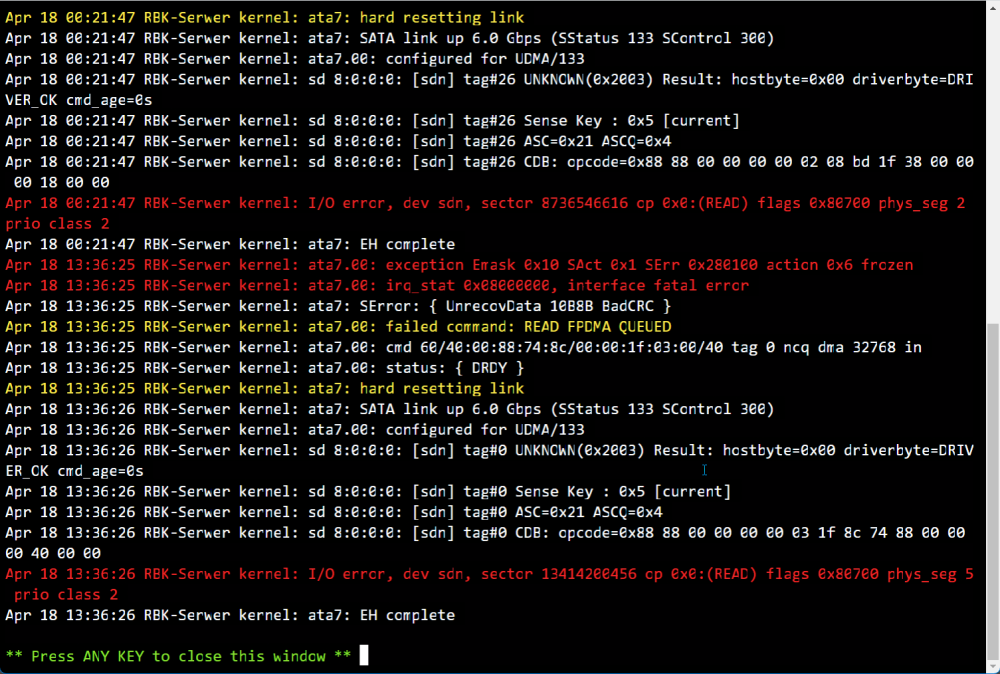
Smart fine hdd work fine i got error what need to check and how to fix it? format is xfs and no errors find.
-
syslog for usb correct?
-
-
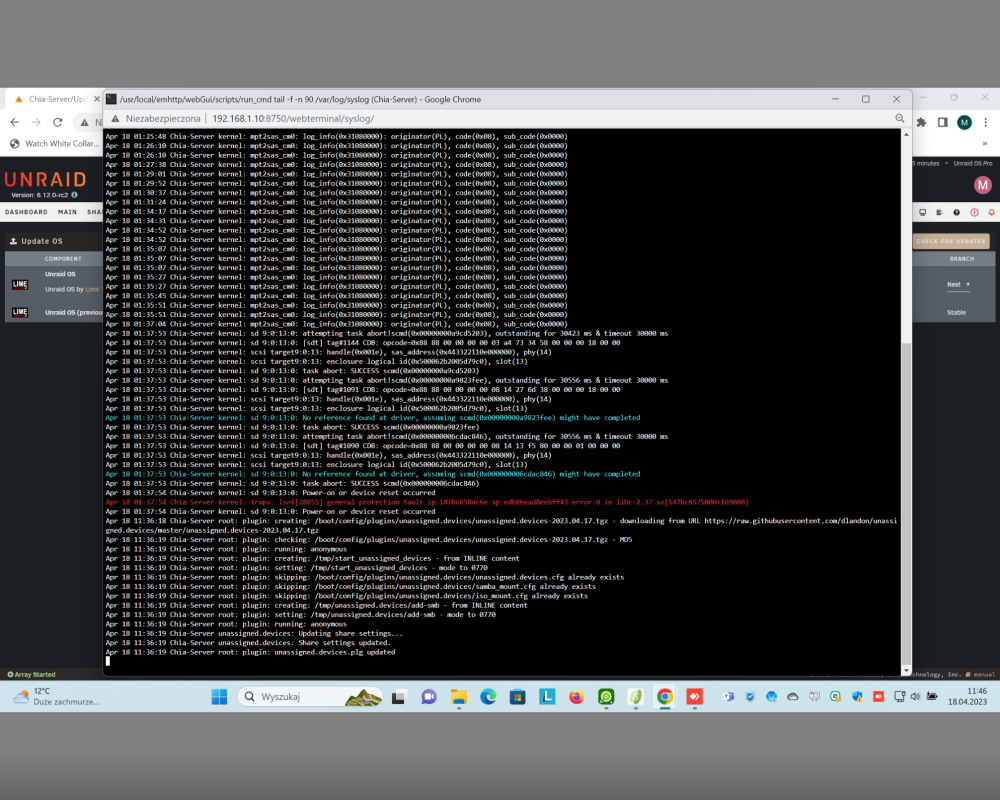
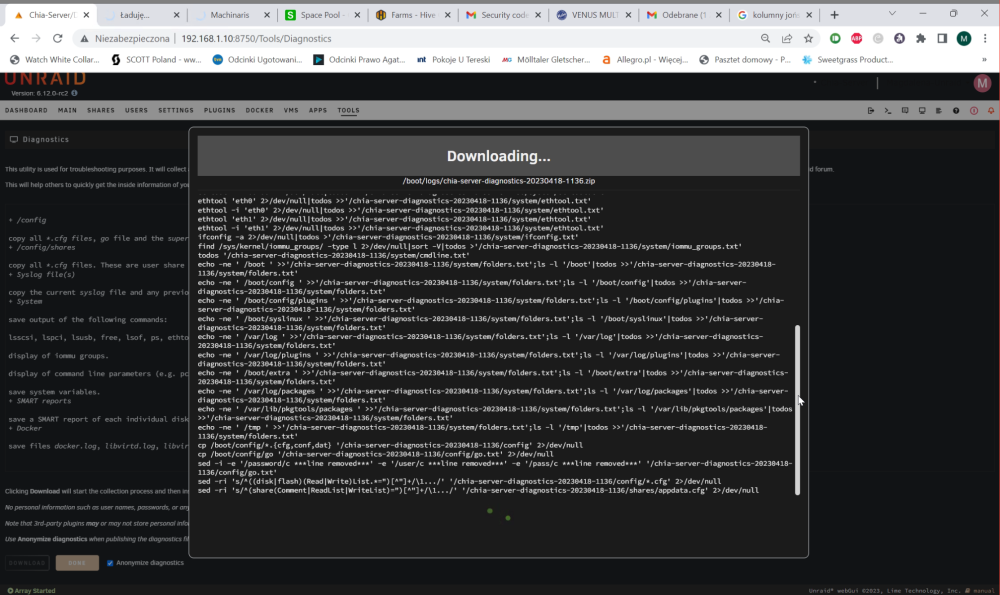
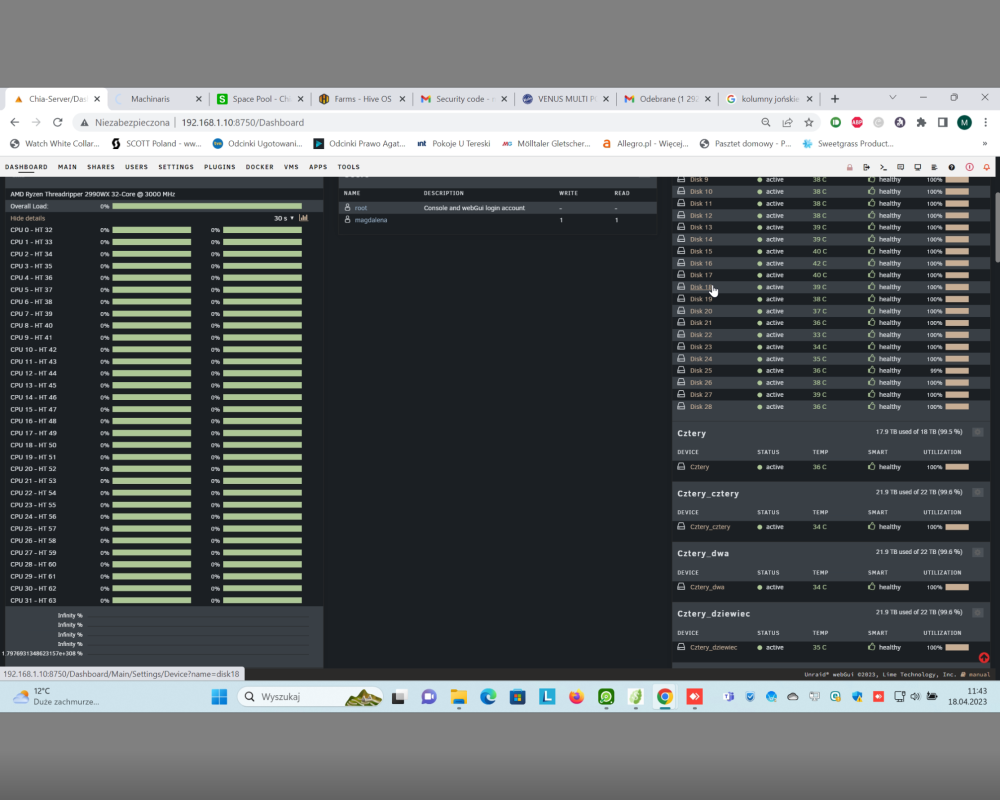
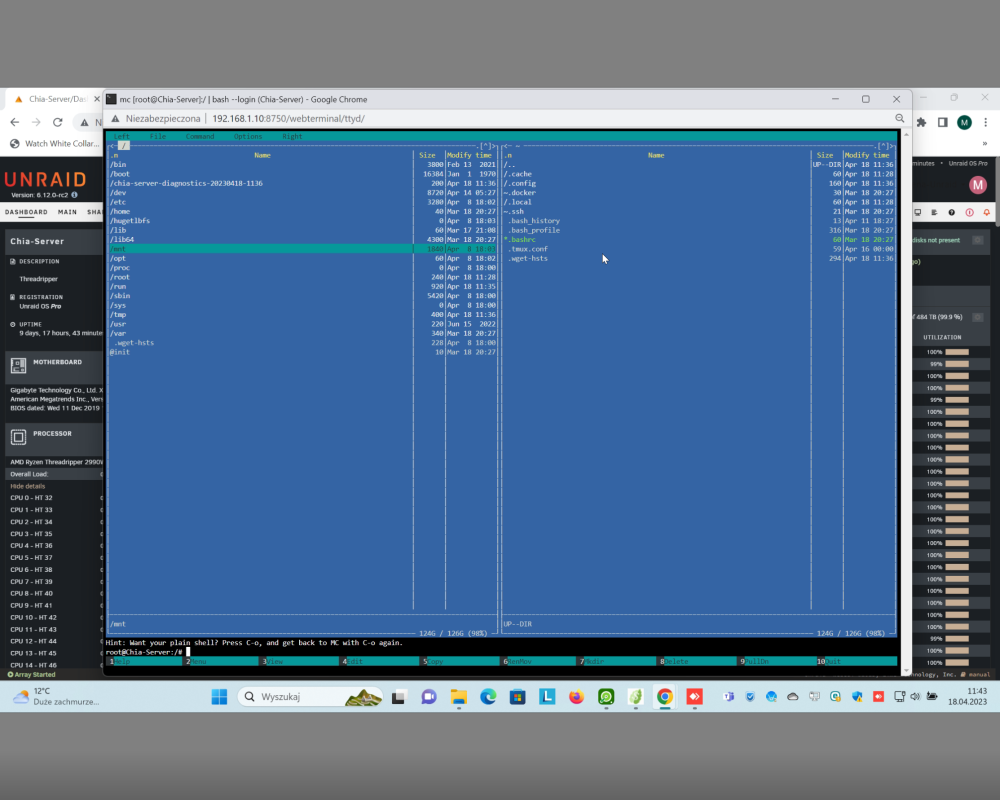
Hi , I got problem witch server. Ram test pass many times Stability now works 9 days and get error. Error is mnt folder cand acces for him i cant make diagnostistic serwer start make it and stuck some point . Menu dasbord crash is shows but all procesor 0% memory ect System is rc2
-
Its look like software bug. I go to 6.12.0-rc2 and 48 hours and nothing happens
-
Serwer just lost smb. Memory Pass 24 Hour. Power supply add more 2x 1250 all checked. But Software issue stay. Can generate diagnostics just hang up
-
Hi , Strange thing, I use Server for Chia machinaris. Serwer start random lost vms no more connected and work. Then when I open console and mc server stuck when try open mnt folder. In logs I don't see errors I/O or other. When I try download diagnostic is not work, start work prepare files and stuck on some point. Ping work but server lost web IU. I got 4 controllers 2x 16 2x24 at some point something change controllers not shows in group 9305-24i 24 x2 and LSI 9201-16i x2 I use in two thread ripper that and no any issue for now. Power supply for HDD is 1200w and 1000 w
-
I wait for another mainboard and processor memory tested in other device 100% pass on threadripper no more than 2 dimms when i put 4 starts error. I set speed acording gui.
-
Yes and all fine memtest and memory work log time is tested
-
Hi @Stan464 thank for response. How You know that emhttp error is log You got many spam lines? If Yes is not my case. I find what happend but dont know how to fix that serwer work fine 23 hours every day and i find issue always close to 00:00 and find what serwer lunch trim is start fail fork docker smb trouble to download diagnostick
-
How to open ticket forum for me, pointless if i not get help. I find what cause issue, but i don't know how to fix it. Trim enabled and scheduled for 00:00 and after start trim server stop smb and docker not work any more unlit restart.
-
Is hard to make diagnostic. When bug "active" smb disconnected , docker not work , vm work fine. Web Ui is limited is responsive show menu but when i want download diagnostic is start prepare but cannot make done. I read one post silimar issue and person write is some plugin. I uninstall all plugins stay unsigned device, fix plugin , community and zpool all other i deleted. Is no much change server stop working about for 23-24 hours syslog rbk-serwer-diagnostics-20230302-0553.zip
-
Wheare i can write open ticket ? to get help? i removed all plugings and also not help
-
OK I little go forward I change mainboard and processor for new type and that same after some time serwer broke smb and docker until I restart. Is possible to help me I use many sorftware in my life and also Qnap. I know is Unraid more advance but some time worst than windows so many troubles. I got 5 unraid i recomended my friends and start to regneds thay also got allot problems
-
i cant use server more that 23 hours after that server works (i can connect ) but docker not work smb not work all back again after reset. syslog 28.02
-
yes but i select folder in hdd is ok and if crash happend i need zip this folder and add to atachment correct?
-
Today is happened again, docker stop work I cannot access for most dockers. Smb stop work but vms work fine i cant connect to menu to sava syslog. To get syslog is enough to save on usb?
-
Is not hepfull just add link that first. Second server work stable about two years and is about 3 weeks I see this strange behavior. I check all HDD and BASIC. Then will be helpful to push me for some direction what to do but not global manual because now I can find what changes or what cause problem because when i log and can't access to docker or SMB i don't see any errors in log
-
Hi, I got issue. Server start to be unstable. I use server and random his stop share SMB and when I check docker most program Ii can't open. But Ii got vm Home assistant and his work fine. I can check logs but no any red errors. When I reboot server all work fine couple hour some time days and again repeat. rbk-serwer-diagnostics-20230222-0049.zip
-
Thx for help and one more question i got 2990 and 1950 and unraid on them this error not show up only on this 2970 and still ingore is not a real issue?





