RBK-Serwer
Members
-
Joined
-
Last visited
Everything posted by RBK-Serwer
-
Hi, I recently change the processor and mainboard and got a message hardware error. Fix common problem show error "Your server has detected hardware errors. You should install mcelog via the NerdPack plugin, post your diagnostics and ask for assistance on the Unraid forums. The output of mcelog (if installed) has been logged More Information" I add log i got some error cpu is any clue what to change? magda-diagnostics-20220312-1616.zip
-
Hi thx for help. Yes issue was 2 Psue i add one to only power motherboard and procesor (Threadriper 2990 ) and issue stops
-
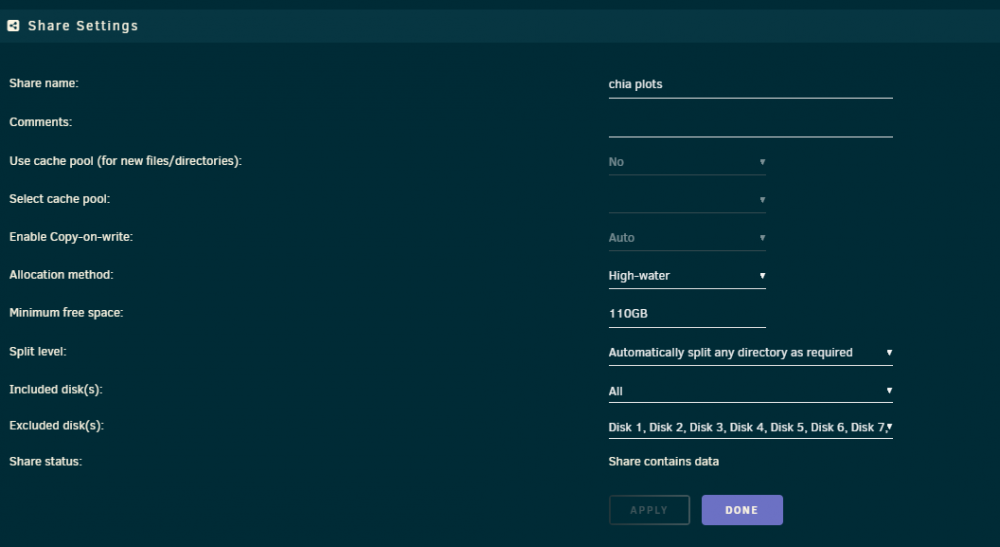
OK that i think also is possibly but 1. Is work couple of monts from now and no any issue. I got 40 hdd but is devided to 5 lines sata in Power Supply. I check two PSU 1000w Platinium and 1200 Platinium and all in full load got no more that 750 W . No I check all what possible change controlers memory (no mainboard and cpu) When I lunch unraid start hard load and no issue work stable (same 40 Hdd) When add parity (check 3 hdd all new one) is lunch array and switch off or switch off amoust instant.Ok I make one more test setup Disk Setting to not autostrt. Add Parity Drive unraid shutdown no array lunch. Lunch again start array no parity all just start up normal.I check again cooling system is fine. Unraid work normal. When i go to pool add parity wait and computer power down. When I not add parity drive is work all night no any power down.First I use 1000W Platinum now Use 1200W Platinum Thermaltake.Hi i check all hadware check PSU (Repleca for second) I check all cable , memory. Unraid work fine untilli add Parity drive. I add parity unriad think litte and got power off. I try get 3 different (new one) drives to parity all time go to power off. I dont know what to check or to make this work? Is no new serwer is work couple of monts no any issue. diagnostics-20220112-0437.zipHi, thx for hard work put to the backup. I got problem to use this app is backup on docker is one file and for me is terrible sollution if one docker broken I cannot restore or just unpack one docker need to restore all. Is possible pack every docker in separate file?OK now i have new issue system go to non responsive (ping not work) only reset. I make syslog but how to copy that to sendid? I got all time messedge no rights (chown -R nobody:nogroup) not helpYes and now one licence my one I buy for non IT person and try to help:) Ok than what to setup i copy files 106 TB than i try setyp 108 nad 200 TB and also failIF i got wrong config just tell what to do. 1. I fix the right folder to nobody 2. I try setup any tylpe High water , fill up. 3. I try 4k leave 200 GB 4. I create new folder 5. Try Include or Exclude no both No metter what i see unriad write to Disk what got low space and got error not enough space
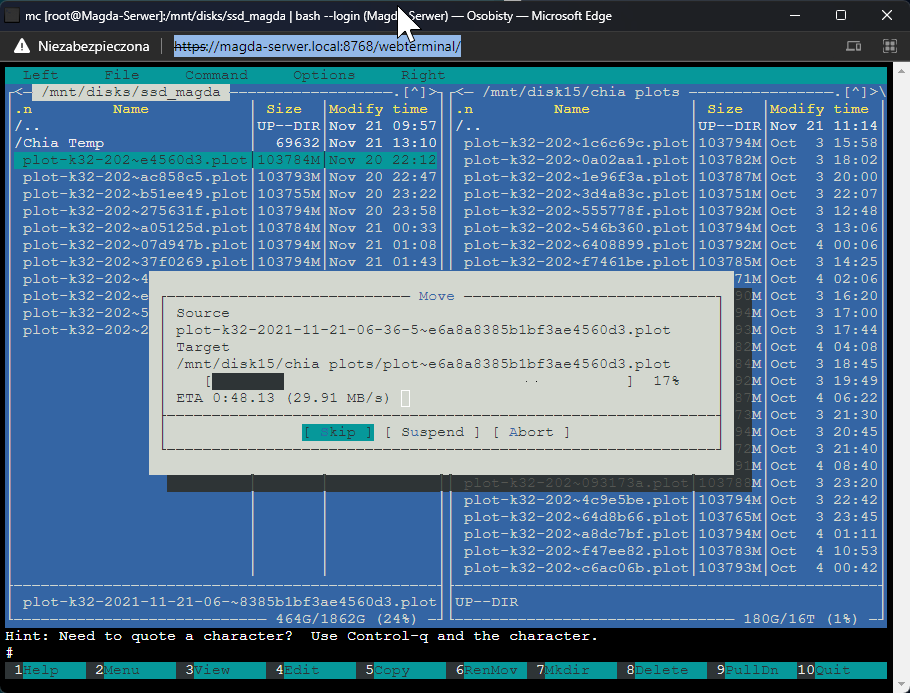
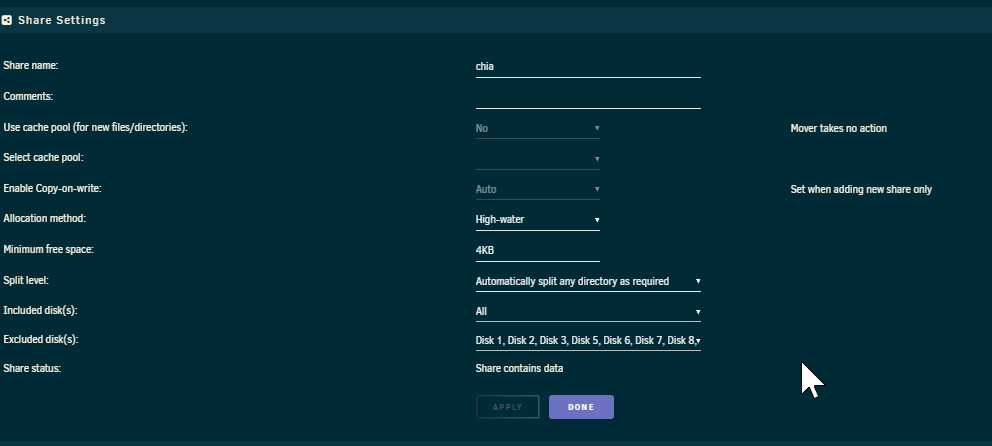 OK but i still got issue to move files i setup correct rights and still write to disk what full. RBK-serwer is lost web access can You tell me what to do to fix that or i can reinstall serwer but lost data?Copy files to HDD that do have not enough space? Sure that why setup mimimum left 108 GB and exclude full disk and unraid also dont know not copy to exclude or left minimum 108 GB and still try copy 100 gb file? What is idle time? When all server do nothing? Is server work 24/7 I create file 100 GB in 40 minute and copy it for "cache" Cache drive is 2 TB than i need to make 18 files to make disk full and in this time no even one file is coped? Than for what is cache to not use at all when serwer do nothing i dont inder stand that? Than how simple do make file copy to SDD when disk on SDD start move to unraid pool ? Serwer no copy files and transfer is 2 mb ?
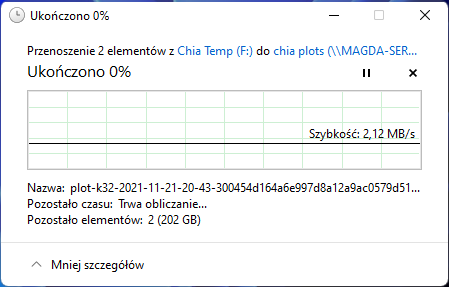 I'm a new uraid user use him for about 4 month Is file system server witch fail basic I need now of how to fix completely basic server think. 1. I got 28 Hdd and 2 Parity Why system copy files to HDD that do have not enough space? Try High Water, Fill Up, Most Free and the system still can copy files to HDD what have enough space? That can do even windows 98, Dos make message no space before copy!!! I even Exclude the disk and the system still try copy to HDD is not enough space. How to fix that to normal work? Second Issue file transfer is a joke !!! I got two unraid machine got 10 Gigabit network and transfer constantly drop to 25 MB/s even problem to copy for ssd got 1000 mb speed but very often got 30 mb/s only fix that restart unrad transfer back to 1000 mb random after hour some time day is drop to 20 or less and that is on two diferent unraid machine . Windows constat 600 + newer problem to transfer files. Cache and mover are so much disappointment. It just does not work at all. (I know is not move files what use like docker or VM if not disabled) I can use that for regular work copy files. I set up 2 TB for cache in basic (no extra addon ) setup move files every hour and the system do nothing to point I got full SSD. I try Mover tunning not help much setup threshold 5% 0% Setup scheduled cron file not moved at all even if disk SSD full. The system not move files at all for me and cache is useless if I cant use for simply to copy files I know maybe it can solve the issue but is just a basic thing and even I need to ask for system work in most simple think to make me disappointed. How to make this system to work normal? Is any way fix that?