





gambler32k
Members
-
Joined
-
Last visited
-
approx 30h
-
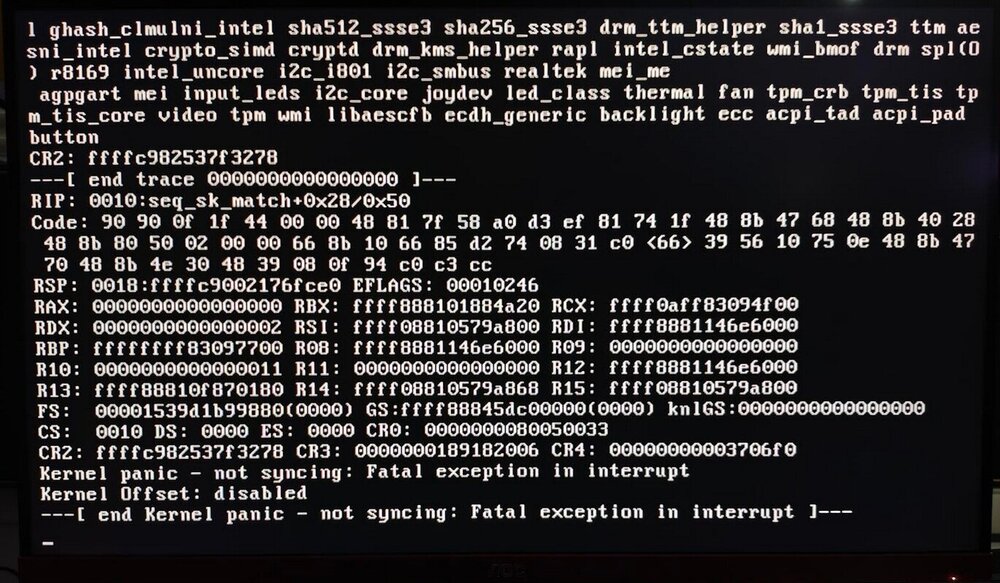
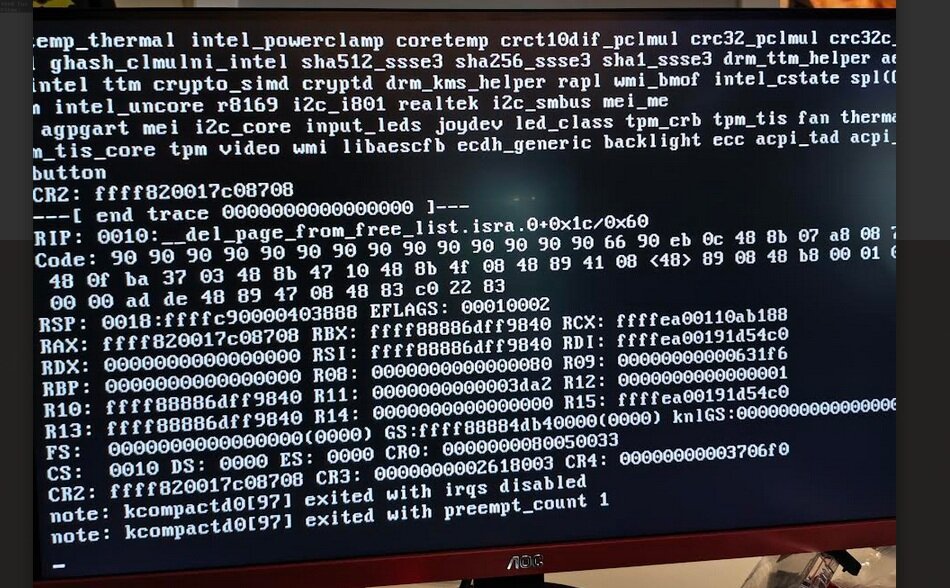
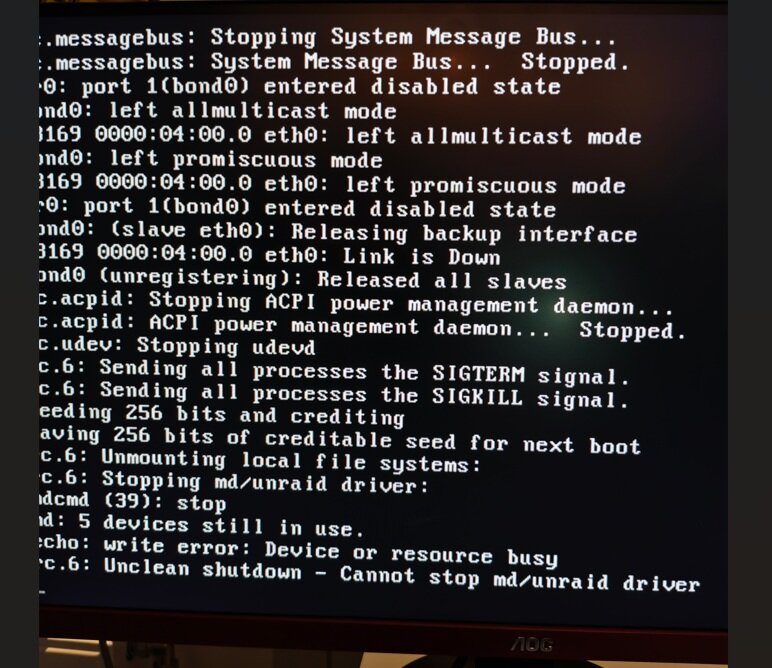
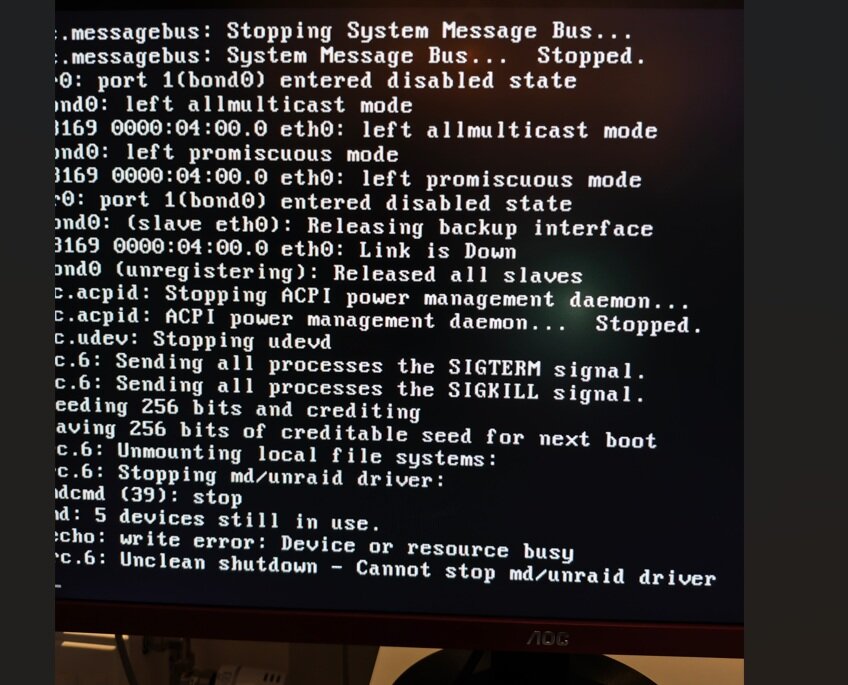
Hello! I’m having issues with my Unraid server hanging and becoming completely unresponsive. When this happens, it is unreachable via both SSH and the WebUI, forcing me to perform a hard reset using the physical power button. This occurs almost every day. What I have tried so far: Memtest: I have run Memtest multiple times, and it reports no errors with my RAM sticks. BIOS Tweaks: Based on advice from Google Gemini, I have disabled C-states and lowered the RAM speed (clock frequency) to improve stability. USB Flash Drive: I purchased a new high-quality USB stick (Samsung BAR) to rule out flash corruption, but the problem persists. Thermals: I have replaced the CPU thermal paste and tried running the server with a large external fan blowing directly into the case to rule out overheating. No luck. RAM Configuration: I normally run 4x8GB, but I have tested running only 2x8GB to see if a specific pair was the culprit. The crashes still occur with only 2 sticks installed. Docker Networking: I am already using ipvlan for my Docker containers. The server performs perfectly right up until the moment it suddenly "dies." I would appreciate any advice or tips on further troubleshooting steps to identify the root cause. System Hardware: Motherboard: Asus PRIME B360M-A CPU: Intel® Core™ i7-8700K @ 3.70GHz GPU: GeForce GTX 1060 6GB RAM: Currently 2x8GB (Corsair Vengeance LPX CMK16GX4M2B3000C15) The diagnostics zip file is NOT from a crash. but the other syslog files is from different crashes and the images i took right after the server crashed syslog.txt syslog2.txt syslog-previous.txt nassen-diagnostics-20260125-1547.zip
-
I guess it wasnt the only problem. I disabled docker under settings and tried to delete the docker img. Connected to the server with winSCP and the docker.img seems to be gone. Rebooted the server and then there it was again the docker.img. Started the docker service again and all the containers are there (they should not be there) Tried again by disable docker under settings, used the terminal and "rm docker.img" and then it says its in read only mode and cant delete it. Rebooted again and tried to delete it under settings. Now deletion thru the UI seems to work but it wont recreate a new docker.img i only get this Docker service failed to start. And the docker.img is gone from /mnt/user/system/docker/ Can this be somekind of permission issue? nassen-diagnostics-20231004-2001.zip

-
tyvm for that fast answer, it worked ❤️
-
So my docker containers started acting up and decided to delete the docker.img to try and start over and install prevoiuse apps. but now after reboot the cache is unmountable. Can someone give me a hint to what to do now? nassen-diagnostics-20231003-1937.zip

-
Used to use wireguard plugin on my unraid server to access LAN from my phone but recently switched to tailscale in docker on my opnsense box i recently purchased. Have that as a "exit" node i think its called and its working fine with my phone so i can close the portforward on the router. Now iam looking for a way to close my portforward(NPM) to my jellyfin and audiobookshelf that my family uses, Would be nice to get them to install tailscale on their devices and ONLY have access to the jellyfin and audiobookshelf docker on the unraid system. is that possible? And how exactly would i set this up? i read that tailscale have somwthing called ACL rules. Can someone who have this setup show me a example? Should i setup a new tailscale docker without exit node on the unraid docker system?
-
binhexqbittorrent with mullvad vpn is working fine for me.. always maxing my 500/500 connection when downloading linux ISO:s
-
Anyone elses Prometheus AdGuard Exporter plugin stopped working? i had everything setup and working for months but now nothing happends when pressing start button. Tried reinstalling the plugin with no luck.
-
Trying paperless for the first time. Everything seems to be working fine.. Tho its SUPER SLOW.. adding a pdf with 5 pages takes 30minutes.. any ideas why? i get this errors. [2022-10-27 12:32:55,440] [WARNING] [ocrmypdf._pipeline] page has no images - all vector content will be rasterized at 400 DPI, losing some resolution and likely increasing file size. Use --oversample to adjust the DPI. [2022-10-27 12:33:09,337] [WARNING] [ocrmypdf._pipeline] page has no images - all vector content will be rasterized at 400 DPI, losing some resolution and likely increasing file size. Use --oversample to adjust the DPI. [2022-10-27 12:33:38,938] [WARNING] [ocrmypdf._pipeline] page has no images - all vector content will be rasterized at 400 DPI, losing some resolution and likely increasing file size. Use --oversample to adjust the DPI. [2022-10-27 12:33:40,858] [WARNING] [ocrmypdf._pipeline] page has no images - all vector content will be rasterized at 400 DPI, losing some resolution and likely increasing file size. Use --oversample to adjust the DPI. [2022-10-27 12:34:11,364] [WARNING] [ocrmypdf._pipeline] page has no images - all vector content will be rasterized at 400 DPI, losing some resolution and likely increasing file size. Use --oversample to adjust the DPI. [2022-10-27 12:34:28,097] [WARNING] [ocrmypdf._pipeline] page has no images - all vector content will be rasterized at 400 DPI, losing some resolution and likely increasing file size. Use --oversample to adjust the DPI. [2022-10-27 12:35:04,921] [WARNING] [ocrmypdf._pipeline] page has no images - all vector content will be rasterized at 400 DPI, losing some resolution and likely increasing file size. Use --oversample to adjust the DPI. [2022-10-27 12:35:26,245] [WARNING] [ocrmypdf._pipeline] page has no images - all vector content will be rasterized at 400 DPI, losing some resolution and likely increasing file size. Use --oversample to adjust the DPI. [2022-10-27 12:35:50,141] [WARNING] [ocrmypdf._pipeline] page has no images - all vector content will be rasterized at 400 DPI, losing some resolution and likely increasing file size. Use --oversample to adjust the DPI. [2022-10-27 12:36:02,096] [WARNING] [ocrmypdf._pipeline] page has no images - all vector content will be rasterized at 400 DPI, losing some resolution and likely increasing file size. Use --oversample to adjust the DPI. [2022-10-27 12:36:33,746] [WARNING] [ocrmypdf._pipeline] page has no images - all vector content will be rasterized at 400 DPI, losing some resolution and likely increasing file size. Use --oversample to adjust the DPI. [2022-10-27 12:37:02,956] [WARNING] [ocrmypdf._pipeline] page has no images - all vector content will be rasterized at 400 DPI, losing some resolution and likely increasing file size. Use --oversample to adjust the DPI. [2022-10-27 12:37:24,657] [WARNING] [ocrmypdf._pipeline] page has no images - all vector content will be rasterized at 400 DPI, losing some resolution and likely increasing file size. Use --oversample to adjust the DPI. [2022-10-27 12:38:24,894] [WARNING] [ocrmypdf._pipeline] page has no images - all vector content will be rasterized at 400 DPI, losing some resolution and likely increasing file size. Use --oversample to adjust the DPI. [2022-10-27 12:38:44,121] [WARNING] [ocrmypdf._pipeline] page has no images - all vector content will be rasterized at 400 DPI, losing some resolution and likely increasing file size. Use --oversample to adjust the DPI. [2022-10-27 12:39:28,089] [WARNING] [ocrmypdf._pipeline] page has no images - all vector content will be rasterized at 400 DPI, losing some resolution and likely increasing file size. Use --oversample to adjust the DPI. [2022-10-27 12:39:34,188] [WARNING] [ocrmypdf._pipeline] page has no images - all vector content will be rasterized at 400 DPI, losing some resolution and likely increasing file size. Use --oversample to adjust the DPI. [2022-10-27 12:40:36,314] [WARNING] [ocrmypdf._pipeline] page has no images - all vector content will be rasterized at 400 DPI, losing some resolution and likely increasing file size. Use --oversample to adjust the DPI. [2022-10-27 12:40:48,926] [WARNING] [ocrmypdf._pipeline] page has no images - all vector content will be rasterized at 400 DPI, losing some resolution and likely increasing file size. Use --oversample to adjust the DPI. [2022-10-27 12:41:46,572] [WARNING] [ocrmypdf._pipeline] page has no images - all vector content will be rasterized at 400 DPI, losing some resolution and likely increasing file size. Use --oversample to adjust the DPI. [2022-10-27 12:42:02,799] [WARNING] [ocrmypdf._pipeline] page has no images - all vector content will be rasterized at 400 DPI, losing some resolution and likely increasing file size. Use --oversample to adjust the DPI. [2022-10-27 12:42:15,957] [WARNING] [ocrmypdf._pipeline] page has no images - all vector content will be rasterized at 400 DPI, losing some resolution and likely increasing file size. Use --oversample to adjust the DPI. 12:42:20 [Q] INFO Enqueued 9 12:42:20 [Q] INFO Process-1 created a task from schedule [Train the classifier] 12:42:20 [Q] INFO Enqueued 10 12:42:20 [Q] INFO Process-1 created a task from schedule [Check all e-mail accounts] [2022-10-27 12:42:40,081] [WARNING] [ocrmypdf._pipeline] page has no images - all vector content will be rasterized at 400 DPI, losing some resolution and likely increasing file size. Use --oversample to adjust the DPI. [2022-10-27 12:43:09,270] [WARNING] [ocrmypdf._pipeline] page has no images - all vector content will be rasterized at 400 DPI, losing some resolution and likely increasing file size. Use --oversample to adjust the DPI. [2022-10-27 12:43:23,718] [WARNING] [ocrmypdf._pipeline] page has no images - all vector content will be rasterized at 400 DPI, losing some resolution and likely increasing file size. Use --oversample to adjust the DPI.



