





Corneloues
Members
-
Joined
-
Last visited
Everything posted by Corneloues
-
Hey all, After a break and after several attempts to get @realies soulseek container working, I'm gonna give it another go. Does anyone have a working Docker config they could screenshot for me so that I can make sure I have the right parameters set. TIA, Roy
-
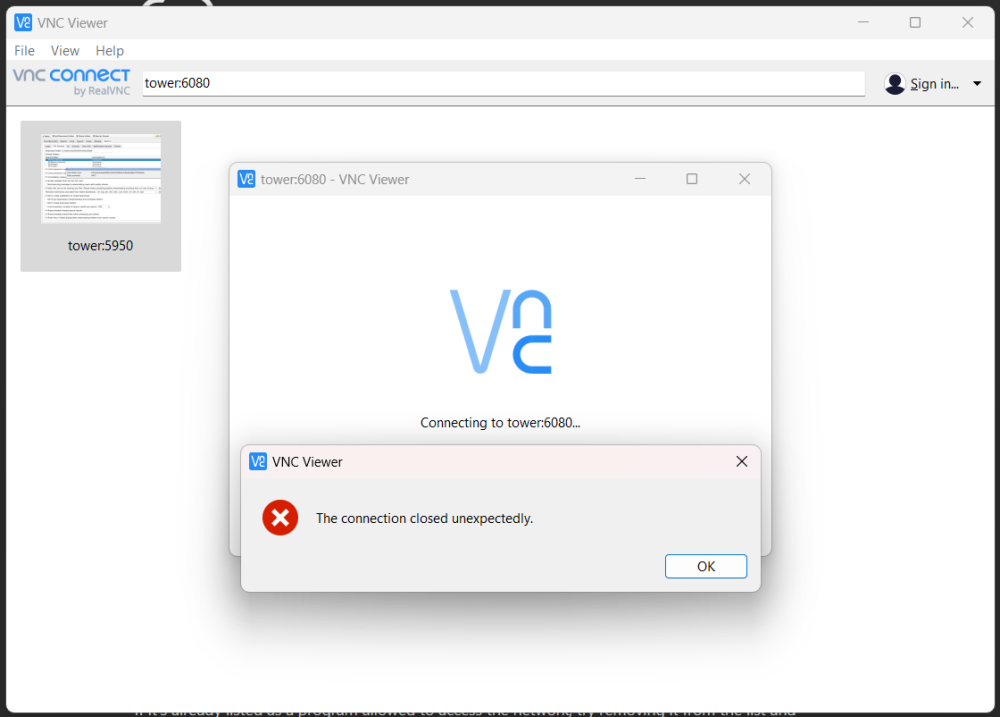
@realies sorry to be a PITA... I've tried everything. Deleted, cleared and otherwise. I've deleted the template and started over. Exactly as in the xml posted above. I've checked the logs and all I see is: 2023-03-21 07:42:05,226 INFO Set uid to user 0 succeeded 2023-03-21 07:42:05,229 INFO supervisord started with pid 1 2023-03-21 07:42:06,231 INFO spawned: 'tigervnc' with pid 11 2023-03-21 07:42:06,233 INFO spawned: 'openbox' with pid 12 2023-03-21 07:42:06,234 INFO spawned: 'novnc' with pid 13 2023-03-21 07:42:06,236 INFO spawned: 'soulseek' with pid 14 2023-03-21 07:42:07,441 INFO success: tigervnc entered RUNNING state, process has stayed up for > than 1 seconds (startsecs) 2023-03-21 07:42:07,441 INFO success: openbox entered RUNNING state, process has stayed up for > than 1 seconds (startsecs) 2023-03-21 07:42:07,441 INFO success: novnc entered RUNNING state, process has stayed up for > than 1 seconds (startsecs) 2023-03-21 07:42:07,441 INFO success: soulseek entered RUNNING state, process has stayed up for > than 1 seconds (startsecs) I can't get NoVNC or any other VNC client to connect. I'm out of ideas...
-
@realies Everything else I have on my server has any issues. But there is something I'm obviously doing wrong here. The container starts but I cannot VNC in to if in any way whatsoever... I've attached my docker template lifted straight from my server. Hoping you can spot my mistakes... my-Soulseek.xml
-
Browser cache? Locally? Every other container I have has no issues with noVNC. I'll try a clear for everything from my server and will try a new container
-
Echo everything @JamieV says here. Complexity rules do not improve security and if using MFA have even less impact. Complexity rules simply force people to use pattern based passwords which make it easier for them to be discovered by bots. 3 random words (not what3words) are far more effective. That said, any plans to implement passkeys?
-
@realies I've had your container working, but since the latest update, I can't get any VNC connection. I've never had noVNC working, but using TigerVNC on my local machine or VNC Viewer on my Android devices worked a treat. Can you/anyone see anything wrong/missing here? docker run -d --name='Soulseek' --net='bridge' --cpuset-cpus='1,3' -e TZ="Europe/London" -e HOST_OS="Unraid" -e HOST_HOSTNAME="Tower" -e HOST_CONTAINERNAME="Soulseek" -l net.unraid.docker.managed=dockerman -l net.unraid.docker.webui='https://[IP]:[PORT:6080]/' -l net.unraid.docker.icon='http://www.slsknet.org/news/sites/default/files/slsk_bird.jpg' -p '6080:6080/tcp' -v '/mnt/user/appdata/soulseek/':'/data/.SoulseekQt':'rw' -v '/mnt/user/appdata/soulseek/chatlogs/':'/data/Soulseek Chat Logs':'rw' -v '/mnt/user/Media/Downloads/Soulseek/Config/':'/home/Soulseek/Config/':'rw' -v '/mnt/user/Media/Downloads/Soulseek/':'/home/Soulseek/Downloads':'rw' -v '/mnt/user/Media/':'/home/Soulseek/Media/':'ro' 'realies/soulseek'
-
I'm back up and running
-
Perfect - thank you...
-
So the drive didn't come back up so I used the new drive I created and transferred the key. But now I'm struggling to restore the backup I created. The backup is a .zip file and I know I created it from the GUI, but have no idea what to do next. I've tried searching the docs but really don't know what to do.
-
Can I clear the log? The USB issue is due the change in how Unraid handles serial USB devices. I need to resolve that too. Then this issue will go away
-
I've built a brand new flash drive just in case. I did take a backup just last week before I purchased a Pro licence. I've also taken a screenshot of my Array Devices just in case. I cannot see my Home Assistant VM - but it is running and has updated just today I cannot see my Plex server - which is running, although my media is on my NAS (//Storage) I cannot see my Windows VM - but that currently isn't running Thanks in advance, Roy
-
tower-diagnostics-20221009-2258.zip
-
I'm getting this error when trying to access the syslog. Allowed memory size of 134217728 bytes exhausted (tried to allocate 4096 bytes) in /usr/local/emhttp/plugins/dynamix/include/Syslog.php


