





Odon
Members
-
Joined
-
Last visited
-
Hi, Make sure this isn't the same thing that happened to me the other day. Odón
-
Hi Pujitm, I'll give you a little update on the solution: 1. Uninstall Unraid Connect. 2. Uninstall Theme Engine. 3. Install Unraid Connect. 4. Install Theme Engine. Following that order, Theme Engine will work again and Unraid Connect will be in its latest version. The option to revert would be fantastic, just like we have when we update Unraid Core. If something goes wrong, please let me go back to the previous state so as not to destroy my system. In this case, it's an issue and it's aesthetic, but in other updates it may be more of a compromise for those of us who have our Unraid system as the head of our production environment for "documentaries about killer ants and super-fast turtles", always recorded with our 8K camera, of course. Thanks for your time. Odon
-
Here, the one who may have problems from April 1, 2025 is on the one hand the one who messes around a lot with docker and those 10 pulls are eaten in nothing or the one who has many dockers and many automated updates, we are already facing a person who knows what a docker login is, in that case until there is a solution in the web interface by unraid the best solution is: 1. Go to your dockerhub account and in Account Settings -> Personal access tokens and generate a new token without expiration date and with read-only access (to mitigate problems). 2. Once the previous step is done, follow the instructions that it gives us, which is basically in the unraid terminal: docker login -u <user_dockerhub> And in password the generated token. Ready, you already have 100 pulls/h.
-
It is a simple solution, in the next version of unraid we will incorporate in the docker tab an option to enter dockerhub as anonymous (like now) or by entering your credentials, with that you go from 10 requests per hour to 40 per hour.
-
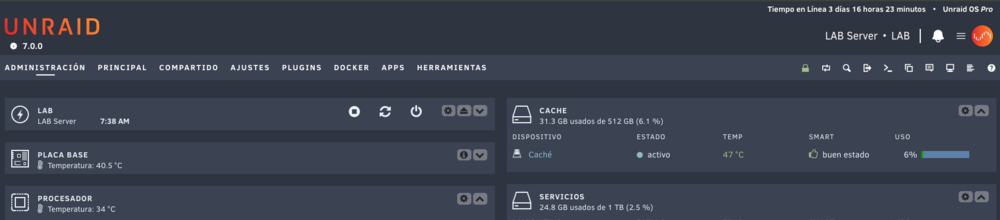
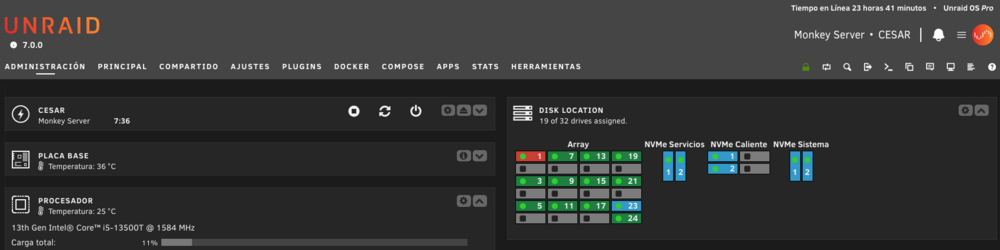
Gentlemen of Unraid. What is the connection between updating Unraid Connect to version 2025.02.20.1632 today and completely breaking my theme? And isn't that the case, is it that the Theme Engine plugin stops working completely. I've spent many hours setting up the system to my liking, and with each update I'm surprised? It would be good at the plugin level if you controlled a roll-back for these situations, because it's scary to update the plugin on other systems and break it aesthetically. Any solution? Thanks, Odon
-
Hi friend, You have the option to put the following at the end of your custom CSS code from the Theme Engine Plugin: .red-text { color: var(--base07) !important;; } That --base07 corresponds to some of the colors you have above, if you want your custom color pass the color, for example: .red-text { color: #a3be8c !important;; } I hope it helps.
-
Thanks for your modifications, I'm including them in my main theme and uploading them to github in case anyone wants the same theme already built. Odón https://github.com/unraiders/unraid-theme/
-
I use one that I customized myself, I attach the complete zip file in case you are interested, you can import it from the top with the "Import Zip" option, if you do not want to install it look inside it is just a .css and a cfg. that the plugin uses. Odón. QUAD-black.zip
-
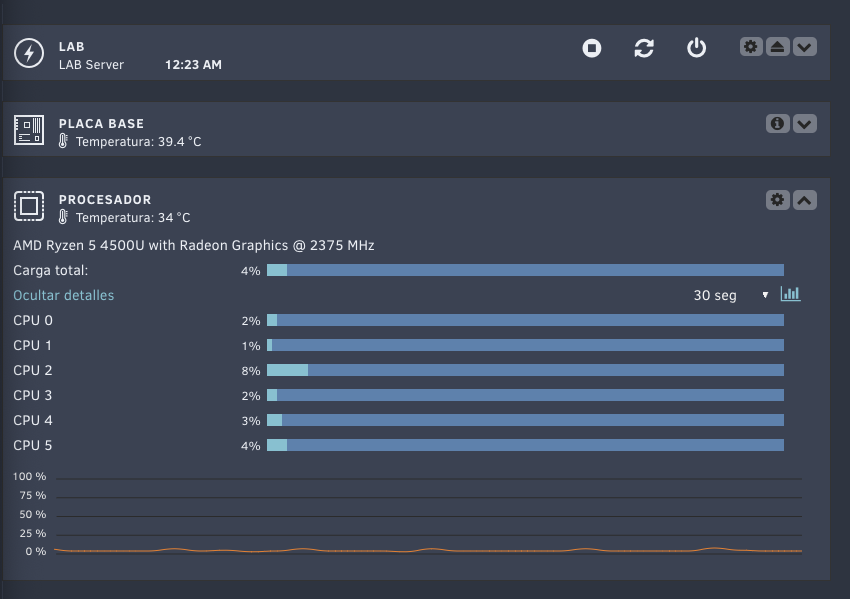
Last modification within the CPU colors, I think it looks better. I leave it here in case anyone else is interested. Odón /* "cpu_open" (inside the cpu cores) */ .cpu_open { background-color: #3b4252 !important; }
-
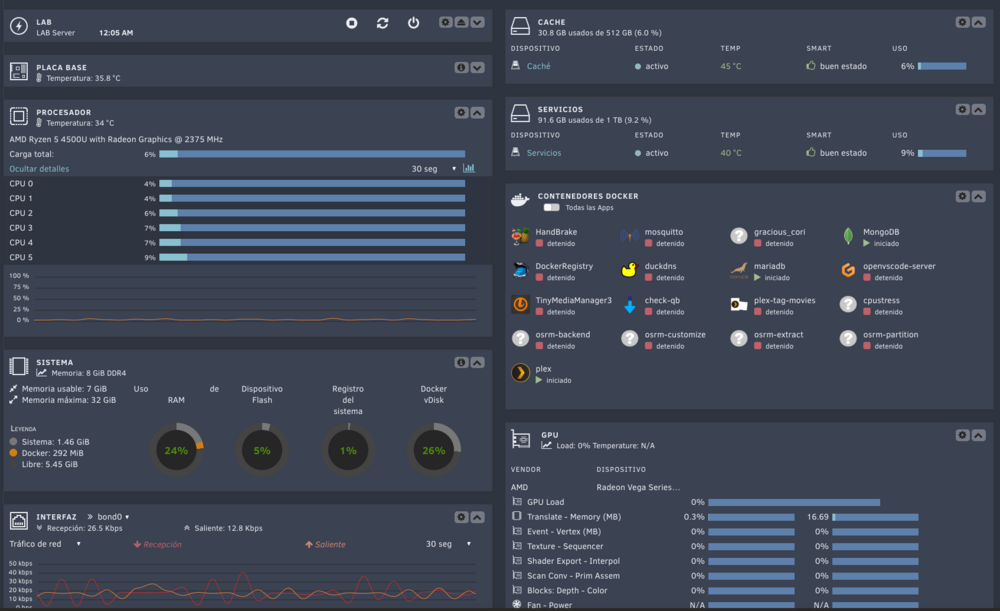
Oh great, I also added this so that the inside of the Docker container would come out well. Thank you very much for seeing the light. Odón /* "outer" (inside dockers containers in dash) */ .outer { background-color: #3b4252 !important; }
-
Odon changed their profile photo
-
They know it and they pass, we agree that nobody should maintain anything if they don't want to but at least a "sorry guys, I'm not going to maintain it" but it doesn't seem like it either, so those of us who have the plugin installed can look for alternatives.
-
You've already heard this before, are you going to share how you did it? Or is it just to show that it can be done? Thanks
-
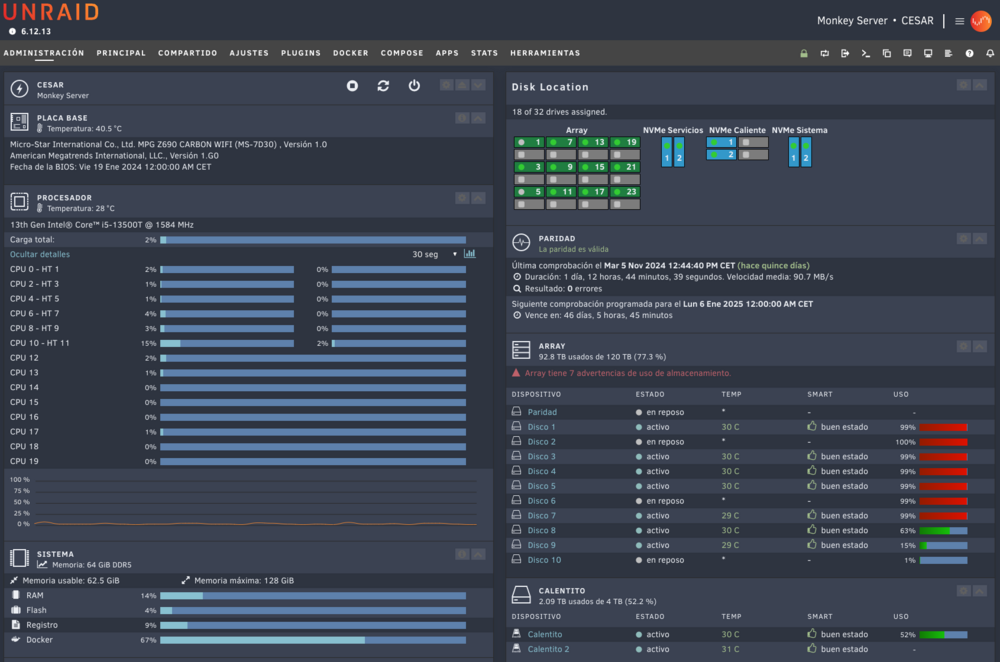
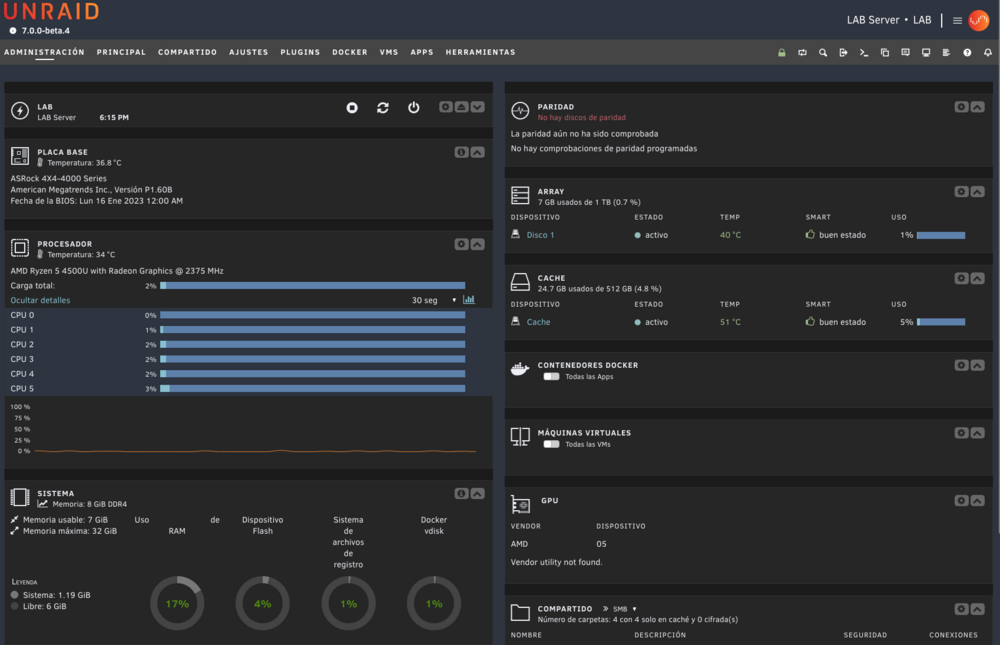
Thank you for your reply, I am attaching 2 images so you can see the difference with the plugin with the same options and colors from 6.12.13 to 7.0.0-beta.4. Do you think we can have an easy solution? PD: Only in administration page, the others pages the view is OK. Thank you Odón
-
Hi, do you plan to continue developing the plugin? In 7.0.0-beta.2 there are some bugs, I imagine they have changed and the css would have to be modified. Thanks,
-
Hello colleagues, First of all, thank you developers, without you this would not be possible. There is some possibility that in a future version within the options "Script to run before move" and "Script to run after move" it will be possible to pass a script with parameters like /appdata/loquesea/mibonitoscript.sh --option "pepe". This is very useful if you want to make the most of the function's options, otherwise you have to have a script with each option. PS: maybe I've missed something and if you can pass a script with parameters. Thank you, Odon





