





Max85
Members
-
Joined
-
Last visited
-
I don't know how this is managed (maybe i read something wrong as english is not my native langage) but the easiest for me was to add a Prerolls folder to Rollerblades and Plex (the same), so the path send to Plex match. Works really great

-
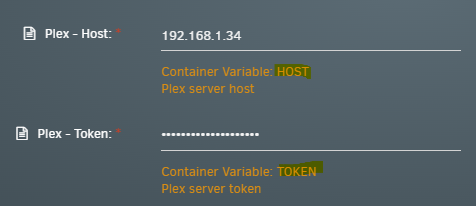
Hi, For info, the 2 variables in your Rollerblades template are incorrect. You should remove PLEX_ on both like in the docker compose of https://github.com/jcostom/rollerblades Many thanks for posting this by the way !
-
I'm trying to make something like the one present... first fork, first markdown file... Edit : Has the file been deleted ? Don't see it anymore.
-
If it can help. This is what i have done. The post of DebrodeD is mostly the same. - Install Redis (fill the RedisPassword field and don't put any @ sign) - Install PostgreSQL (i took the latest v17) - As you have PostgreSQL-immich like me, don't forgot to change the port to 5433 for example I had to set up a password for the default account 'postgres' to make it works. Open the console of the docker and type this : su - postgres psql ALTER USER postgres PASSWORD 'THE_FAMOUS_STRONG_DB_PASSWORD'; (don't put any @ sign) - Install Docmost Change the storage to : /mnt/user/appdata/docmost/data Application URL: I put the local IP of unRaid for now but you can put the futur nginx URL i guess Application Secret: Generate a 32 lenght password and put it here Database URL: postgresql://postgres:THE_FAMOUS_STRONG_DB_PASSWORD@LOCAL_IP_UNRAID:5433/postgres?schema=public Redis URL: redis://:RedisPassword @LOCAL_IP_UNRAID:6379 WebUI: Change the port is already taken Hope i didn't forgot anything... The log is VERY helpfull for any issues. When Docmost start, it sends me to https://LOCAL_IP_UNRAID:3000/, i had to change to http://LOCAL_IP_UNRAID:3000/ Also have the picture upload failing, didn't do any chmod yet.
-
Hi, When i update to 6.12, my VM with DSM 6 died ... so i tried to go on DSM 7 with ARPL then ARC but i got a strange issue (same on both), everything is fine until it needs to format the disk when installation DSM, and it fails at 0%, i cannot do anything esle. Controller is set to 1. <devices> <emulator>/usr/local/sbin/qemu</emulator> <disk type='file' device='disk'> <driver name='qemu' type='raw' cache='writeback'/> <source file='/mnt/user/domains/DSM7/arc.img' index='2'/> <backingStore/> <target dev='hdc' bus='usb'/> <serial>vdisk1</serial> <boot order='1'/> <alias name='usb-disk2'/> <address type='usb' bus='0' port='1'/> </disk> <disk type='file' device='disk'> <driver name='qemu' type='raw' cache='writeback'/> <source file='/mnt/user/domains/DSM7/vdisk2.img' index='1'/> <backingStore/> <target dev='hdd' bus='sata'/> <serial>vdisk2</serial> <alias name='sata1-0-3'/> <address type='drive' controller='1' bus='0' target='0' unit='3'/> </disk> Does anybody already seen this ? Thanks.
-
Hi, i have the same issue as you today (i'm using it since 2 month without any issue), it works great in incognito mode for few minutes and then same as the default mode if i refresh for example, i will try to wait like you maybe. Clear didn't help too. In addition, i tried to update it to the latest version (using the web UI on port 43210) but it seems to fail. Issue to delete an icon and to copy the new one. terminate called after throwing an instance of 'boost::process::process_error' what(): execve failed: No such file or directory [cbbLocalManagement] starting... [ CBB ] [ 1 ] Icon file not exist, path: /opt/local/CloudBerry Backup/share/webAccess/img/MainIcon.ico error: No such file or directory [ CBB ] [ 1 ] Error on copy new icon file: /opt/local/CloudBerry Backup/share/images/MainIcon.ico to: /opt/local/CloudBerry Backup/share/webAccess/img/MainIcon.ico Permission denied PS : i have updated Unraid to 6.10 also
