





calagan57
Members
-
Joined
-
Last visited
-
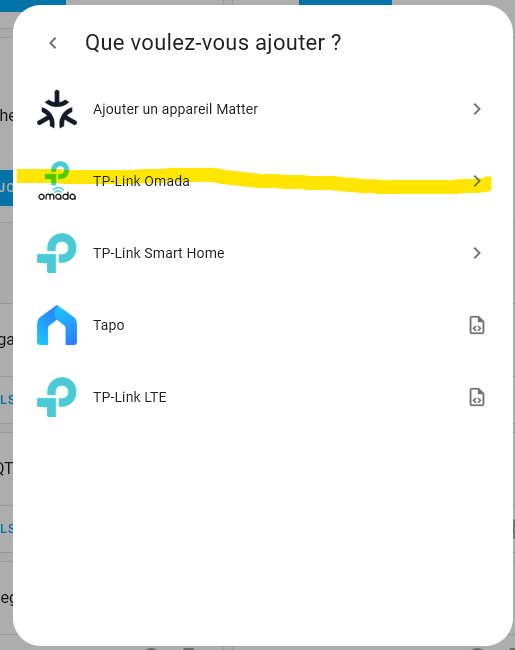
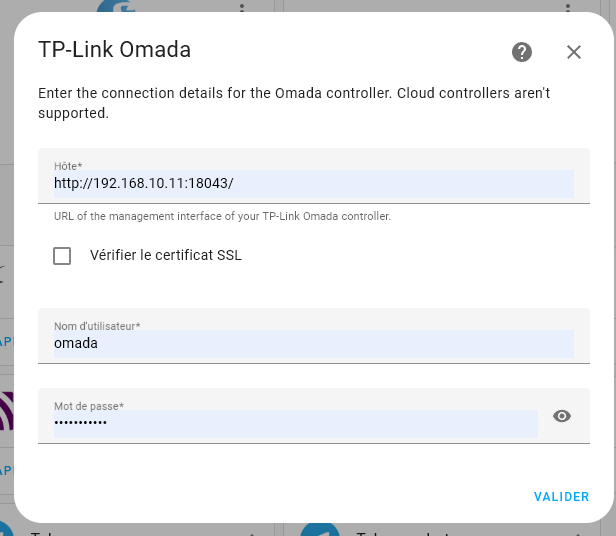
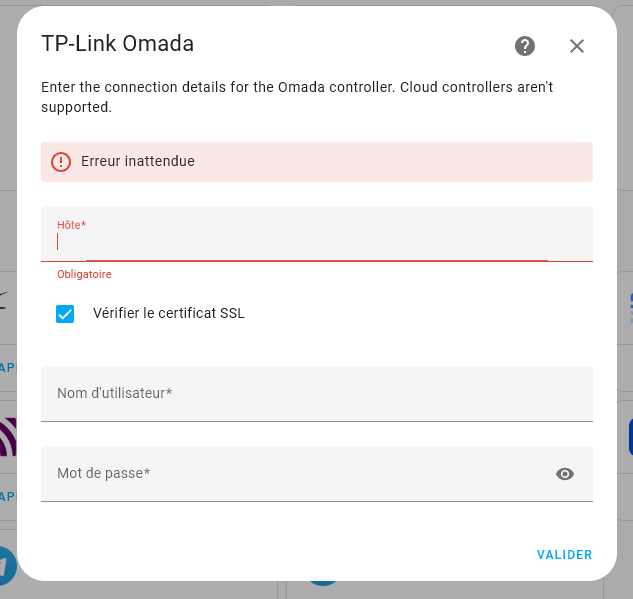
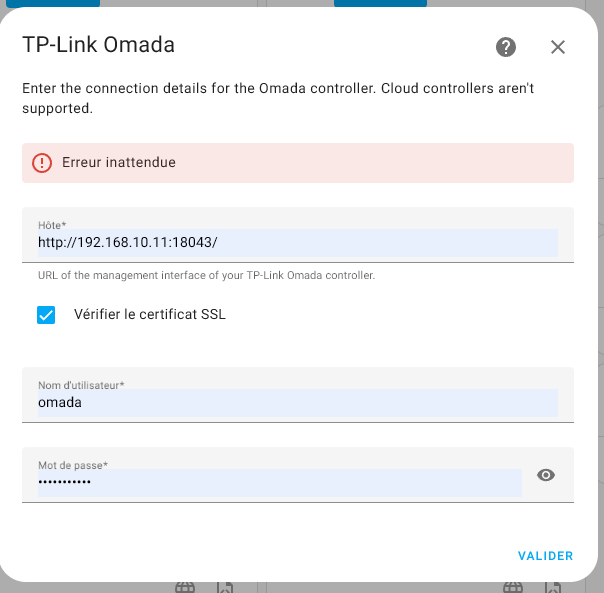
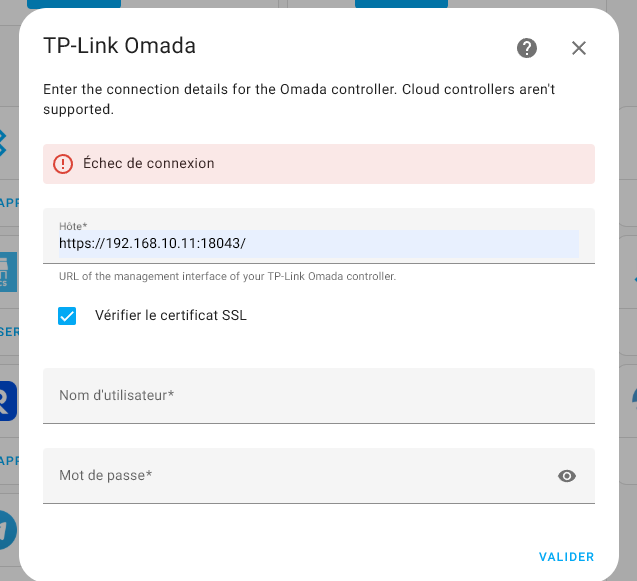
Thank you! I made this : I have tried many choice (with or not https,...) but I still have error (uncheck box appaer again with the error: But I have an error https when I'm connect to omada with browser like this: Can I desactivate https on unraid/omada or configure https ? Thank you!

-
Hello! sorry for my bad english... I have omada controller docker work well on UNraid Now I'm trying to integrate omada to Home assistant. But whend I configure acces I have some error connection. My user/pwd are ok Is it possible it's a problem with https ? Because when I'm connect via chrome https not working: Any idea? Thank you!

-
It's work well now, thank you very much! 😉
-
voilà ! 😊
-
Sorry, shame on me 🫤 Hello! Thank you 😊
-
Thank you for your time It's not good 😅
-
Hello à tous! Je suis dans une misère sans nom avec mon UNRAID qui fonctionnait très bien depuis 2022 😓 Ma Flash USB est morte et je n'avais pas fait de backup 😓 . J'ai installé une nouvelle clef avec la version 7 d'unraid (j'étais encore à la 6.***) et mis ma pro.key. Ca a fonctionné SAUF 2 choses: - le système de MOVE a du changé car mon cache reste plein 😓 . J'ai bien essayé de changer les paramètre storage de dossiers en "primary>cache" et "secondary>array" mais chaque fois que j'appuie sur Apply ça revient à la configuration "array only" - et surtout pour une raison inconnue j'avais le sablier en continue sur la page "docker" d'unraid... Même après reboot... J'ai suivi les recommmandations sur le net de supprimer le fichier docker.img. La page docker se charge bien sans le sablier mais déjà j'ai perdu tous mes docker mais en plus si j'essaye une nouvelle installation depuis la section apps ça me renvoie vers une page "add container" mais je ne peux sélectionner rien du tout (le menu select template est vide) une idée? J'suis prêt à donner des €€ pour une prise à distance 😅 Merci à vous! 😉 serveur2022-diagnostics-20250115-1335.zip
-
Sorry, Voilà ! serveur2022-diagnostics-20250115-1335.zip
-
Hi! first sorry for my bad english.... I have a problem with mover . My cache disk is full and the mover don't work. Cache disk is for downloading and make MKV. I'm trying to configure files "dowload" primary to cache and secondary to array but when I click "apply" it stay to array only: How to "force" primary and secondary storage for files? Thank you
-
Hello! sorry for my bad english. I just installed shinobi on unraid with 2 RLC-410 5MP reolink camera. it work fine 😊 But I can't find "global detection setting" on edit camera: On spaceinvader video "global detection settings" appears...: How can I activate detection? Thank you in advance 😊 Edit : ok It's vey simpply.. juste pass simple to advanced view... shame on me 😅
-
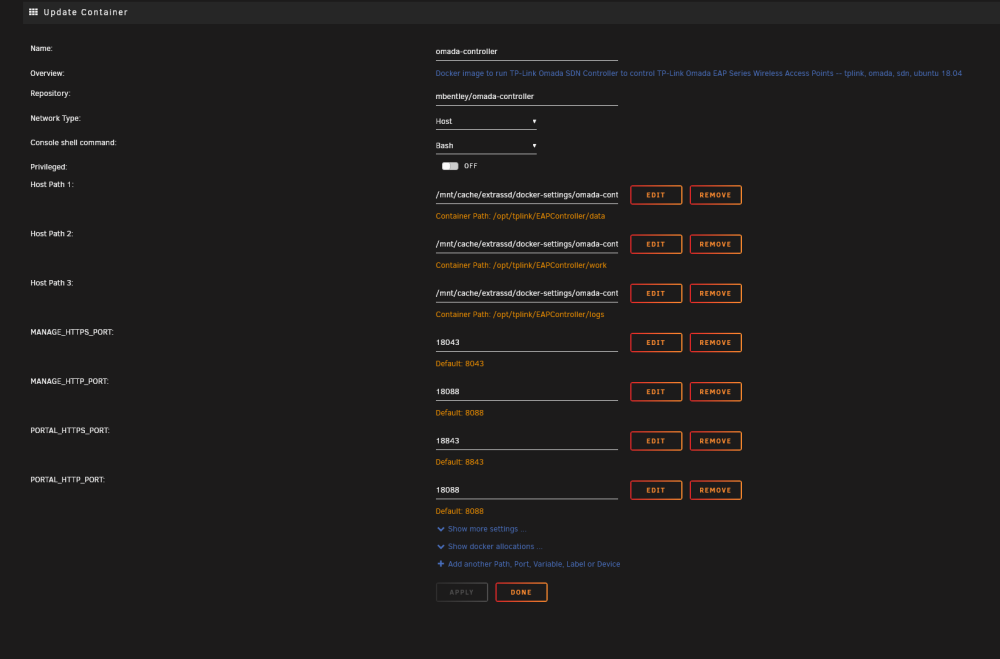
Hello! (sorry for my bad english) I Have a trouble with OMADA controller. It's installed on cache disk : But I have constant read HDD activity when OMADA is open... The open file plugin indicate omada "may prevent shutdown" ... I don't understand why: Thank you in davance
-
Hi! Thank you for your reply. 😉 Everything is on disk share. I don't have disk cache. I actually had one but I already had this problem... so I removed it from the array. I can put the disk cache back but how should I configure the dockers (sabnzbd, jdowloader...) to use the cache correctly? thank you in advance. Edit : I will try to do this 😉 : https://wiki.unraid.net/Cache_disk#Adding_a_cache_disk_to_the_array
-
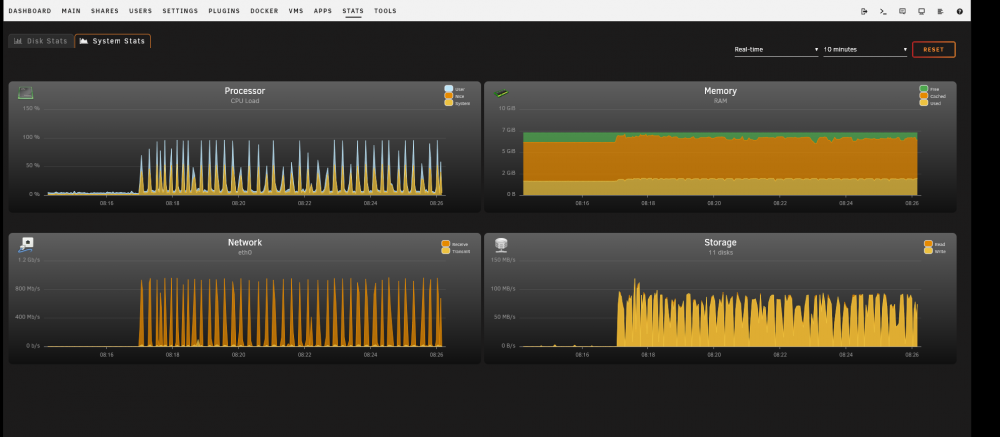
Hi everyone! First sorry for my bad english 🤔 Since the installation of unraid on my config which had xpenology before (same hardware) I have big trouble with my download speed... The dowload with sabnzbd or jdownload constantly varies between the max speed of my internet connection and zero value. .. I don't understand why because with xpenology it was downloading all the time. I noticed that my cpu usage also varied.... I have no ssd cache but even with I have that the same problem... You have an idea? Thank you in advance! 😉 serveur2022-diagnostics-20220324-0828.zip
-
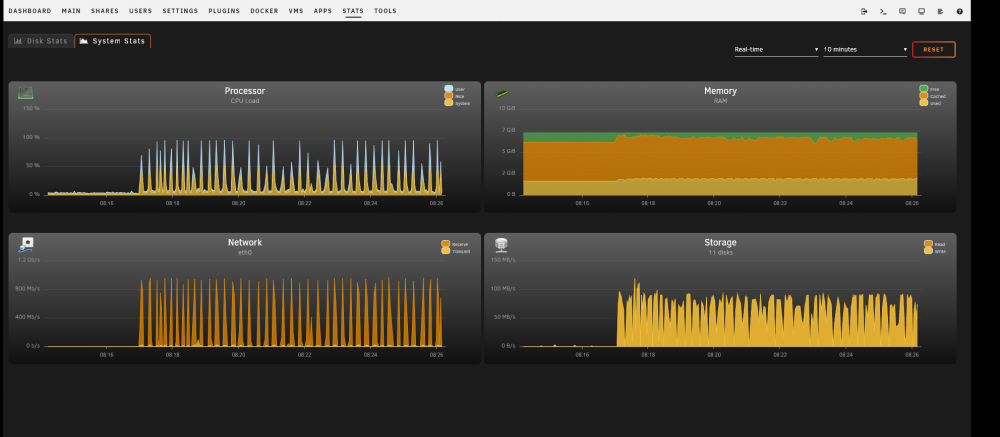
Bonjour à tous ! Désolé encore d'animer le sujet avec mes soucis 🤔 Depuis le début de la mise en place de mon serveur unraid j'ai les téléchargements depuis internet lent ou plutôt en dent de scie...Que ce soit avec sbanzbd ou jdownloader... J'alterne entre la vitesse max de mon abonnement (1Gbit/sec) et proche de 0kb/sec... La preuve en image : Le truc bizarre c'est que quand mon DL est au max, mon cpu est à 100% ... on dirat que ça sature mon CPU... Les disques eux sont à ~100MB/s et ensuite ça descend... La je fonctionne sans cache disque (SSD) mais avec c'était pareil ... donc pas une histoire de cache Merci d'avance pour votre aide 😉 serveur2022-diagnostics-20220324-0828.zip
-
Hello! Désolé je pensais avoir répondu ... 😑 MERCI pour la réponse 😉 Alors effectivement il fallait: - mettre stop les docker - tous les shares en "NO" - Move - Unbalance pour vider le reste du cache (MOVE ne transfert pas tout ☹️) - vérifier chaque répertoire du cache qu'ils sont bien vides (effectivement les dossiers restent...) Voili voilou Bon maintenant faut que je toruve pourquoi j'ai des taux de Download rachitique (30MBits/s) alors que j'ai une connexion 1GB/s et qu'avec mon ancien xpenology (avec le même hardware qu'unraid) j'avais du 100MBits/s 😔 Et c'est pas du au cache que j'ai retiré car j'avais le même résultat avec 😥



