





nasieo
Members
-
Joined
-
Last visited
Everything posted by nasieo
-
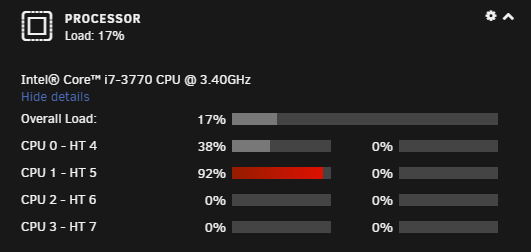
UPDATE I may have found a fix for this issue. https://askubuntu.com/questions/176565/why-does-kworker-cpu-usage-get-so-high I followed the steps in the about link and my CPU usage went to 0-1% at idle as it should. Mine was gpe08. I'm going to add the fix to the 'GO' file. I'll report back if I see any other issues that come from this fix.
-
Hi, I am seeing this issue too, and I've trying to pin down the issue. I've gone as far as disconnecting all drives, fresh reboot, array stopped, in 'No Plug-In Safe Mode' and the issue is still there. I'm on 6.8.3
.png.753915a5e0cfbd2527d953f6e622745b.png)
-
I know screen is included, but any chance for tmux?
.png.753915a5e0cfbd2527d953f6e622745b.png)