BeliefanX
Members
-
Joined
-
Last visited
-
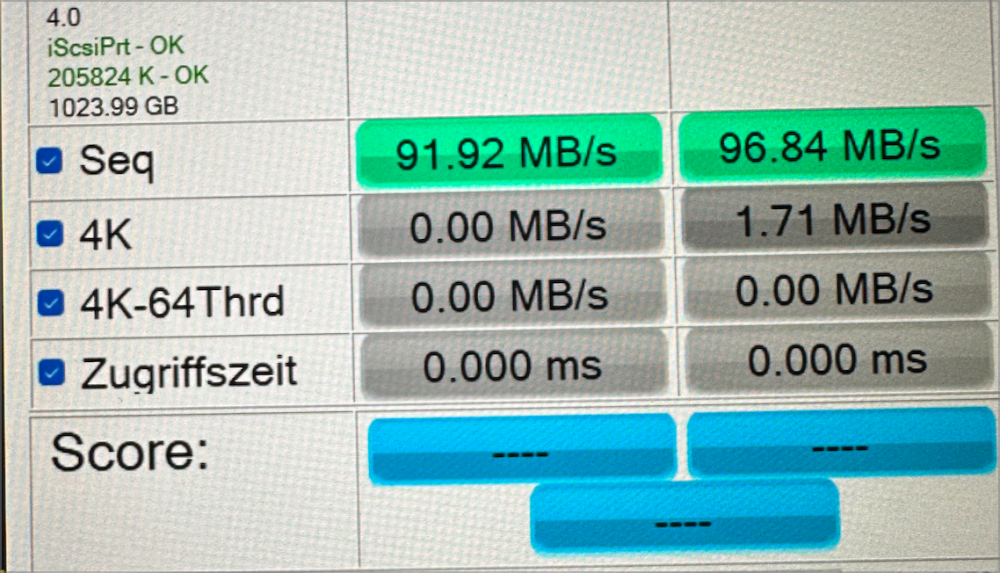
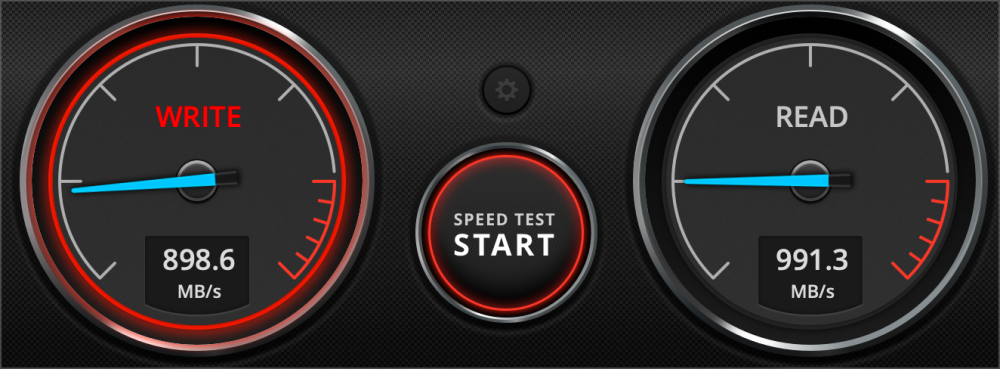
I have the same issue under Windows, and I've tried all other settings, but it's still not working. However, under the same network conditions, the SMB protocol can reach 900MB/s.
-
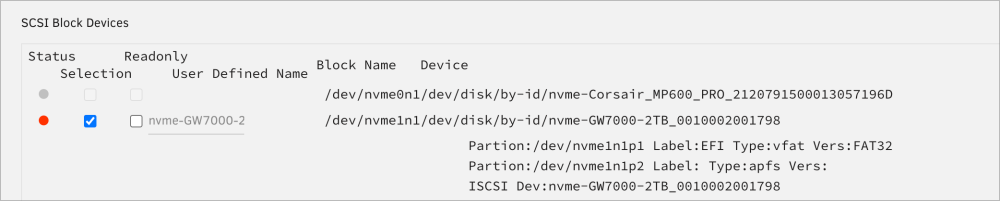
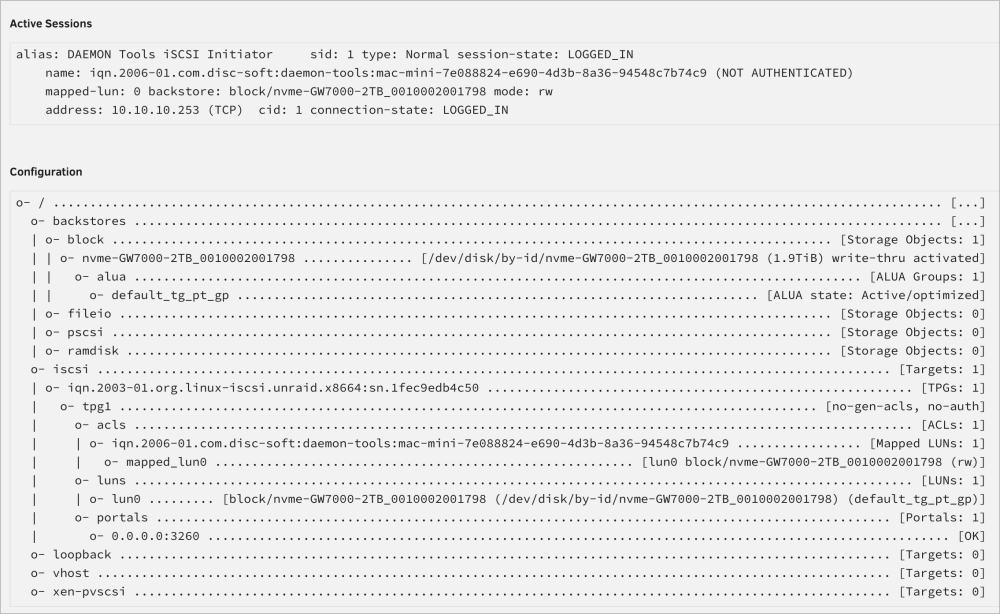
Here are my diagnostics, along with some screenshots of my settings. unraid-diagnostics-20230622-2316.zip
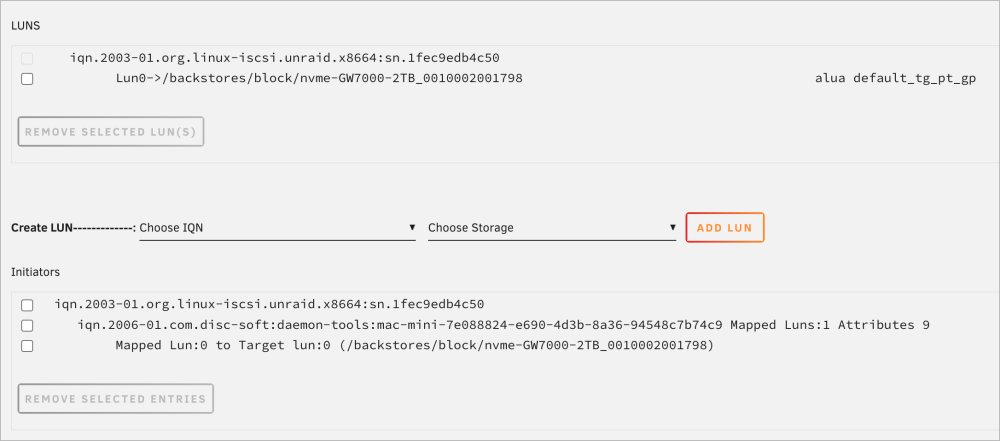
-
I've added a standalone NVMe solid-state drive to my NAS, which has a speed of 7GB/s. However, after connecting to iSCSI, the speed is still very slow. Here are my diagnostics, could you please help me figure out where the problem lies?
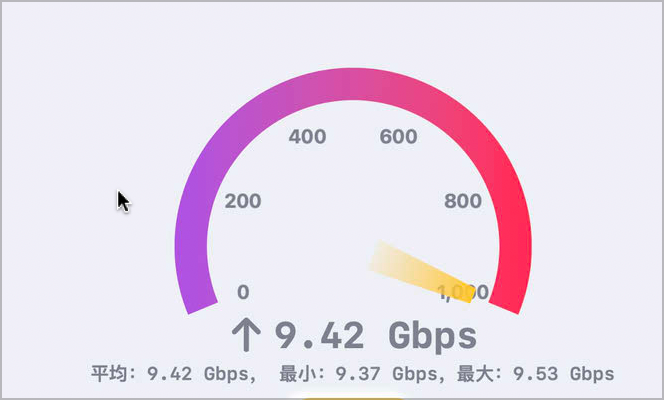
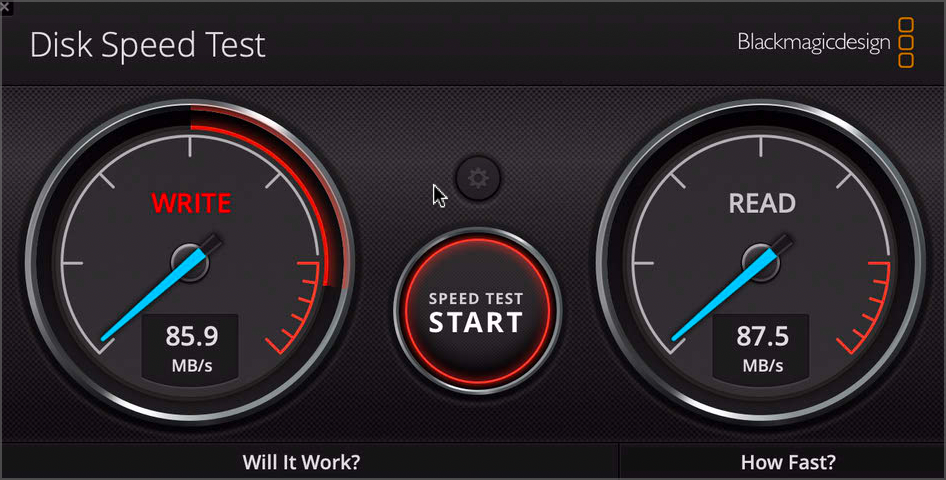
-
I'll try the whole disk (block device) for iSCSI later.
-
Regarding Diagnostics do you mean the screenshot, or the full Diagnostics.zip file downloaded from the Unraid system?
-
You mean instead of using FileIO, you want to use the Devices page to design the storage source? Here is my Diagnostics. iscsi-target.txt
-
This is the speed of my SMB protocol
-
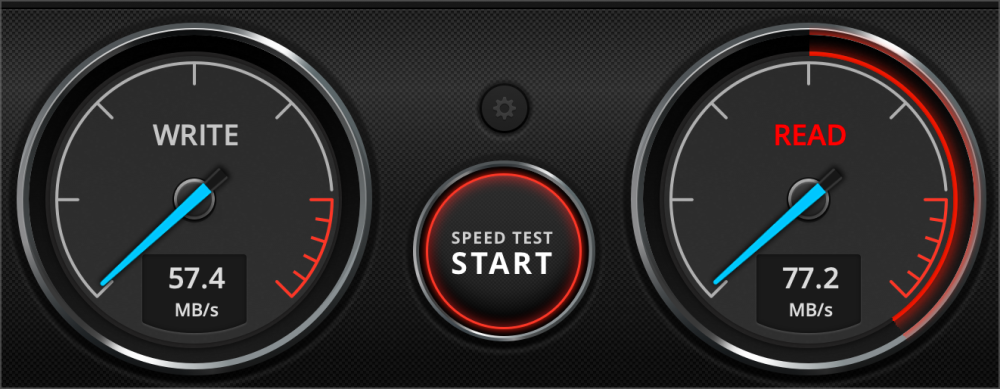
I'm connecting to ISCSI on Unraid through my mac mini, my internal network is 10Gb, I also set write back in iscsi to true, but my hard drive speed is only 60MB/s. I can reach 940MB/s with SMB connection in the same network and hard drive environment, I've been troubleshooting all morning but I can't find out what the problem is, please! Please help me.