sethwv
Members
-
Joined
-
Last visited
-
Darn! Live and learn! Just to confirm, your defaults were to C-States OFF? Or ON? Because DISABLING them outright is what (seemingly) solved my issue here.
-
We've topped 24h of uptime, I'm going to go ahead and say it was the C-states stuff causing the issue out of nowhere. Confusing considering the machine has been running for the better part of a year without this happening, but I'll take it! Thank you both for your time!
-
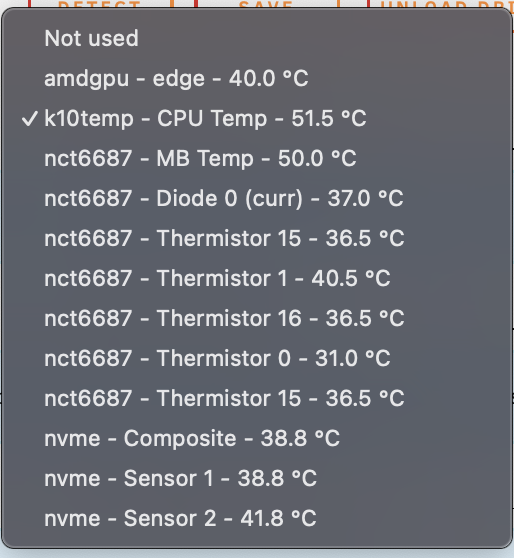
System is up following BIOS c state change, waiting for it to come down again. I'll upload diagnostics again if that happens. I'd just like to add this as a note, I'm very hesitant to re-paste and re-seat the CPU, in part due to the fact that it's been working for nearly a year without issue; But also because temps in the case are pretty chilly by my standard and not suggesting any kind of over heating
-
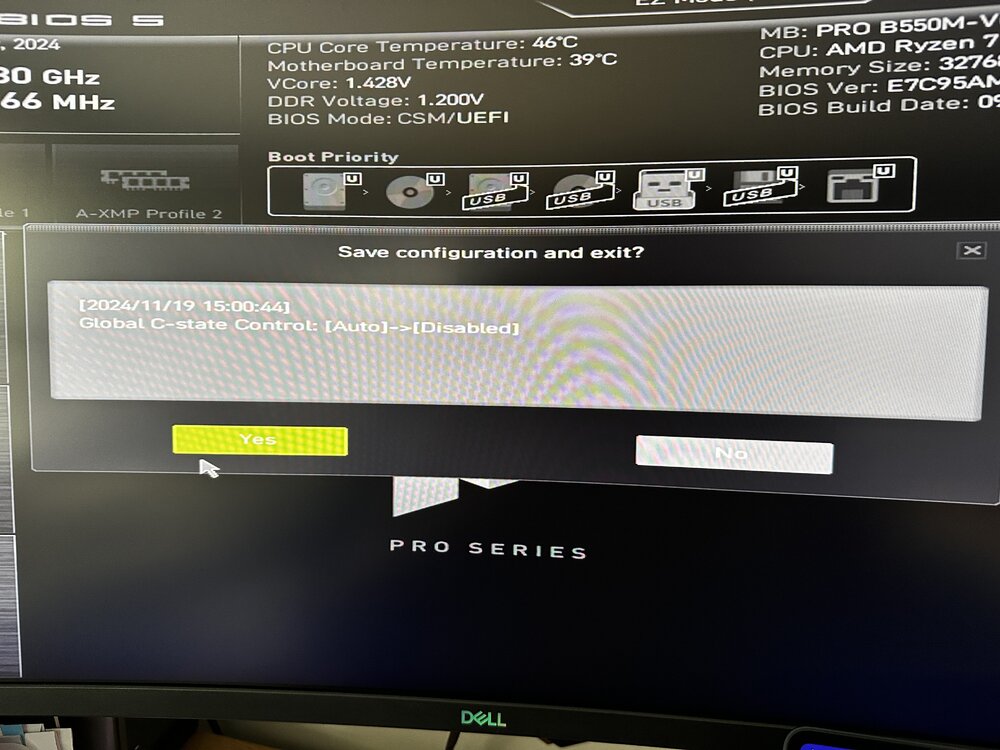
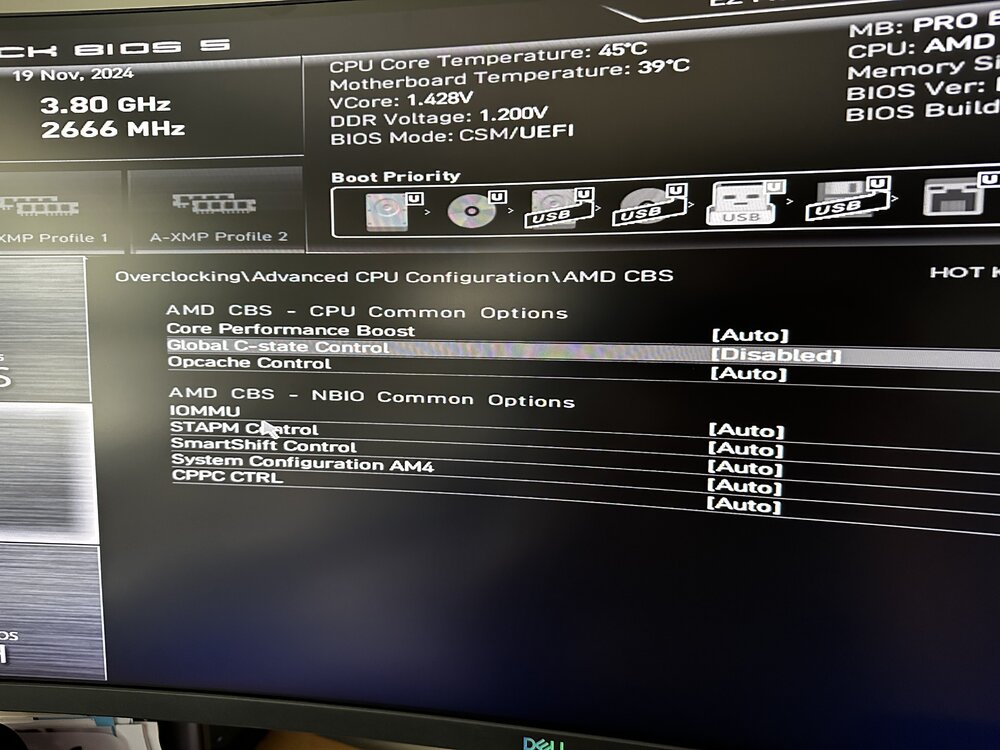
Done. (Assuming this is the right setting, deep in OC settings)
-
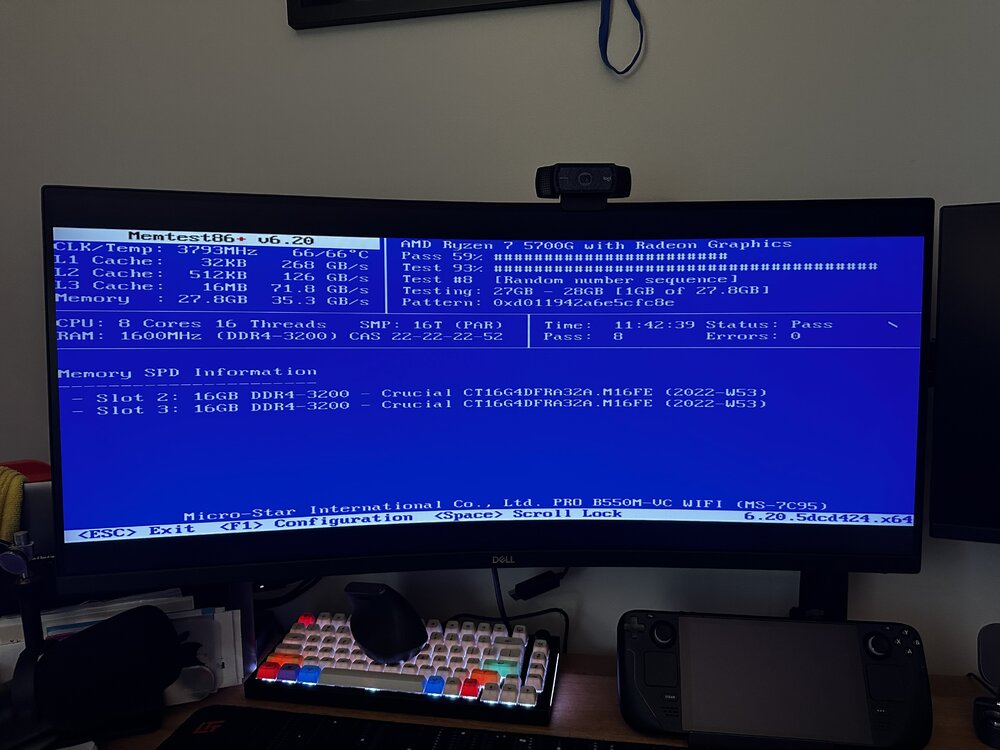
Thanks for the info, I'm working to walk through them over the course of today. I've included my steps taken this morning below, and will stability test over the course of a day or two - the server was previously crashing or going unresponsive within 24 hours of uptime so I'll know pretty quickly. Next steps if still unstable, replace USB, re-seat cpu, and begin testing with all/selective dockers and plugins disabled. Other possibly(?) suspect is and old cache SSD which is the only non-new component to this build. I'll update as I figure out more, and include another diag package if it goes unresponsive again. --- Tower Troubleshooting, Nov 2024 Memory tests run for ~12 hours, passing BIOS was a build from 2022 flashed to latest 2024-09-05 no overclocking set in bios INTERNALS re-seat memory dust psu is rated for 750, we're still well under that - UPS is reporting peaks under 300W re-seat CPU- need thermal compound, will try later check power cable seating vaccuum behind case to make sure airflow is fine new USB on the way, just in case it's failing- plugged in to internal usb 3 header, this has been fine but can try usb 2 or a port on the back of case DOCKER changed back to macvlan- this should be fine as of latest os ver which I'm on, if it was the culprit there would probably have been logs or traces bridging disabled host access to custom networks enabled PLUGINS nvidia driver plugin was broken and failing to install new version uninstalled, rebooted, reinstalled, so on...
-
@ich777 Thank you! The provided steps & guidance worked.
-
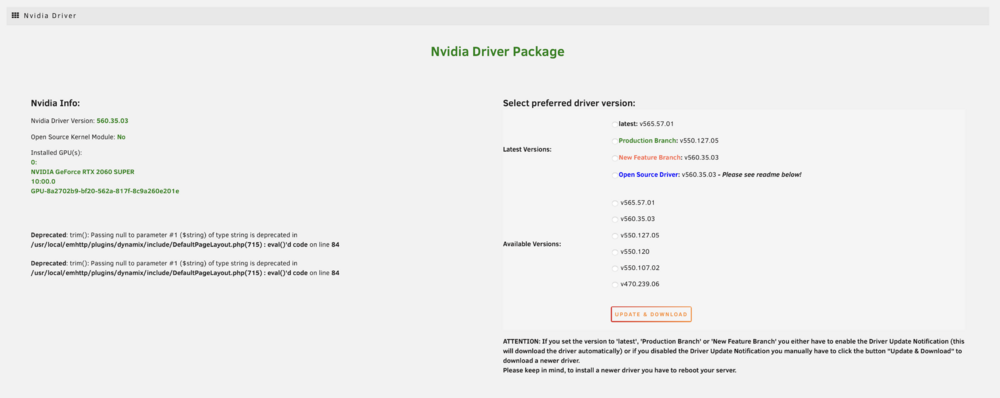
Having issues today trying to update my plugin version root@tower:~# /usr/local/emhttp/plugins/nvidia-driver/include/exec.sh update_version latest +============================================================================== | WARNING - WARNING - WARNING - WARNING - WARNING - WARNING - WARNING - WARNING | | Don't close this window with the red 'X' in the top right corner until the 'DONE' button is displayed! | | WARNING - WARNING - WARNING - WARNING - WARNING - WARNING - WARNING - WARNING +============================================================================== ----------------Downloading Nvidia Driver Package v470.239.06----------------- ---------This could take some time, please don't close this window!------------ /boot/config/plugins/nvidia-driver/packages/6.1.106/nvidia-470.239.06-6.1.106-Unraid-1.txz nvidia-550.107.02-6.1.106-Unraid-1.txz nvidia-550.120-6.1.106-Unraid-1.txz nvidia-550.127.05-6.1.106-Unraid-1.txz nvidia-560.35.03-6.1.106-Unraid-1.txz nvidia-565.57.01-6.1.106-Unraid-1.txz: Invalid argument ---------------Can't download Nvidia Driver Package v470.239.06---------------- root@tower:~# /usr/local/emhttp/plugins/nvidia-driver/include/exec.sh update_version latest_prb +============================================================================== | WARNING - WARNING - WARNING - WARNING - WARNING - WARNING - WARNING - WARNING | | Don't close this window with the red 'X' in the top right corner until the 'DONE' button is displayed! | | WARNING - WARNING - WARNING - WARNING - WARNING - WARNING - WARNING - WARNING +============================================================================== ----------------Downloading Nvidia Driver Package v470.239.06----------------- ---------This could take some time, please don't close this window!------------ /boot/config/plugins/nvidia-driver/packages/6.1.106/nvidia-470.239.06-6.1.106-Unraid-1.txz nvidia-550.107.02-6.1.106-Unraid-1.txz nvidia-550.120-6.1.106-Unraid-1.txz nvidia-550.127.05-6.1.106-Unraid-1.txz nvidia-560.35.03-6.1.106-Unraid-1.txz nvidia-565.57.01-6.1.106-Unraid-1.txz: Invalid argument ---------------Can't download Nvidia Driver Package v470.239.06---------------- root@tower:~# ll /boot/config/plugins/nvidia-driver/packages/6.1.106 total 243M -rw------- 1 root 33 Aug 22 00:26 nvidia-560.35.03-6.1.106-Unraid-1.txz.md5 -rw------- 1 root 243M Aug 22 00:26 nvidia-560.35.03-6.1.106-Unraid-1.txz drwx------ 2 root 16K Sep 6 07:40 ./ drwx------ 3 root 16K Sep 6 07:40 ../ root@tower:~# ll /boot/config/plugins/nvidia-driver/packages/ total 48K drwx------ 2 root 16K Sep 6 07:40 6.1.106/ drwx------ 3 root 16K Sep 6 07:40 ./ drwx------ 3 root 16K Nov 18 19:35 ../
-
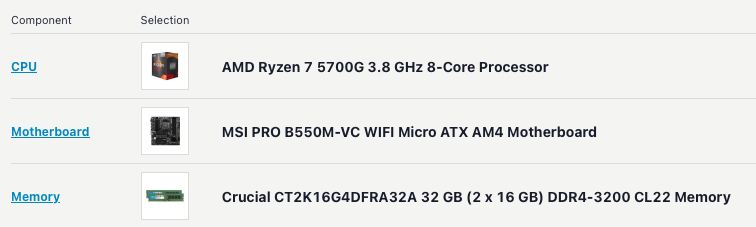
Over the weekend, the last three days or so, I've been having issues with my unraid server going unresponsive once or twice a day and also occasionally doing a random reboot following recovery. I was suspecting that it might be the macvlan issue manifest, but my docker is set to ipvlan, bridging enabled, and Host access to custom networks enabled. This whole thing is super sudden, prior to this the server did not struggle to reach in excess of 30 days of uptime, and in the last week I have not made any configuration changes that I'd suspect to be problematic if any at all (I've checked against backups of my flash and everything in Docker and Networking is more or less the same. I've attached diagnostics from the last time the server rebooted itself - there's not anything obvious I can see in the syslog or syslog-previous that might suggest what is happening or even that the server restarted at all. Any help is appreciated! Attached hardware for reference. All of the memory is detected, and I'm not seeing any resource usage spikes. tower-diagnostics-20241118-1836.zip