rizzyc
Members
-
Joined
-
Last visited
Everything posted by rizzyc
-
Thanks, I rebuild my data disk last night. It took about 8 hours and everything went smoothly! It was almost too easy! This is kinda why I love unraid actually was experimenting with truenas and it was a pain to even get plex working properly.
-
So parity seems to be fine, how do I go about adding my actual drive to the array? I can just select it and start the array? I was worried if I just start it like this the parity would get messed up trying sync with the disk I accidentally formatted.
-
tower-diagnostics-20240210-0954.zip
-
Oh yes, I was able to bring it up and it looks like it says its emulating the data disk and I was able to see some of my files.
-
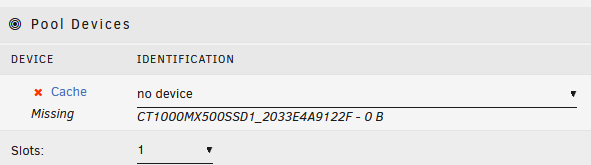
Yeah, I only had one parity and one data disk. The only other device had was a cache drive? Do I have to have this connected as well?
-
Here are the diagnostics (without starting the array) tower-diagnostics-20240210-0841.zip
-
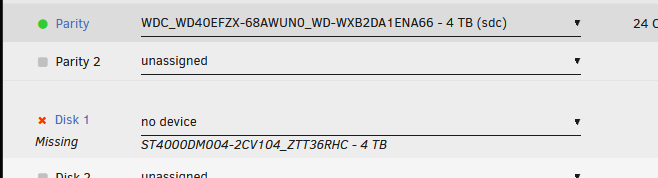
When I unselect the data drive (that I messed up) I have selected my parity drive but it doesn't let me start unless I do it in Maintenance mode and select both checkboxes.

-
When you say disconnected, you mean like physically disconnected from the motherboard? Or just not selected before starting array. I did at one point only have the parity hard drive connected and unraid does say it's in good health. But without the data hard disk in, I think it wouldn't let me start the array and I was also afraid of messing up so I have not yet tried to start the array.
-
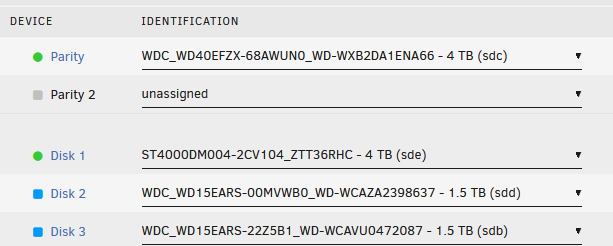
I moved my unraid to a new machine and then I accidentally formatted my actual data drive in windows... I now have my unraid server back up, but i want to make sure it rebuilds my data drive (disk 1) using parity since i'm sure i messed up the disk my formatting it in windows. I don't want to start my array cuz i'm afraid that i will lose my data... What is the correct way to go about this and also is there a way for me to explore the contents of the hard drive without starting the array. (Disk 2 and Disk 3) are just older hd's I found lying around so will add them to the array as well.
-
Thanks for your help, I did end up moving my Unraid USB to a less power hungry machine and copying over the config file and making it bootable worked!
-
Yeah, it boots fine with new super.dat. I had one 4tb parity and one 4tb hd so that is correct. Also had one cache drive
-
Not sure if this helps, I wasn't able to read the file. super.dat
-
I tried copying over just super.dat and overwriting that file from the freshly created USB but it just gets stuck again like it did before
-
So I backed up my USB and flashed a fresh unraid using the unraid USB creator. Then I copied the config folder over to the USB stick and I was getting the exact same error. So I reflashed it using the creator and told it to boot to Gui and the screen eventually turned blank. I was able to login from my phone but I didn't want to start the raid since I don't remember which drive was parity and it says it will wipe the drive when I start thr array and also the it won't let me activate it since it says the USB is key is in use. Im hoping there is a way I can restore at least my drive config even if I have to reinstall all the docker apps.
-
I ran the checkdisk utility in windows 11 but I don't think it found any errors. Booted up and still shows the same screen. I also see the machine in my router list but can't access it

-
I had plex/swag/qbitorrent/homeassistant running so if my usb is corrupted i'm hoping I can still somehow get back in and retrieve my files😟
-
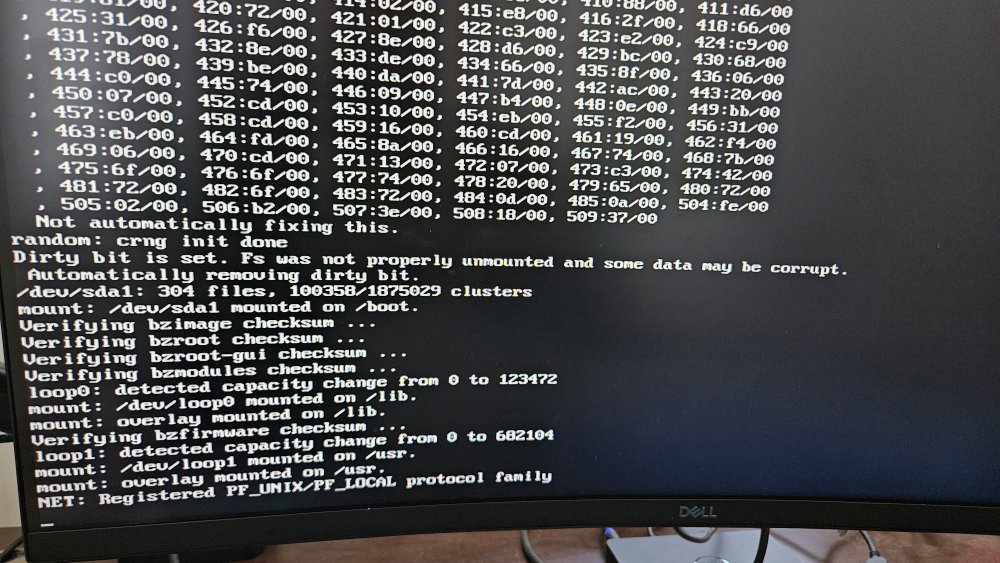
My unraid USB is succesfully getting to the boot screen where I can choose to run in GUI or without GUI etc and in safe mode. But i've tried all options and it doesn't load. Seems to get stuck as shown in the screenshot.
-
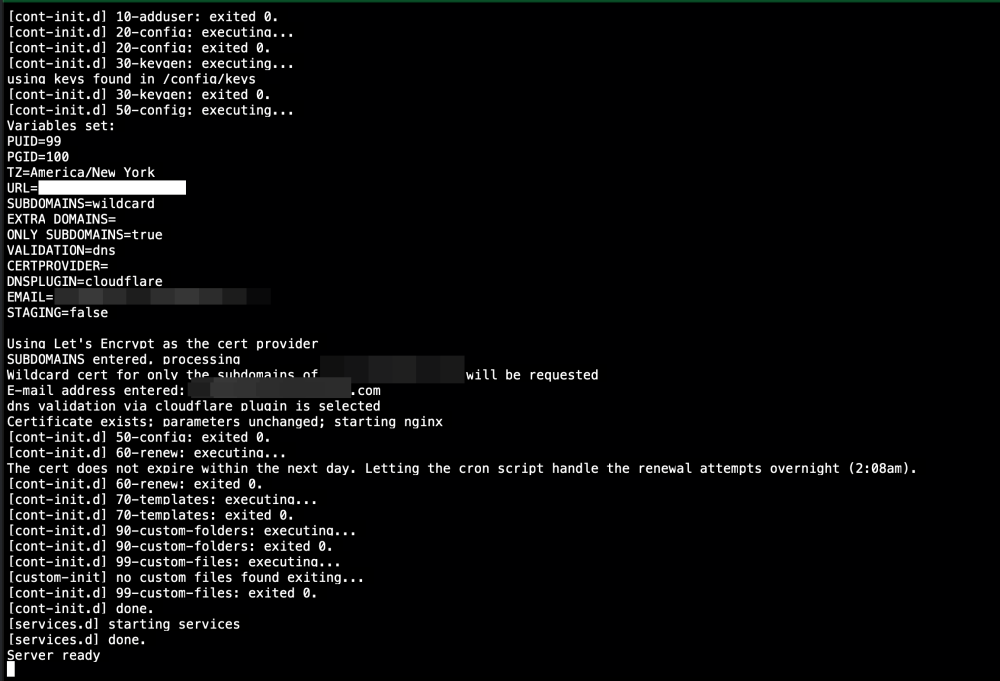
I think something is wrong with my swag it seems to be going down alot? Never had any issues with it before, so I'm not sure how to debug this. In the log everything looks fine. I'm thinking of reinstalling it, but hoping that my config files will not have to be reconfigured.
-
I was able to get one of my less critical apps to update by removing and re-installing. 🤞it goes well with my main apps!
-
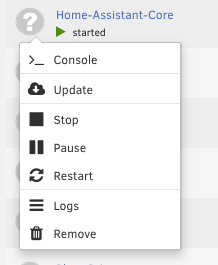
Oh damn, looks like it doesn't even have the edit button so I can't even check the previous config... 😭
-
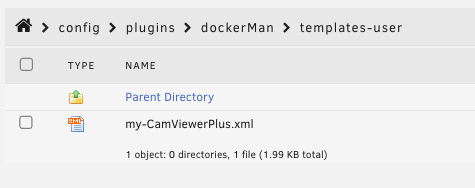
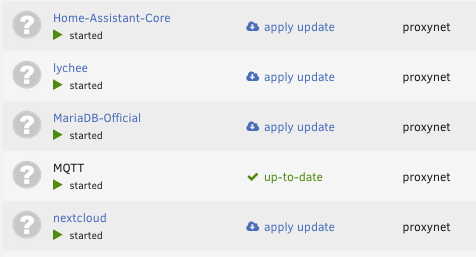
i figured the path had a typo, so I checked that directory is now empty except for the new app I installed. so everything is working but as you mentioned webUI doesn't know what is going on and I can't update any apps. But all my docker apps actually still run. If I remove each container, is there a way to save the config, or should I just manually like take a screnshot of my setting and reinstall everything.
-
I think I have a feeling I know what happened, when I switched my unraid from an older machine to a new machine it was no longer booting, so I kinda foolishly just reformatted the stick and reinstalled unraid on it. I thought I was screwed, but I believe I had some of the configs backed up somewhere on the hard drive so everything just started to work on it's own without me having to reconfigure everything..... (here is my post from reddit) but now the folder you mentioned is empty (except for a new app i installed just to test). Any suggestions on how this can be fixed now?
-
Recently, (probably around January 17th) my nextcloud auto upload stopped working. So I thought rebooting the system would fix it. But that didn't work. So I thought maybe updating the app would work, but whenever I tried updating it, I get this error "Configuration not found. Was this container created using this plugin?" All the apps are still working, my plex is working and qbittorrent etc all work, but I can't seem to update any app and can't login to nextcloud gives me a 500 server error when trying to login. Attaching diagnostics. tower-diagnostics-20230129-1258.zip
-
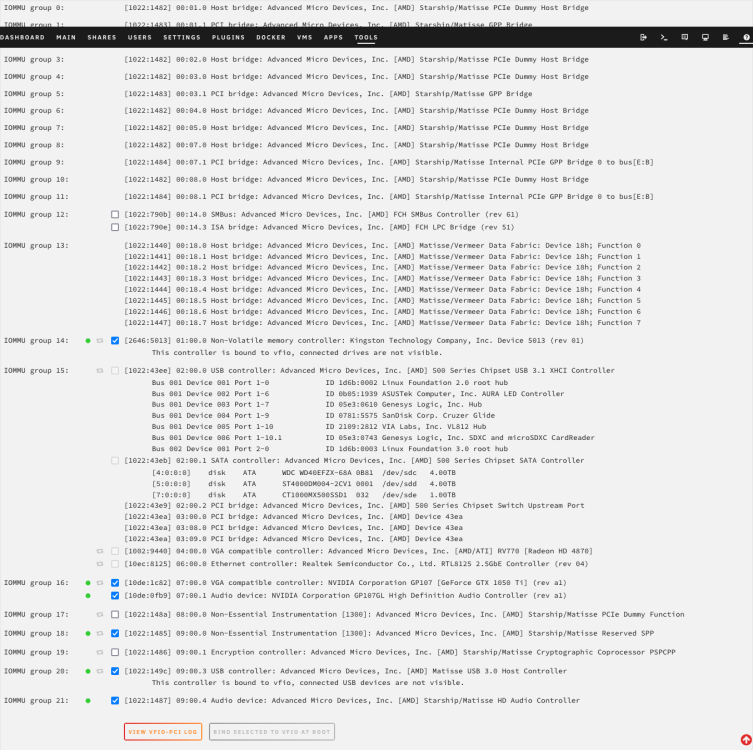
I'm very new to Unraid, I started off using UNRAID on a laptop, then transitioned to an old machine, then I decided to build a gaming rig/vm. I currently the black screen issue, I was able to install Windows 11 on my nvme and I can also use it using VNC, but when I try the passthrough, screen is just black. Here are my logs: text error warn system array login 2022-09-14 19:47:34.089+0000: Starting external device: TPM Emulator /usr/bin/swtpm socket --ctrl 'type=unixio,path=/run/libvirt/qemu/swtpm/1-Windows 11-swtpm.sock,mode=0600' --tpmstate dir=/var/lib/libvirt/swtpm/caa56d57-6dcc-710d-6a67-537d1066386a/tpm2,mode=0600 --log 'file=/var/log/swtpm/libvirt/qemu/Windows 11-swtpm.log' --terminate --tpm2 2022-09-14 19:47:34.112+0000: starting up libvirt version: 8.2.0, qemu version: 6.2.0, kernel: 5.15.46-Unraid, hostname: Tower LC_ALL=C \ PATH=/bin:/sbin:/usr/bin:/usr/sbin \ HOME='/var/lib/libvirt/qemu/domain-1-Windows 11' \ XDG_DATA_HOME='/var/lib/libvirt/qemu/domain-1-Windows 11/.local/share' \ XDG_CACHE_HOME='/var/lib/libvirt/qemu/domain-1-Windows 11/.cache' \ XDG_CONFIG_HOME='/var/lib/libvirt/qemu/domain-1-Windows 11/.config' \ /usr/local/sbin/qemu \ -name 'guest=Windows 11,debug-threads=on' \ -S \ -object '{"qom-type":"secret","id":"masterKey0","format":"raw","file":"/var/lib/libvirt/qemu/domain-1-Windows 11/master-key.aes"}' \ -blockdev '{"driver":"file","filename":"/usr/share/qemu/ovmf-x64/OVMF_CODE-pure-efi-tpm.fd","node-name":"libvirt-pflash0-storage","auto-read-only":true,"discard":"unmap"}' \ -blockdev '{"node-name":"libvirt-pflash0-format","read-only":true,"driver":"raw","file":"libvirt-pflash0-storage"}' \ -blockdev '{"driver":"file","filename":"/etc/libvirt/qemu/nvram/caa56d57-6dcc-710d-6a67-537d1066386a_VARS-pure-efi-tpm.fd","node-name":"libvirt-pflash1-storage","auto-read-only":true,"discard":"unmap"}' \ -blockdev '{"node-name":"libvirt-pflash1-format","read-only":false,"driver":"raw","file":"libvirt-pflash1-storage"}' \ -machine pc-q35-6.2,usb=off,dump-guest-core=off,mem-merge=off,pflash0=libvirt-pflash0-format,pflash1=libvirt-pflash1-format,memory-backend=pc.ram \ -accel kvm \ -cpu host,migratable=on,topoext=on,hv-time=on,hv-relaxed=on,hv-vapic=on,hv-spinlocks=0x1fff,hv-vendor-id=none,host-cache-info=on,l3-cache=off \ -m 12800 \ -object '{"qom-type":"memory-backend-ram","id":"pc.ram","size":13421772800}' \ -overcommit mem-lock=off \ -smp 22,sockets=1,dies=1,cores=11,threads=2 \ -uuid caa56d57-6dcc-710d-6a67-537d1066386a \ -display none \ -no-user-config \ -nodefaults \ -chardev socket,id=charmonitor,fd=35,server=on,wait=off \ -mon chardev=charmonitor,id=monitor,mode=control \ -rtc base=localtime \ -no-hpet \ -no-shutdown \ -boot strict=on \ -device pcie-root-port,port=16,chassis=1,id=pci.1,bus=pcie.0,multifunction=on,addr=0x2 \ -device pcie-root-port,port=17,chassis=2,id=pci.2,bus=pcie.0,addr=0x2.0x1 \ -device pcie-root-port,port=18,chassis=3,id=pci.3,bus=pcie.0,addr=0x2.0x2 \ -device pcie-root-port,port=19,chassis=4,id=pci.4,bus=pcie.0,addr=0x2.0x3 \ -device pcie-root-port,port=20,chassis=5,id=pci.5,bus=pcie.0,addr=0x2.0x4 \ -device nec-usb-xhci,p2=15,p3=15,id=usb,bus=pcie.0,addr=0x7 \ -device virtio-serial-pci,id=virtio-serial0,bus=pci.2,addr=0x0 \ -blockdev '{"driver":"file","filename":"/mnt/user/isos/virtio-win-0.1.221-1.iso","node-name":"libvirt-1-storage","auto-read-only":true,"discard":"unmap"}' \ -blockdev '{"node-name":"libvirt-1-format","read-only":true,"driver":"raw","file":"libvirt-1-storage"}' \ -device ide-cd,bus=ide.1,drive=libvirt-1-format,id=sata0-0-1 \ -netdev tap,fd=36,id=hostnet0 \ -device virtio-net,netdev=hostnet0,id=net0,mac=52:54:00:d8:09:4a,bus=pci.1,addr=0x0 \ -chardev pty,id=charserial0 \ -device isa-serial,chardev=charserial0,id=serial0,index=0 \ -chardev socket,id=charchannel0,fd=34,server=on,wait=off \ -device virtserialport,bus=virtio-serial0.0,nr=1,chardev=charchannel0,id=channel0,name=org.qemu.guest_agent.0 \ -chardev 'socket,id=chrtpm,path=/run/libvirt/qemu/swtpm/1-Windows 11-swtpm.sock' \ -tpmdev emulator,id=tpm-tpm0,chardev=chrtpm \ -device tpm-tis,tpmdev=tpm-tpm0,id=tpm0 \ -device usb-tablet,id=input0,bus=usb.0,port=2 \ -audiodev '{"id":"audio1","driver":"none"}' \ -device vfio-pci,host=0000:07:00.0,id=hostdev0,bus=pci.3,addr=0x0 \ -device vfio-pci,host=0000:09:00.4,id=hostdev1,bus=pci.4,addr=0x0 \ -device vfio-pci,host=0000:01:00.0,id=hostdev2,bus=pci.5,addr=0x0 \ -device usb-host,hostdevice=/dev/bus/usb/001/006,id=hostdev3,bus=usb.0,port=1 \ -sandbox on,obsolete=deny,elevateprivileges=deny,spawn=deny,resourcecontrol=deny \ -msg timestamp=on char device redirected to /dev/pts/0 (label charserial0) 2022-09-14T19:47:35.568669Z qemu-system-x86_64: vfio: Cannot reset device 0000:09:00.4, depends on group 18 which is not owned. 2022-09-14T19:47:35.688672Z qemu-system-x86_64: vfio: Cannot reset device 0000:09:00.4, depends on group 18 which is not owned.