





MayaYa
Members
-
Joined
-
Last visited
-
All my issues disappeared when I replaced the RAM weird that it become unstable after upgrading the drives but oh well and thanks again for all the help Jorge!
-
Thanks for all the help so far Jorge Mounting it as read-only worked and I am now copying the data but instead of running another memtest I'll prob switch out the ram with the kit from my gaming pc and see if that solves the issue and reformat the drives again. right now I put the docker stuff on a SATA SSD temporarily and so far that has been stable I wonder if its something with my board instead
-
So after changing MACVLAN to IPVLAN all my containers lost connection to the router (ISP provided one) I could access them from my computer but they could not talk to the internet. So I followed This guide by bonienl on how to fix that and added a second NIC (USB one for testing) it seems to have gotten rid of the MACVLAN errors but docker still crashed and the server got unresponsive It didn't crash completely as I could still access the console on the physical machine. Edit: disks aren't mounting anymore even after reboot edit2: It seems to be my SSD's they are formatted with ZFS whole system locks up after trying to mount them syslog1600.txt naskingdom-diagnostics-20230715-1628.zip
-
Done, I tried it once before after running the "common problems" plugin but it broke connectivity for some containers so I reverted it. But its enabled now syslog after reboot.txt
-
Docker broke again yesterday and the system refused to shutdown. After that I ran MemTest for the longest possible duration and no errors found. Booting up the system first the disks refused to mount. After reboot that works again but my docker image is corrupt and 2 of my cores are also pinned at 100% usage MemTest86-20230714-232052.log syslog.txt
-
will do thanks for the reply!
-
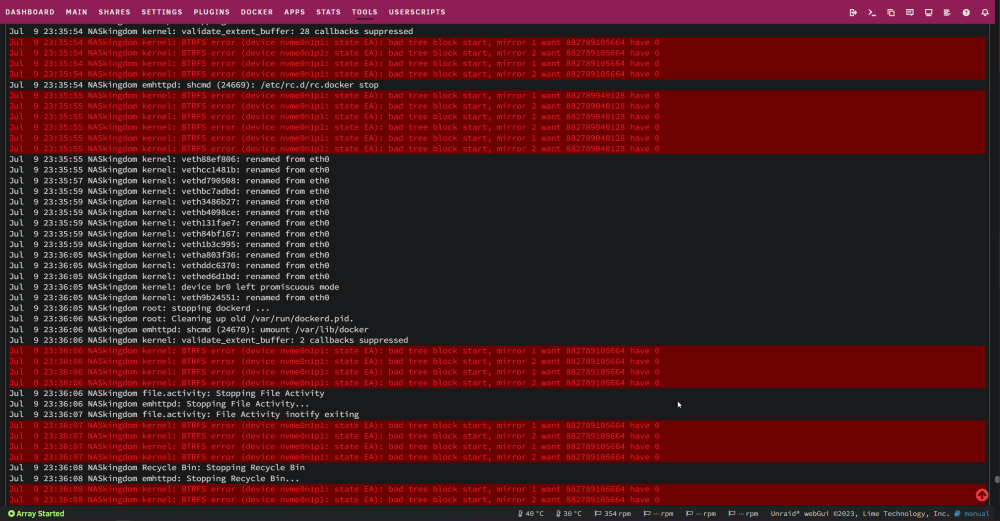
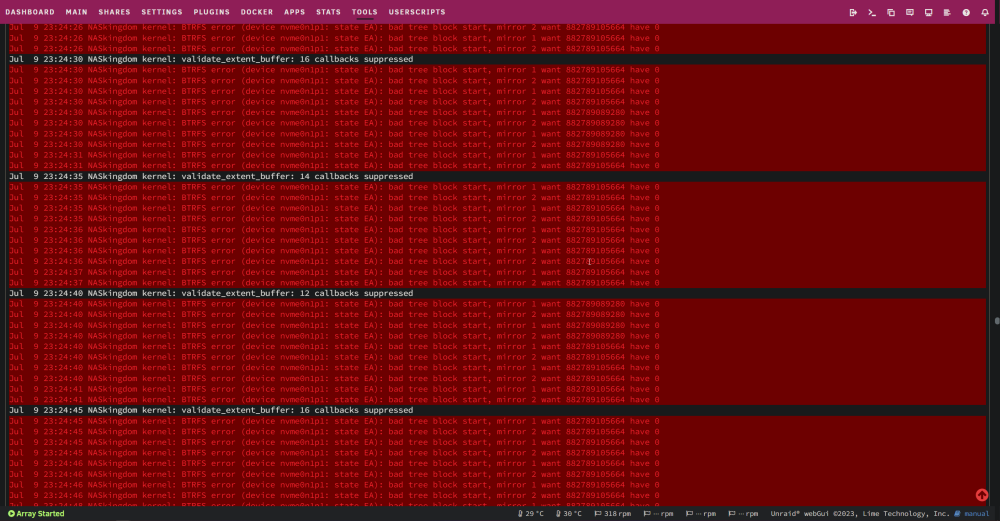
I've tried everything I could think of but I can't figure it out. In random intervals either docker just stops working and containers refuse to launch or the server freezes completely this can happen multiple times a day sometimes its just individual containers but the rest usually follow shortly. These issues started happening after an upgrade Things that changed went from 3 array disks and 2 SSDs to 6 array disks with 2 SSDs added PSU SATA power splitter cables and obviously SATA data for the new drives Changed the case (didn't take off the cooler nor the RAM) installed the appdata backup plugin (particularly after this I started seeing this behavior) before this I also didn't have a parity disk What I tried one of the drives was throwing reading errors so I unplugged it. bad SMART status because its old my NVME SSD (crucial P3) with cache and docker was also throwing read errors and systemlog said something about corrupt data I put docker on a different disk didn't help So I replaced the SSD with 2 new ones in mirror ZFS (970 evo plus 1TB) it seemed to happen less often after this I deleted my docker.img and reinstalled my docker containers multiple times via the "previous apps tab" even tried XFS docker.img once I deleted non essential files for some of my docker appdata folder I turned off XMP ran prime 95 for 30~ min ran a quick memtest 15~ min (I know I should have ran this longer) Reinstalled UNRAID on my USB and moved only the config back Other Info I have multiple days of syslog's and diagnostics in case that's useful I've attached the most recent ones but can upload all of them Server is plugged into a smart power plug for power usage measurements My CPU's box was opened when I received it MOBO: Asrock B660m Legend Steel CPU: i5 13500 RAM: Mixed ram kit 24GB 2x 8GB (from old gaming PC) 2x4GB (from office PC) PSU: Seasonic S12III 500W Case: Antec P101 Silent Hope someone can help me as I don't know what to do anymore naskingdom-diagnostics-20230713-1845.zip naskingdom-syslog-20230713-1645.zip

-
Thanks for your help! This didn't work but your suggestion made me realize something else I had DHCP binding on in my router which pointed at the MAC address of the old NIC but not sure how that would break only DNS even after setting it manually but disabling DHCP binding did fix it
-
Can someone help me? I still haven't figured out the problem
-
Hey Squid, Here's some of my exported diagnostics server-diagnostics-20230118-2253.zip
-
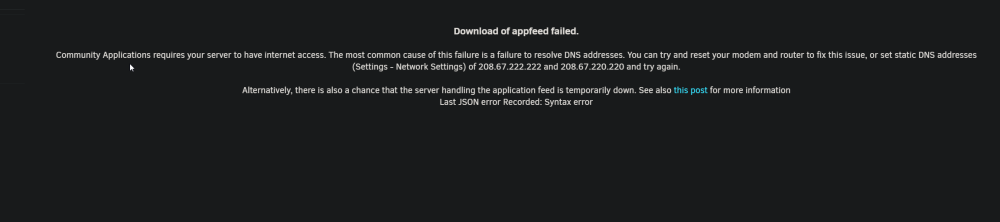
I upgraded my server yesterday with a new motherboard and CPU and now it can't resolve DNS anymore. All my docker containers and VM's work fine but I can't access things like the apps tab. I've tried chancing the DNS in the web UI a couple times but that didn't help and I couldn't find any other options that seemed relevant Using UNRAID: 6.11.5 I couldn't find any topics with the same issue as mine so hope someone here can help me curl ifconfig.io curl: (6) Could not resolve host: ifconfig.io
-
MayaYa joined the community
-
Hey, With the "Excluded Directories" feature it only works with 'sharename/folder' and not with 'sharename/folder/subfolder' or at least I don't seem to be able to get it to work. This would be a great feature to have.



