bombs1ght
Members
-
Joined
-
Last visited
Everything posted by bombs1ght
-
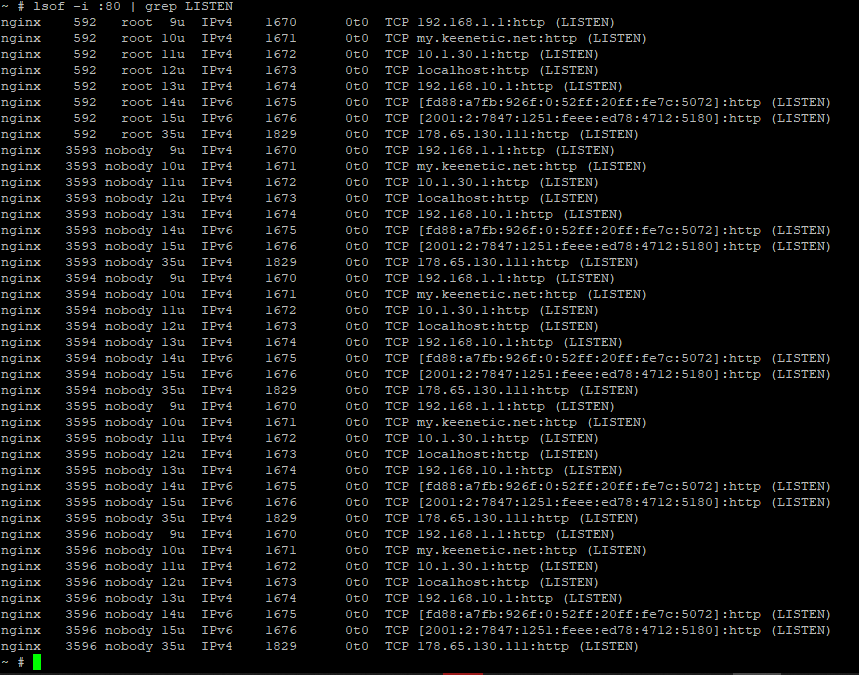
Hi! As i remember - nothing. I've connected to the router via SSH and got this information. Please see enclosed picture
-
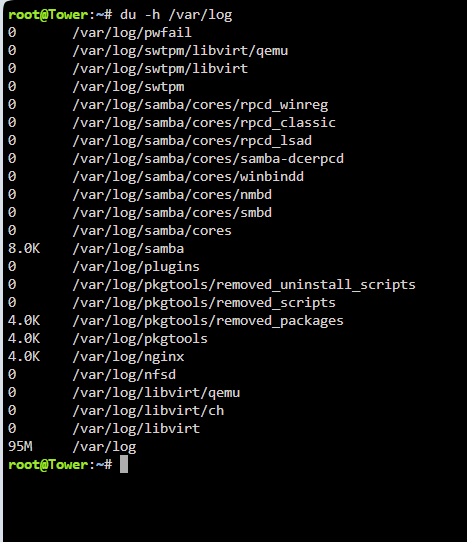
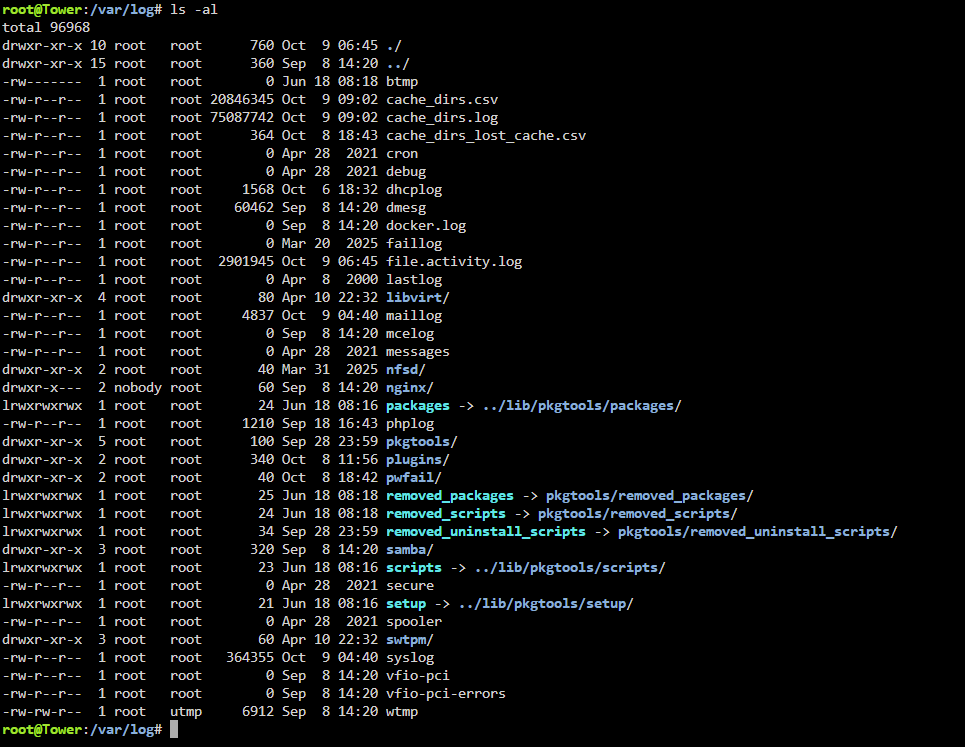
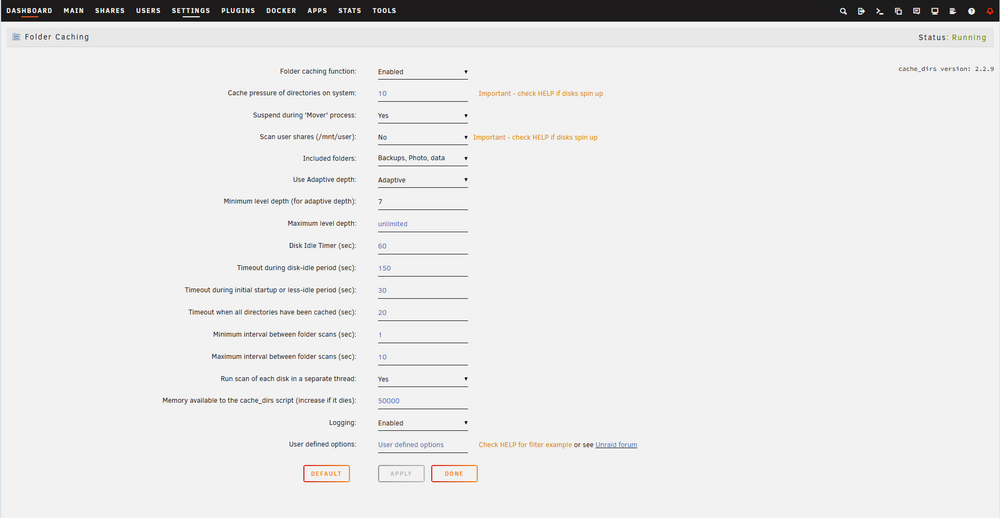
Hello! Please see enclosed picture. As can I see my problem are cache_dirs.csv/log . I also enclosed picture with settings via plugin "Dynamix Cache Directories". What is my mistake? P.S.: I also enclosed these log files. Please see attachments. cache_dirs.csv cache_dirs.log
-
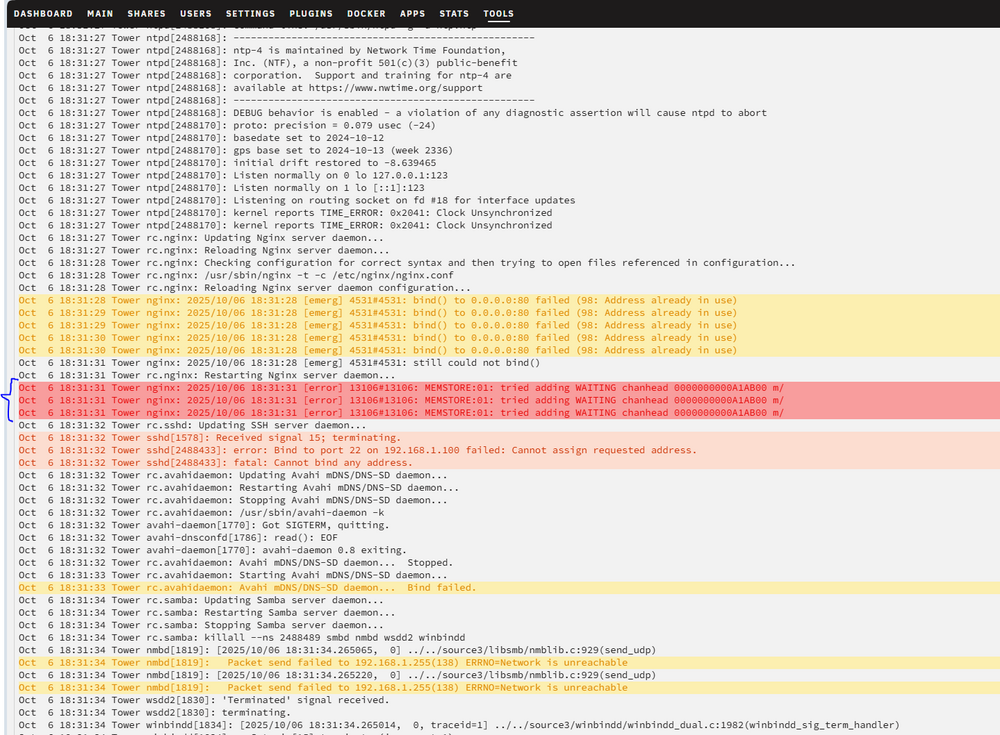
Hello! Could you help me please? Plugin "Fix common problem" gives me this warning: Either your server has an extremely long uptime, or your syslog could be potentially being spammed with error messages. A reboot of your server will at least temporarily solve this problem, but ideally you should seek assistance in the forums and post your DIAGNOSTICS. Please see enclosed file with diagnostic. I also saw an error in the log. Please see attached picture. What is problem? tower-diagnostics-20251008-1136.zip
-
This your tips helped me, the problem disappeared, thank you!
-
Hi all. I need a help please. I regularly lost access to the server during from one to three days. I mean that I can not to connect to the Web Gui, to dockers, to SMB and etc. It seams like server turn off, but I know that it works. I get access to server again after turn off server via disconnecting power cable from the socket and its further connection to the power supply. I can't say exactly what started it, but a week or two before that I switched from plex to jellyfin and connected the graphics core to transcoding. And a month before that I connected a new disk to a separate pool for unimportant files. See enclosed log please. syslog-previous
-
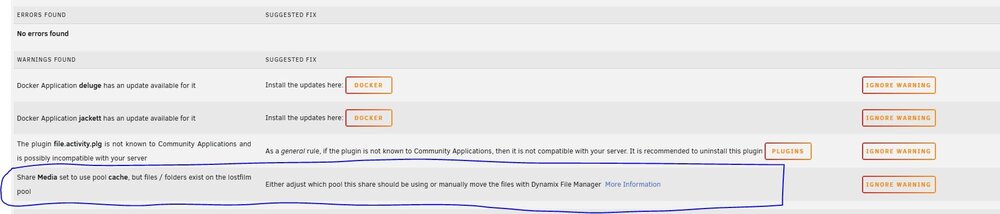
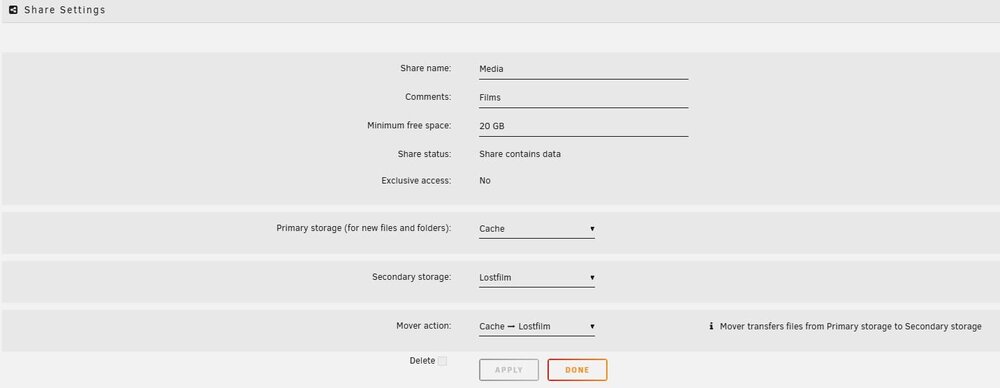
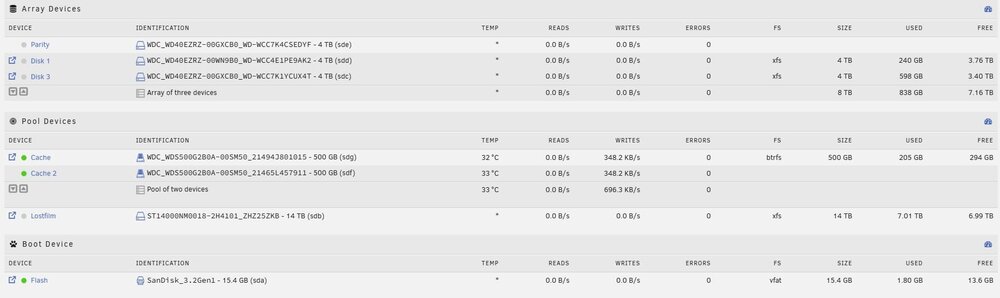
Hello. Could someone help me with one warning which I have in plugin "Fix Common Problems" (see picture). I have array, cache pool (SSD) and one more pool (named Lostfilm) with 1 disk for Media content. I've set up Media share with Primary storage to Cache Pool and Secondary Storage to Lostfilm pool. Mover move files from cache to pool 1 time per week. Isn't it logical that the files of this share are located on both pools? what's wrong?
-
Are there any solutions?
-
Hi all. I ask you to tell me if there are ways to protect dockers from unauthorized access that do not have a login / password when logging in? For example, anyone who is connected to a home network can access such dockers without any problems, knowing its port. And one more question. Connecting from work to the server using a VPN, he does not ask for a password, he immediately gets to the main page. But in the home set, he does it. There is some way to force a request for a new authorization when the session is closed, for example, after 15 minutes. This applies to both connecting from work and from home. Еhank you for your responses!
-
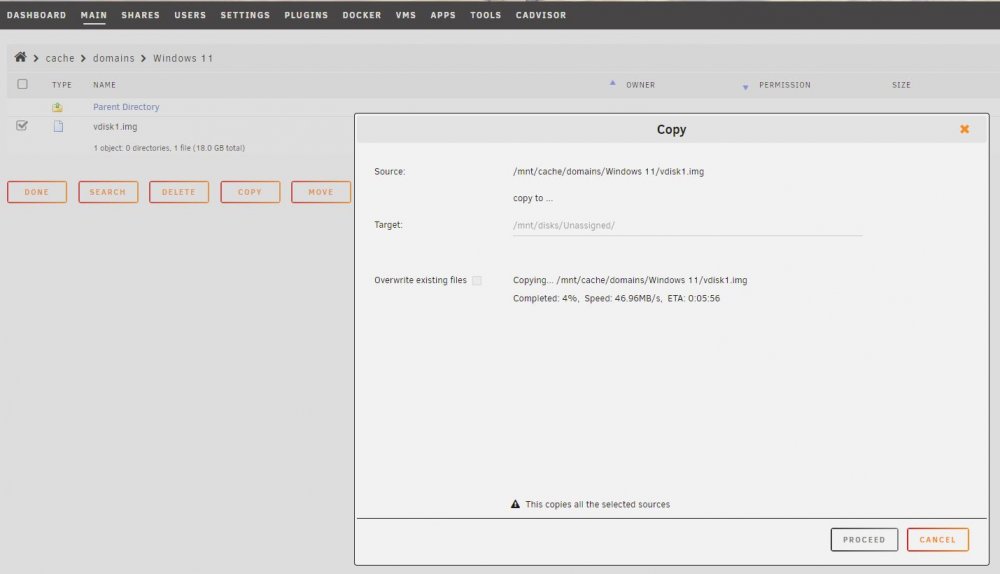
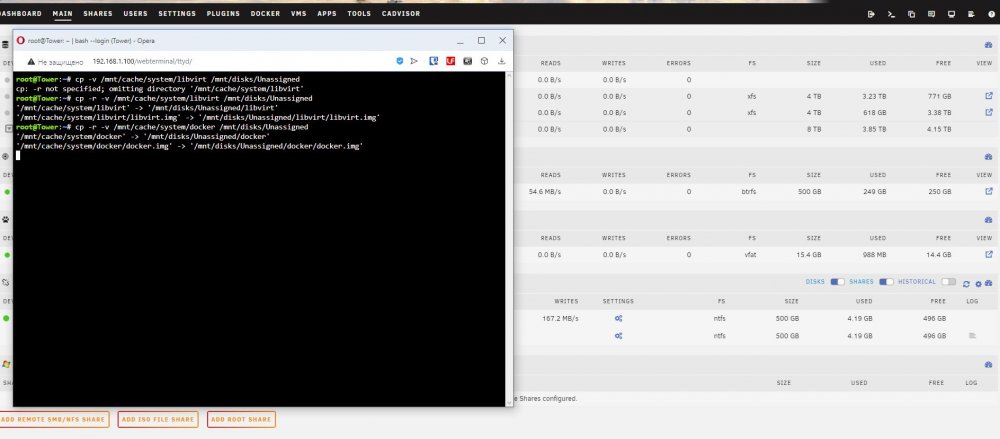
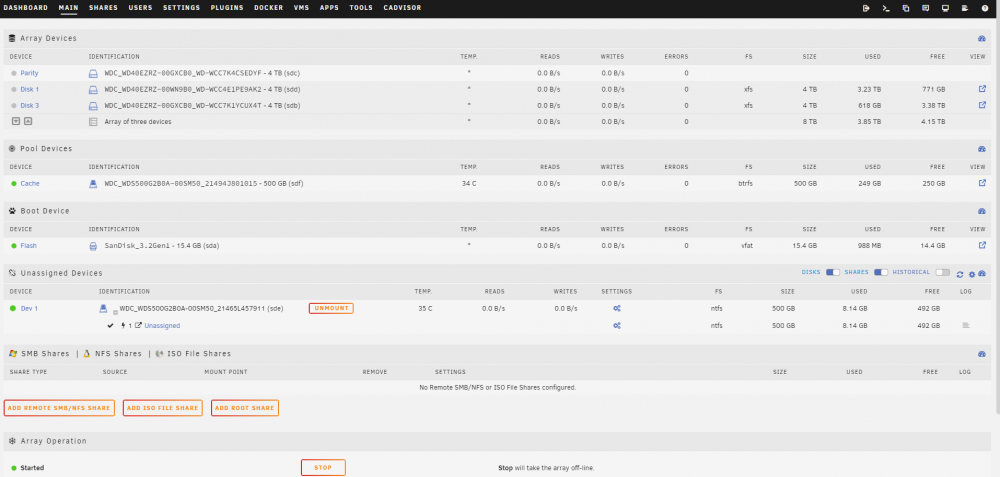
Hi there! I tried to copy files from cache disk to unassigned disk and vice versa (both disks are SSD). If you take a look at the picture you'll see copying speed about 50 Mb/s. I used both ways via Dynamix File Manager (1 picture) and from the terminal (2 picture). I expected speed about ~200-300 Mb/s and more. What is wrong here?
-
I have recreated a flash drive (via backup .zip). But have the some problem. Array constantly stop and start, stop and srart tower-diagnostics-20220710-0122.zip
-
During I am learning how to recreate flash with unRAID and save all settings I have done a small movie of troubles with Array. It is a Main page, I did do nothing. https://www.veed.io/view/c45c5b94-f8da-4124-ab1c-f4b910bfee11?sharingWidget=true screen-20220709-214614.mp4
-
I turned off server for the night. After that I can not to start Array again, nothing happen after click in the Array start button. I've enclosed a diagnostic again. What can I do to return server in the work status? I have done backup some days ago via CA RESTORE/BACKUP APPDATA. Can it help me? tower-diagnostics-20220709-1313.zip
-
After a few reboots/shutdowns, I was able to run array. But still something is wrong. When I go to the server and try to do something, it always redirects me to the main tab. As if the array is constantly stopping and starting, sometimes the page itself is updated ten times a second. See enclosed diagnostic please. P.s.: I feel if I stop the Array or reboot, will not able to start Array again, like it was when I created a topic. tower-diagnostics-20220708-2355.zip
-
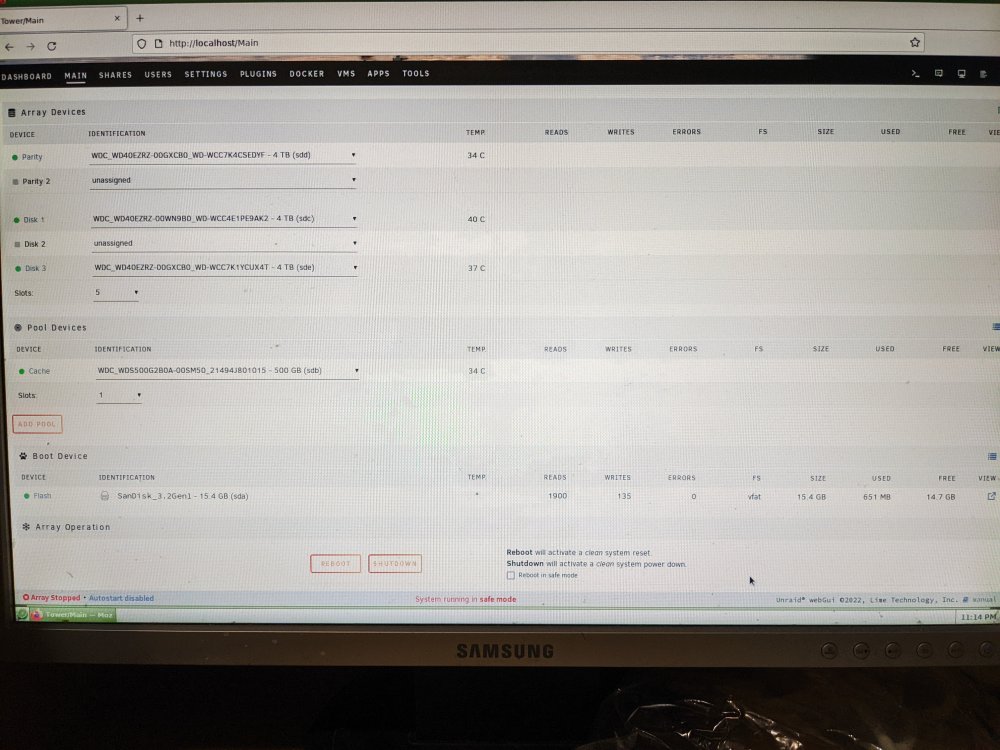
The same situation. Also after trying to start Array I have not any buttons except reboot and shutdown (see photo please) tower-diagnostics-20220708-2313.zip
-
Evening everyone. I tried to connect monitor to my unRAID to try VM Machine. During this process I rebooted a machine some times. I set up VT in the BIOS also. After these operations I can not to start Array in both modes normal / maintenance. When I click start nothing happens. Please help tower-diagnostics-20220708-2233.zip
-
Thanks you for info! Is there some method to define a reason of my case? As can I see there are not any processes before SMART and spinning down in the logs
-
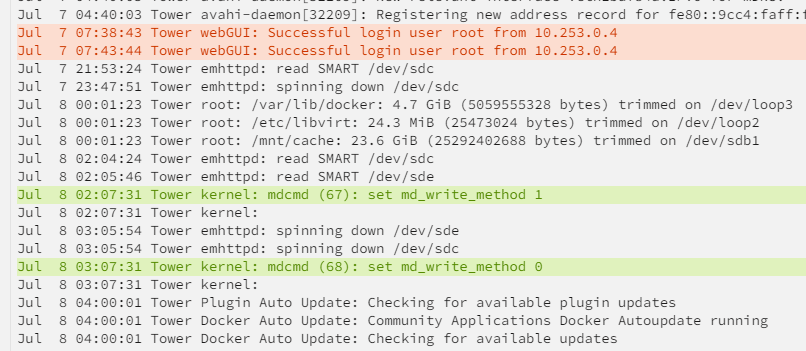
Hi all! I'm trying to set up so that the disks do not spin up outside the time allotted for this. I almost succeeded, but the logs show that the disks spin up at a certain time. As I understand it does SMART. How can I configure the launch of SMART at a certain time? or just turn off automatic checking, with further manual control. Thanks in advance!
-
Will able to add memory to fix my problem?
-
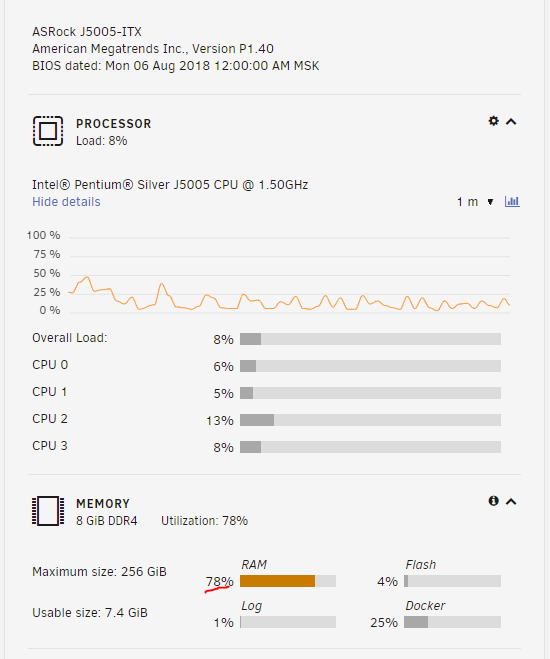
Hello! Today I have been noticed with this error. Could you help me please with this error? If you take a look at the screen below you will see that my server usually use about 73-78% of RAM. Before update of Unraid system I did not get this errors. What is wrong? Please see attached logs and picture. Thanks you! Unraid version 6.10.2-rc3 tower-syslog-20220530-0709.zip
-
Let me know please what for does Unraid need a backup if the system has a parity disk? I mean only data not system (usb)
-
Thanks you for your answers guys!
-
I see. Thanks you! Only one more question please. I would like to merge the system, appdata, isos, domain folder into one Share to have fewer directories in the Share tab. Is it possible to do so? In addition to the fact that I automatically get the same Share settings for all these folders, which is acceptable for me, can there be any other nuances?

-
Please see attached file tower-diagnostics-20220423-1947.zip
-
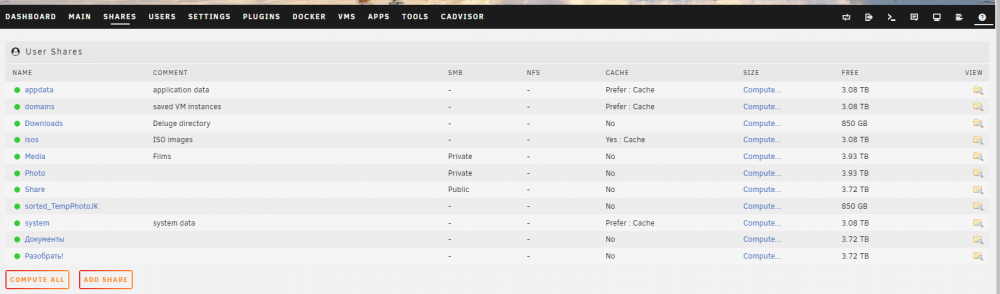
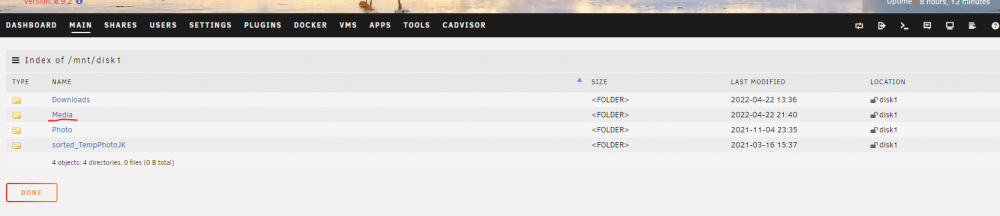
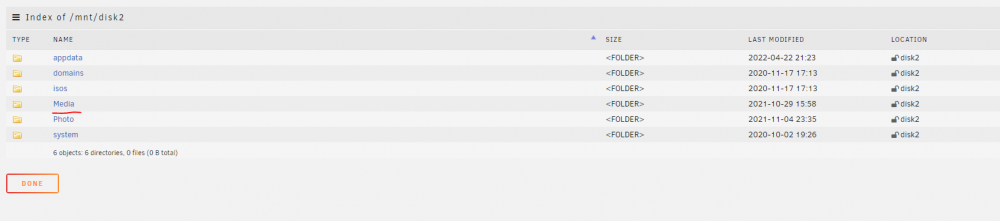
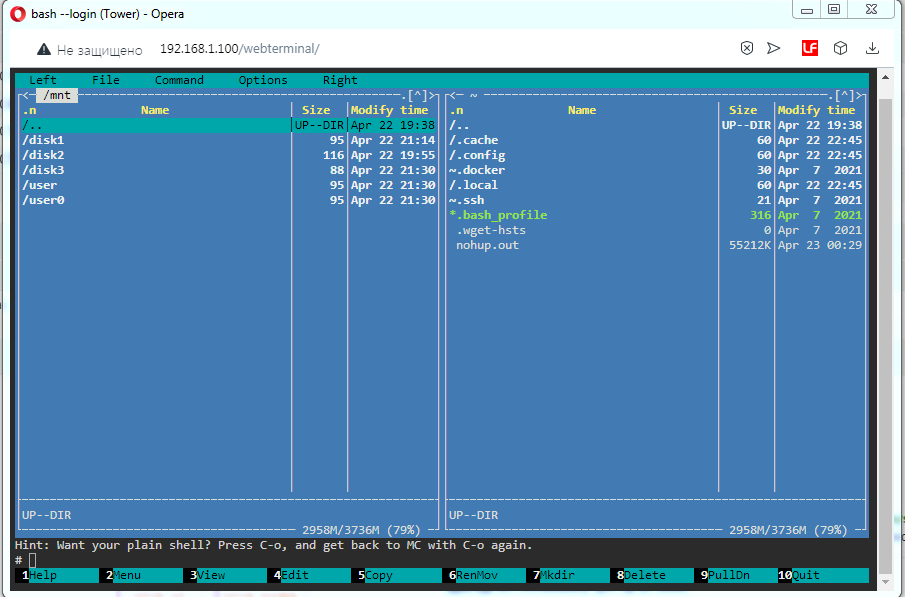
Hello! Sorry for my English. Over the past few days I have been trying to optimize my system. Because I'm new to this business, I configured the Share incorrectly from the very beginning. As a result, these Share ended up on different disks. I tried to move the files and share from one drive to another. That is, I made a lot of mistakes, as I found out later that you can not copy from Share to disk and vice versa. I used the cp and mv commands to make it all work. For example, the Media folder had multiple copies on disks 2 and 3 (because disk 2 ran out of space). I moved both folders (which are Share) to 1 disk. Please see pictures. And so I did for all Share. Now it is not clear yet whether I have lost the information or not, but I cannot enter any container: a connection error. So my question is how to re-install system to fix all my possible troubles which I will know and will not know and of course save data. Please step by step if possible. P.S.: What are the user and user0 folders in the lowest picture? They have the same content.