





kekayin
Members
-
Joined
-
Last visited
-
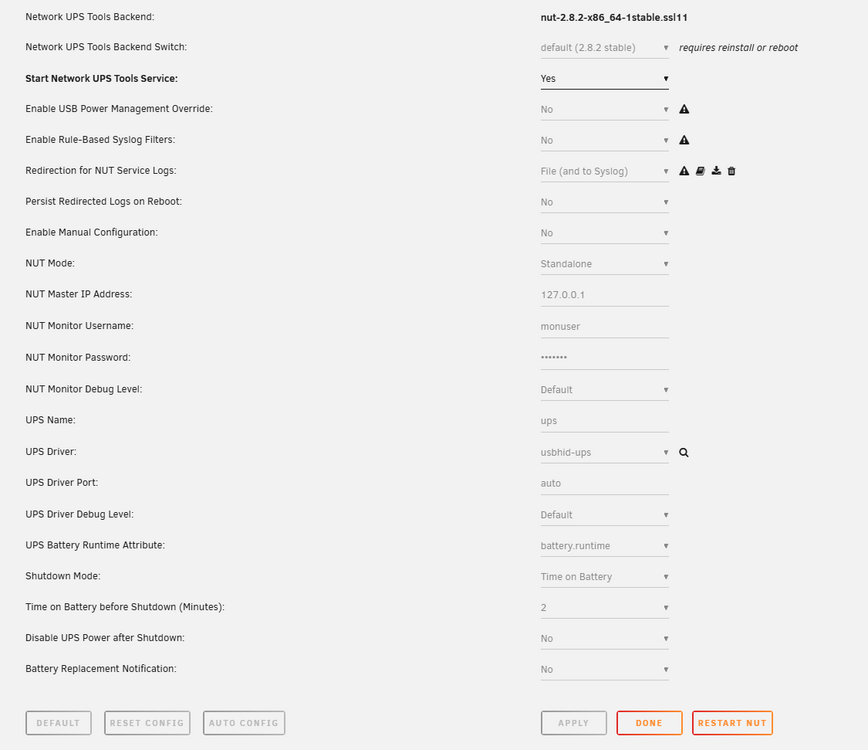
I encountered an issue where I enabled UPS and manually unplugged the power to test the power outage situation. I found that NUT was able to send the shutdown command to Unraid, but shortly after, I received the message "UPS is online, any planned shutdowns were cancelled." Then, Unraid rebooted.
-
In the past week, about every two days, the GUI suddenly becomes inaccessible. I checked the router and found that Unraid had lost its connection. Naturally, SSH is also unable to access Unraid. The only way to recover is to hold down the power button for a forced shutdown, then reboot to restore functionality. I checked the local logs stored on the system log server and found that it seems the emhttp service went down. The issue appears to stem from some problems following an RCU expedited stall detection, but I lack the expertise to understand how to prevent it. Has anyone encountered this issue before, or could you offer any advice or help? The attachment contains the key logs I've captured. syslog-127.0.0.1.log
-
Thanks for your workaround. I can access web gui in this way now.
-
感谢分享,可以帮我省去很多查阅资料的时间
-
Thanks, I can find it after unraid upgrade to 6.10.2-rc3.
-
I can find this plugs in CA. My unraid version is 6.10.0-rc8.
-
I search the error in community and Try,but it's not solve my problem. I checked the time and date. It's OK. I tried to delete /config/SSL and restart. Now I don't know what to do. tower-diagnostics-20220503-1130.zip
