





KuristZero
Members
-
Joined
-
Last visited
Everything posted by KuristZero
-
Thanks for the suggestions folks, I think I found it - hidden setting in the router. More info below! Bonding Good catch on the network bonding. I've turned that off for now, but this didn't resolve the issue when returning to the old IP (again, router side anyway). Any particular reason to have this on or off? I've not touched Unraid's networking settings much outside of Cloudflare tunnels etc Network.cfg I did wipe the network.cfg as mentioned above, but was unaware of network-extra.cfg - is this meant to be in the config folder, as it's not appearing in mine? Is that a standard file or a potential extra that shows up? Router side Router has gone through several reboots too, and I removed the old static IP and MAC address from every setting I set them in while the server was powered down to prevent any accidental reservations. HOWEVER the problem was an automatic setting that TP Link had auto-activated after I updated the routers firmware a year back (security issue in the code base, so needed the update). For anyone facing the same issue with a TP Link router: Head to Advanced Settings > Security > ARP Binding (or IP & MAC binding depending on your router). This was now turned on by default after the security update, probably as a "security feature" and had all the reserved IP addresses added from the DHCP reservation list. Once I removed the old IP and MAC combo, we were back online! Thanks so much for the suggestions and guidance folks!
-
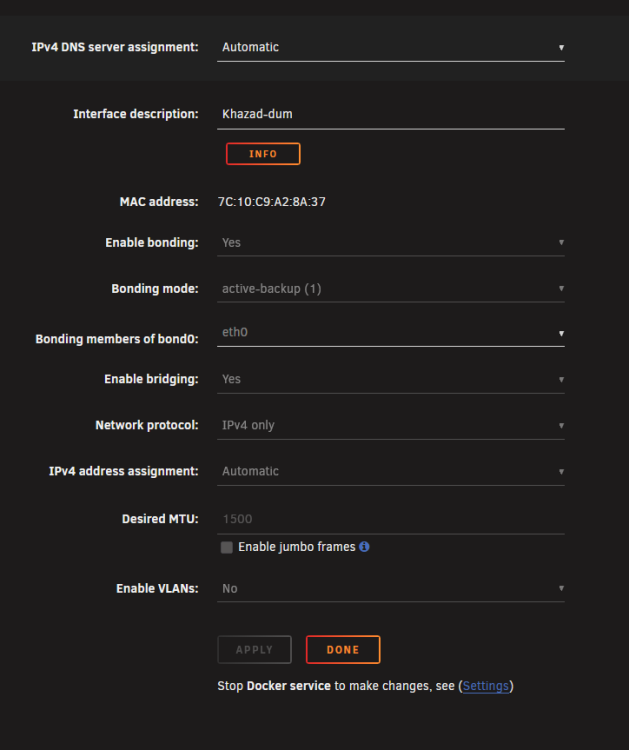
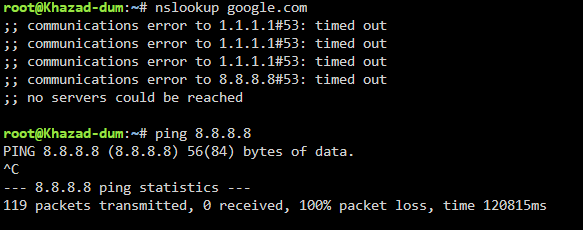
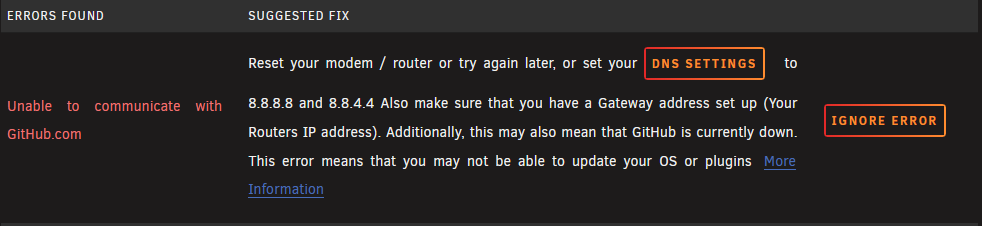
Hey folks, So I just completed a full motherboard replacement but can't get anything on the server to connect to any external services. All docker containers fail to connect, DNS test times out and ping requests just hang. I can access the Web GUI from my desktop on the same network and previously booted the server up with monitor attached with GUI and was able to get to Google in a browser with no issues. I've been searching for hours now and I'm thinking there's gotta be something critical I'm missing related to the new Ethernet interface, but I can't for the life of me figure it out. I've: - Removed all old DHCP listings in router and re-bound the IP, - Deleted network.cfg - Manually set Unraid DNS to Google & Cloudflare, - No luck with the Fix Common Problems plugin other than the obvious "DNS settings wrong". After about 4 hours of rebooting and testing, I finally had some luck after setting a new static IP in the router. For some reason it just won't work on 192.168.0.100 anymore. It was working fine before the mobo change over, but no idea why it's having issues now. Diagnostics zip plus Syslog attached - if anyone can tell me what is causing the issue so I can solve it in future that would be greatly appreciated! khazad-dum-diagnostics-20260713-2313.zip syslog-192.168.0.100.log
-
Glad I'm not the only one - I just did a full Mobo replacement and was wondering what I broke during setup haha
-
For those looking to change over to the p7zip version, the original instructions are unfortunately out of date on here. They have been updated on the project github however. Hope this helps anyone else running into errors with the old tag not working :)
-
Just wanted to say thanks as I was having the same error response and capitalisation was this issue for me too! Looks like when it searches for the network it's always in lowercase, even if it is a capital in the network list.

