wescrav
Members
-
Joined
-
Last visited
Everything posted by wescrav
-
But how does this translate into the new plans, starter, unleased, and lifetime? Also can i use my key on a new hardware device or do i got to get a new license (I'm assuming i want to migrate to new hardware here)?
-
Ok. The Unraid Os new pricing is so damn confusing. I don't even get it. So I was on the basic plan before but i just upgraded to the plus plan. So what does that mean? More devices 4 to 6? and what happens if i upgrade from plus to pro? would it be worth it? And what happens if my server kicks the bucket? do i have to buy all new licenses? There are so many confusing aspects of this new licensing system.
-
I'm having an issue with my unraid server where it disconnects from the network. This happening on a weekly basis where the only solution is to reboot the server. Im not sure why this is happpening.
-
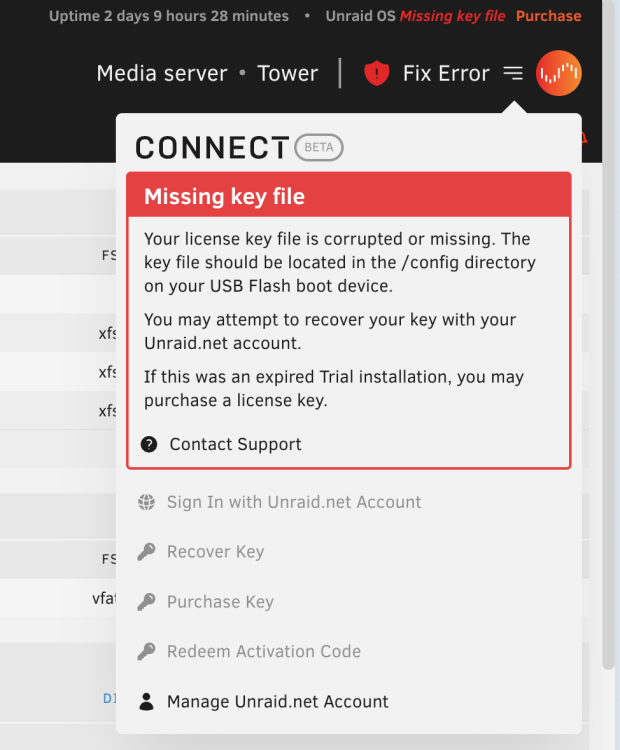
My unraid server had previously hung and i rebooted it. Then once i rebooted it, i connected a monitor to see if the server was up all the time. Then I connected a keyboard. Then when i went in the gui, it was saying license file is corrupted or missing. I previously had a license for Unraid basic and now it saying it can no longer find the license. How can i fix this?