





oro
Members
-
Joined
-
Last visited
Everything posted by oro
-
Ok, i haven't done a full back up and restore before. Fortunately, there isn't anything stored on the server that can't be re-ripped/downloaded/restored some other way, so it wouldn't be catastrophic if a backup and restore failed, it'd just mean a lot more time and effort to get everything back on there. i was thinking of setting up Borg and borgbase as a longterm offsite backup solution as well, do you have any suggestions? it's on my list of things to replace when i get things back in order 😅
-
Results of attempting a balance failed: root@dachora ~ # btrfs balance start -dusage=75 /mnt/cache ERROR: error during balancing '/mnt/cache': No space left on device There may be more info in syslog - try dmesg | tail root@dachora ~ # btrfs balance start -dusage=50 /mnt/cache 1 ↵ ERROR: error during balancing '/mnt/cache': No space left on device There may be more info in syslog - try dmesg | tail root@dachora ~ # btrfs balance start -dusage=25 /mnt/cache 1 ↵ ERROR: error during balancing '/mnt/cache': No space left on device There may be more info in syslog - try dmesg | tail root@dachora ~ # dmesg | tail 1 ↵ [ 4101.373688] docker0: port 5(veth87add45) entered forwarding state [ 4628.678551] BTRFS info (device nvme0n1p1): balance: start -dusage=75 [ 4640.702180] BTRFS info (device nvme0n1p1): 523 enospc errors during balance [ 4640.702184] BTRFS info (device nvme0n1p1): balance: ended with status: -28 [ 4667.333983] BTRFS info (device nvme0n1p1): balance: start -dusage=50 [ 4671.893465] BTRFS info (device nvme0n1p1): 358 enospc errors during balance [ 4671.893470] BTRFS info (device nvme0n1p1): balance: ended with status: -28 [ 4682.782415] BTRFS info (device nvme0n1p1): balance: start -dusage=25 [ 4692.565441] BTRFS info (device nvme0n1p1): 195 enospc errors during balance [ 4692.565447] BTRFS info (device nvme0n1p1): balance: ended with status: -28Is this a known issue in 7.0.0? Usually i like to avoid making updates while the system is in a non-working state, unless the update specifically addresses the issue
-
Ok. Crowdsec had an uptime of about a minute, invidious had an uptime of 34 seconds, and immich server had an uptime of 3 minutes. Everything else either failed to start or had an uptime that matched the server's full uptime. i set each of the ones with a short uptime to no longer start and did a reboot of the server and started the array. For some reason, once the array is started, one of the disks is now not recognized as installed. It's a USB drive and for sure worth replacing if it's a problem. Here's the latest diagnostics after rebooting: dachora-diagnostics-20260429-0135.zip dachora-diagnostics-20260429-0135.zip
-
Ok, i set Plex to not auto start and my array to not start on boot and did a clean reboot and took diagnostics after a fresh boot before the array started and after. Before: dachora-diagnostics-20260428-2016_disks_unmounted.zip After: dachora-diagnostics-20260428-2039_array_started.zip Hopefully these help narrow down the issue, let me know if there are any more tests i can run.
-
Thanks, i'll set that up when i get things back to normal working order. I ran a scrub on the cache and it didn't find any errors and the problem persists. UUID: 5b4b98af-a025-495d-9a7a-2b52a6595ed5 Scrub started: Mon Apr 27 19:56:32 2026 Status: finished Duration: 0:06:56 Total to scrub: 585.70GiB Rate: 1.41GiB/s Error summary: no errors found
-
I didn't check FCP before, but yeah it is also saying that the cache can't be written to. FCP lead me to this post which suggested to run memtest if the cache disk is unwritable, so i ran memtest86 and it didn't find any errors.
-
Hello again, i've kind of let this issue drag on and have just not been using my unraid server. I just checked on it again and it's giving the same problems after a fresh restart. Here is the diagnostics files after a fresh restart. dachora-diagnostics-20260426-2247.zip Thanks It looks like Plex Media Server is trying to restart after failing to write to the cache drive. If i look at the logs, it's just constantly trying to stop and start. Starting Plex Media Server. Stopping Plex Media Server. Starting Plex Media Server. Stopping Plex Media Server. Starting Plex Media Server. Stopping Plex Media Server. Starting Plex Media Server. Stopping Plex Media Server. Starting Plex Media Server. Stopping Plex Media Server. Starting Plex Media Server. PMS: failure detected. Read/write access is required for path: /config/Library/Application Support/Plex Media Server Stopping Plex Media Server. kill: usage: kill [-s sigspec | -n signum | -sigspec] pid | jobspec ... or kill -l [sigspec] Starting Plex Media Server. PMS: failure detected. Read/write access is required for path: /config/Library/Application Support/Plex Media Server Stopping Plex Media Server. kill: usage: kill [-s sigspec | -n signum | -sigspec] pid | jobspec ... or kill -l [sigspec]
-
How would i check and change it back to read/write?
-
Diagnostics.zip: dachora-diagnostics-20251223-1147.zip
-
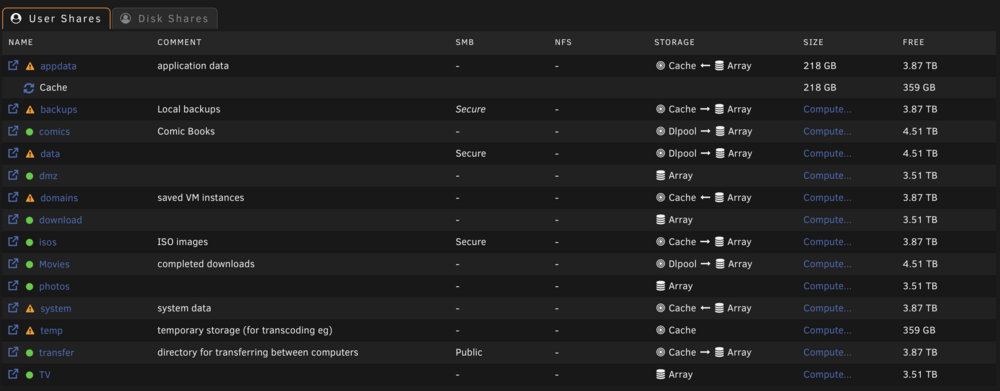
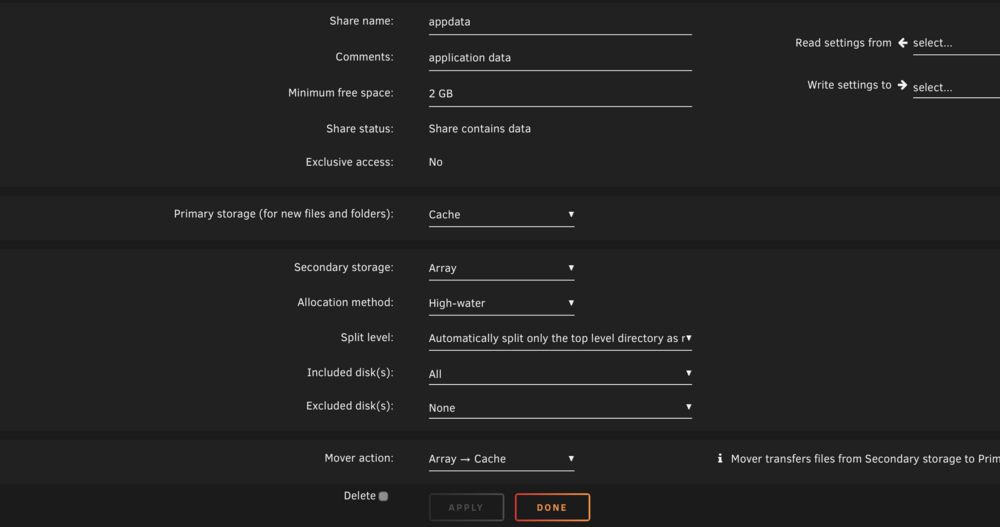
A few of my Docker containers recently stopped working and when i check their logs, i see that i am getting errors due to no space left on device. Here is the log from Postgres 12.5: 2025-12-22 22:46:38.262 EST [1] LOG: listening on IPv4 address "0.0.0.0", port 5432 2025-12-22 22:46:38.262 EST [1] LOG: listening on IPv6 address "::", port 5432 2025-12-22 22:46:38.481 EST [1] LOG: listening on Unix socket "/var/run/postgresql/.s.PGSQL.5432" 2025-12-22 22:46:38.535 EST [1] FATAL: could not access status of transaction 0 2025-12-22 22:46:38.535 EST [1] DETAIL: Could not open file "pg_notify/0000": No space left on device. 2025-12-22 22:46:38.544 EST [1] LOG: database system is shut down 2025-12-23 11:04:19.285 EST [1] FATAL: could not create lock file "postmaster.pid": No space left on device All of my shares, including appdata have free space in them, including free space on the cache drive. If i try to create the postmaster.pid file manually, i get the same error message: root@dachora ~ # touch /mnt/cache/appdata/postgres/data/postmaster.pid touch: cannot touch '/mnt/cache/appdata/postgres/data/postmaster.pid': No space left on device root@dachora ~ # df -h /mnt/cache/appdata/* Filesystem Size Used Avail Use% Mounted on /dev/nvme0n1p1 932G 597G 335G 65% /mnt/cache df reports the correct free space Here are the settings for my appdata share Any ideas what else i can try to troubleshoot this issue?
-
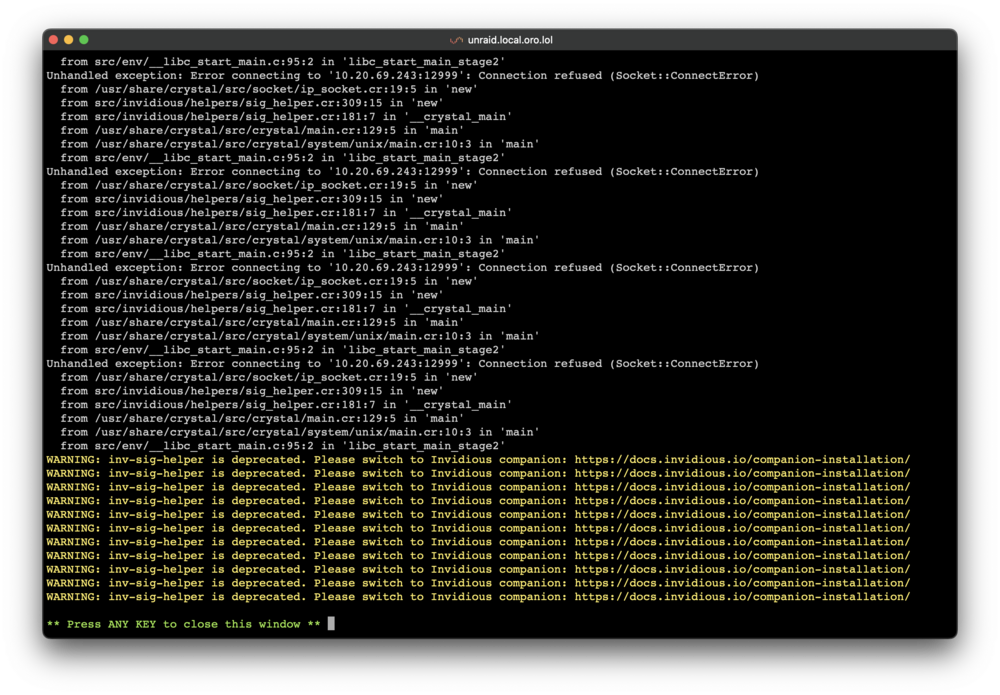
Thanks for the advice. i was able to see the logs by stopping the container and it looks like the issue was invidious sig helper was deprecated. So i switched to using that with the Docker Compose template from invidious's installation guide and got it working again.
-
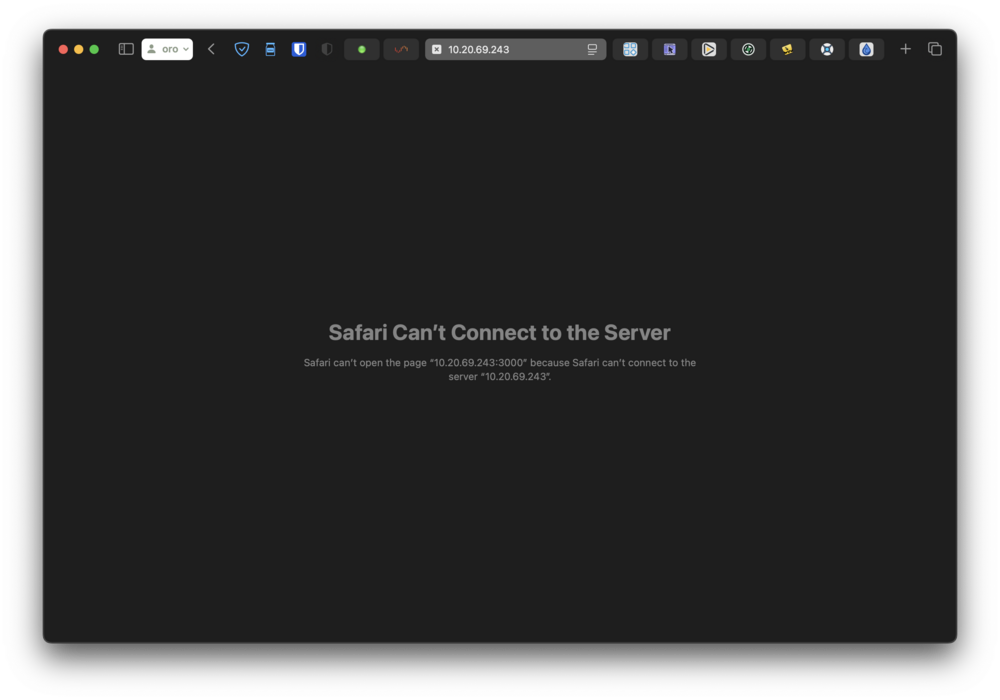
My Invidious instance recently stopped working and i haven't been able to troubleshoot it on my own. Unraid reports that the container is running but when i attempt to view from my browser, i get the message that it's unable to connect to the server. When i try to inspect the logs, i get this empty screen that auto-closes after a few seconds If i open a console into the container, it immediately closes. I tried removing the container and docker image and reinstalling but i got the same result. Is there anything else i should try to troubleshoot?

-
I didn't mean zombie process in the traditional sense, I just couldn't think of a better way to describe docker-proxy reserving the port for a container/process that isn't running. I'm running cloudflared-tunnel and Plex-Media-Server in host mode. Is there something wrong with having these configured this way? I made a little bit of progress on my own. Before, I'd mentioned other users on different operating systems reporting success by stoping docker, deleting /var/lib/docker/network/files/local-kv.db, and starting docker. A few weeks ago, I tried this and noticed the entire /var/lib/docker directory is empty when Docker isn't running. I decided to pursue this a little further today and tried deleting local-kv.db *before* stopping Docker, and when I restarted it, it was no longer reserving port 9117 when starting up and I was able to start Jackett on that port! I'm guessing Unraid manages /var/lib/docker differently than other systems and its directory is unmounted when not running. However, I have one issue that came up after doing this. My wireguard vpn network isn't an option in Docker anymore, I onlly have the options Bridge, Host, None, and br0. I wasn't sure how to add it back, but I went into Unraid's VPN settings and just re-applied the settings and it appeared. However, while the containers using the wiregurd network are able to obtain IP addresses. I'm unable to connect to their web addresses and from one of the container's shell, i'm not able to ping any Internet or local IP addresses. I ended up deleting and recreating the tunnel and now everything is working, phew.
-
Thanks for the suggestions! I updated to 6.12.13 and am still experiencing the issue. I'd like to avoid changing the port because I use the URL of the Jackett container in the configuration of all my other containers and would need to update all of those. Maybe this should be my impetus to set up an internal reverse proxy, but that's another story. I tried changing Jackett to another port to see if that would somehow free up the original port. Jackett started fine of course but the old port remained in use. Switching back to the original port and it wouldn't start as expected. I tried running nmap to see if I could get any more information and it reported that the port was closed. I'm kind of resigned to changing the port and reconfiguring, but having a port permanently occupied by some sort of zombie process doesn't sit right with me.
-
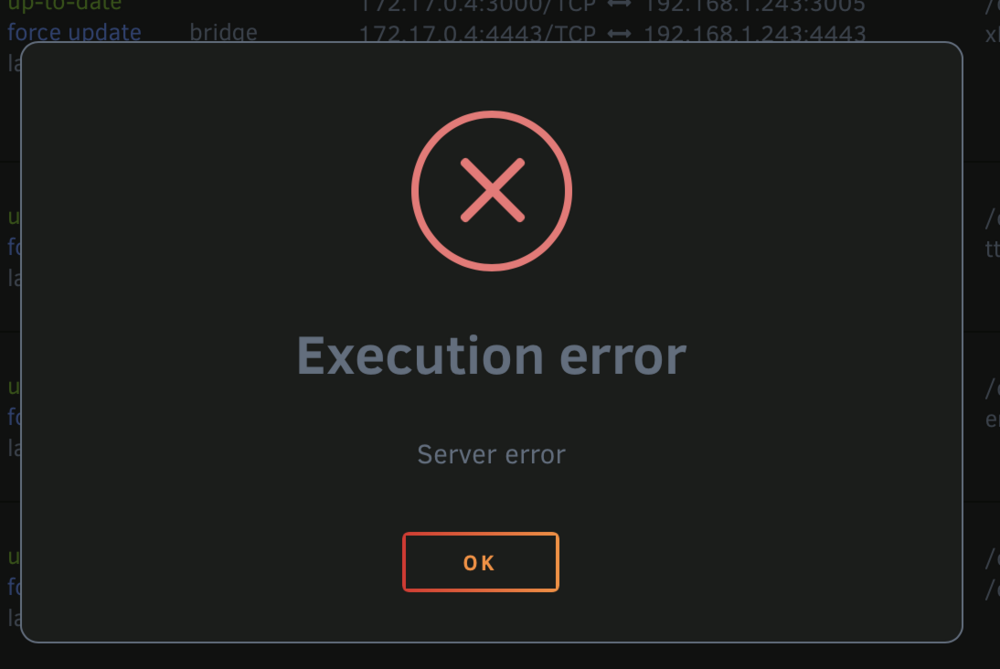
Hello, I'm currently using UNRAID 6.12.10. Recently I started getting an Execution error whenever I try to start a particular container (Jackett). If I start it from the command line, I get a little more details: # docker start jackett Error response from daemon: driver failed programming external connectivity on endpoint jackett (c416528d960abb5b43aeba21188ba5e9a1ed0f6bbd47bb78569cfe80b29a71e2): Bind for 0.0.0.0:9117 failed: port is already allocated Error: failed to start containers: jackett So I check to see what is using the port, and it's docker-proxy: # sudo ss -tunlp | grep 9117 tcp LISTEN 0 4096 0.0.0.0:9117 0.0.0.0:* users:(("docker-proxy",pid=9917,fd=4)) tcp LISTEN 0 4096 [::]:9117 [::]:* users:(("docker-proxy",pid=9924,fd=4)) I don't see these ports in use when I do docker ps. If I kill these processes, it doesn't seem to actually free the ports, as the Jackett container still can't start. I searched online for similar issues and saw people having trouble with docker-proxy occupying a port and preventing a container from starting, and the resolution was to stop the docker service and delete the file /var/lib/docker/network/files/local-kv.db and restart docker, but this didn't help in my case. Does anyone have any suggestions on something I can do to find out why docker-proxy is hanging onto that port and how to stop it?
-
Hello, i'm a relatively new user to unRAID. I had my server running on unRAID 6.10.2 for about two months with no issues of stability or unexpected downtimes or reboots. I upgraded to 6.10.3 and sometime around since then, i've had intermittent freezes in the unRAID OS. The machine completely stops responding to all network services including basic pings, and the console doesn't respond to the keyboard and mouse. i set up a remote syslog after the last freeze, and it ran for about a week before freezing again. i've attached the full log, and here are the final lines before the freeze that look potentially relevant: Jul 16 23:34:25 dachora kernel: ata7: illegal qc_active transition (000703c0->ffffffff) Jul 16 23:34:25 dachora kernel: ata7.00: failed to read SCR 1 (Emask=0x40) Jul 16 23:34:25 dachora kernel: ata7.01: failed to read SCR 1 (Emask=0x40) Jul 16 23:34:25 dachora kernel: ata7.02: failed to read SCR 1 (Emask=0x40) Jul 16 23:34:25 dachora kernel: ata7.03: failed to read SCR 1 (Emask=0x40) Jul 16 23:34:25 dachora kernel: ata7.04: failed to read SCR 1 (Emask=0x40) Jul 16 23:34:25 dachora kernel: ata7.03: exception Emask 0x100 SAct 0x703c0 SErr 0x0 action 0x6 frozen Jul 16 23:34:25 dachora kernel: ata7.03: failed command: READ FPDMA QUEUED Jul 16 23:34:25 dachora kernel: ata7.03: cmd 60/08:30:68:06:b4/00:00:6c:00:00/40 tag 6 ncq dma 4096 in Jul 16 23:34:25 dachora kernel: res 40/00:90:30:01:b4/00:00:6c:00:00/40 Emask 0x100 (unknown error) Jul 16 23:34:25 dachora kernel: ata7.03: status: { DRDY } Jul 16 23:34:25 dachora kernel: ata7.03: failed command: READ FPDMA QUEUED Jul 16 23:34:25 dachora kernel: ata7.03: cmd 60/10:38:70:06:b4/00:00:6c:00:00/40 tag 7 ncq dma 8192 in Jul 16 23:34:25 dachora kernel: res 40/00:90:30:01:b4/00:00:6c:00:00/40 Emask 0x100 (unknown error) Jul 16 23:34:25 dachora kernel: ata7.03: status: { DRDY } Jul 16 23:34:25 dachora kernel: ata7.03: failed command: READ FPDMA QUEUED i also attached my server's diagnostics. Let me know if there's any more information i can provide! dachora.log dachora-diagnostics-20220717-0157.zip
-
That was the issue! It was set to Intel QuickSync, I changed it to AHCI and both of the other drives showed up. Thanks!
-
Here is the diagnostics for my system dachora-diagnostics-20220530-1346.zip
-
Hello, I'm a first time user of Unraid, just setting up my first build with a trial license. I have the boot usb drive plugged into a header on the motherboard, I have a USB hard drive plugged into the motherboard externally, and an NVME drive that all show up and I was able to configure them in my array. I also have two drives connected over SATA (one sandisk SSD and one WD Red HDD) that do not show up in Unraid. They do however both. show up in the BIOS. I searched online, and found suggestions to disable VT-d/IOMMU in the BIOS, which I tried, but that didn't fix the issue.


