ArxKnight
Members
-
Joined
-
Last visited
Everything posted by ArxKnight
-
Yes thank you, I was trying my normal login rather than using the manual setup username and password. Thanks
-
Hi, I have re-installed this app due to an issue not allowing me to update it and now it doesn't seem to connect to the VPN correctly, can anyone help with this as I am unsure what is causing the error. The username and password are correct. LOGS:
-
no worries, thank you very much for you help @binhexAny ideas on how to proceed with this error? diesn't seem to say anythig in the help documentation about it. I did find this is the logs though, my guess is that it can't seem to find the directory to put the files in? LOGS

-
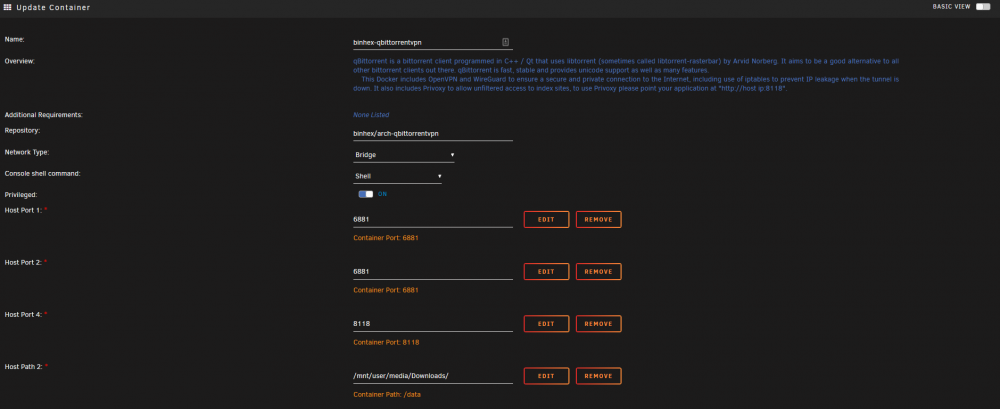
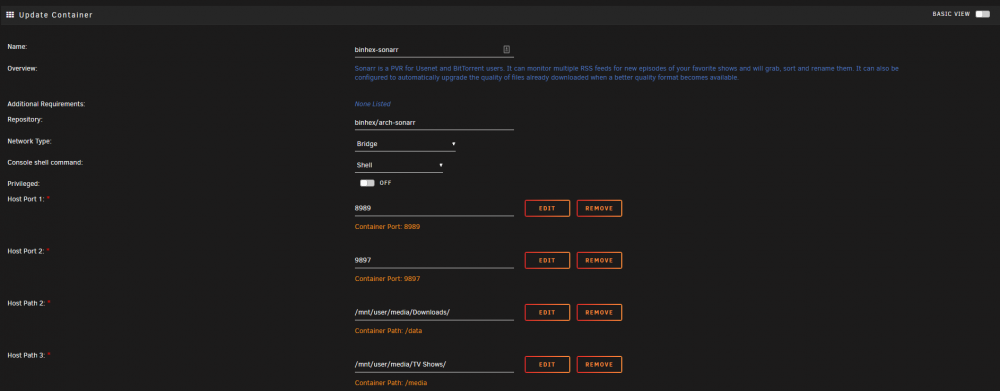
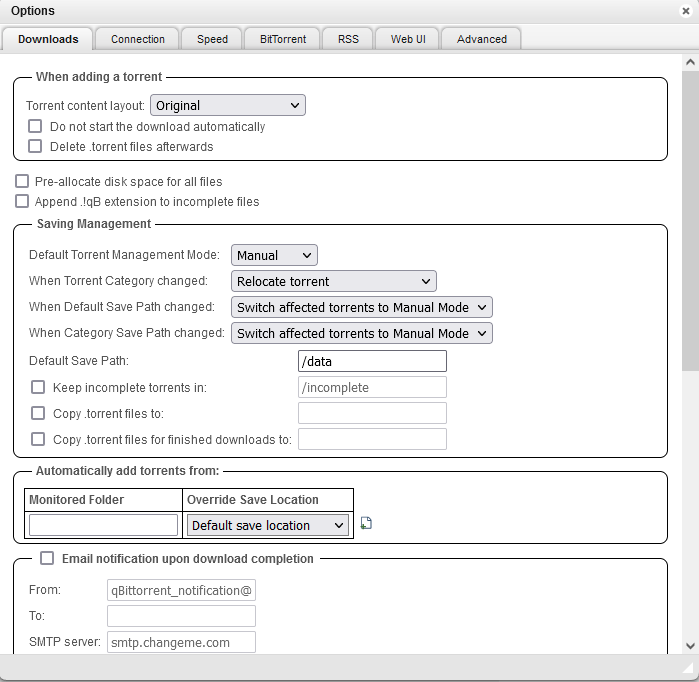
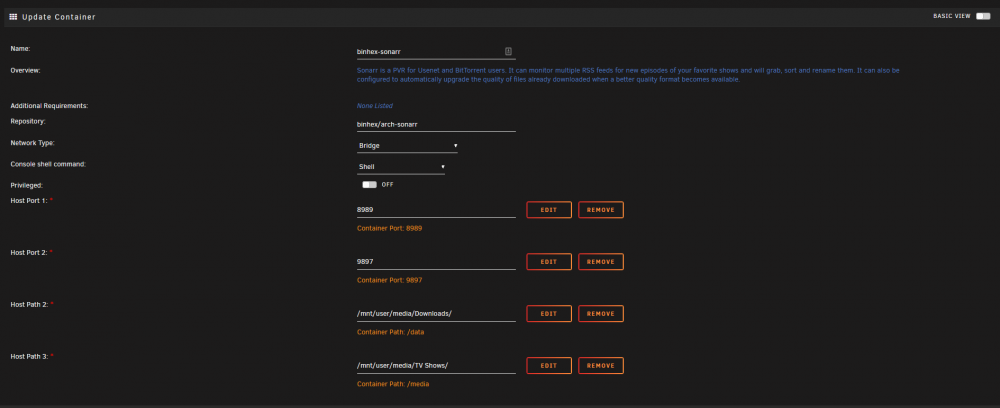
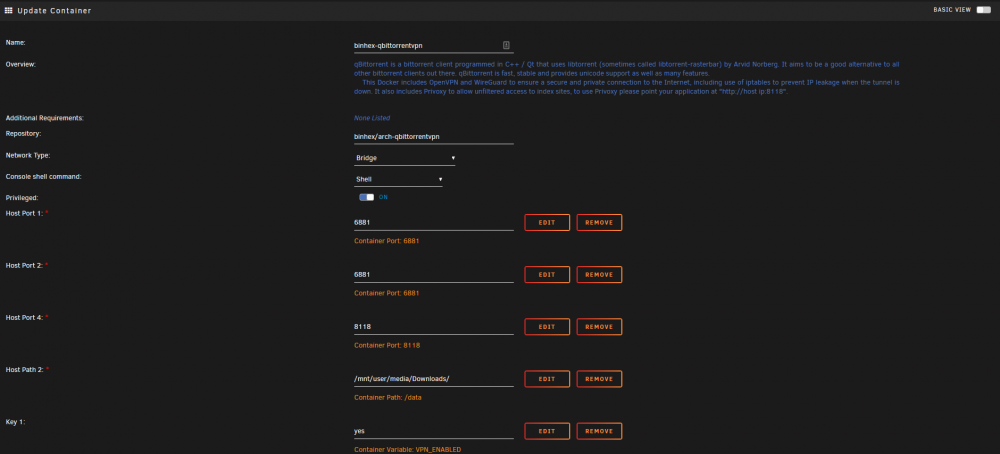
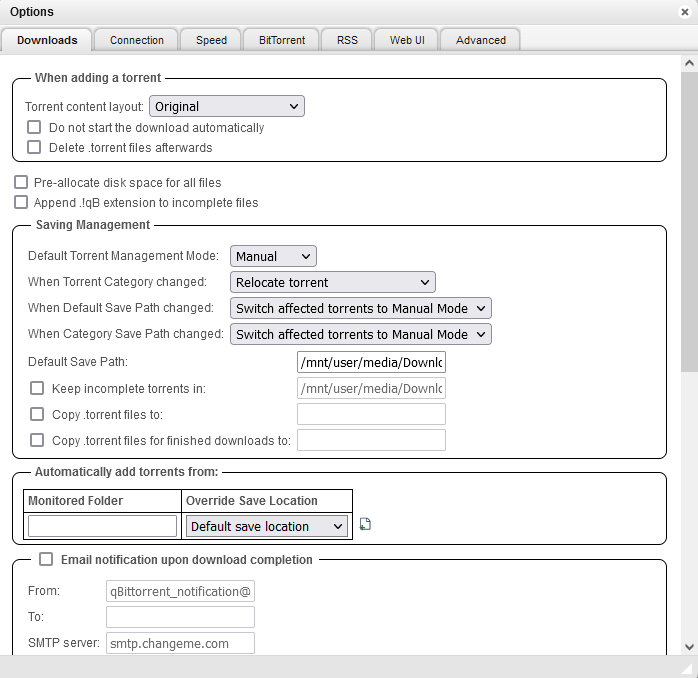
Ok, this has been changed. files now download thank you, just not importing for a diffrent error now: Here are all the current settings for locations

-
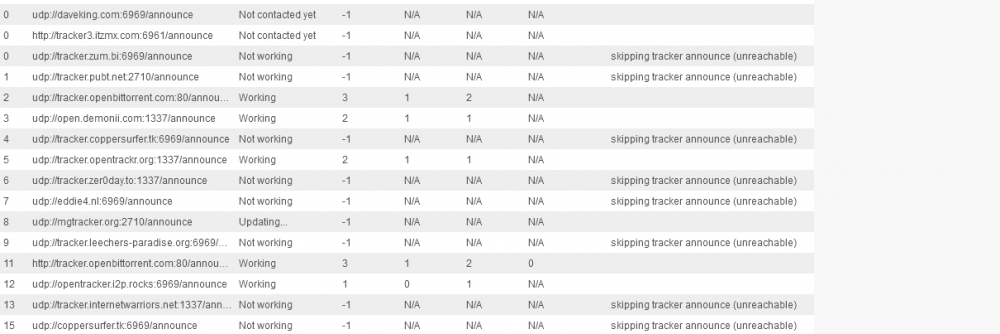
Update, now that these changes have been made I have deleted any files it started to download due them being in the wrong location however, upon Sonarr adding them back into qBittorent they seem to be getting an error state inside of Qbitt which I can't see anything in the logs but I can see this: I'm not sure if this is related to the error due to some network access issue somehow caused by moving the download folder or if this is an access issue that Qbitt can't download to /mnt/user/media/Downloads due to a permission issue maybe? I can see this in the comment of the errored torrents also if this the error code? "Comment:dynamic metainfo from client" The error in Sonarr is flagging no connections on some of them and just an error state on others



-
The paths have been changed in the docker settings for both Sonarr and Qbitt to: /mnt/user/media/Downloads/ (This is located on the Array as the Cache is only 1TB) and I have changed the download folder for Qbitt inside of the UI to /mnt/user/media/Downloads
-
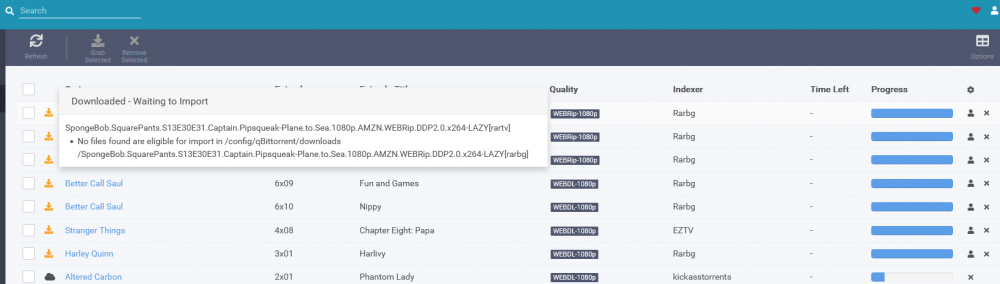
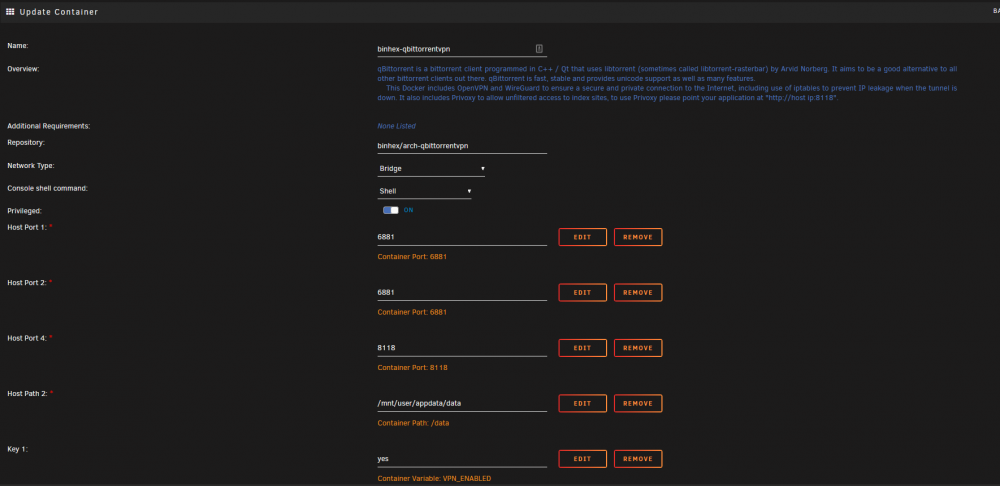
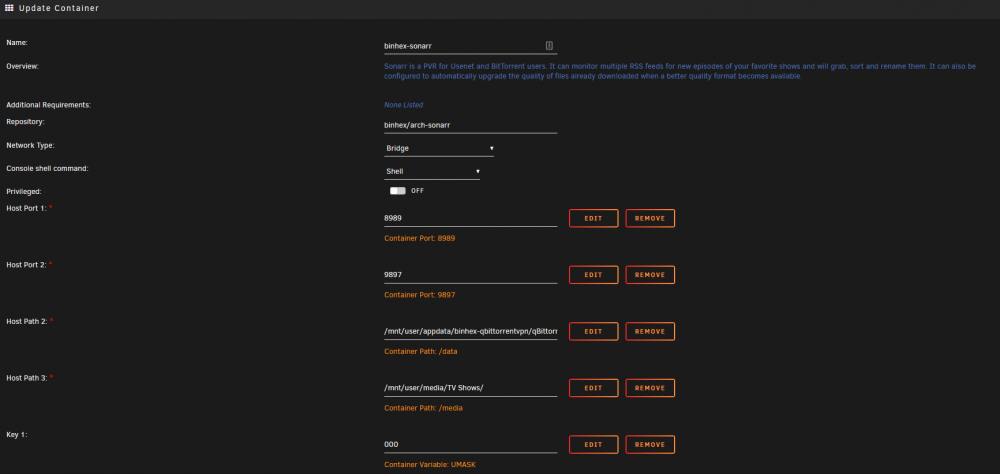
Hey, I am having an issue with Sonarr accessing the download location, any ideas on how to go about setting the perms so that it can be accessed or moving the downloads folder to a folder that Sonarr can access? LOGS Host path 2 full path: /mnt/user/appdata/binhex-qbittorrentvpn/qBittorrent/downloads Default save path for Qbittorent: /config/qBittorrent/config/qBittorrent/downloads
-
looks to be working now
-
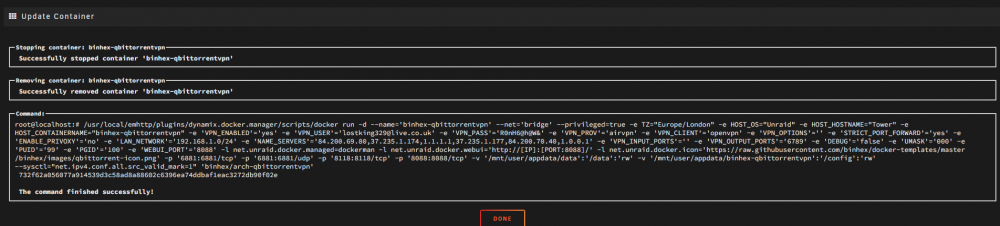
There are the current docker run command if I am understanding this corretly LOGS

-
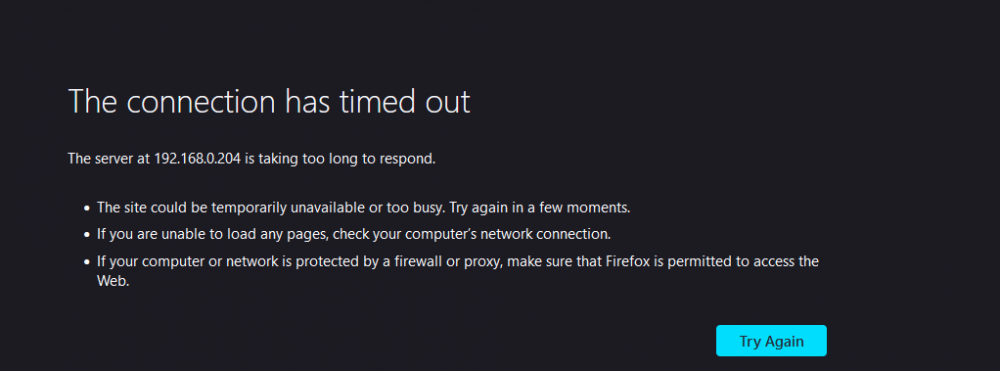
These steps have not been completed thank you. The new result is that the page does timeout when accessing it.
-
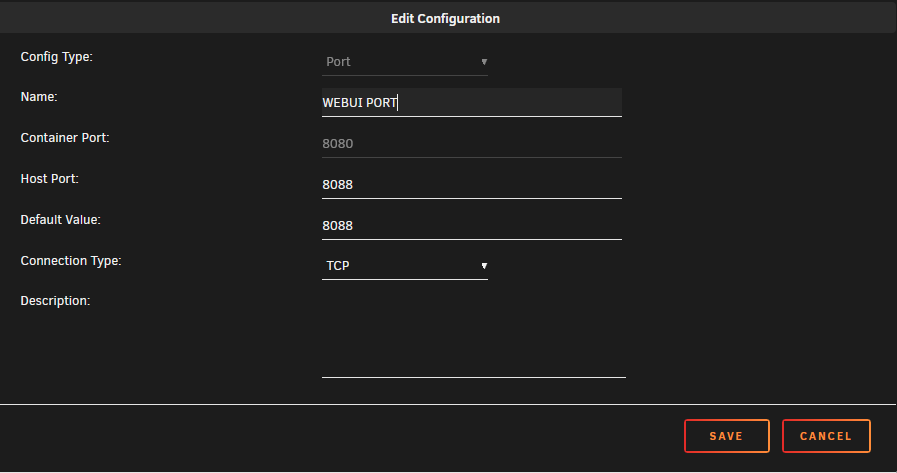
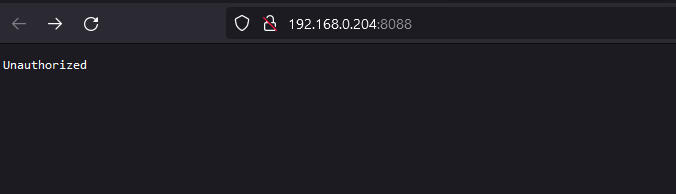
Tried changing it 8080 just to see if I would be correct and indeed I cannot use the consiner on port: 8088 as it's currently in use via another container. UPDATE: It seems that I can run the conainer port on 8080 and then just run the host port on 8088 which does give something but it looks like it's showing "Unauthorized"? I don't know what this could mean though.

-
I am changing the container port as I already have another container running in brigde mode with the same port so I would have thought that trying to run this also on the same IP/Port would cause a conflict. hmmm, it seems after those steps it still claims this:
-
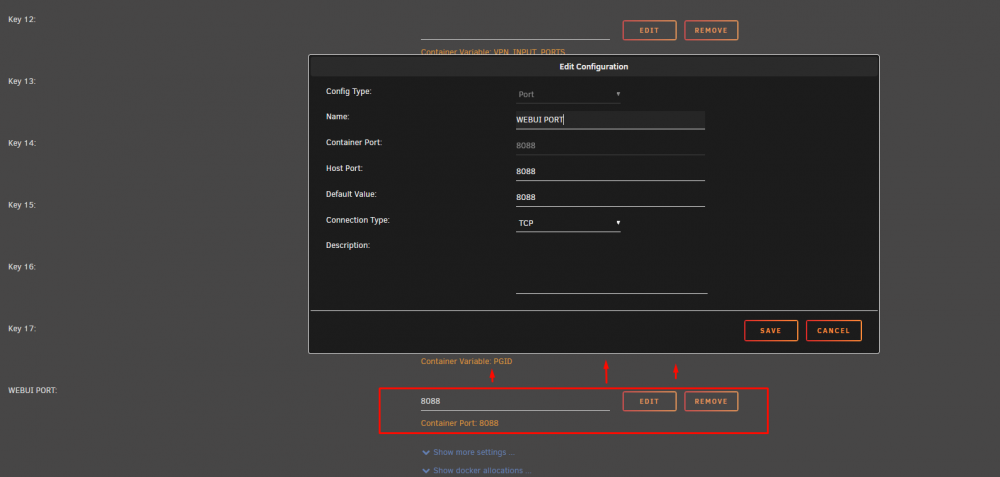
Hi @JonathanM, I though I had done the correct method by deleting the default "WEBUI" port and making it again to set the host and container ports both to 8088? Here you can see what I did: If there is something i'm missing could you please point me in the right direction for how I may go and change it as I thought all ports were handled though the settings of the container as shown above?
-
supervisord.logHey @wgstarks The WEBUI is set to port: 8088, I deleted the default one and added it back so that it would set the host and container ports to 8088. I have attached my supervisord for you to take a look These are the most up-to-date logs: LOGS

-
Update: Looks like it's working with the correct details now, though it looks to be listening on port: 8080 when it should be on port: 8088 if I am correct? LOGS
-
Looking at the logs is seems to be able to connect but this yellow warning/ error looks concerning, could this be preventing the connection? Error List: 2022-07-27 03:28:17 DEPRECATED OPTION: --cipher set to 'AES-256-CBC' but missing in --data-ciphers (AES-256-GCM:AES-128-GCM). Future OpenVPN version will ignore --cipher for cipher negotiations. Add 'AES-256-CBC' to --data-ciphers or change --cipher 'AES-256-CBC' to --data-ciphers-fallback 'AES-256-CBC' to silence this warning. 2022-07-27 03:28:17,420 DEBG 'start-script' stdout output: 2022-07-27 03:28:17 WARNING: file 'credentials.conf' is group or others accessible 2022-07-27 03:28:17 OpenVPN 2.5.7 [git:makepkg/a0f9a3e9404c8321+] x86_64-pc-linux-gnu [SSL (OpenSSL)] [LZO] [LZ4] [EPOLL] [PKCS11] [MH/PKTINFO] [AEAD] built on May 31 2022 2022-07-27 03:28:17 library versions: OpenSSL 1.1.1o 3 May 2022, LZO 2.10 2022-07-27 03:28:17,420 DEBG 'start-script' stdout output: 2022-07-27 03:28:17 WARNING: --ping should normally be used with --ping-restart or --ping-exit 2022-07-27 03:28:17 NOTE: the current --script-security setting may allow this configuration to call user-defined scripts
-
Hi @JonathanM, Yes I have puy my details in, first time round looks like it was the wrong password but getting this now in the logs. Still no WEB UI though. LOGS END OF LOGS
-
Looking at the logs, I am getting this if it's any help ? LOGS: END OF LOGS

-
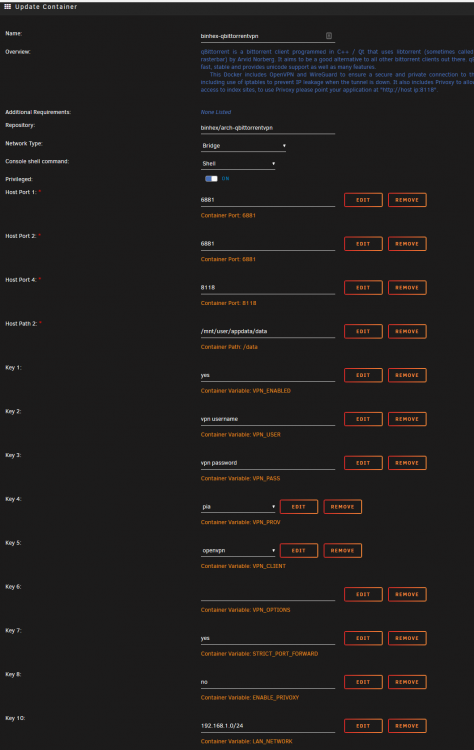
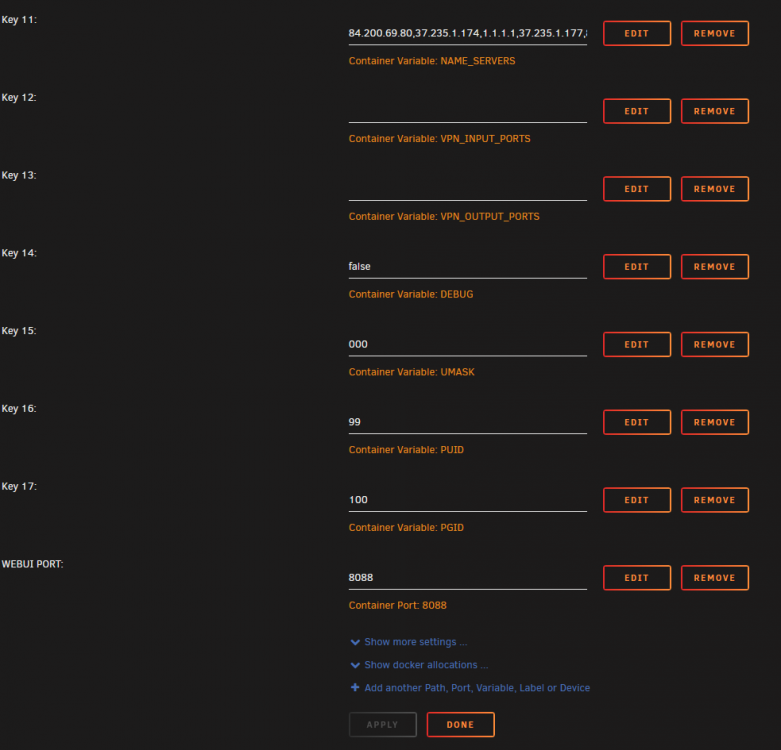
Hi, I am having a little trouble getting into the WEB UI. I have removed Host Port 3 and added it back in to set the Container and the host ports both to 8088 however I don't seem to be able to access the UI. any suggestions? Here is a screenshot of my settings:
-
This is the install I have used on the apps page in unraid -
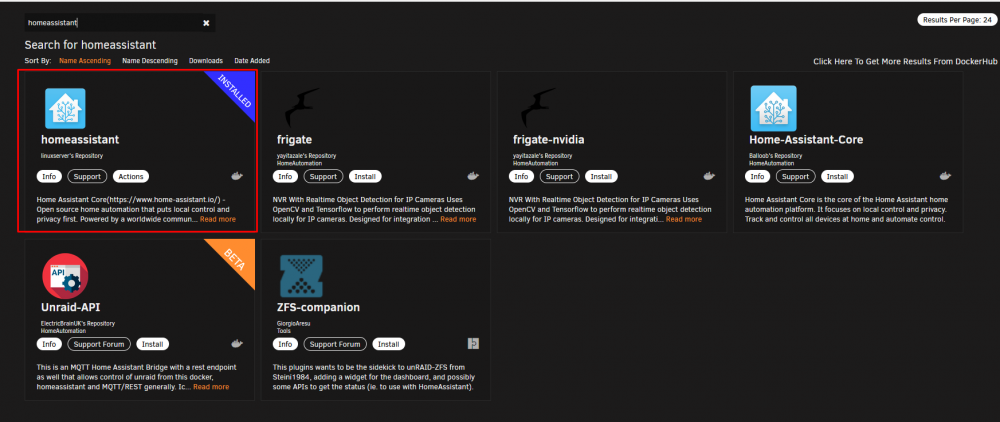
-
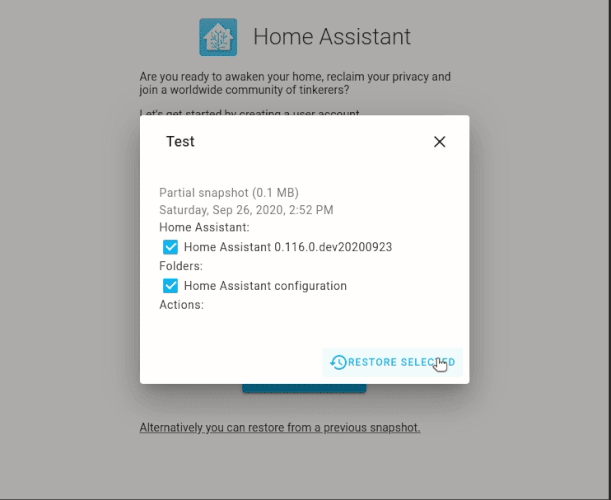
I see this on the welcome page right after install of the docker: it just tries to take you though making an account and setting your timezone, no botton to upload a backup .tar file or anything like that sadly.
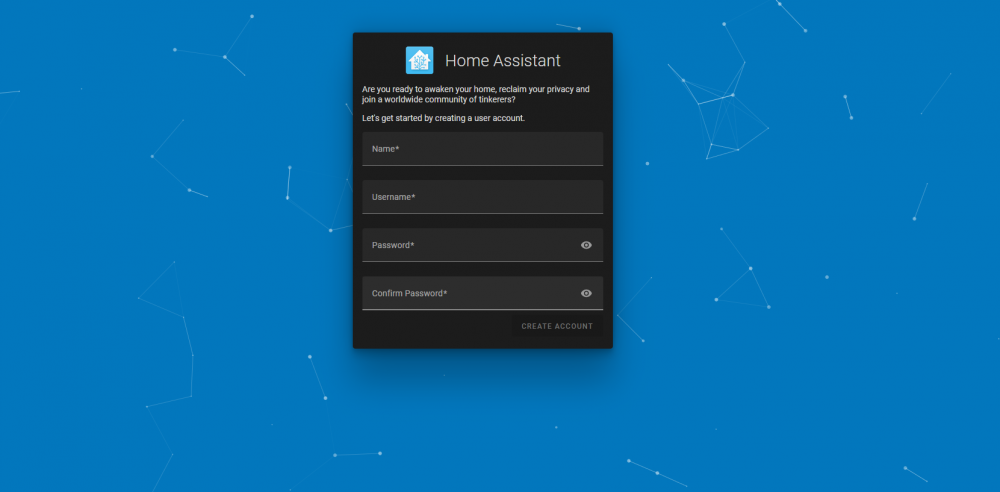
-
ah ok, so uninstall the one I have already from the app store and install this one as a docker? Sorry i'm quite new to this.
-
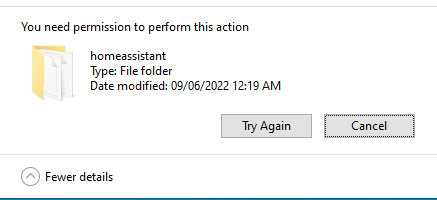
Hi, I have a backup of my home assisntant from another server and want to move it to my unraid server. I have the .tar file but I cannot see anyware to upload it, I have tried to put the .tar inside the backups folder of HA but I am getting access denied, when looking how to restore from backup the main HM site state you can do it on setup of HA but I don't see that button when setting up HA on unraid. Anyone had this problem or know how to get it so I can restore from backup? This is how HA says you can do it that it doesn't show for me