marco_yang
Members
-
Joined
-
Last visited
Everything posted by marco_yang
-
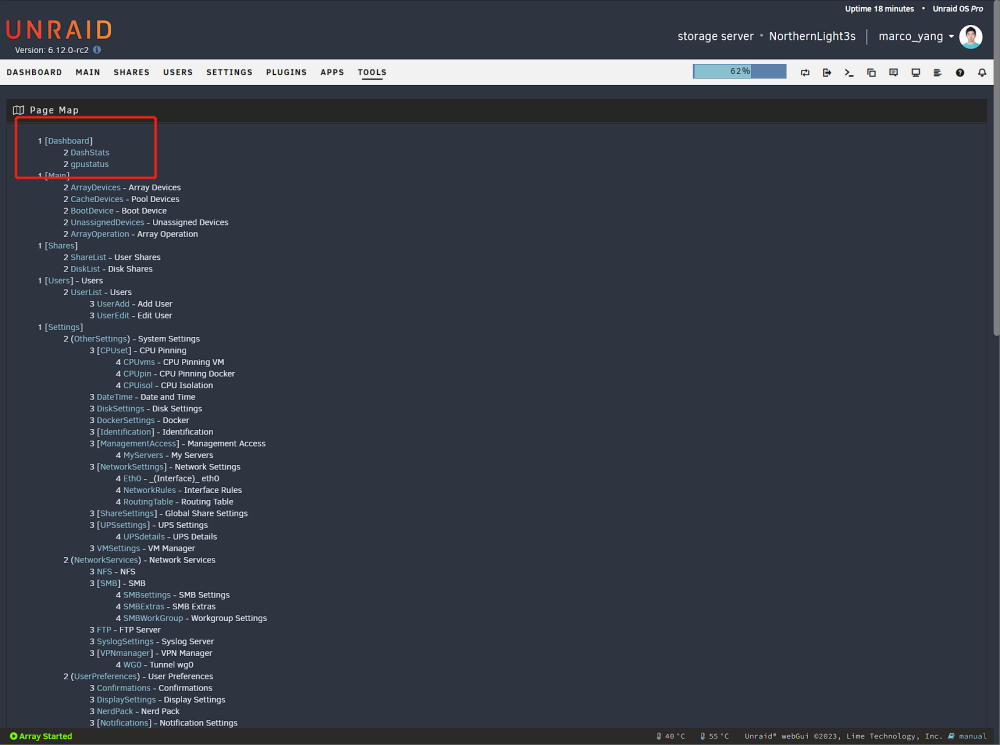
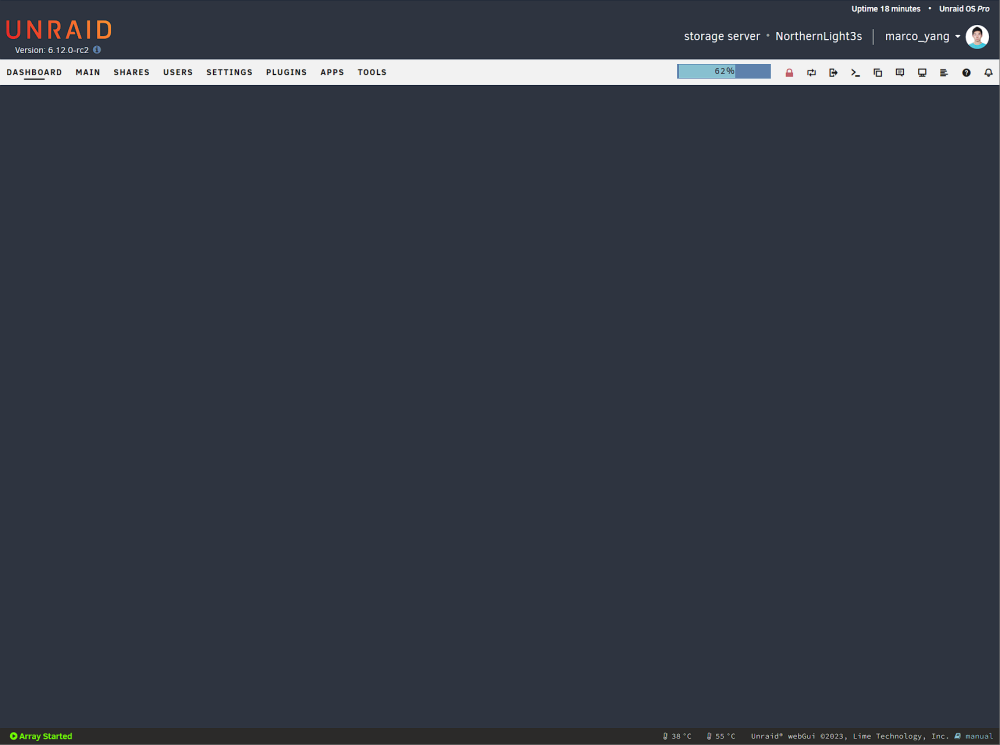
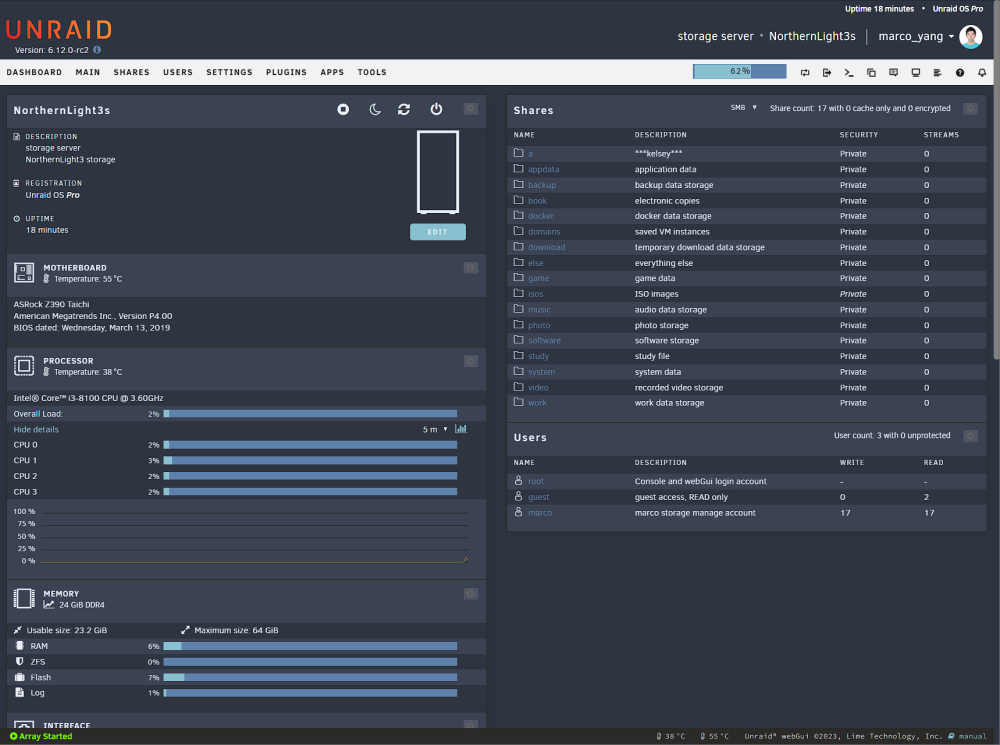
Hi Jorge! Sorry for interrupt you once again. I just noticed that when I upgrade to 6.12.0-rc2 the dashboard page disappear. But the -tools-page map-dash stats works fine. Do you think this is because I am using a rc release? Or is there anything wrong with my UNRAID config? if I click into the "DashStats" everything seems pop out fine
-
Problem solved. For those of you who also have this issue, remove the original cache pool, add a new one, manually set file system for your cache pool, then scroll down to the bottom and format the two new disks. Thank you so much JorgeB! You are the best!
-
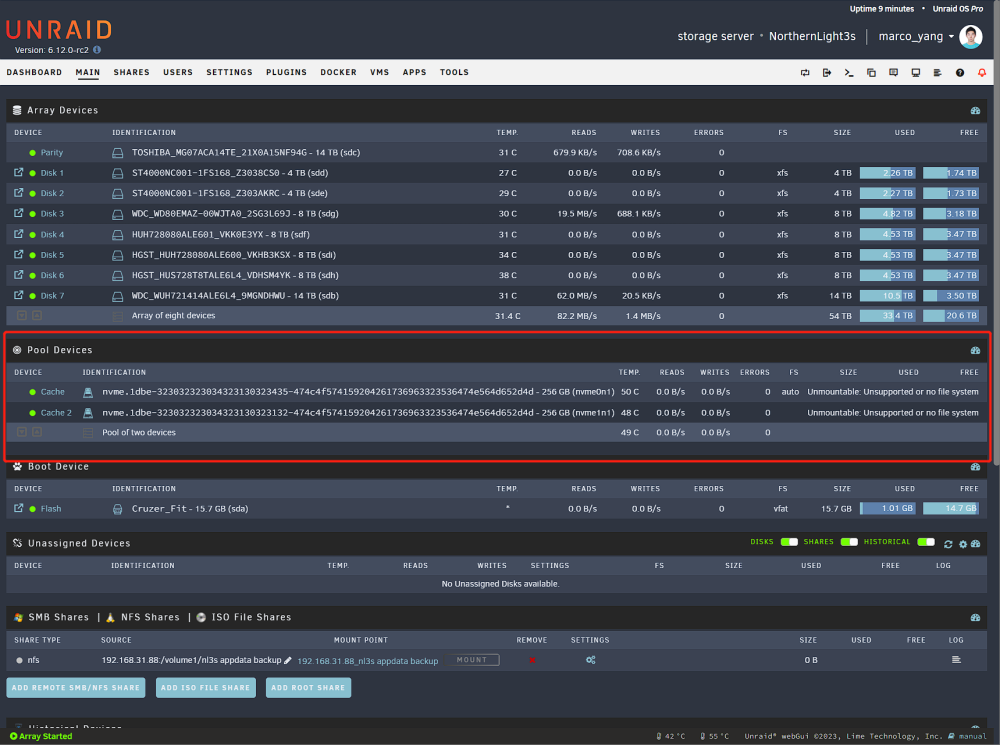
I tried to delete the original cache pool and add a new one. It did start the array but the GUI says they are unmountable
-
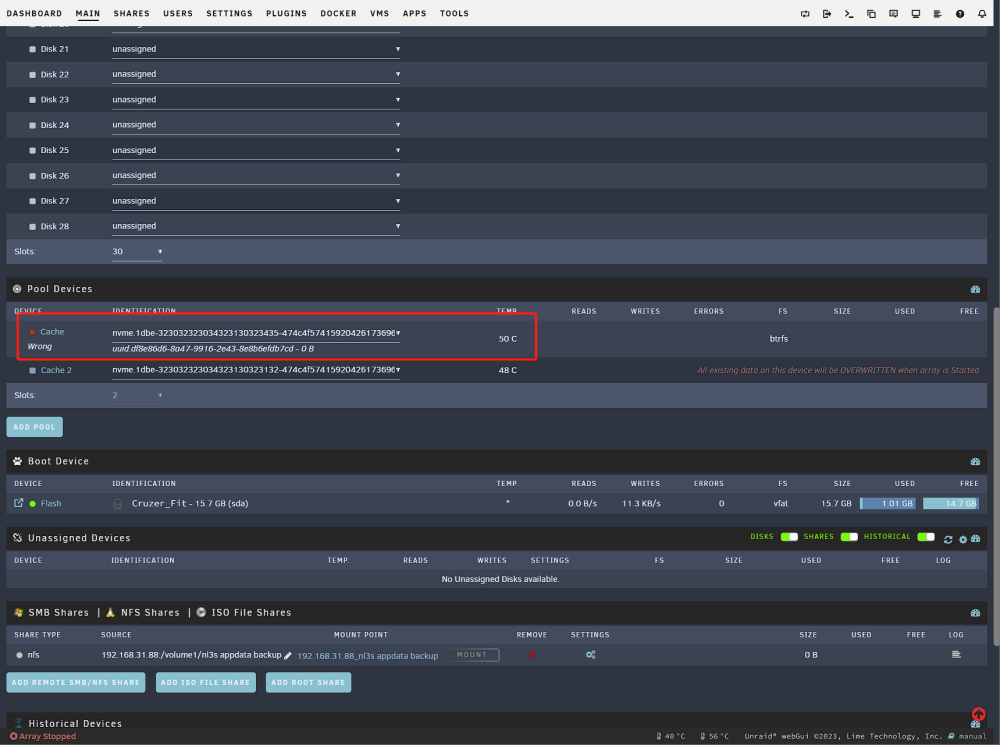
Thanks for your really fast response! I really appreciate your help! I just upgraded and the nvme did show up but seems still have something wrong...
-
Hi! I was trying to add a new SSD as my cache disk, and it shows up correctly in BIOS but never seen in UNRAID. I was checking logs myself and appears that the NVME0 and NVME1 are having globally duplicate IDs which seems causing the initializing process failed. The IOMMU also didn't show it up. I am not sure how to fix this issue, does anyone see anything similar? How can I change duplicate IDs? UNRAID Pro 6.11.5 Intel i3 8100 Asrock Z390 Taichi: (SATA_2-SATA_8 connected to 6 HDDs, PCIEx8 LSI card connected to another 2 HDDs, PCIEx8 X540t2, M2_1-M2_2 connected to 2 SSDs) 2 x Gloway Basic 256G nvme (already have one and works fine, today tried to add another identical one but not visible) northernlight3s-diagnostics-20230405-2329.zip
-
Yes it does display an IP address but that's not a public IPv4, it is more likely a subnet IP address. IPv4 address is running out right now so a lot of newly constructed apartments do not have a public IP address anymore. The way they do is set a router with one public IP for the entire building and let each apartments set subnet under the router. In this situation my displayed "public IP address" on whatismyip.com is actually a subnet address configured by the apartment router.
-
Hi itimpi! Thank you very much for your reply. Yes, WireGuard is a great way to remote access. However, it require a Public IPv4 address isn't it? Unfortunately, I do not have a valid Public IP address from my carrier. Is there any other ways to fix this problem? Back to my original topic, I am pretty sure it is not because of cached credentials. I just downloaded a new Chrome on my iPad and didn't login my account. The IP still direct me to dashboard instead of login page.
-
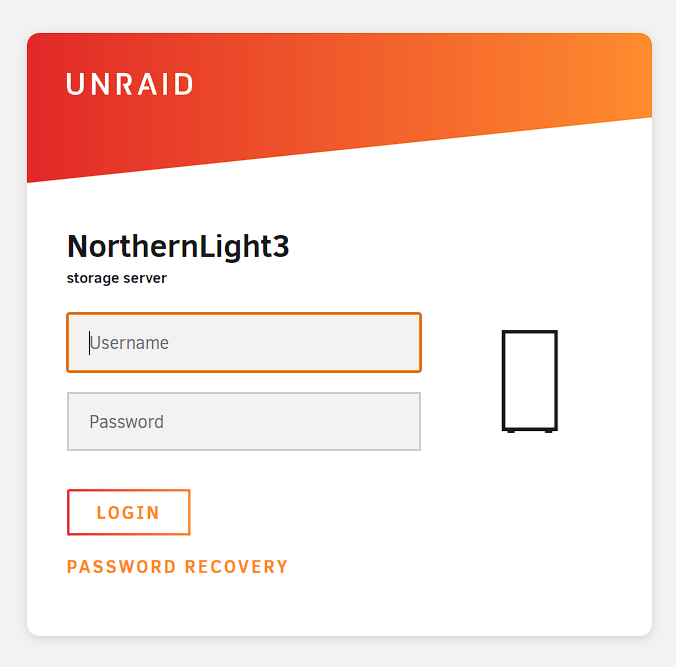
UNRAID version: 6.10.3 Hi all! I am struggled with the login security problem, I am not sure if it is on UNRAID system side or my config side: When I am trying to use public IP address remote access UNRAID webGui page, it didn't pop up a login page to require me account and password (instead, it directly let me go to dashboard page) I don't have a public IPv4 address so I used a cloud server (which has a valid public IPv4 address) to transfer my visit. So basically everytime I visit the cloud server IP, it will forward me to my UNRAID. The docker I used is here: https://github.com/fatedier/frp/blob/master/README.md. I think this is more likely to be a system side issue because all dockers (Jellyfin, File Browser etc) where working fine and pops out login page as they should and I am using exact same way to configure visiting. Does anyone know anything about how to fix it? Thanks~
-
UNRAID version: 6.10.3 Hi all! I am struggled with the login security problem, I am not sure if it is on UNRAID system side or my config side: When I am trying to use public IP address remote access UNRAID webGui page, it didn't pop up a login page to require me account and password. This means everyone who knows my IP can easily visit my webGUI. I am pretty sure this is not a credential memory problem (when I switch to a brand new device the login page still didn't pop out). I don't have a public IPv4 address so I used a cloud server (which has a valid public IPv4 address) to transfer my visit. So basically everytime I visit the cloud server IP, it will forward me to my UNRAID. The docker I used is here: https://github.com/fatedier/frp/blob/master/README.md. I think this is more likely to be a system side issue because all dockers (Jellyfin, File Browser etc) where working fine and pops out login page as they should and I am using exact same way to configure visiting. Does anyone know anything about how to fix it? Thanks~