





xn1337
Members
-
Joined
-
Last visited
-
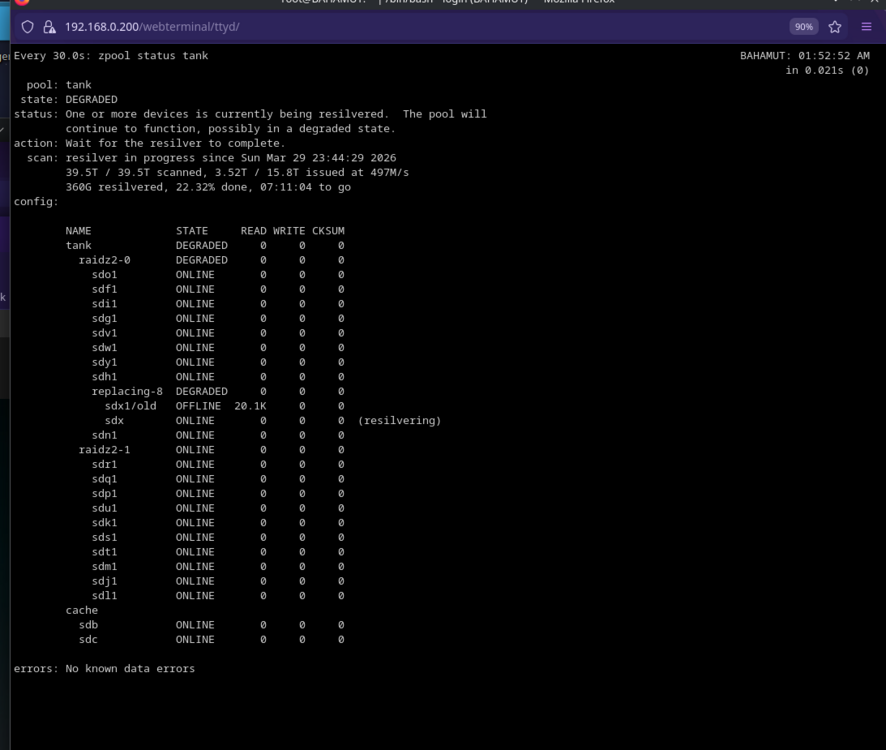
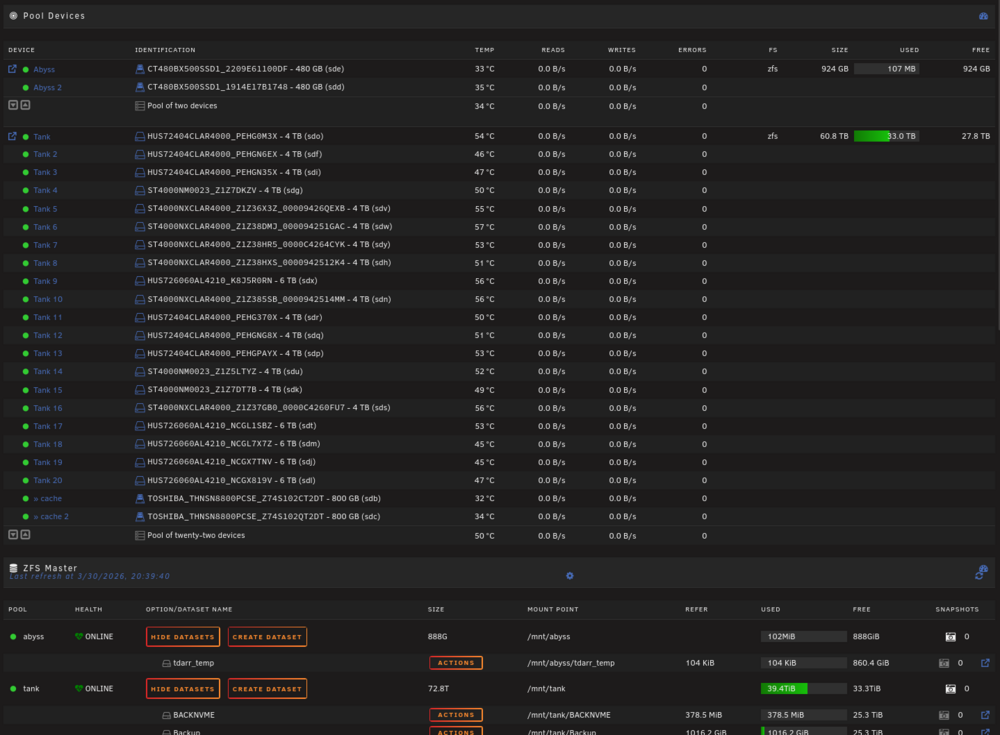
Damn, i swear i did that multiple times........ after a night of no sleep, all good now. thanks. for any newbies (like me) that are using zfs, what is the best way to replace a drive in the future? as you can see below, 20000 read errors and the drive had 6800 Elements in grown defect list (SAS Drives).
-
thanks for the reply, attached, it will be my fault, followed gemini for the fix, what i did to replace the disk was: zpool offline tank sdx1 Pulled and replaced drive wipefs -a /dev/sdx zpool replace tank sdx1 /dev/sdx root@BAHAMUT:~# zpool status pool: abyss state: ONLINE config: NAME STATE READ WRITE CKSUM abyss ONLINE 0 0 0 sde1 ONLINE 0 0 0 sdd1 ONLINE 0 0 0 errors: No known data errors pool: tank state: ONLINE scan: resilvered 1.57T in 08:57:20 with 0 errors on Mon Mar 30 08:41:49 2026 config: NAME STATE READ WRITE CKSUM tank ONLINE 0 0 0 raidz2-0 ONLINE 0 0 0 sdo1 ONLINE 0 0 0 sdf1 ONLINE 0 0 0 sdi1 ONLINE 0 0 0 sdg1 ONLINE 0 0 0 sdv1 ONLINE 0 0 0 sdw1 ONLINE 0 0 0 sdy1 ONLINE 0 0 0 sdh1 ONLINE 0 0 0 sdx ONLINE 0 0 0 sdn1 ONLINE 0 0 0 raidz2-1 ONLINE 0 0 0 sdr1 ONLINE 0 0 0 sdq1 ONLINE 0 0 0 sdp1 ONLINE 0 0 0 sdu1 ONLINE 0 0 0 sdk1 ONLINE 0 0 0 sds1 ONLINE 0 0 0 sdt1 ONLINE 0 0 0 sdm1 ONLINE 0 0 0 sdj1 ONLINE 0 0 0 sdl1 ONLINE 0 0 0 cache sdb ONLINE 0 0 0 sdc ONLINE 0 0 0 errors: No known data errors bahamut-diagnostics-20260330-1217.zip
-
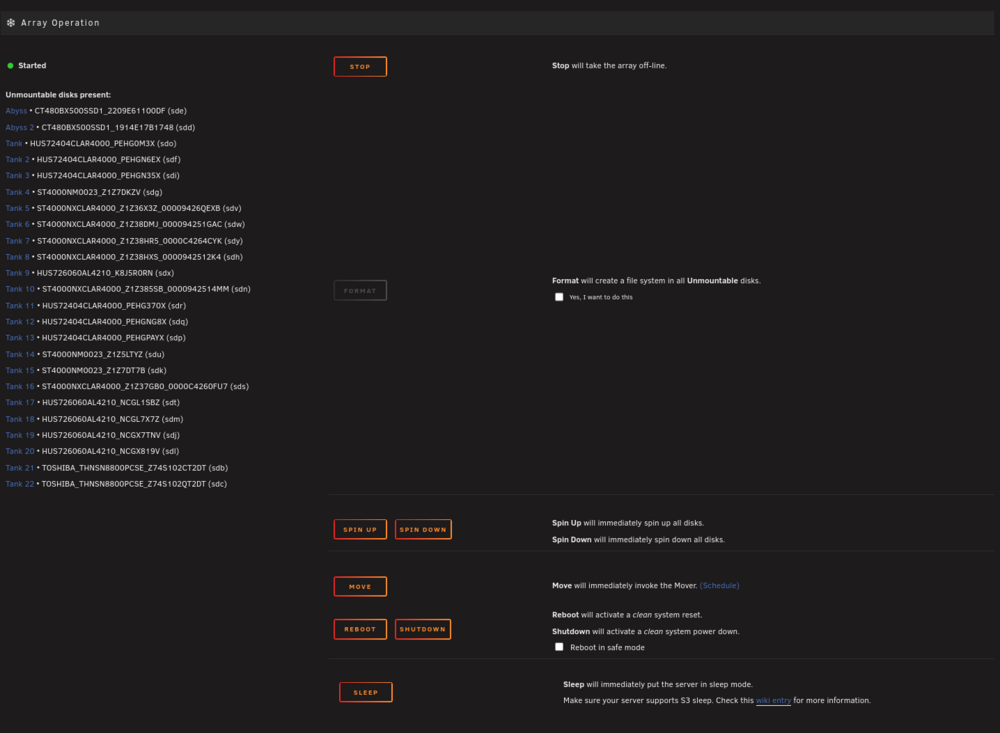
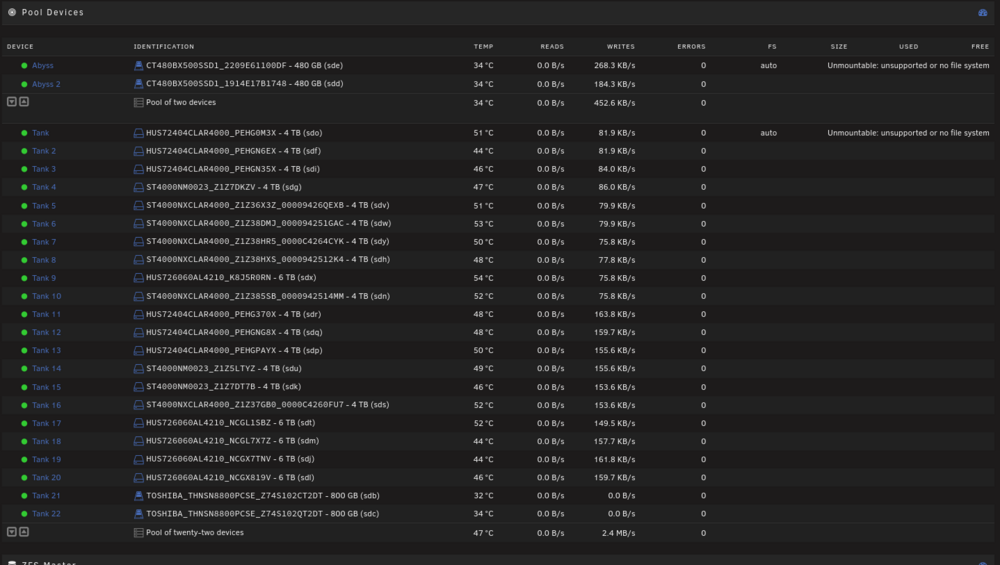
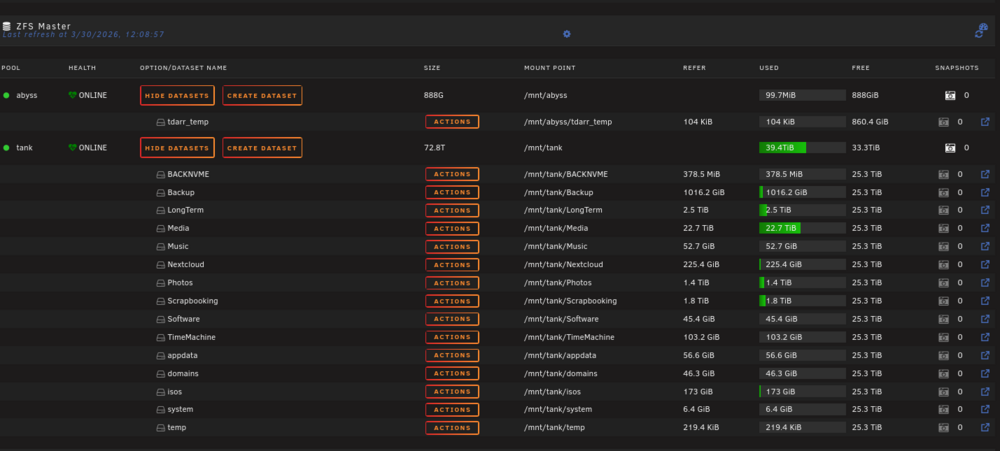
Hi, I had a failed Disk in a ZFS pool, stupidly i did the repair via CLI, replaced the disk and re-silvered, now the zfs pools are mounted in the gui, i can access the network shares, but unraid shows the pools as unmountable: unsupported or no file system But ZFS master shows them as mounted and healthy. i have tried the new config but same result, more worried about loosing the data than anything else.
-
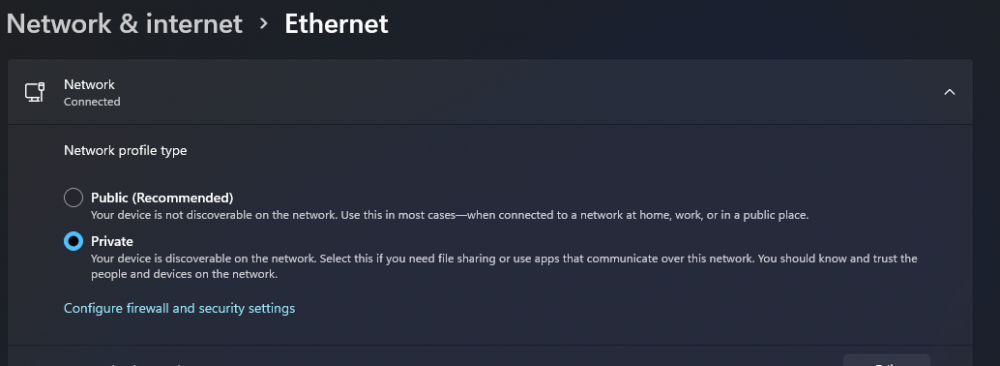
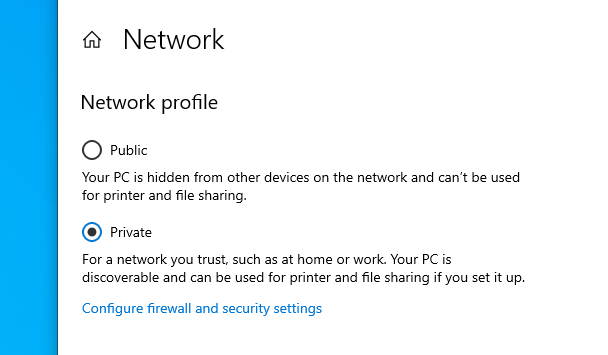
We use some of our shares in our Business to get software installers for customers PC's, we found we can solve the issue most of the time of requesting passwords and unable to access by ip or name by setting the network type to private, just another option.
-
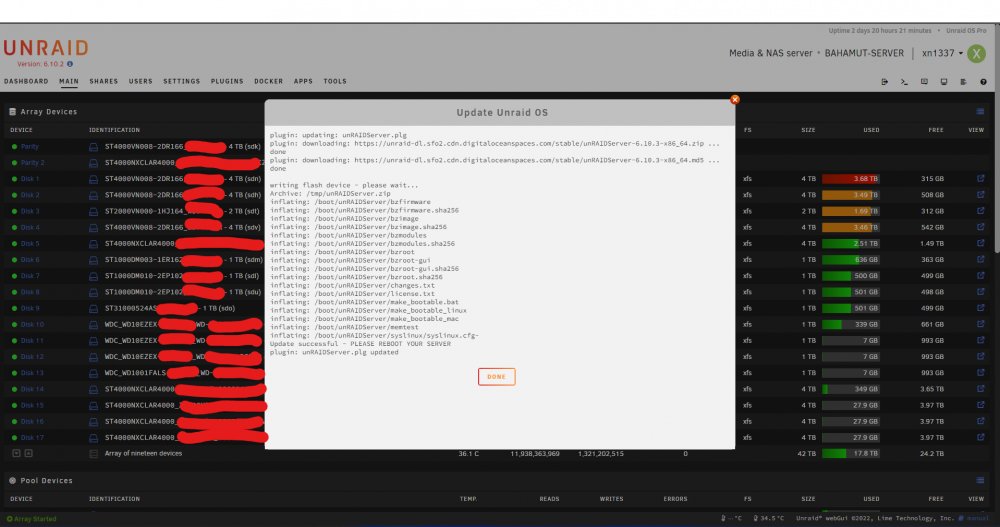
Thanks for the reply, ended up spending the afternoon looking into this, we are using HAproxy on Opnsense to supply SSL to local servers, after removing the server from the proxy to move over to using the new my servers feature, I re ran the update, it worked this time, here is a screenshot anyway of the successful update.
-
Hi, we have an ancient unraid install that we have recently had issues with updating, i did a manual update from 6.9 to 6.10.2, but now it wont update to 6.10.3, all looks good, no errors, i think the update tool is placing the BZ files in a folder labeled unRAIDServer, but our install from right back at the begging had the files just on the root of the usb. do i have to edit the boot file, so all further updates will work?


