onkelsmily
Members
-
Joined
-
Last visited
Everything posted by onkelsmily
-
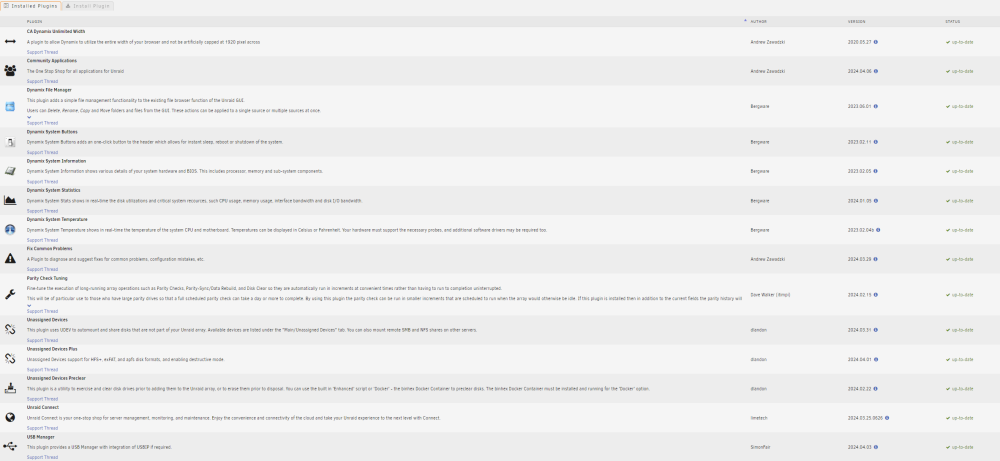
Hi @JorgeB. 1) Deleting the isos.cfg seemed to work. System is going to update 3rd party drivers. 2) please check images below of the message in FixCommonProblems and my PluginOverview Thx

-
Hey community, Struggeling with the error message of unRAIDServer_0.plg (can't find such a plugin) and a potential corrupted flash drive (system is working). Appeared after a restore of my stick which died. Until I get this message the system will not update an tells me to reboot every time which is not effective in any way. Any idea where to look or what to do? I'm not into the depth of the system yet. Otherwise I'll stuck on 6.12.6 forever Thx :) onkel-diagnostics-20240408-2216.zip
-
Hey there, Got this event after a needed emergency swap of my USB and not sure what to do. May anyone out there could help me out Error message in Fix common problems: Logs: attached P.S.: since the swap the system wants a "reboot for required update" which will not resolve after reboot Thanks in advance! onkel-diagnostics-20240128-2156.zip
-
Ok, then I'm really confused because there was no error message of warning an originally I was sure that I configured Raid1 which it is not in the actual status as you mentioned. I really don't know where this could happend Is there any possibility that the data remains on the other drive (nvme0n1) and that the cache just do not start because of the failing disk? Before I'm going to format everything I like to be sure about that. Is there a way to remove the failing disk from pool an load only the other one? This is the error log from the disk may telling the same we identified already....
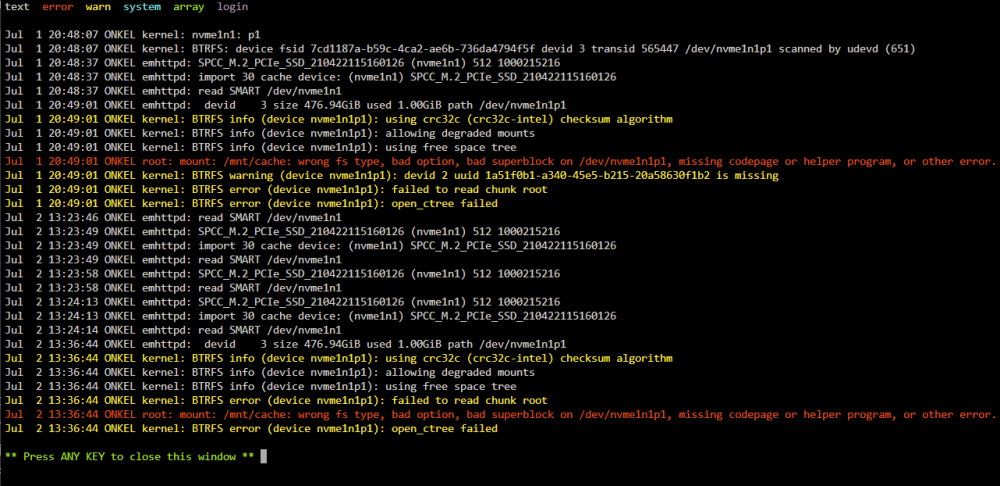 Ok, this is really strange due to I didn't work on the server except for the upgrade. The only place where this could happend is the mentioned "New Config" assignment as the drive failed the first time. Could that be a reason why the drive had been whiped - because before I still saw the organge folders on the remaining drive? If not I really don't know where this should had happened. If this was the case I assume the recovery of the data will also not work Is there a manual how to set up the cache drives in Raid1 correctly. If I need to re-install everything from scratch I'lll like to do it correct this time. ThanksHi JorgeB, Here is the result. Did something but array is still unmountable. Regards! onkel-diagnostics-20230630-2254.zip
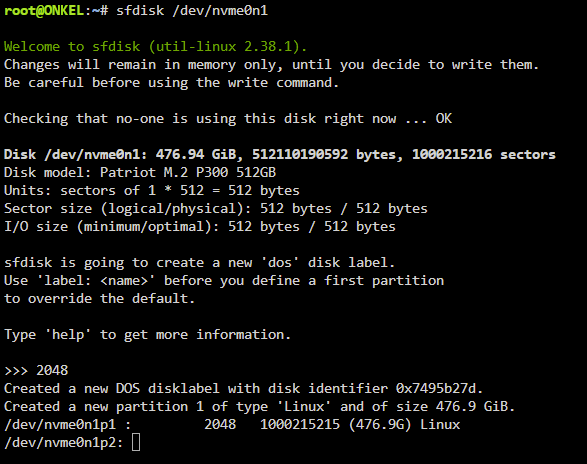 root@ONKEL:~# fdisk -l /dev/nvme0n1 Disk /dev/nvme0n1: 476.94 GiB, 512110190592 bytes, 1000215216 sectors Disk model: Patriot M.2 P300 512GB Units: sectors of 1 * 512 = 512 bytes Sector size (logical/physical): 512 bytes / 512 bytes I/O size (minimum/optimal): 512 bytes / 512 bytesHere they are onkel-diagnostics-20230629-2006.zipOne more thing to report: After the system did not recognized the SSD one time I recreated the config to add the drives to the correct place again. Could this may be an issue or is it irrelevant...? After I set the basic Disk-settings back to btrfs and auto start the cache is now unmountable due to an unsupported or no file system.... very ugly
 Hello, Changed SSDs on the QNAP card but it seems to be the same behaviour Does this mean the SSD is damaged and I'm not able to restore? Where can I see what profile I used? Pool size was just one SSD and I thought I set the pool correct... I'm starting to worry about my docker configurationsHi JorgeB, Ok. Here is the diags. Powered the server off. Started again. Unraid came up but didn't start the array automatically. Needed to do it manually and starting took quite a while. After the array started I created the diags. Hope this will help go further. "Since your pool is not redundant" - The pool isn't but the drives should. Is it a better way to clone the pool instead of the drives? Thought I'm save using two redundant SSDs in one pool Thanks in advance! onkel-diagnostics-20230628-1950.zipHello world, Since the first reboot after upgrade to 6.12.1. I'm facing an issue that one of my cache drives is marked as read only (from "Fix Common Problems" plugin). Both cache drives are mounted and ther is enough space available. Any idea how to fix this? Data seems available due to I let them run in Raid 1 configuration. After an additional reboot the drive had not been recognized but came up again after an additional reboot. Both SSDs mounted on a PCIE card on an HP microserver Gen10 and did not face any issues since years.... Nevertheless my dockers and VM (with HASS) will not start any more and I really would like to get them back running with the available data. I appreciate any help due to I'm more a user than an expert onkel-diagnostics-20230627-2052.zip
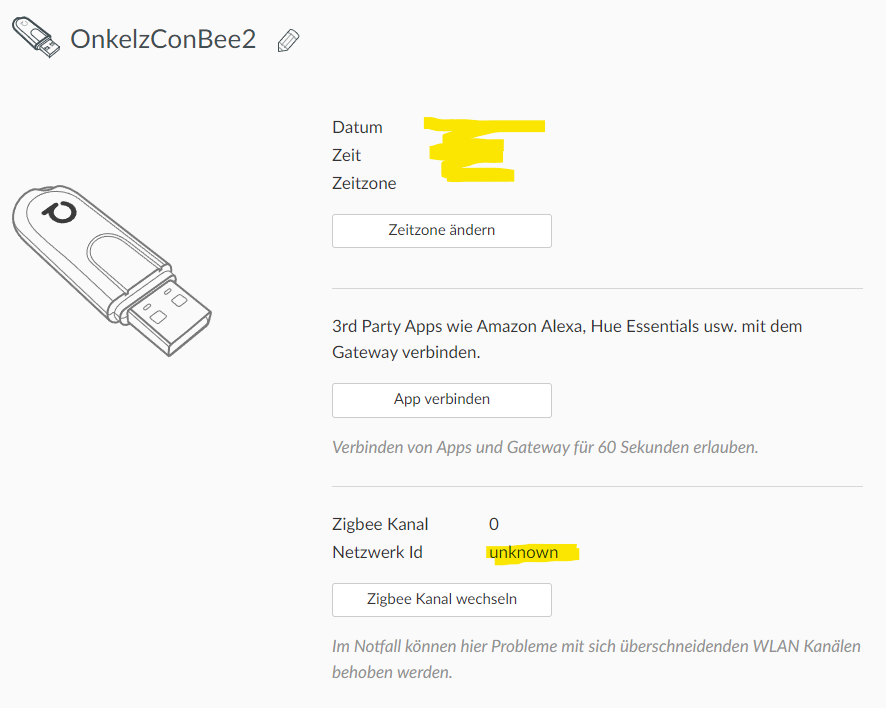
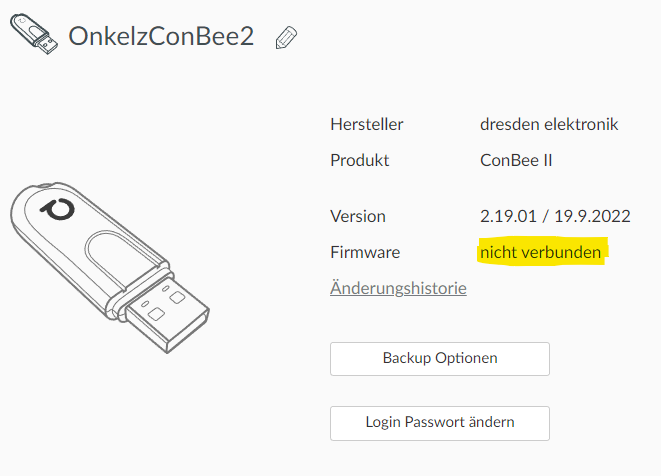
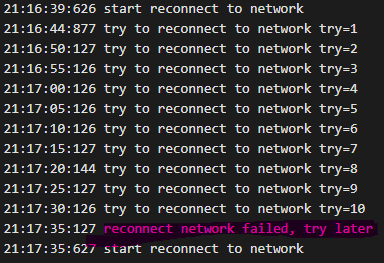
 Hi community, This is my first post so please excuse if something is missing or not completely correct. I'm running: Unraid 6.11.3 VM "FreeBSD" using haos_ova-9.3.vmdk Home Assistant 2022.11.2 Supervisor 2022.10.2 Operating System 9.3 Frontend 20221108.0 Situation: Moved from RaspberryPi installation to new Server VM. The ConBee Stick is recognized and will show up in the plugin. Even the plugin can be started. The problem is that the Zigbee network seems not accessable due to the stick is not reaching any of my devices nor I can add new ones. Tried a few things from other discussions where the stick had been not recognized by the system but nothing worked and now I'm not sure where to start over or where to look into deeper. May there is someone outside who can help. If you need additional logs or protocols please let me know. Thanks in advance, Onkel