






Junker der Provinz
Members
-
Joined
-
Last visited
Everything posted by Junker der Provinz
-
@effective-accumulation8557 Spot on, both of those were real template bugs and both are fixed now. The "invalid IP-literal" crash was the Public URL. The template used Unraid's [IP] and [PORT] tokens, which Unraid only fills in for the WebUI field, not for environment variables, so OpenCloud received the literal text and the gateway crashed. The template now uses a real https://YOUR-SERVER-IP:9200 placeholder that you replace with your address, and the container also falls back to its own IP if it is left unset, so it boots instead of crash-looping. On the storage driver: you are right that "local" breaks it. One small correction to the "leave it blank" part, because it is a subtle trap: a blank field is actually what caused the greyed-out files, since Unraid passes it as an empty value and OpenCloud treats that empty value as an explicit override that wipes its "posix" default. So the template now sets "posix" explicitly (or "decomposeds3" for S3), never blank and never "local". Pull junkerderprovinz/opencloud:production and refresh the template for the new defaults. On the GitHub issues being restricted: they are open on our side, there is no restriction from me. GitHub itself blocks brand-new accounts from opening issues on repositories they have no history with (an anti-spam measure on their side), which is most likely what you ran into. Commenting on an existing issue or just posting here works fine, and I will pick it up. Thanks for the detailed report, it made these easy to fix.
-
@stiernacken Thanks, you were right that the storage driver was the problem. The template shipped it blank, and OpenCloud reads a blank value as an explicit override that wipes its built-in "posix" default, so files ended up without proper permissions (visible but greyed out). The template now sets the driver to "posix" explicitly. If you are using S3, set it to "decomposeds3" instead: that keeps the file blobs in your bucket while the file-tree metadata stays on the local Data volume. Either way the local Data volume needs to sit on a filesystem with extended-attribute support (the Unraid array and cache/pool disks have it). Pull junkerderprovinz/opencloud:production and refresh the template to get the new defaults. Thanks again for flagging it.
-
Hey @Kazem , thanks for your kind words. I'll look into it next week when I'm back home and give you some more details then. I'm always glad to see feature requests on BombVaults GitHub site, since it's easier for me to stay on top of everything there. Feel free to open an Issue there if you want to.
-
Hi @Kayn, thanks again for the detailed report on the text blurriness. v4.4.0 is out and adds a proper fix for it. The blurriness comes from how a streamed desktop works: Selkies sends the whole display as one video stream, so when you run a high resolution and then zoom the browser to read it, the browser is upscaling that video and the text goes soft. Browser zoom can never be crisp for that reason, at any resolution. v4.4.0 adds a JD_UI_SCALE option. Set it in the template (for example 1.5 or 2), keep the browser at 100 percent, and JDownloader renders its whole UI larger at full pixel density, so the text stays sharp at the desktop's native resolution instead of relying on browser zoom. Update the container (pull latest, or pin 4.4.0), set JD_UI_SCALE, and restart. Let me know how it reads for you.
-
Hi @Kayn, That grey look after a reboot is a real bug and it is fixed in v4.3.1. What happened: the dark chrome is applied by the container's in-process agent, which registers the Carbon colours with the theme engine at startup. On a slow or cold boot that registration could lose a race against JDownloader installing its own look-and-feel, and the fallback re-apply did not fully take, so the window came up in the plain grey stock dark theme. Restarting did not help because the same race could be lost again. In v4.3.1 the colours are registered the moment the theme engine is class-loaded, before JDownloader sets its look-and-feel, so the very first frame is the Carbon dark theme on every start, no matter how cold the boot. Please Force Update the container in Unraid (or pull the :latest / :4.3.1 image) and start it once. Your /config is untouched. After that the grey should be gone for good. If it ever comes back, grab the container log and I will take another look. Thanks again for the clear report.
-
OpenCloudThe official OpenCloud server, turned into a genuine one-click app — no console, no chown, no config editing. What is this?OpenCloud is a modern, self-hosted file sync and share platform (the actively maintained fork of ownCloud Infinite Scale). The official image is great, but on Unraid it runs as a fixed non-root user with no PUID/PGID support and needs a manual one-time init step, so a fresh install normally fails with "permission denied". This is a thin wrapper image that fixes exactly that: it runs the first-boot init for you, heals the appdata permissions, and drops to your chosen PUID/PGID — so you just fill in the Unraid template and hit Apply. Nothing is forked or modified beyond that; the OpenCloud binary is the official upstream image. HighlightsGenuinely one-click — auto-runs opencloud init on first boot, heals root-owned appdata to your PUID/PGID, then starts the server. No console, no chown, no editing opencloud.yaml Serves HTTPS itself on port 9200 (self-signed by default) — works with no reverse proxy, or hands TLS to your proxy with one setting No database — OpenCloud is not Nextcloud; there is no MySQL/Postgres to set up. State lives in a local metadata tree plus an embedded message bus Optional S3 object storage — point it at any S3-compatible bucket (MinIO, AWS, Backblaze B2, Wasabi) to keep file blobs in object storage (the metadata stays local) Two channels — a stable :production tag and a fast-moving :rolling tag, switchable from the template PUID/PGID like every well-behaved Unraid container (default 99:100) Multi-arch — amd64 + arm64 Images: junkerderprovinz/opencloud:production (Docker Hub) / ghcr.io/junkerderprovinz/opencloud:production RequirementsUnraid 6.10+ Set an Admin Password in the template before the first start (it is applied during init; log in as user admin) Use a fresh, empty Data folder. Do not point Data at an old OpenCloud/oCIS data directory — the on-disk layout and the storage backend (local vs S3) are not interchangeable, and there is no in-place migration Behind a reverse proxy: set OpenCloud terminates TLS to false and point your proxy at the container over plain HTTP on port 9200, with the Public URL set to your external https URL For S3: create the bucket beforehand (the container does not), and keep backing up the local Data volume — it holds the file-tree metadata even when blobs live in S3 Posting a bug reportPlease post: Unraid version (Settings → System Information) Image tag (:production, :rolling, or a pinned version) Output of docker logs --tail 200 OpenCloud Whether you use S3 or local storage, and whether you run behind a reverse proxy Whether you changed the Data/Config mounts, PUID/PGID, or the TLS settings GitHub issues with the same info are also welcome: github.com/junkerderprovinz/opencloud/issues CreditsAll the real work is OpenCloud (Apache-2.0) by the OpenCloud team — this project only packages their official image for one-click Unraid use, with a static gosu for the privilege drop. If it saves you a console session, you can buy me a coffee. Independent, community-maintained packaging — not affiliated with OpenCloud. The wrapper is MIT-licensed; you run it, you own your data and the responsibility.
-
Hi @Kayn, thanks again for the report. All four points are now fixed in v4.3.0, which is live on GHCR and Docker Hub (:latest and :4.3.0). Pull the new image and recreate the container to get it. What changed: 1. Checkbox almost invisible when unchecked. The unchecked border colour was tuned for FlatLaf's lighter default background and disappeared on our darker Carbon #161616. The checkbox and radio-button icons now use a visible border colour. 2. Black "+" expand toggle. JDownloader bakes that toggle into the file column, so a plain config or icon swap could not reach it. It now renders as a light toggle that matches the rest of the dark UI. 3. Progress bar turning grey while scrolling. The fill colour is now pinned so it stays light and consistent, with no grey flash when the table repaints. 4. Event Scripter script editor would not open. This was the interesting one. On any FlatLaf dark Look and Feel (ours, and JDownloader's own dark theme too) the script editor silently aborts while it is being built, so "edit" and "Add" appeared to do nothing. The cause is two null-pointer errors inside JDownloader's own bundled code that only trigger under FlatLaf and are swallowed on a background thread. v4.3.0 works around both, so the editor opens normally. Since these are genuine JDownloader bugs rather than theme bugs, I have also written them up for the JDownloader developers. If anything still looks off after you update, let me know and I will take another look. Thanks for helping make the theme better.
-
Hi @te5s3rakt, those Xbox / gamepad lines are completely normal and nothing is wrong. This image is built on the LinuxServer Selkies web-desktop base, and Selkies ships a small gamepad interposer so a controller plugged into the machine running your browser can be passed through into the session. To do that it registers a few virtual controllers at startup, and they advertise themselves as Xbox 360 pads, which is exactly what you are seeing in the log. They appear on every boot whether or not you actually have a controller connected, they do not consume any resources, and they have no effect on Krusader itself. You can safely ignore them. If you ever do want to use a gamepad inside the session, it will just work through that same mechanism. Thanks for checking in, and let me know if anything else looks off.
-
Hi @Kayn , thanks a lot for the detailed log, that pinpointed it right away, and sorry for the trouble. What happened: a routine dependency bump built one of the container's helper components (the dialog agent) with Java 25, but JDownloader itself runs on Java 21. The Java 21 runtime refused to load the newer class ("class file version 69.0 ... up to 65.0"), so the JVM aborted at startup and the autostart kept relaunching into the black screen. A fresh install couldn't help because the broken build was already in :latest. I just released v4.2.1, which compiles that component for Java 21 regardless of the build JDK, and hardens the CI check so this can't slip through again. The fixed :latest is already published. To recover: run a Force Update on the container in Unraid (or "docker pull" on the CLI), then start it. If it doesn't pull the new image right away, you can also point the repository tag at :v4.2.0 as an immediate stopgap. Both get you running again. Thanks again for the report, and let me know if anything is still off after the update.
-
Great idea, and a smart one — you're right that SemVer level alone isn't enough. It's live in v2.4.0. New setting in the Updates tab: "Never if changelog mentions" — a comma-separated word list (e.g. breaking, migration required). If the pending update's own release notes contain any of those words, ShipLog blocks it — never applies it — no matter what your level policy would otherwise allow. So "breaking" catches exactly the immich-v1 case: a minor or patch bump that calls out a breaking change in its own notes. Blocked updates aren't silent — they show up in the run summary (ShipLog log + Matrix, if you use it), including in Dry run, so you can watch the safety switch actually catch something before you trust it on a real schedule. It's off by default (empty list = no effect on anyone who hasn't opted in). Thanks again for pushing on this — this is exactly the kind of feature that's better for having a real use case behind it. Looking forward to see your feature requests on GitHub. 😉
-
Thanks for the thorough second round, @btTeddy, and for marking what the reinstall already fixed. That kind of testing is gold. ShipLog 2.3.0 is out with the rest of your list: Readable changelogs. Release notes are now rendered properly (headings, bold, code, links, bullet lists), and stray HTML entities like the literal from your screenshot are cleaned up. Everything gets escaped before rendering, so no upstream HTML ever runs in the page. Your precedence idea is in, exactly as proposed. The chain is now: manual override, then curated default, then the template's Project page (when it points at GitHub), then the OCI source label. And yes, the curated defaults are a small hardcoded map in the engine, currently the common LinuxServer apps with real GitHub releases; a manual override always beats everything. With the Project page in the chain, media-preview-generator should now pick up its own repo instead of the ffmpeg base label, and seerr from hotio gets a source at all. Plex staying on the LinuxServer changelog is correct, as you guessed: those updates really are image rebuilds. Uninstall no longer touches your data. You are right that a read-only advisor should not delete a user-visible folder on its own. Removing the plugin now keeps /mnt/user/appdata/shiplog, so a reinstall resumes with the full version history, and the removal message tells you where it lives if you want it gone. One small ask: bug reports and ideas like these are very welcome on GitHub too (https://github.com/junkerderprovinz/shiplog/issues). They are much easier to track and work through there, and you can see exactly when something ships. The thread stays open for everything else, of course. Thanks again, this round made ShipLog noticeably better.
-
Thanks for the really precise report, @btTeddy. That per-symptom breakdown made the root cause obvious. All of it traces back to one thing: ShipLog took the changelog repo straight from the image's OCI source label (org.opencontainers.image.source), which for a lot of images is the packaging wrapper (the LinuxServer docker-* repo), inherited wrong from a base image (that's your media-preview-generator pointing at linuxserver/docker-ffmpeg), or simply missing (hotio/seerr). Fixed in v2.1.0, pretty much exactly as you suggested: - Per-image source override, right on the status page at IP:8484. Click "source" on any row and point it at the correct GitHub repo (owner/repo or a full github.com URL). The engine then mines the changelog and the link from there for that image, and it sticks to the image so it survives container recreation. That covers the wrong-link and missing-changelog cases. - Common LinuxServer apps now resolve to their upstream project out of the box (Radarr, Sonarr, Lidarr, Prowlarr, Readarr, Whisparr, Bazarr) instead of the wrapper's dependency-bump log. A manual override always wins over that. Precedence is: override > curated default > OCI source label > version-delta fallback. Update the plugin (or reinstall from the .plg URL below) and it's there. If you find an image where the override or a curated default is off, tell me the image and the repo it should point at and I'll sort it. .plg: https://raw.githubusercontent.com/junkerderprovinz/shiplog/main/plugin/shiplog.plg
-
Good news: found and fixed it. Thanks for your patience! Two things could go wrong on a fresh install, and both depend on timing. The dark theme file was not always visible to the Java UI loader at startup, and in some cases the theme file itself got corrupted during the very first install. That is why some installs came up white while others were fine. Both fixes are in the latest image. Please do a Force Update on the container. Your existing setup repairs itself on the next start, there is nothing to delete and nothing to configure. Once the dark GUI is verified, the log ends with a big JDOWNLOADER IS READY banner. About the log command: the part "> jd.log 2>&1" writes everything into the file jd.log instead of showing it in the console, so an empty console was expected there. The output was in that file all along. Even easier: in the Unraid Docker tab, click the container icon and choose Logs. But you should not need any of that anymore.
-
Thank you so much for testing again and for the detailed report, this one was genuinely valuable. Good news first: your JDownloader was actually running fine at the end, the log you posted shows a fully successful start. It only LOOKED stuck, and that was my fault twice over. What happened: the container has a watchdog that restarts JD if the dark theme is not applied. It correctly protected the very first start, but I forgot to protect the later restarts too. On your machine it judged JD too early while it was still starting up, killed a perfectly healthy process, and did that until its safety budget of 3 restarts was used up. On top of that, the READY banner was only printed once per container start, so after those restarts you had no signal that JD had come up fine again. Both are fixed now: the watchdog gives every restart a proper grace period, and the READY banner is printed again after every internal restart, so the log always tells you the current state. Please force update the container once more and do a fresh install. You should see the banner, and if JD ever restarts internally, a new banner right after. The small "Error" popup you saw twice is JD's tray icon check, it is auto-dismissed by the container and completely harmless. If anything still looks off after this update, please run "docker logs JDownloader > jd.log 2>&1" and attach the whole file instead of the last 200 lines, then I can see the full story from the very first second. Thanks again for your patience, your reports have directly improved the container three times!
-
Thanks a lot for the extra details and the full log, that confirmed it perfectly. Your log shows JD itself running fine, but the FlatLaf theme extension never got installed, which is exactly why the banner honestly said "theme NOT verified" and the GUI stayed light. You did nothing wrong, and your changed host paths are fine too, this was a gap in how the container installed the theme. I have just released v3.0.0 which rebuilds that whole mechanism from the ground up. The theme now goes through JDownloader's official extension system and the container requests it before JD even starts, so it installs together with JD itself. Fresh installs come up dark from the very first frame with no dialogs at all, and existing setups like yours heal automatically: the container keeps requesting the theme until it is installed, JD restarts itself once, and the READY banner only prints when the dark theme is really applied. To get it, just force update the container so it pulls the new :latest and give the first start a few minutes. You should then see the big ASCII banner followed by JDOWNLOADER IS READY in the log, and the UI will be dark. If anything still looks off after that, post the tail of the log here and I will take it from there. Thanks again for the report and your patience, it genuinely made the container better for everyone!
-
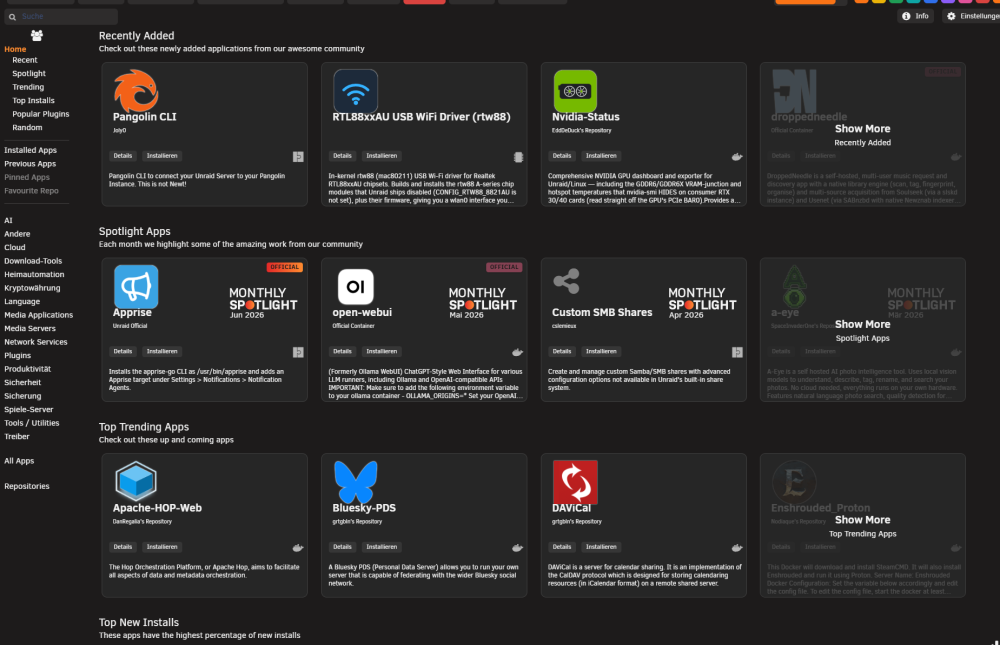
Hi @Squid, small heads-up on the new app-card layout in the latest CA update: on the cards, the app name overlaps the bottom of the icon. The cause looks like the icon is 8rem tall (img.ca_displayIcon) but .ca_iconArea only reserves 6.4rem and has no overflow, so the icon spills ~1.6rem past its box and the title right below it runs into it. It showed up with the recent "cleaner app-card titles" rework (dropping the category line and lowering the title's padding-top). Two easy options if it helps: .ca_iconArea { height: 8rem; } /* container gets the icon's real height */ .ca_holder .ca_applicationName { padding-top: 2.5rem; } /* or just push the title clear of the icon */ Thanks for all the work on CA!
-
Thanks @phunky1, really glad it's useful to you! Both of those are good ideas: - Start and end time on the Dashboard "Last Backups": an easy one, since each run already records when it started and finished, so showing the times (and the duration) there is straightforward. - A search/filter box on the Containers tab: agreed, once you have a lot of them the list gets unwieldy. On where to post: GitHub is the better spot for feature requests and bug reports. Filed as issues they don't get lost in the thread and I can track them properly, so if you don't mind dropping these two into separate issues over at github.comjunkerderprovinz/bombvault/issues that would be perfect. I've noted them down in the meantime either way. Thanks again, and thanks for all the reports as ptmorris1, they've been genuinely helpful.
-
Hey! The path just needs the rclone: prefix so restic uses rclone instead of treating it as a local folder. That's why it ran without errors but nothing showed up on B2 (it was quietly writing to a local path named BackBlaze:BombVault-test). Set the Off-site copy path to: rclone:BackBlaze:BombVault-test The format is rclone:<remote>:<bucket>, using the exact remote name from your rclone config (BackBlaze here). Keep pasting the rclone config into BombVault's Rclone settings card (not just dropping it in appdata) so it wires the config into restic; since it already lists your buckets, that part looks good. The B2 repo will initialize itself on the first off-site copy. Give that a shot and let me know if it still doesn't push!
-
Hey, thanks for the kind words and the report! That SSH error was BombVault checking for libvirt VMs on every page load, even when you don't use VM backup. Fixed now: it only talks to libvirt when the VMs domain is turned on. Update to the latest image and the log should be clean.
-
Good question, and it turned into two features. Thanks for the nudge. First the direct answer: on restore BombVault keeps the run state from the backup. A container (or VM) that was running when it was backed up comes back running, one that was stopped stays stopped. It never force starts. (Small bonus: VMs used to always boot on restore regardless of their prior state, which was inconsistent, so I fixed that at the same time.) For your exact case I added two things, both live on :latest now: 1) A "Leave stopped after restore" checkbox on the restore panel (containers and VMs). It recreates the container without starting it, so you can restore your stack members and bring them up yourself in the right order. 2) Since you run compose stacks, I went further. BombVault now groups containers by their compose project (the com.docker.compose.project label, which it already captures) into a "Stacks" panel above the container list. "Restore stack" restores every member from its latest backup left stopped, then optionally starts them in depends_on order. So a whole stack comes back in one go without members racing ahead of the containers they depend on. It also covers the disaster recovery case where the whole stack was wiped (it restores from the stored definitions, so deleted members come back too), and if a dependency fails to restore it holds back the containers that depend on it instead of starting them into a broken state. Update the container to :latest and you'll see the "Stacks" panel and the "Leave stopped" option. Give it a spin with your Dockhand stacks and let me know how it goes.
-
Hey @manilx, all three of your latest points are sorted now, pushed out in the new image (v2.9.0): 1. The GUI glitch where the green "healthy" indicator stuck around after a manual prune is fixed. Switching the Local/Off-site selector in Integrity & maintenance now clears the result, so you only ever see a status that actually belongs to the repo you're looking at. 2. Separate retention per repo is in. Settings > Retention is now split into Local and Off-site, each with its own keep-last/daily/weekly/monthly, so you can keep the off-site copies around longer as an archive. The off-site policy starts at all-zero on purpose, which means it won't touch your existing off-site snapshots until you set it yourself, so nothing gets trimmed behind your back. (I also fixed a related bug where a manual prune on the off-site repo was wrongly using the local policy.) 3. The orphaned VM entry (your DietPi_template) can be removed now. If a VM is gone from the host, the VMs tab has a "Remove entry" button that clears the leftover. (If one still has backups, "Delete all backups" in its panel takes care of those.) And the daily "dumpxml: failed to get domain" error is gone too: the scheduler already skips a VM that no longer exists on the host, so once you update and remove the stale entry it stops for good. Grab ghcr.io/junkerderprovinz/bombvault:latest (or :2.9.0) and you're set. Thanks again for the really clear reports, they make this stuff a lot easier to track down.
-
Happy to have everything fixed for now. If you encounter any further bugs or if you have an idea for a new feature which will make BombVault more versatile, hit me up!
-
Good catch, and thanks for testing so fast. The v2.8.0 prune fix handled a different failure mode (a stale lock that made prune error out). What you ran into is a separate bug, and I just shipped v2.8.1 for it. What was actually wrong restic stamps every snapshot with the machine hostname. Inside Docker that hostname is a random container ID that changes every time the container is recreated, which includes every update. restic groups retention by host, so after each update your older snapshots landed in a different group and the keep policy was applied per group instead of across all of them. So keep daily 3 looked like it did nothing, because each batch was kept separately. The fix in v2.8.1 Backups now use a fixed host, so new snapshots stay in one group. Prune now groups by path instead of host, so a target's whole history is treated as one set. That also cleans up the snapshots you already have, no matter which hostname they were taken under. What to do Update to v2.8.1, then run the flash prune once. With keep daily 3 it should drop from 9 to 3. Let me know if it does. Thanks again for the detailed reports, they make this much easier to chase down.
-
Hey, sorry for the quiet day, I was off yesterday and definitely didn't forget you. I went through everything you flagged and just shipped v2.8.0 with all of it fixed. Fixes Prune. It was choking on a leftover lock from an interrupted run, so it never reclaimed space. It now clears the stale lock first, and prune works normally again. Scheduled VM errors (DietPi_template). That VM isn't on the host anymore, so the nightly job kept tripping over it. It now skips any VM that's no longer defined instead of failing. gluetun and the arr containers. They share gluetun's network namespace, and the restart order was backwards, so they came up before gluetun was running. Fixed the order so the backed up container is up and running before its dependents restart. New Delete all VM backups in one click. You can now wipe every backup for a VM at once, per source (local or off site), and it prunes the repo right after. No more removing them one by one. Grab v2.8.0 and let me know how it goes. Thanks as always for the detailed reports.
-
Yeah, easy to mix up, here's the gist: Appdata Backup plugin Runs as a host plugin. Stops your containers and tars up the appdata folders into a (mostly full) archive each run. Restore = extract the archive back. Simple and solid if that's all you need. BombVault Runs as a container, uses restic under the hood: Deduplicated & incremental — after the first run it only saves what changed, so history barely grows. Optional encryption and off-site copies to S3/B2/rclone. The best part is the restore — it doesn't just dump files back, it fully rebuilds your containers and VMs with their original config, so they reinstall and just show up again in the Docker and VMs tabs, ready to go. Granular too — pull back a single file from any snapshot if that's all you need. Short version: plain appdata archives → the plugin's fine. Full container/VM restore that puts everything back in place, with incremental history and off-site → that's BombVault.




