





mrwookie
Members
-
Joined
-
Last visited
-
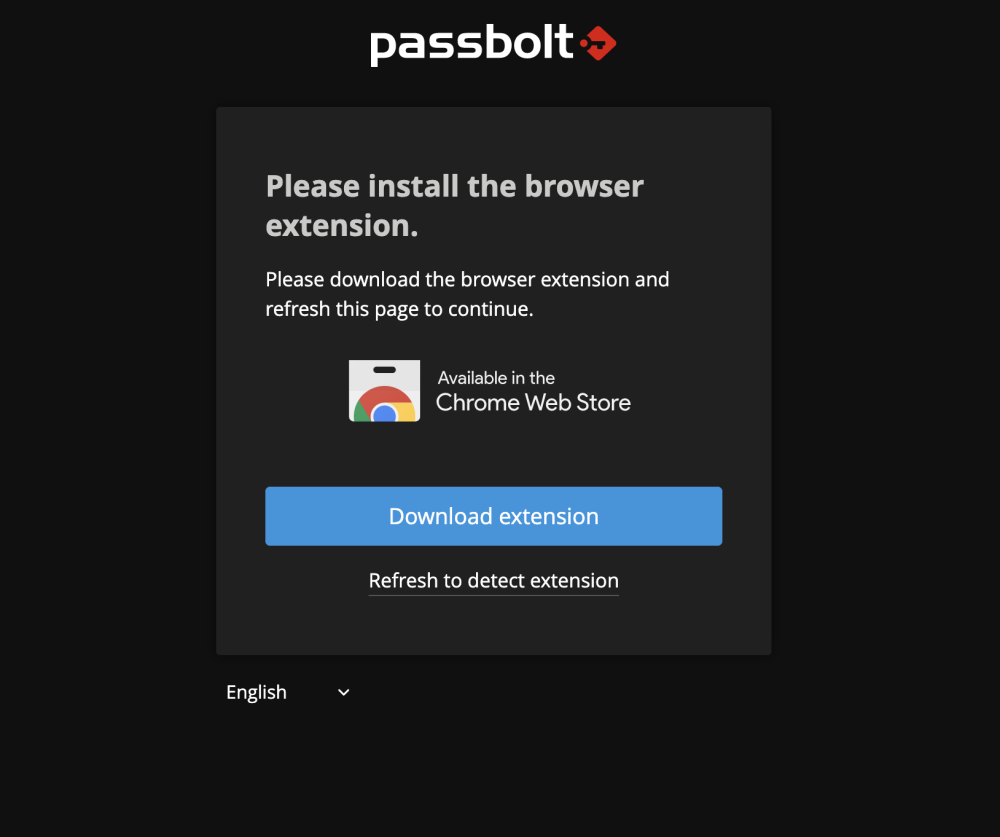
@SmartPhoneLover Any update on my previous post? I just updated the app and the issue remains. Extension not being detected. I do receive the email but regardless I'm using the link generated for me in the terminal or by the email I received, it all comes to the extension not being detected on Chrome and Firefox. Here's my log from when I open the app to when I try to detect the extension : ____ __ ____ / __ \____ _____ ____/ /_ ____ / / /_ / /_/ / __ `/ ___/ ___/ __ \/ __ \/ / __/ / ____/ /_/ (__ |__ ) /_/ / /_/ / / / /_/ \__,_/____/____/_.___/\____/_/\__/ Open source password manager for teams ------------------------------------------------------------------------------- ------------------------------------------------------------------------------- Running migration scripts. ------------------------------------------------------------------------------- using migration paths - /etc/passbolt/Migrations using seed paths using environment default using adapter mysql using database unraid ordering by creation time All Done. Took 0.0086s Clearing default Cleared default cache Clearing _cake_core_ Cleared _cake_core_ cache Clearing _cake_model_ Cleared _cake_model_ cache Enjoy! ☮ 2022-11-12 13:22:04,400 CRIT Supervisor is running as root. Privileges were not dropped because no user is specified in the config file. If you intend to run as root, you can set user=root in the config file to avoid this message. 2022-11-12 13:22:04,400 INFO Included extra file "/etc/supervisor/conf.d/cron.conf" during parsing 2022-11-12 13:22:04,400 INFO Included extra file "/etc/supervisor/conf.d/nginx.conf" during parsing 2022-11-12 13:22:04,400 INFO Included extra file "/etc/supervisor/conf.d/php.conf" during parsing 2022-11-12 13:22:04,403 INFO RPC interface 'supervisor' initialized 2022-11-12 13:22:04,403 CRIT Server 'unix_http_server' running without any HTTP authentication checking 2022-11-12 13:22:04,404 INFO supervisord started with pid 1 2022-11-12 13:22:05,407 INFO spawned: 'php-fpm' with pid 55 2022-11-12 13:22:05,409 INFO spawned: 'nginx' with pid 56 2022-11-12 13:22:05,411 INFO spawned: 'cron' with pid 57 2022-11-12 13:22:06,462 INFO success: php-fpm entered RUNNING state, process has stayed up for > than 1 seconds (startsecs) 2022-11-12 13:22:06,462 INFO success: nginx entered RUNNING state, process has stayed up for > than 1 seconds (startsecs) 2022-11-12 13:22:06,462 INFO success: cron entered RUNNING state, process has stayed up for > than 1 seconds (startsecs) 2022/11/12 13:22:13 [info] 60#60: *1 SSL_do_handshake() failed (SSL: error:14094416:SSL routines:ssl3_read_bytes:sslv3 alert certificate unknown:SSL alert number 46) while SSL handshaking, client: 10.0.0.46, server: 0.0.0.0:443 10.0.0.46 - - [12/Nov/2022:13:22:13 -0500] "GET /setup/install/0f372ddd-e956-4a68-b839-fc87279aae53/2b3c86c3-fdf0-4a8d-857d-2038d03634f1?locale=en-UK HTTP/2.0" 200 1105 "https://10.0.0.36:8081/setup/install/0f372ddd-e956-4a68-b839-fc87279aae53/2b3c86c3-fdf0-4a8d-857d-2038d03634f1?locale=en-UK" "Mozilla/5.0 (Macintosh; Intel Mac OS X 10_15_7) AppleWebKit/537.36 (KHTML, like Gecko) Chrome/107.0.0.0 Safari/537.36" 2022-11-12 13:22:13,618 INFO reaped unknown pid 91 (exit status 0) 2022-11-12 13:22:13,618 INFO reaped unknown pid 93 (exit status 0) 2022-11-12 13:22:13,618 INFO reaped unknown pid 95 (exit status 0) 2022-11-12 13:22:13,618 INFO reaped unknown pid 97 (exit status 0) 2022-11-12 13:22:13,618 INFO reaped unknown pid 99 (exit status 0) 2022-11-12 13:22:13,619 INFO reaped unknown pid 101 (exit status 0) 2022-11-12 13:22:13,619 INFO reaped unknown pid 103 (exit status 0) 10.0.0.46 - - [12/Nov/2022:13:22:13 -0500] "GET /css/themes/midgar/api_authentication.min.css?v=3.7.3 HTTP/2.0" 200 68468 "https://10.0.0.36:8081/setup/install/0f372ddd-e956-4a68-b839-fc87279aae53/2b3c86c3-fdf0-4a8d-857d-2038d03634f1?locale=en-UK" "Mozilla/5.0 (Macintosh; Intel Mac OS X 10_15_7) AppleWebKit/537.36 (KHTML, like Gecko) Chrome/107.0.0.0 Safari/537.36" 10.0.0.46 - - [12/Nov/2022:13:22:13 -0500] "GET /favicon.ico HTTP/2.0" 200 318 "https://10.0.0.36:8081/setup/install/0f372ddd-e956-4a68-b839-fc87279aae53/2b3c86c3-fdf0-4a8d-857d-2038d03634f1?locale=en-UK" "Mozilla/5.0 (Macintosh; Intel Mac OS X 10_15_7) AppleWebKit/537.36 (KHTML, like Gecko) Chrome/107.0.0.0 Safari/537.36" 10.0.0.46 - - [12/Nov/2022:13:22:13 -0500] "GET /favicon_32.png HTTP/2.0" 200 1302 "https://10.0.0.36:8081/setup/install/0f372ddd-e956-4a68-b839-fc87279aae53/2b3c86c3-fdf0-4a8d-857d-2038d03634f1?locale=en-UK" "Mozilla/5.0 (Macintosh; Intel Mac OS X 10_15_7) AppleWebKit/537.36 (KHTML, like Gecko) Chrome/107.0.0.0 Safari/537.36" 2022-11-12 13:22:13,742 INFO reaped unknown pid 106 (exit status 0) 2022-11-12 13:22:13,742 INFO reaped unknown pid 108 (exit status 0) 2022-11-12 13:22:13,742 INFO reaped unknown pid 110 (exit status 0) 2022-11-12 13:22:13,742 INFO reaped unknown pid 112 (exit status 0) 10.0.0.46 - - [12/Nov/2022:13:22:13 -0500] "GET /settings.json?api-version=v2 HTTP/2.0" 200 1099 "https://10.0.0.36:8081/setup/install/0f372ddd-e956-4a68-b839-fc87279aae53/2b3c86c3-fdf0-4a8d-857d-2038d03634f1?locale=en-UK" "Mozilla/5.0 (Macintosh; Intel Mac OS X 10_15_7) AppleWebKit/537.36 (KHTML, like Gecko) Chrome/107.0.0.0 Safari/537.36" 2022-11-12 13:22:13,783 INFO reaped unknown pid 114 (exit status 0) 2022-11-12 13:22:13,783 INFO reaped unknown pid 116 (exit status 0) 2022-11-12 13:22:13,784 INFO reaped unknown pid 118 (exit status 0) 10.0.0.46 - - [12/Nov/2022:13:22:13 -0500] "GET /locales/en-UK/common.json HTTP/2.0" 200 78279 "https://10.0.0.36:8081/setup/install/0f372ddd-e956-4a68-b839-fc87279aae53/2b3c86c3-fdf0-4a8d-857d-2038d03634f1?locale=en-UK" "Mozilla/5.0 (Macintosh; Intel Mac OS X 10_15_7) AppleWebKit/537.36 (KHTML, like Gecko) Chrome/107.0.0.0 Safari/537.36" 10.0.0.46 - - [12/Nov/2022:13:22:13 -0500] "GET /users/csrf-token.json?api-version=v2 HTTP/2.0" 200 386 "-" "Mozilla/5.0 (Macintosh; Intel Mac OS X 10_15_7) AppleWebKit/537.36 (KHTML, like Gecko) Chrome/107.0.0.0 Safari/537.36" 2022-11-12 13:22:13,944 INFO reaped unknown pid 121 (exit status 0) 2022-11-12 13:22:13,944 INFO reaped unknown pid 123 (exit status 0) 10.0.0.46 - - [12/Nov/2022:13:22:14 -0500] "GET /settings.json?api-version=v2 HTTP/2.0" 200 1099 "-" "Mozilla/5.0 (Macintosh; Intel Mac OS X 10_15_7) AppleWebKit/537.36 (KHTML, like Gecko) Chrome/107.0.0.0 Safari/537.36" 2022-11-12 13:22:14,008 INFO reaped unknown pid 126 (exit status 0) 2022-11-12 13:22:14,008 INFO reaped unknown pid 128 (exit status 0) 10.0.0.46 - - [12/Nov/2022:13:22:14 -0500] "GET /auth/verify.json?api-version=v2 HTTP/2.0" 200 10192 "-" "Mozilla/5.0 (Macintosh; Intel Mac OS X 10_15_7) AppleWebKit/537.36 (KHTML, like Gecko) Chrome/107.0.0.0 Safari/537.36" 2022-11-12 13:22:14,081 INFO reaped unknown pid 131 (exit status 0) 2022-11-12 13:22:14,081 INFO reaped unknown pid 133 (exit status 0) 10.0.0.46 - - [12/Nov/2022:13:22:14 -0500] "GET /setup/install/0f372ddd-e956-4a68-b839-fc87279aae53/2b3c86c3-fdf0-4a8d-857d-2038d03634f1.json?api-version=v2 HTTP/2.0" 200 1181 "https://10.0.0.36:8081/setup/install/0f372ddd-e956-4a68-b839-fc87279aae53/2b3c86c3-fdf0-4a8d-857d-2038d03634f1?locale=en-UK" "Mozilla/5.0 (Macintosh; Intel Mac OS X 10_15_7) AppleWebKit/537.36 (KHTML, like Gecko) Chrome/107.0.0.0 Safari/537.36" 2022-11-12 13:22:14,966 INFO reaped unknown pid 136 (exit status 0) 2022-11-12 13:22:14,966 INFO reaped unknown pid 138 (exit status 0) 10.0.0.46 - - [12/Nov/2022:13:22:15 -0500] "GET /img/third_party/ChromeWebStore_white.svg HTTP/2.0" 200 11286 "https://10.0.0.36:8081/setup/install/0f372ddd-e956-4a68-b839-fc87279aae53/2b3c86c3-fdf0-4a8d-857d-2038d03634f1?locale=en-UK" "Mozilla/5.0 (Macintosh; Intel Mac OS X 10_15_7) AppleWebKit/537.36 (KHTML, like Gecko) Chrome/107.0.0.0 Safari/537.36"
-
@SmartPhoneLover I installed the container yesterday and I'm stuck at the Download Extension step. I tried to recreate my gpg key as per mentioned on the doc of Passbolt without any success. I tried on Chrome, Firefox, Edge on both Windows 11 and MacOS....
-
Sorry for now coming back at you sooner. I managed to test my setup with my friend's P1000 and it worked right away so the issue seems to be my card and not the HP Z440 ! Thanks for all your help !
-
I checked and I'm not sure I have any of those options in my BIOS. I searched online and I cannot find any alternate naming for either of those options..... I'm not even sure my GPU supports Resizable Bar.
-
@ich777 I followed your instructions and I'm now booting in Legacy mode and still no luck. I have 2 GPUs (one AMD and one Nvidia). If I unplug the power of the Nvidia, I get the following message in the boot sequence log right before the login lines appear : "Modprobe: ERROR: could not find module by name 'nvidia' " If I plug both with the Nvidia in the primary slot and the AMD in the secondary slot, I don't get the error but the GPU is not detected by the plugin. After enabling Legacy boot (and disabling all UEFI boot option to make sure that I was booting in Legacy), I uninstalled the nvidia driver plugin, rebooted as you instructed others in the forum, did a clean install, didn't clicked on the red X but waited, clicked in the DONE button, set Docker to OFF, Apply, Docker to ON, Apply, checked if the GPU was detected, no luck so I rebooted again and still no luck. If I type in the unraid terminal "modprobe nvidia", I dont see any ouput and if I type "nvidia-smi" I get "No devices were found". Here's my diagnostic after all those changes. unraid-diagnostics-20220729-1054.zip
-
Hi @ich777 ! First of all thanks for the amazing support regarding this plugin. So I'm currently in the same situation as @Fantomen but with a different PC (actually I tried with 2 and I got the same results) and a different but supported GPU. I tried with my custom old PC and more recently with my HP Z440. My GPU is a MSI GTX 1050 Ti, I get video output, everything is working fine. But in the plugin settings, it's not being detected. I can see it in de devices list, I can assign it to a VM (just checked in case it was the GPU that was defective) but no luck with the plugin. I've tried multiple solution from various reply (kinda lost count of what I tried lol) so thanks for any advice you'll be able to give me ! FYI, I did update my BIOS yesterday prior moving my setup to the Z440. unraid-diagnostics-20220728-1328.zip

